---
title: "Leave Accounts"
description: "Plan vacation entitlement and retain a traceable history of every adjustment."
search:
tags: ["leave accounts", "vacation"]
---
Open **Your Company → Employees → [Employee] → Vacation** to manage an employee's leave account. Define annual entitlement and plan changes for specific periods. Leadtime automatically calculates prorated days for joining, leaving, contract changes, or part-time arrangements and records every change.
See [Leave Management](/company/leave-management).
---
## Initial entitlement
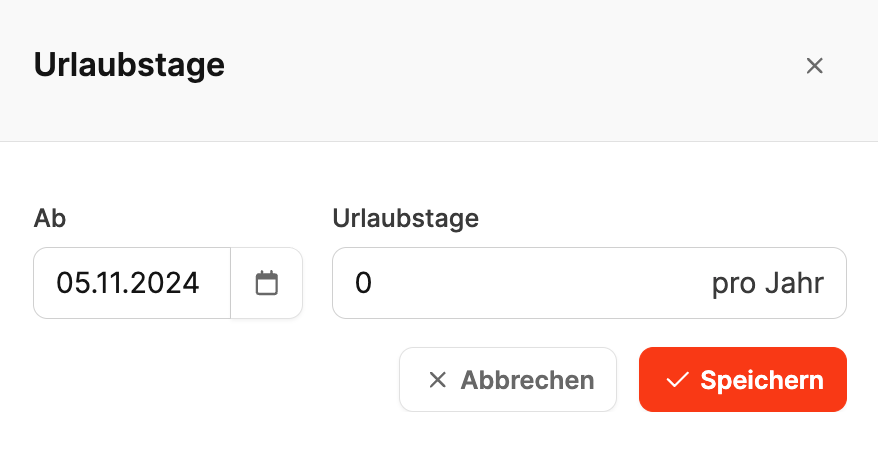 Enter the vacation entitlement in the employee's master data when creating the profile. This becomes the basis for later calculations and adjustments.
### Plan leave-account agreements
Enter the vacation entitlement in the employee's master data when creating the profile. This becomes the basis for later calculations and adjustments.
### Plan leave-account agreements
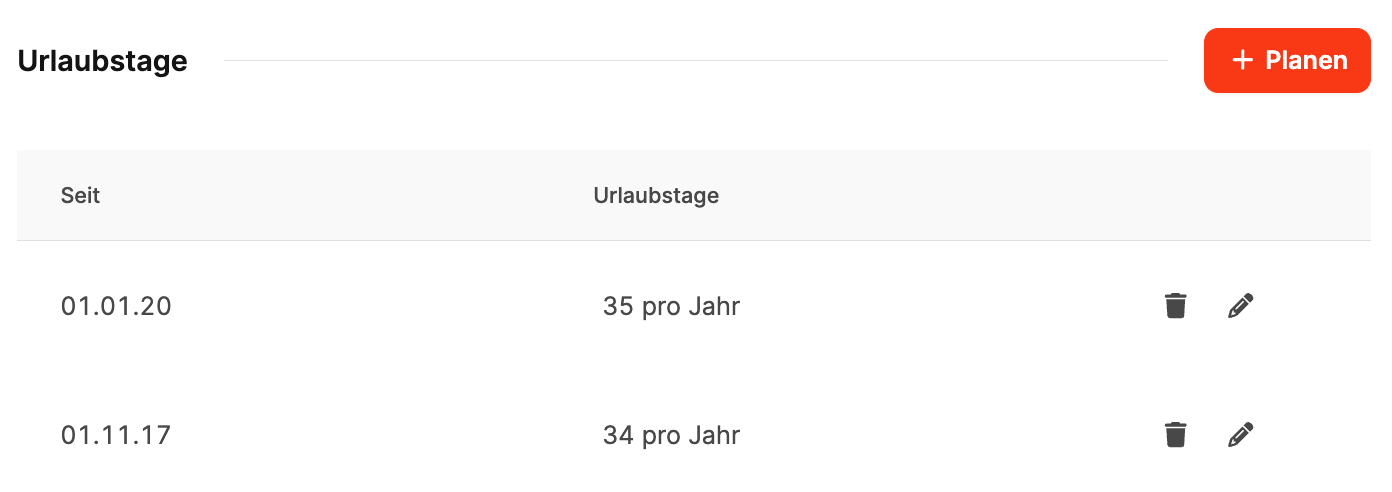 Select **+ Plan** to add an agreement:
- **From:** Start date of the new period.
- **Vacation days:** Annual entitlement.
Use separate agreements for changes caused by longer service or new contract terms.
### Changes during the year
If entitlement changes during the year, Leadtime calculates the remaining days proportionally and records the date and validity of the change.
### Carryovers
Unused days can be carried into the next year or compensated with or without a payout. These transactions appear under **Vacation compensation**.
Select **+ Plan** to add an agreement:
- **From:** Start date of the new period.
- **Vacation days:** Annual entitlement.
Use separate agreements for changes caused by longer service or new contract terms.
### Changes during the year
If entitlement changes during the year, Leadtime calculates the remaining days proportionally and records the date and validity of the change.
### Carryovers
Unused days can be carried into the next year or compensated with or without a payout. These transactions appear under **Vacation compensation**.