
Getting Started with Leadtime
The essential information for getting started with Leadtime.
Welcome to Leadtime!

Europe is home to almost one million IT service providers—the backbone of digital transformation.
But they all face the same problems in project delivery: deadlines slip, budgets spiral out of control, and far too many projects are abandoned entirely.
The truth is that delivering IT projects reliably, profitably, and efficiently is difficult.
Conventional tools do not make it easier. Resource plans, time tracking, projects, and finances remain isolated instead of presenting the bigger picture. Teams end up relying on spreadsheets, endless email threads, and improvised workarounds.
This is not limited to IT providers. Agencies, consultancies, and other digital service businesses know the situation just as well: too many projects running at once, too little transparency, and too many dependencies.
That is exactly why we created the Leadtime Project Delivery Platform.
Leadtime is designed for digital service businesses that need to manage many projects in parallel. The platform is built around the requirements of the European market, including GDPR compliance, EU standards, and genuine digital sovereignty.
Our goal is to remove the fear from digital project delivery and help service businesses build deep, trusting, long-term relationships with their customers as equal partners.
Instead of stitching together many tools, teams and customers work in one continuous flow—without handovers, breaks, or chaos.
With Leadtime, IT service providers deliver projects at least 50% faster and more profitably. Teams achieve substantially more with the same resources.
Customers get what they expect: professional delivery. On time. On budget. Without drama.
Leadtime turns service quality into your strongest advantage. Ultimately, speed wins.
The problem
Digital service businesses are often held back by their own structures. The business model is people-intensive: every new customer relationship requires more account management, support, and coordination. This is especially true in the enterprise market, where B2B sales require extensive consulting and implementation. Each new customer brings a complex onboarding project, individual customizations, and a permanently growing support load.
This creates a fundamental conflict. Sales wants to grow, but delivery teams cannot scale without limit. Every new deal consumes capacity immediately, while revenue may not arrive for months. Sales cycles of 6–18 months also turn resource planning into guesswork.
IT projects are inherently difficult to plan. Customers expect firm deadlines, but daily work is disrupted by spontaneous support requests, context switching, and specialist bottlenecks. A missed deadline has two consequences: it damages the customer relationship and ties up the project team, delaying the work that should follow.
The result is a self-reinforcing bottleneck. Demand is not the problem—the organization’s ability to deliver work is. Businesses restrict their own growth because they cannot onboard new customers quickly enough. Their delivery structures become overloaded, unreliable, and impossible to scale. Project delays are only the most visible symptom.
The root cause runs deeper. During periods of growth, many businesses fail to develop their delivery structures systematically. Processes, roles, and capacity management grow organically—often chaotically and rarely robustly. Skilled people are scarce, expensive, and needed everywhere at once: onboarding, support, and maintenance. Technical debt from product development adds further pressure. Every new customer makes the system more cumbersome until it becomes the bottleneck to growth.
Why conventional tools fail

Many businesses try to bridge these gaps by gradually adopting a collection of separate tools—Excel for numbers, Notion for documentation, Asana for tasks, and Slack for communication. The intention is simply to retain some overview.
In practice, this does not create an end-to-end process. Information gets lost between systems, and teams must transfer or maintain data manually in more than one place. The result is not a scalable system that can keep up with growth.
For example, planning a project realistically requires combining its requirements with employee attendance and the workload created by other projects. Yet this information is distributed across different tools, removing the basis for dependable decisions. Managers operate blindly because there is no central view of the data.
Over time, the tool landscape grows without control. Every team member develops personal preferences, while information fragments across chats, task lists, and spreadsheets. The tools are not integrated systematically; people connect them through copy and paste or duplicate entry. Instead of reducing work, this creates more coordination: nobody knows where to find the right information.
The problem becomes particularly serious in complex projects. Silos and broken processes cause knowledge loss and duplicate effort. What is missing is a reliable single source of truth. Conventional tools fail to solve the structural problems of project delivery because they move the symptoms around without addressing the cause.
Our approach with Leadtime
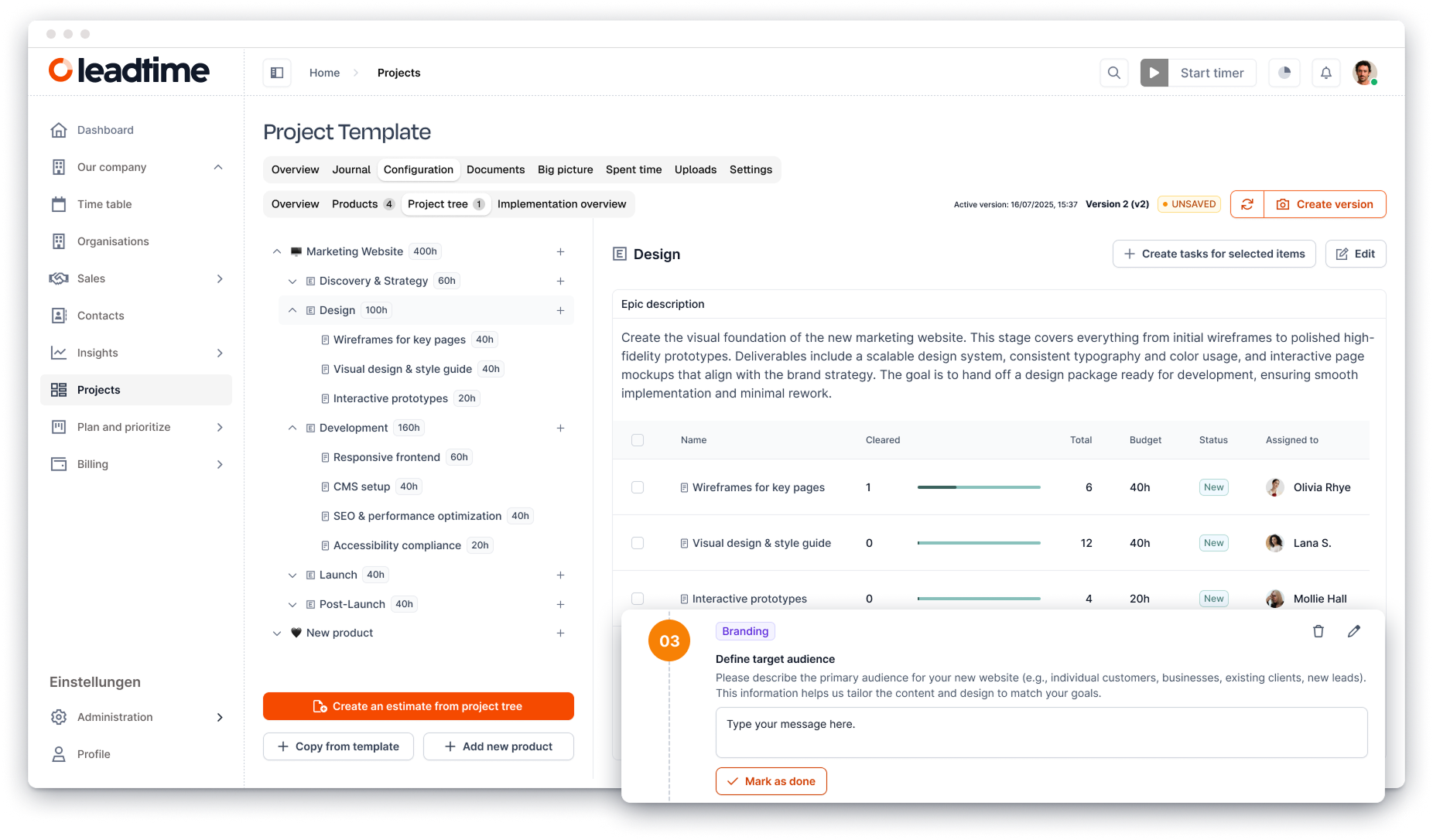
We built Leadtime as a complete operating system for digital project businesses. Instead of scattered tools and chaotic workarounds, it provides a continuous flow in which sales, projects, resources, and finances work together.
Leadtime addresses the obstacles that make digital projects difficult:
- Start projects in minutes instead of days—templates make project setup up to 80% faster.
- Create proposals and contracts on demand—consistently, accurately, and in up to 70% less time.
- Remove handovers and breaks—planning and delivery run in one flow, saving up to five hours of coordination per project each week.
- Plan resources transparently—keep availability and capacity visible and reduce overload by up to 40%.
- Involve customers directly—reduce follow-up questions and hold up to 50% fewer status meetings.
- Complete structured acceptance—clear testing and handovers reduce rework by 30–40%.
- Provide efficient support—resolve tickets about 60% faster with AI assistance and reusable templates.
- Automate invoicing—create invoices in seconds instead of hours and save up to 90% of manual effort.
- Understand profitability—see margins and capacity in real time so management can respond immediately.
The result: Leadtime makes digital project delivery faster, more profitable, and more standardized than ever.
The name
The term lead time comes from industrial production and describes the time between receiving an order and delivering it. That is our promise: reduce this time dramatically while making it predictable.
The name also reflects the platform’s complete scope. Leadtime supports the entire customer lifecycle, from sales and onboarding to support and customer success management. It replaces separate systems for functions such as time tracking, HR administration, task management, and project management, becoming a genuine business operating system for digital service providers.
Feature overview
Leadtime covers the entire digital project business, from sales and project delivery to billing and analysis. To help you find your way, its functionality is divided into areas. Each area has a chapter in this knowledge base with articles that explain how to use it.
Global functions
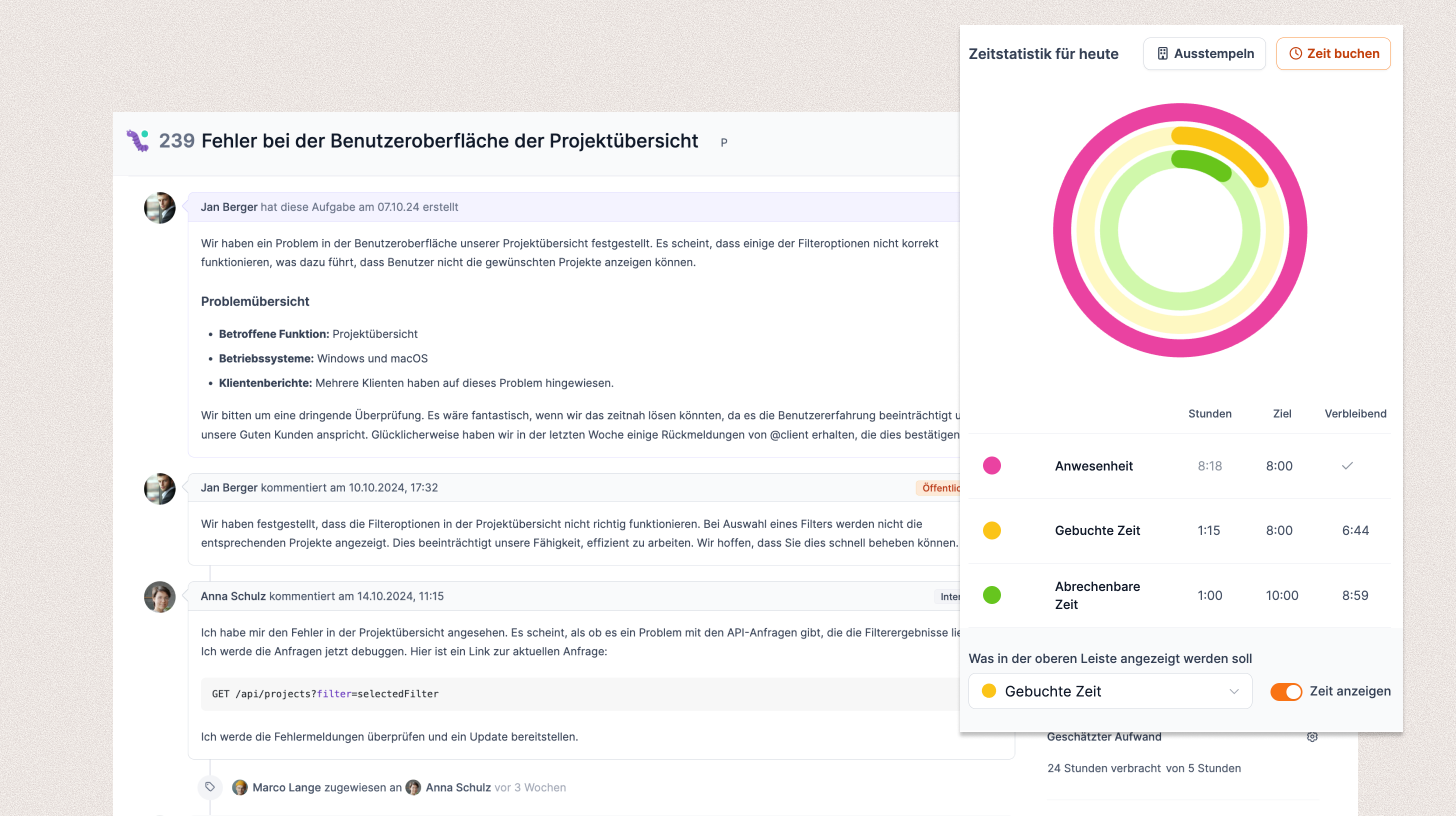
Some Leadtime functions are available on every page rather than belonging to one area. These include time tracking for recording work directly against tasks or tickets, the notification system for important events, and the integrated ticket system for support cases. The Command Console adds a central way to search and run actions.
Interface and global functions
Dashboard
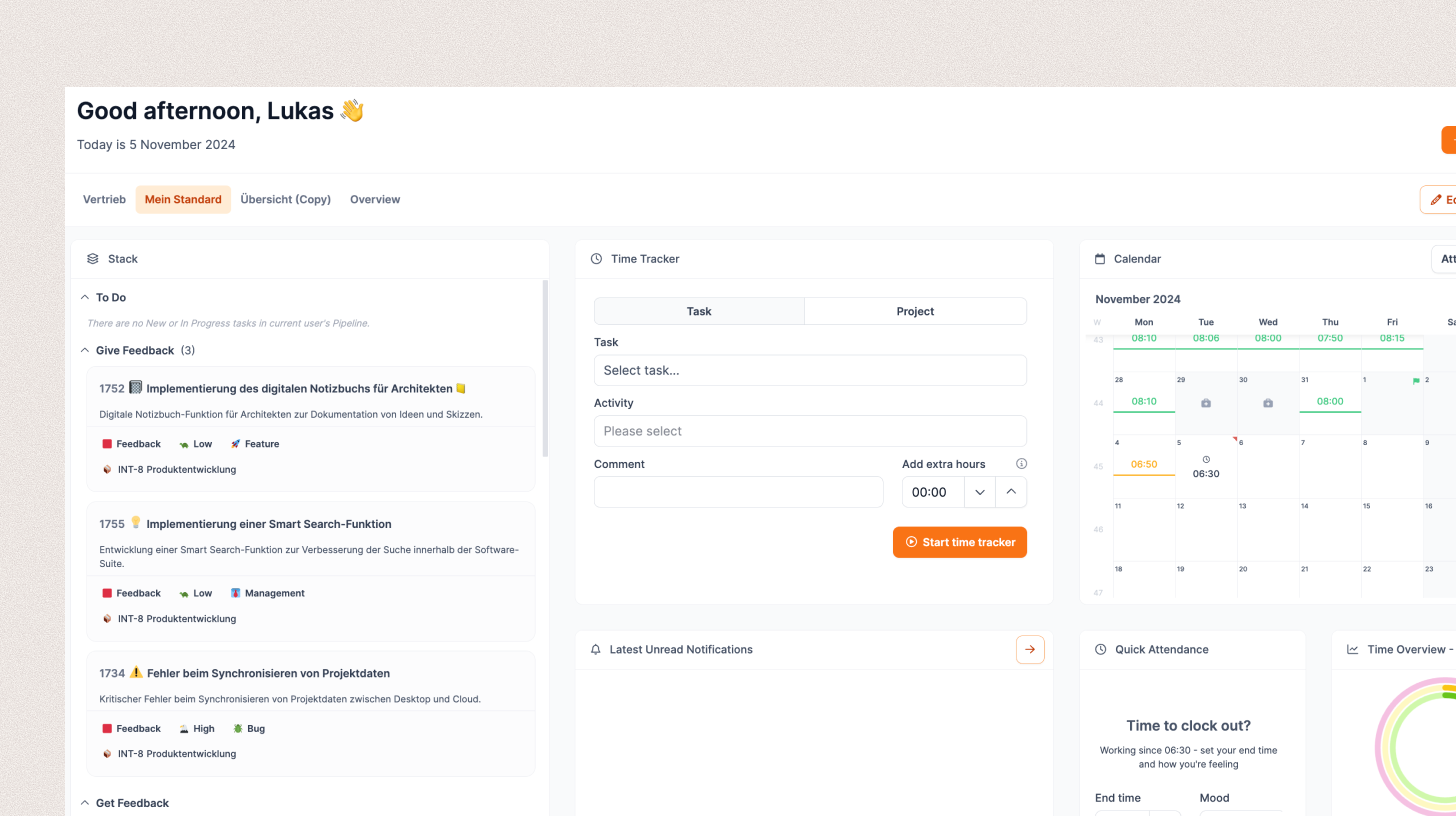
The Dashboard is the Leadtime home page. It gives you a quick overview of open tasks, projects, appointments, and metrics. You can combine and arrange lists, tools, charts, and project views to build a personal workspace around the information you need most.
Go to Dashboards
Agents
Agents are bot users in your workspace. They can chat, take tasks, be mentioned, and run automations, each with a runtime you choose.
Go to Agents
Administration
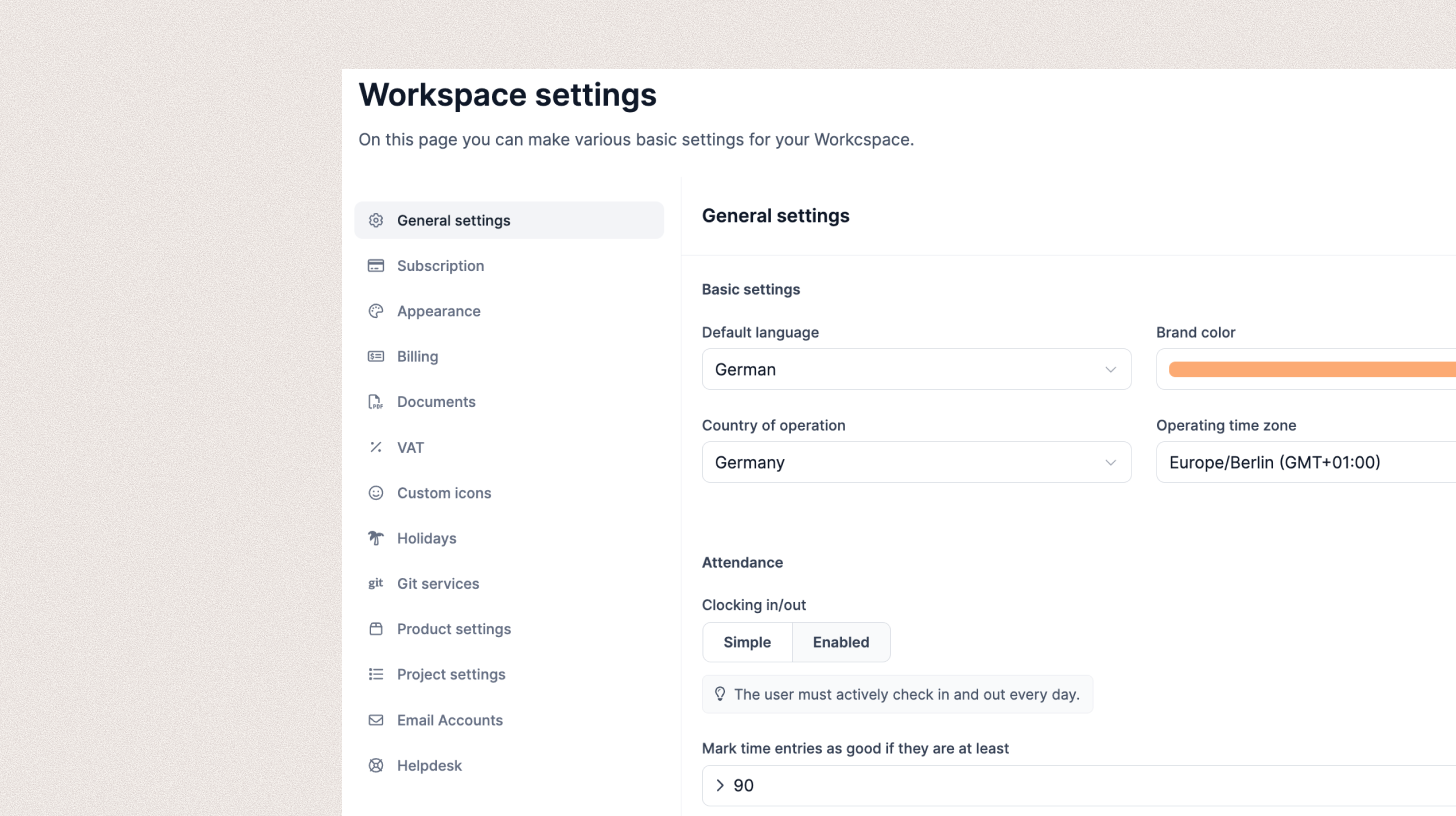
Use Administration to manage settings that apply across the Workspace. Configure roles and permissions, customize the appearance, set up the ticket system, manage your subscription, and import data from other systems.
Profile
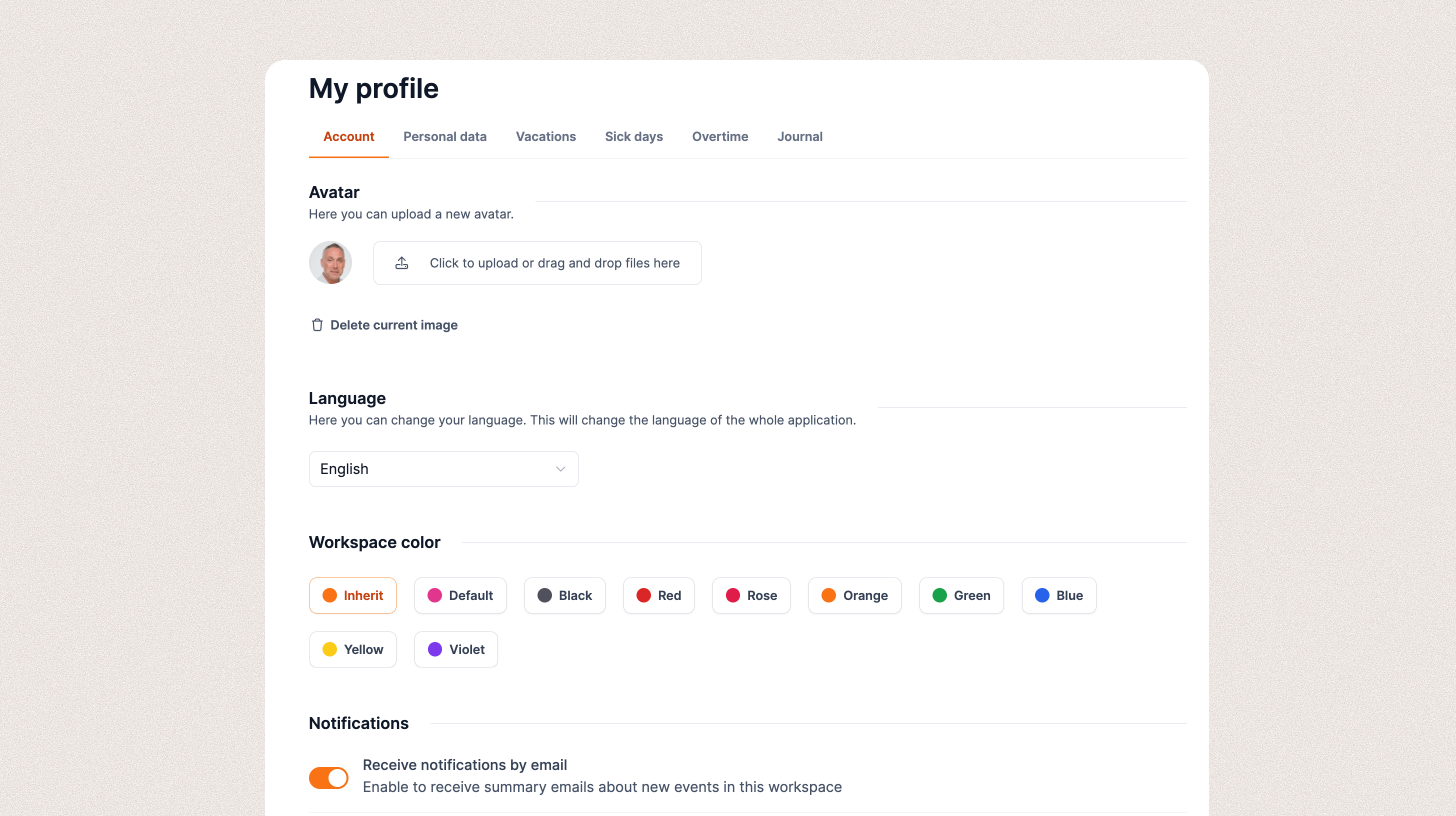
Your Profile controls your personal working environment. Change the color scheme, upload an avatar, and maintain your personal details. You can also record vacation, sick leave, and overtime or use your employee journal to share observations with managers.
Go to Profile
Your Company
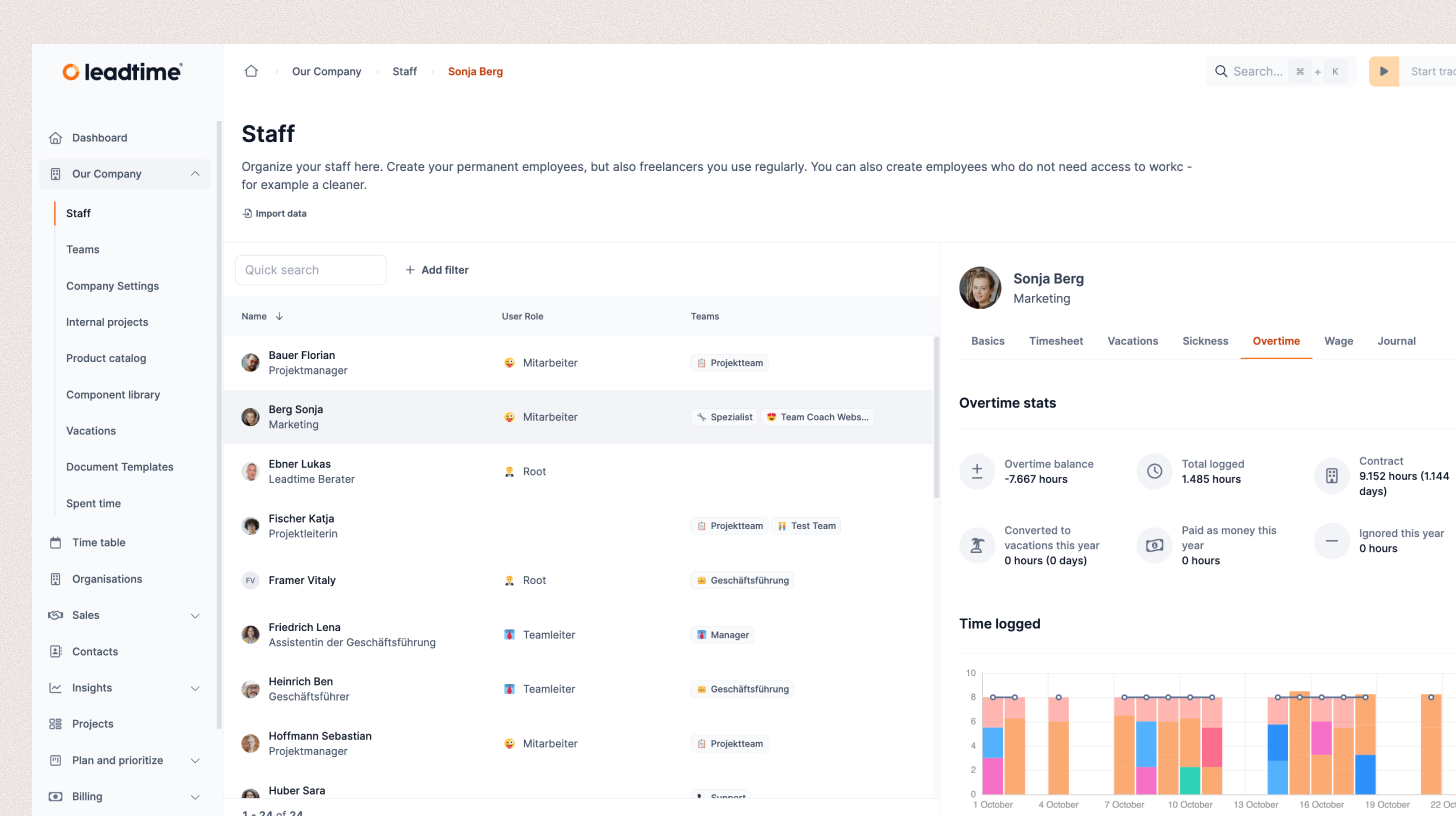
Use Your Company to manage the internal structures and activities of your organization. Add employees and teams, run internal projects, maintain the product catalog and project elements, manage team absences, and configure company-wide settings.
Go to Your Company
Team Calendar
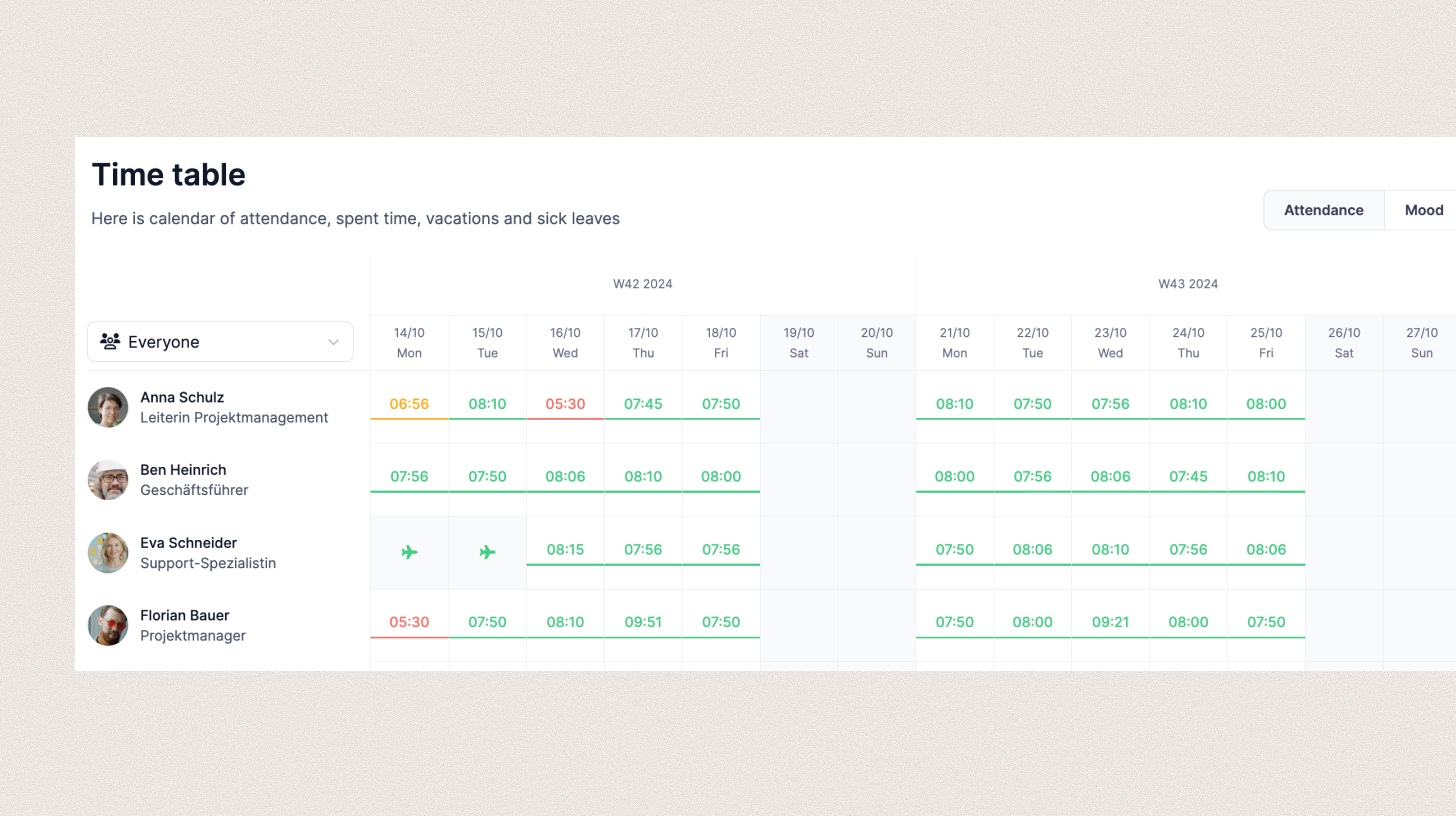
The Team Calendar provides a central overview of time entries for every team member. Its time-tracking view shows time booked to tasks and tickets independently of attendance. This makes missing entries easier to identify and gives managers a clear view of attendance, working time, and team performance.
Go to Team Calendar
Organizations
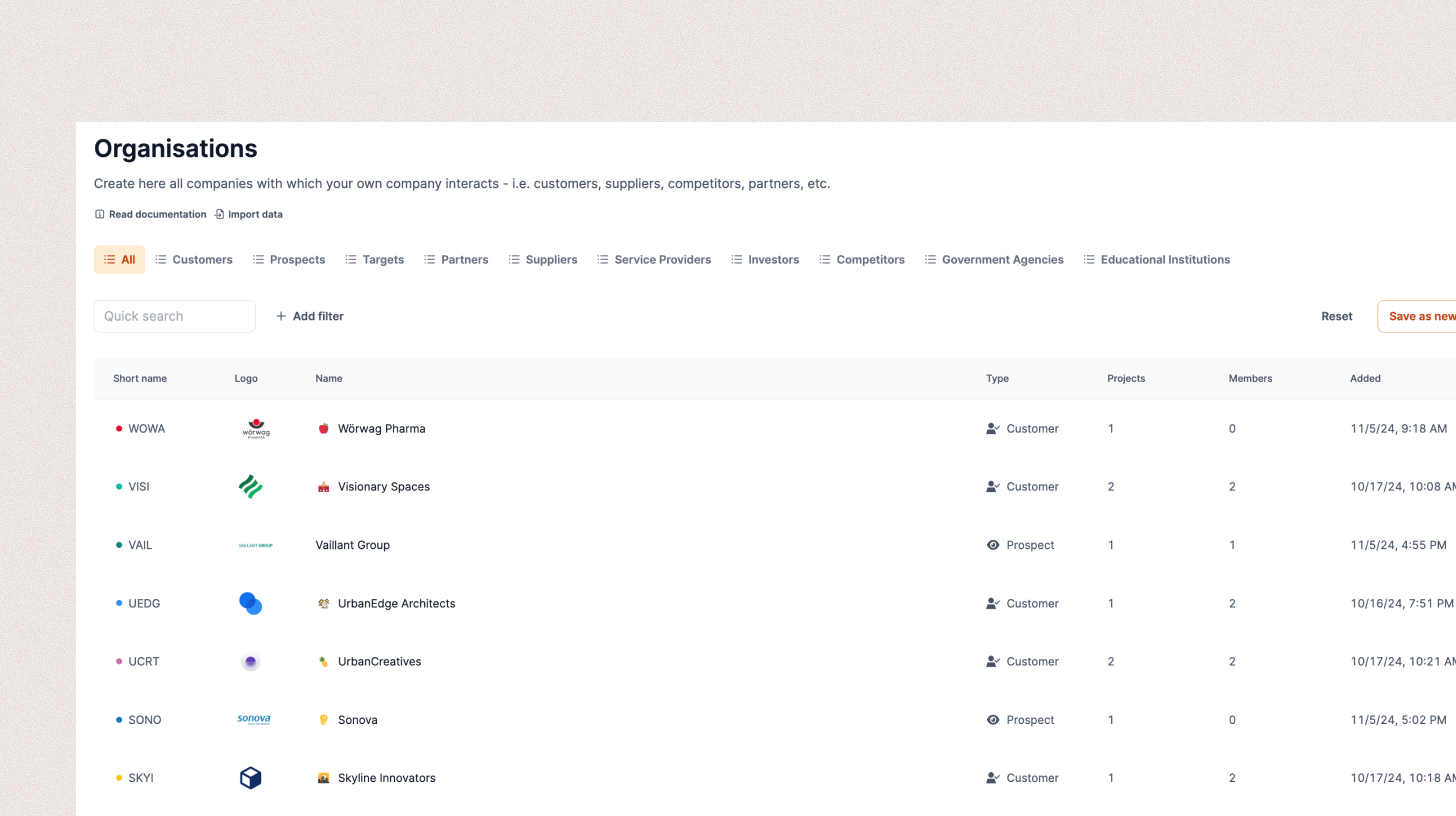
Use Organizations to manage the businesses your company interacts with, including customers, leads, suppliers, and even competitors. Every external project belongs to an organization, keeping relationships and their projects clearly structured.
Objects
Use Objects to manage long-lived assets such as devices or servers and connect them to organizations, projects, and tasks.
Go to Objects
Sales
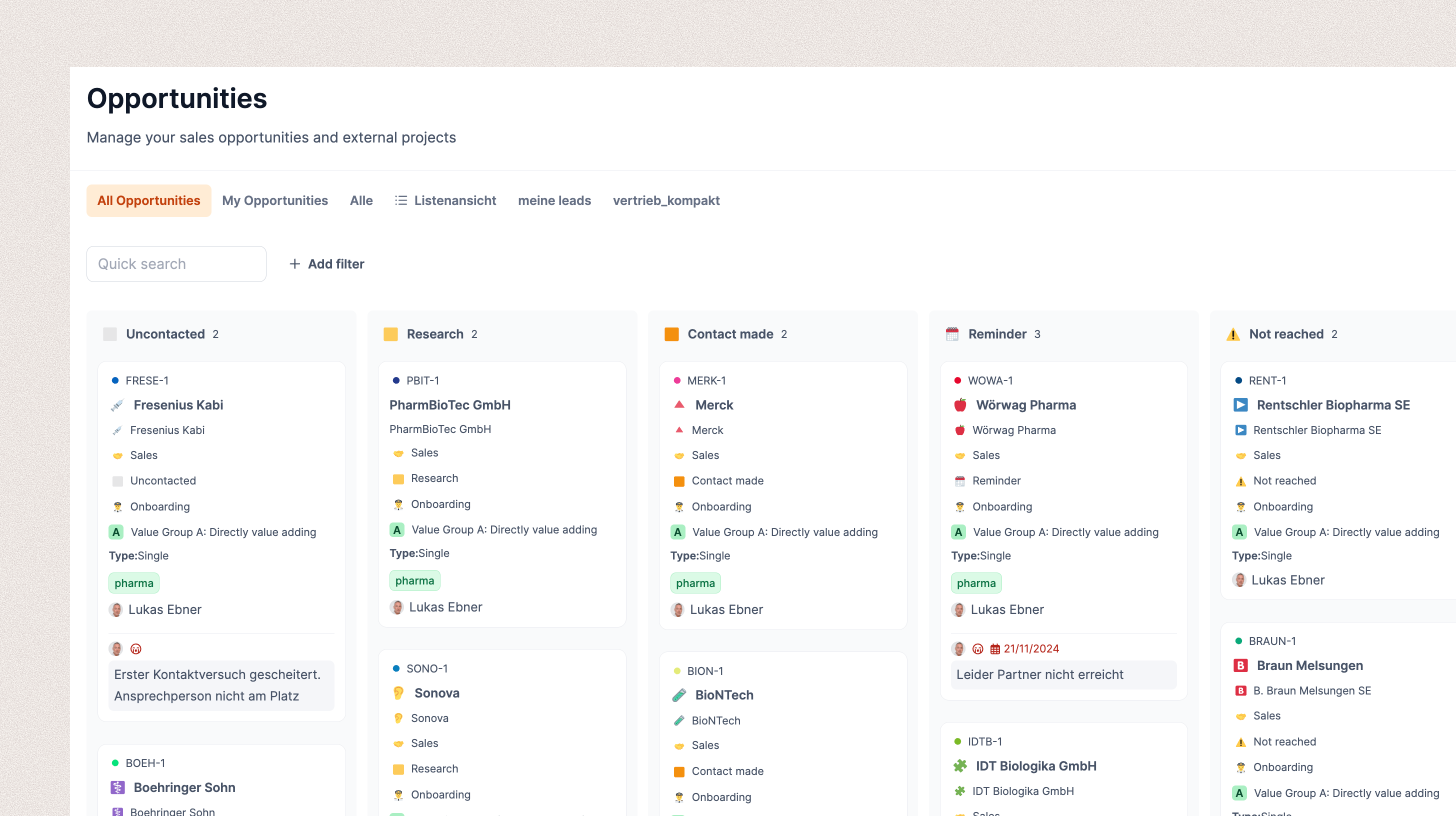
Sales is Leadtime’s acquisition CRM. Manage opportunities, record contacts, and use templates to simplify recurring work. The Kanban board shows the stage of every opportunity, while the open proposals provide a realistic picture of potential revenue.
Go to Sales
Address Book
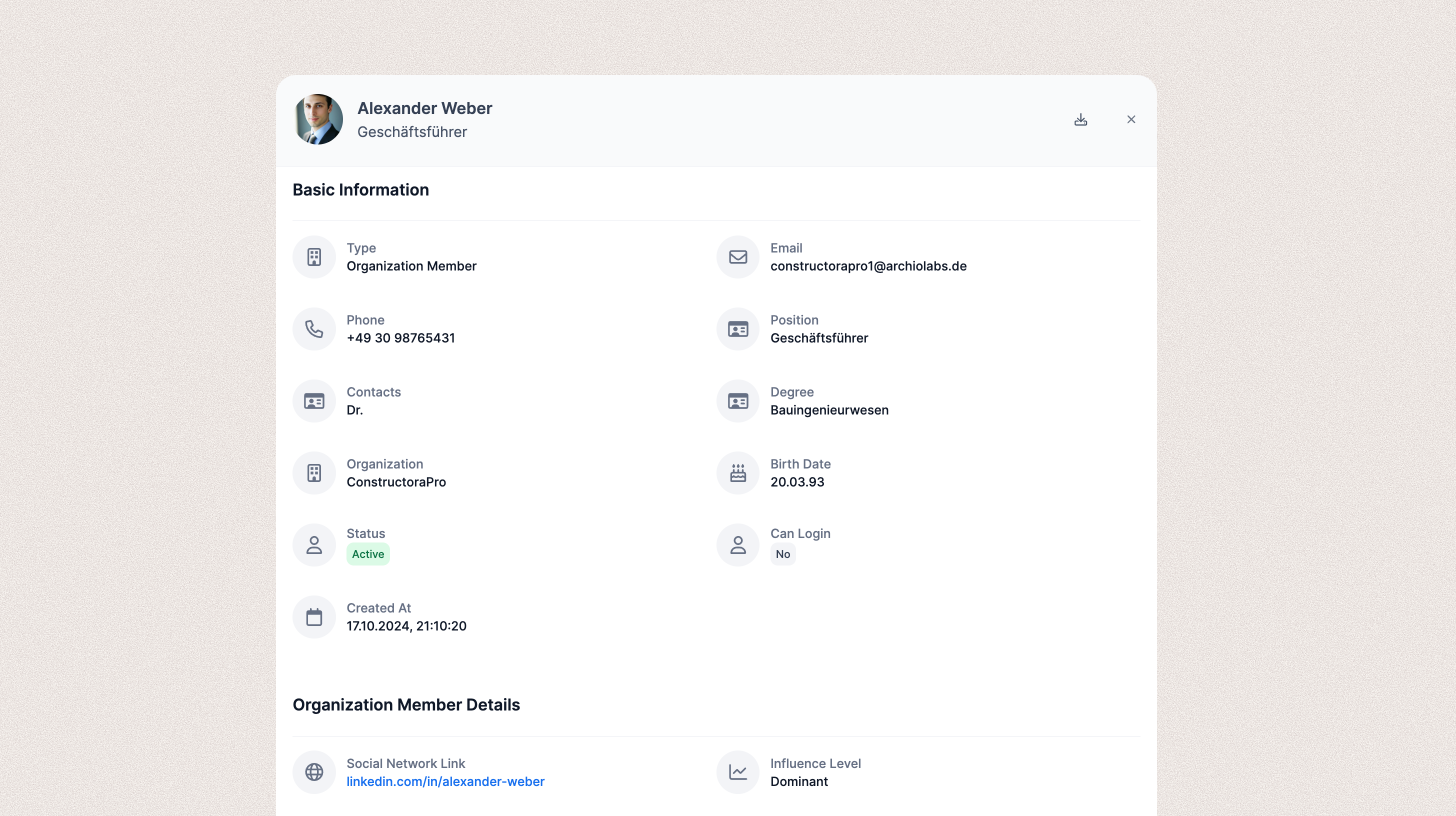
The Address Book presents contacts across your organizations, from internal employees to customer, partner, and supplier contacts. It provides a central view rather than a place for maintaining the records. CardDAV synchronization makes the same current data available in operating-system address books.
Go to Address Book
Automations
Use Automations to run an agent on a schedule, on a workspace event, or from a webhook, without starting the work by hand.
Go to Automations
Insights
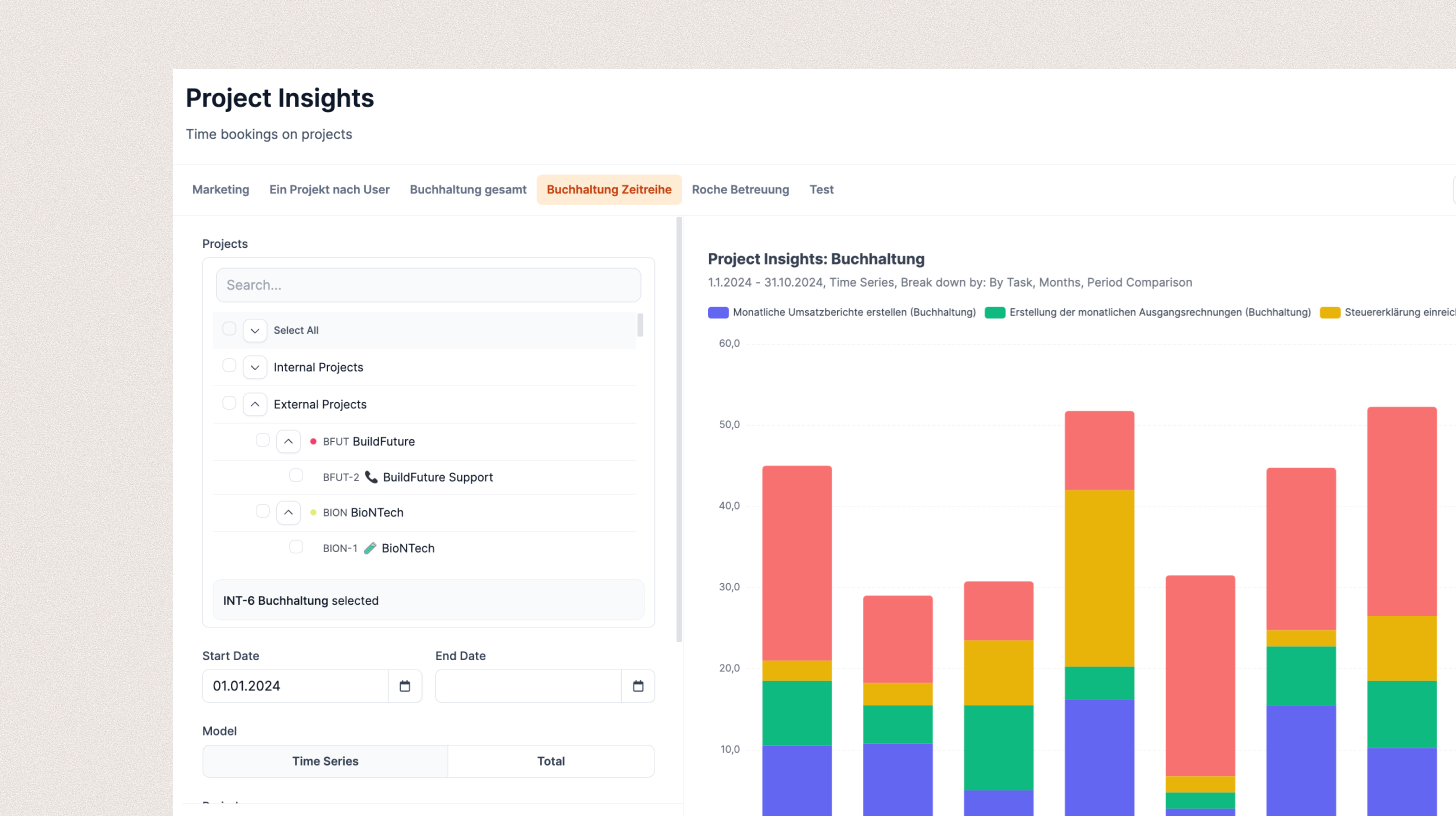
Leadtime Insights is the app’s analytics module. It combines project, staffing, utilization, and revenue data in visual reports. Choose the period, presentation, and level of detail; save your own views; and add them to the Dashboard. Insights supports analyses ranging from time series to revenue forecasts.
Go to Insights
Projects
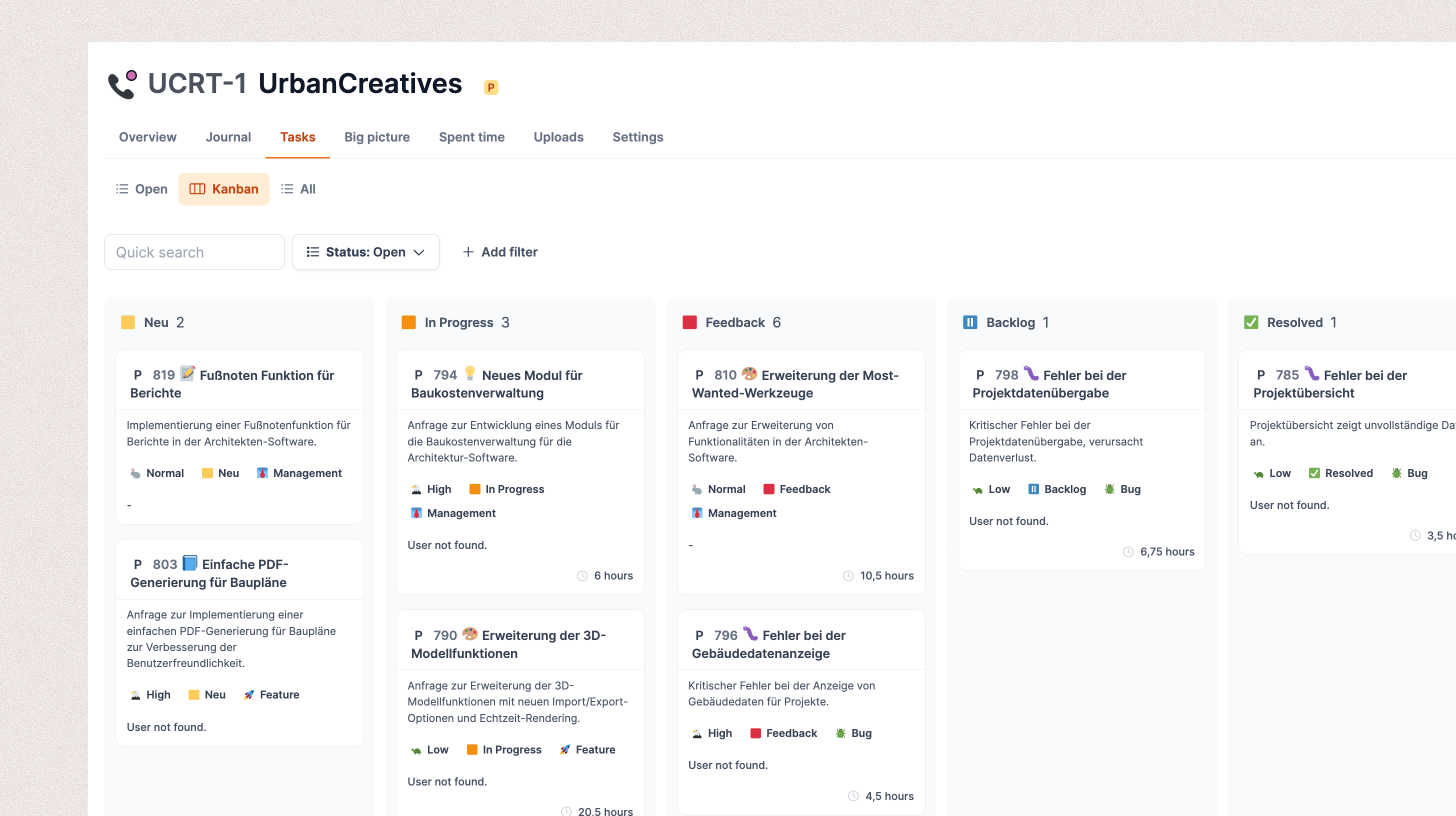
Use Projects to manage all initiatives in your company. Leadtime distinguishes between internal projects for your own organization and external projects commissioned by customers. Each can be a Single Project with a planned scope and a deadline, or an Ongoing Project with recurring work such as support.
Planning
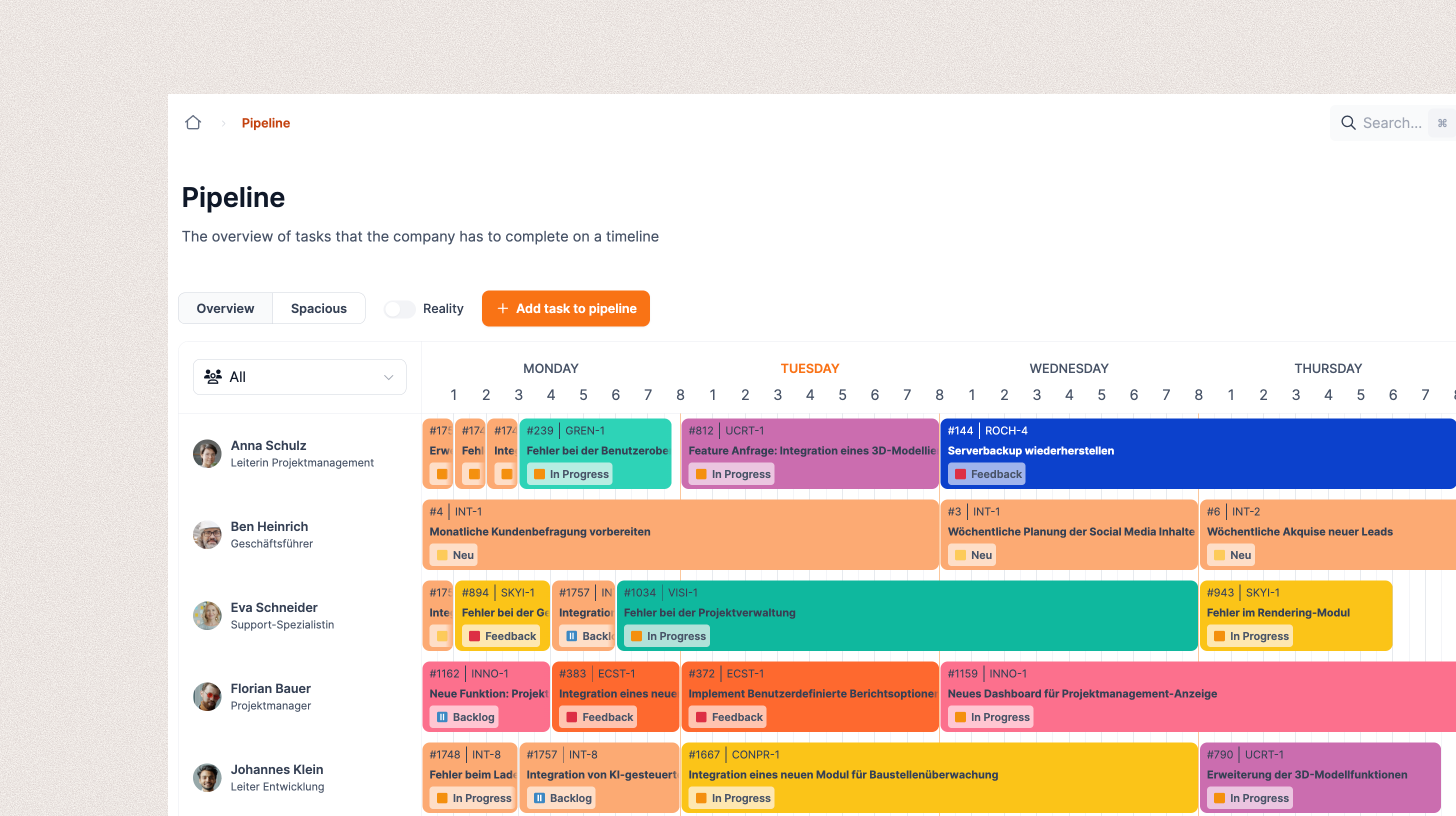
Use Planning to set priorities across projects, manage capacity, and maximize throughput. Big Picture, Pools, Pipelines, and Stacks visualize workloads and dependencies so you can balance availability, demand, and focus across the organization.
Billing
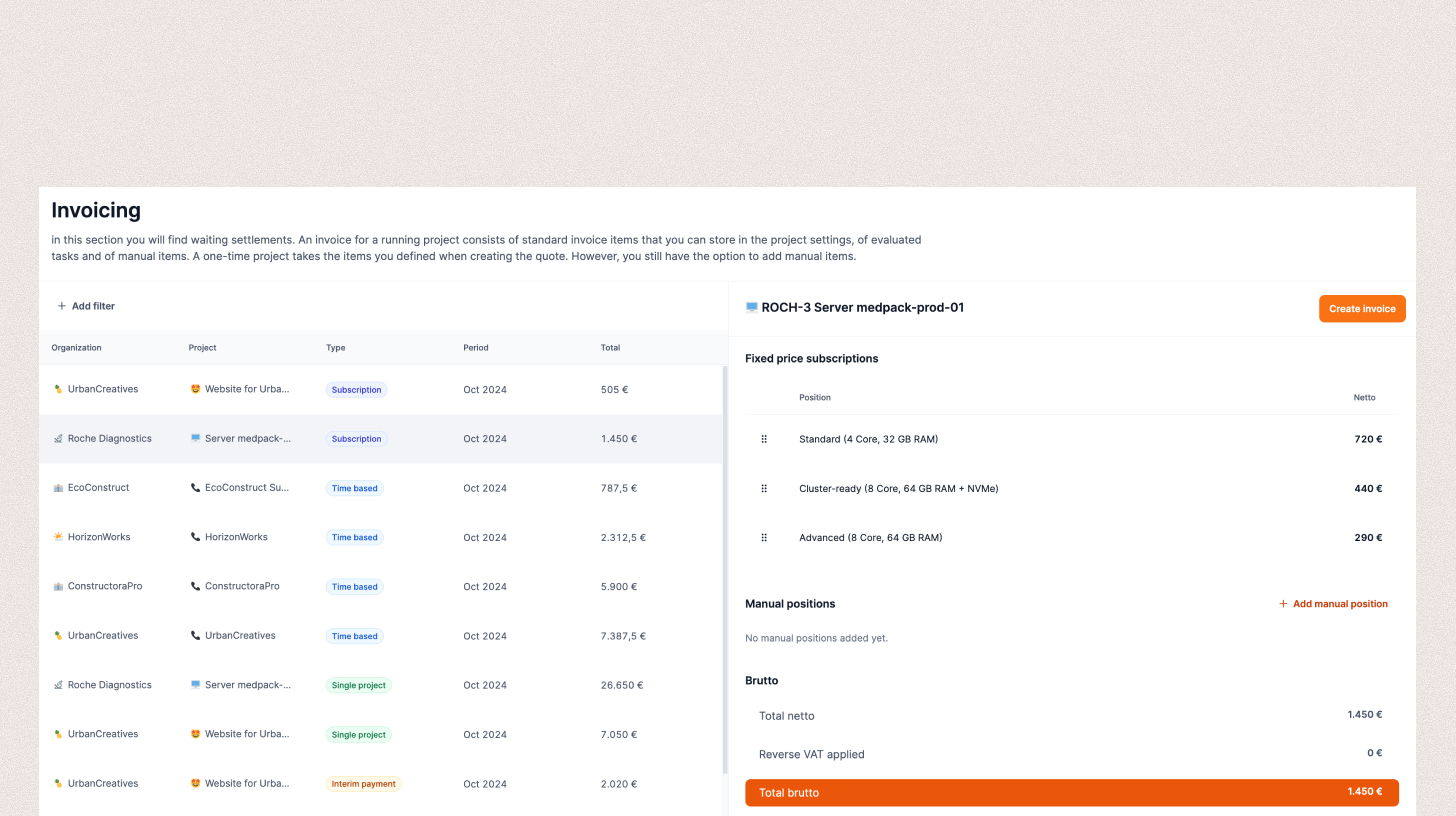
In many service businesses, invoicing is error-prone and labor-intensive. Leadtime integrates billing with projects, working time, retainers, subscriptions, and products. Invoices are created from recorded services without duplicate entry, improving liquidity, predictability, and financial stability.