
Custom Fields
Project-level custom fields appear in a separate submenu in the project settings
You find the area Custom Fields in Leadtime in the project under the tab Settings. There you can enter project-specific additional information that goes beyond the standard fields. The available custom fields are stored centrally in the Workspace Settings defined and then displayed in the project for input. This mechanism is used to store additional contractual, technical or organizational data in a structured manner.
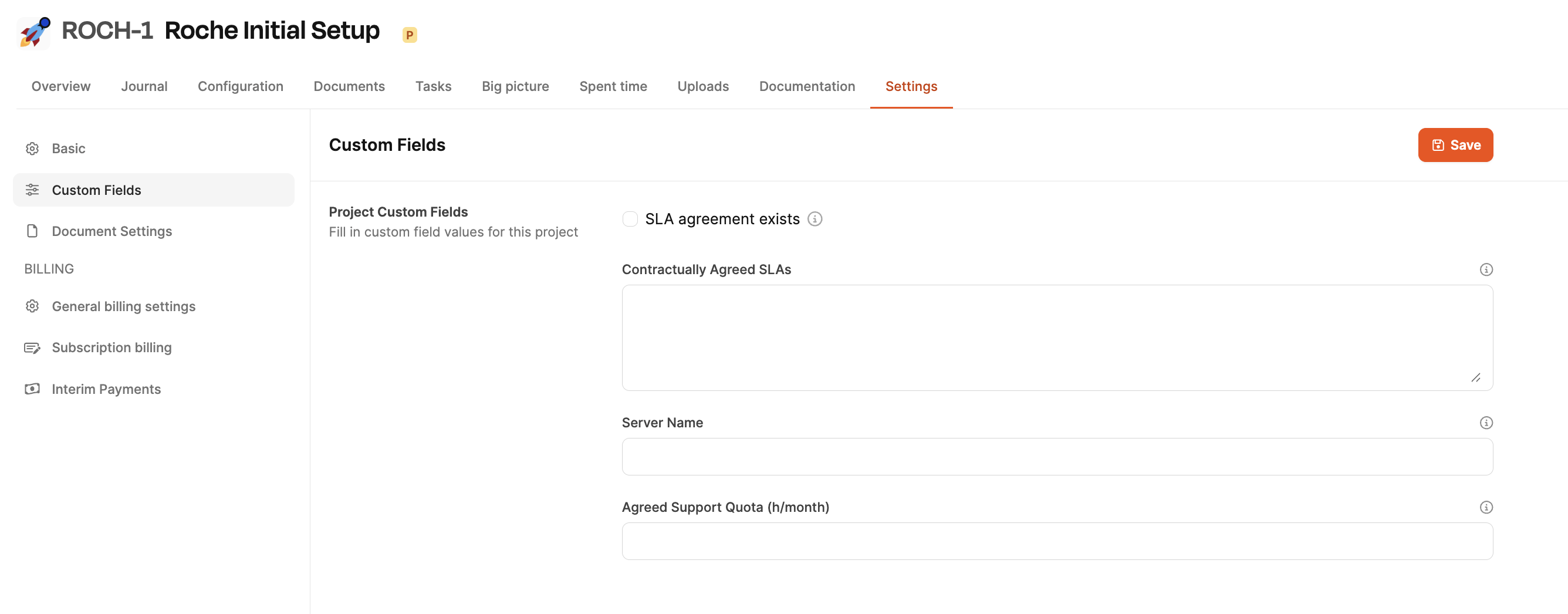
Project-level custom fields are defined in the Workspace Settings:
Project settings
Call in the project
Open the tab in a project Settings and select the area Custom Fields. All custom fields that have been stored for this workspace are displayed there. Examples:
- Checkbox for checking contractual agreements
- Text fields for server information
- Time or budget information
The fields can be filled out directly in the project and then saved.
Definition of custom fields (workspace-wide)
Become new custom fields not created in the project itself, but only centrally in the Workspace Settings under: Administration → Workspace Settings → Project settings → Custom fields
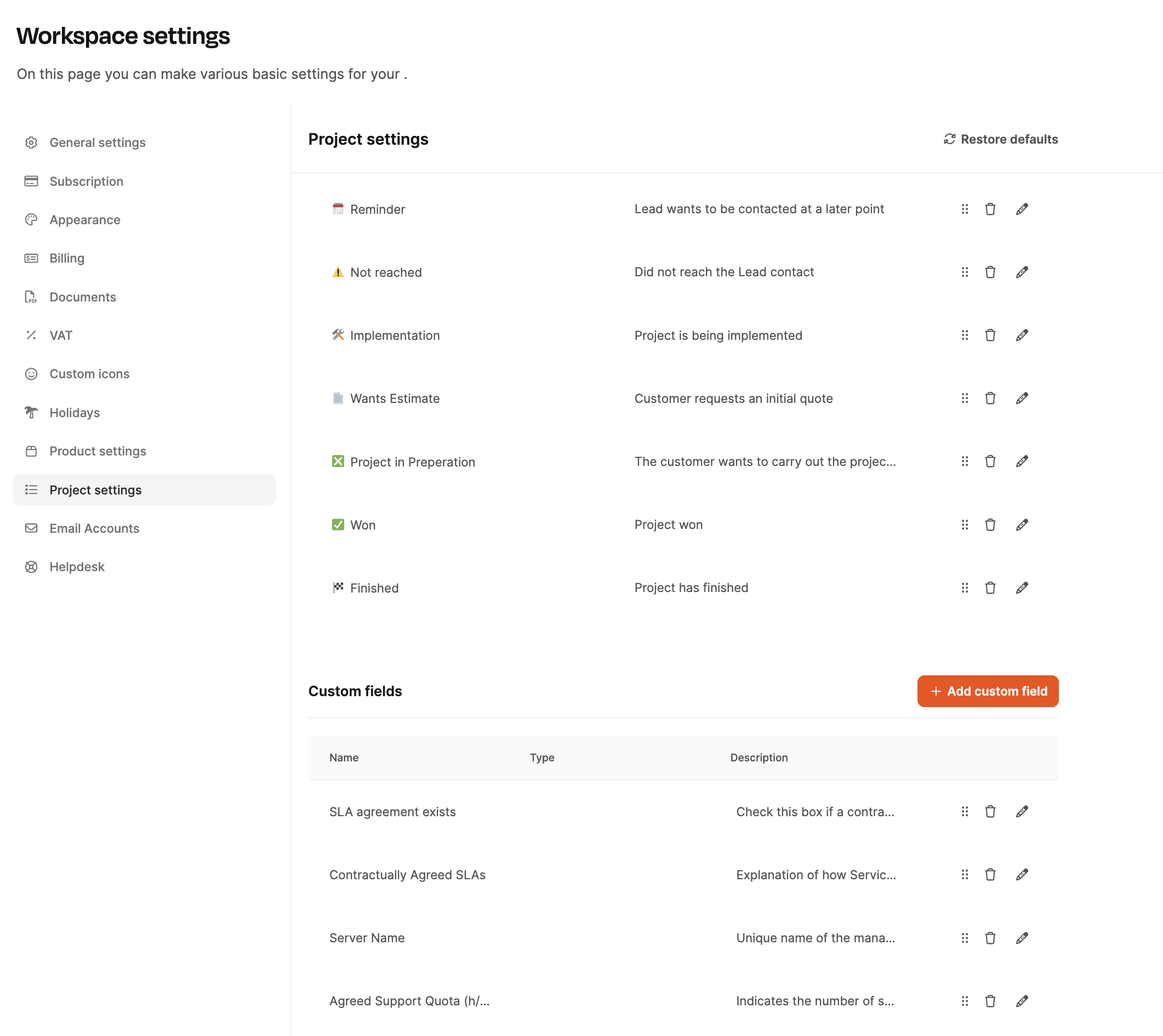
There you can:
- create new custom fields,
- Define types (checkbox, text, number…),
- add descriptions,
- Edit or delete fields,
- adjust the order.
As soon as a custom field has been created here, it will automatically appear in all projects Settings → Custom Fields.