
Advance Payments
Records prepaid amounts for a project and automatically deducts them from the final billing.
The area Interim payments (German: Advance payments) makes it possible Record payments that are made before final project billing is completed. This is helpful for projects with a longer duration or high overall volume, in which customers usually Deposits, Partial amounts or Advance payments afford.
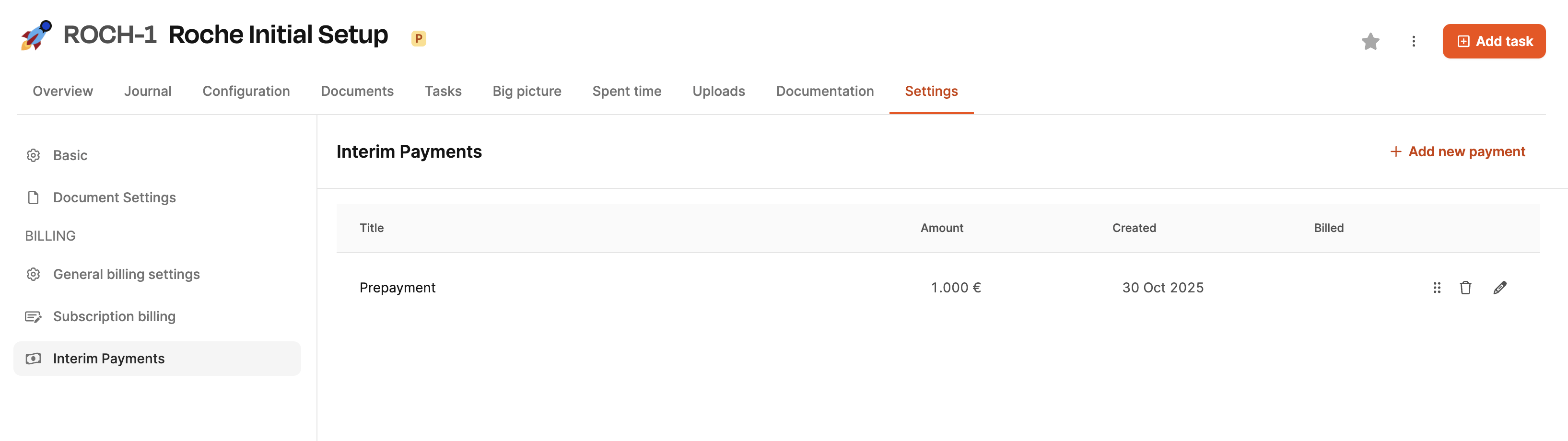
The advance payments for a project can be found under Projects → [Select project] → Settings tab → Advance payments
To the area Billing
Purpose
Advance payments serve the following purpose:
- Ensuring liquidity during ongoing projects
- to break up larger total bills,
- to map agreed payment plans,
- payments made are correctly taken into account in the system.
Amounts recorded are automatically taken into account in the final invoice and deducted from the total invoice amount.
Typical use cases
- Contractually agreed down payment at the start of the project
- Discount after milestone releases
- Security payment before development begins
Table overview

The list shows:
- Title the advance payment
- amount
- Dateon which the entry was created
- Billed (Status whether this payment has already been shown on an invoice)
On the right you will find:
- Delete symbol (trashcan) to remove the entry
- Pen icon (pencil) for editing
Create a new advance payment
About Add new payment open the capture dialog.
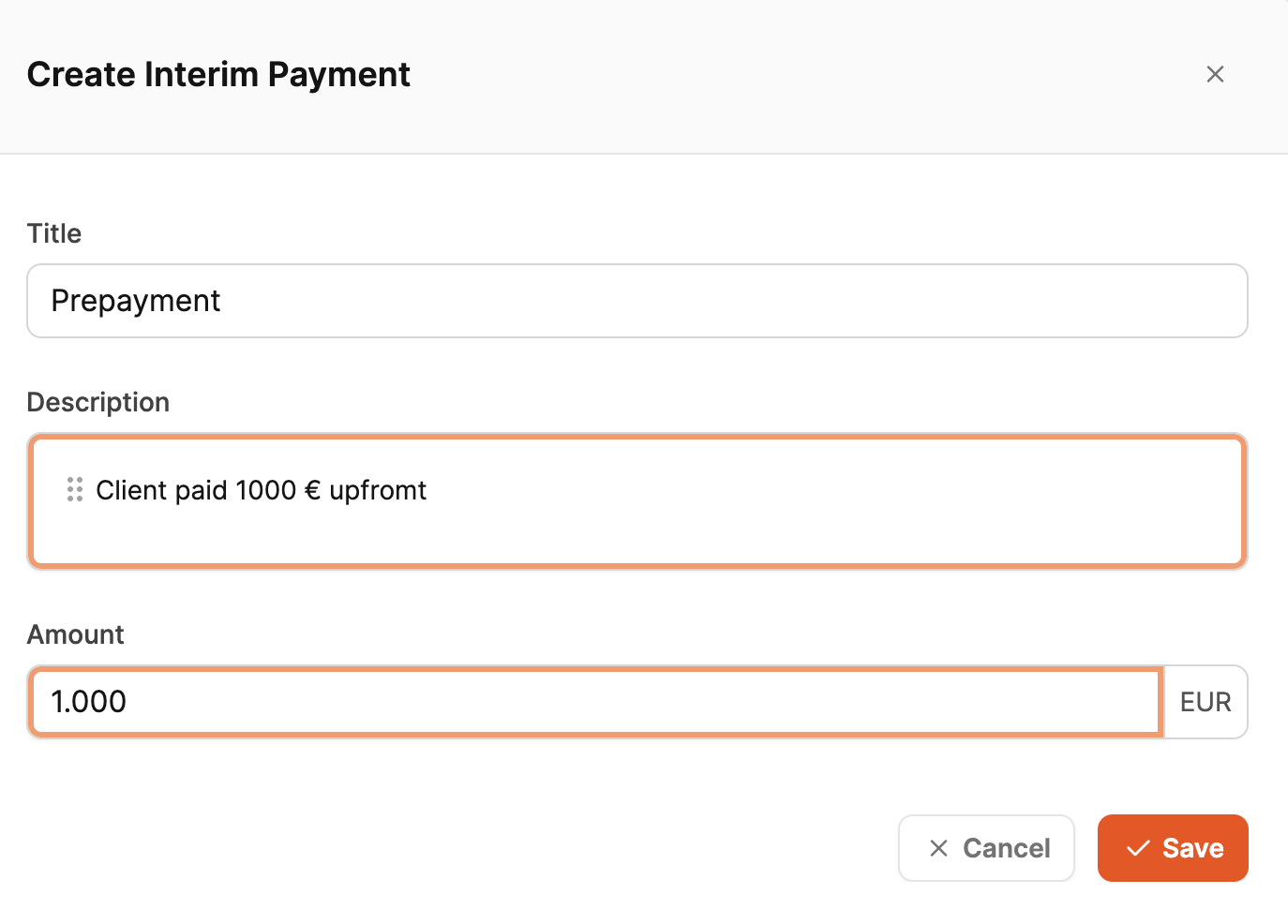
The following fields are available:
-
Title
Short name, e.g. “Prepayment”, “50% deposit”, “Milestone 1”
-
Description
Optional information text, e.g. “Client paid €1,000 upfront”
-
amount
The amount to consider
The capture serves not just the documentation:
As soon as the amount is used as part of the final invoice, it automatically reduces the final invoice amount.