
Sick Leave
Review previous sick leave and submit a new report with an optional medical certificate.
My Profile → Sick Leave lists every sick-leave period recorded for you and lets you submit a new report.
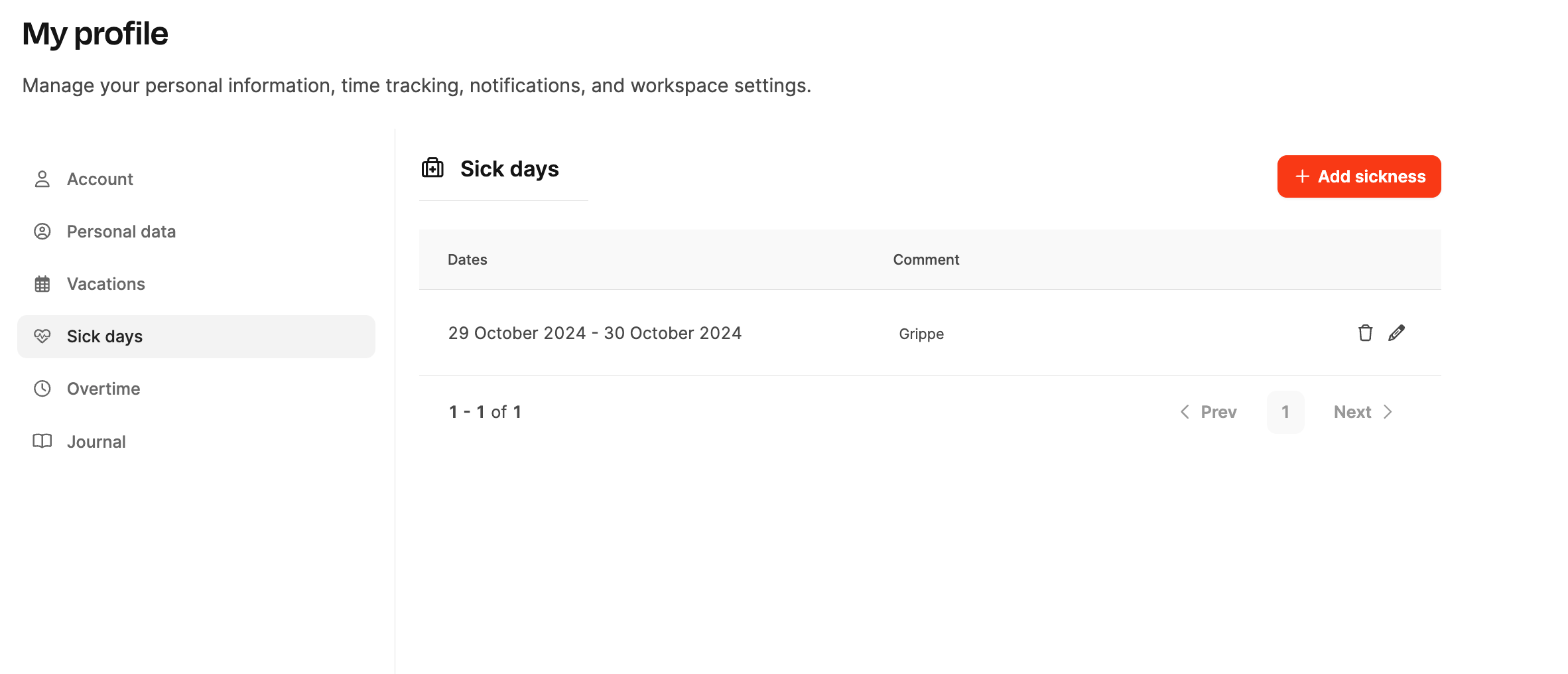
Manage sick leave
- Previous reports: Review completed periods.
- New report: Enter a period, upload a medical certificate, and inform your manager.
Report sick leave
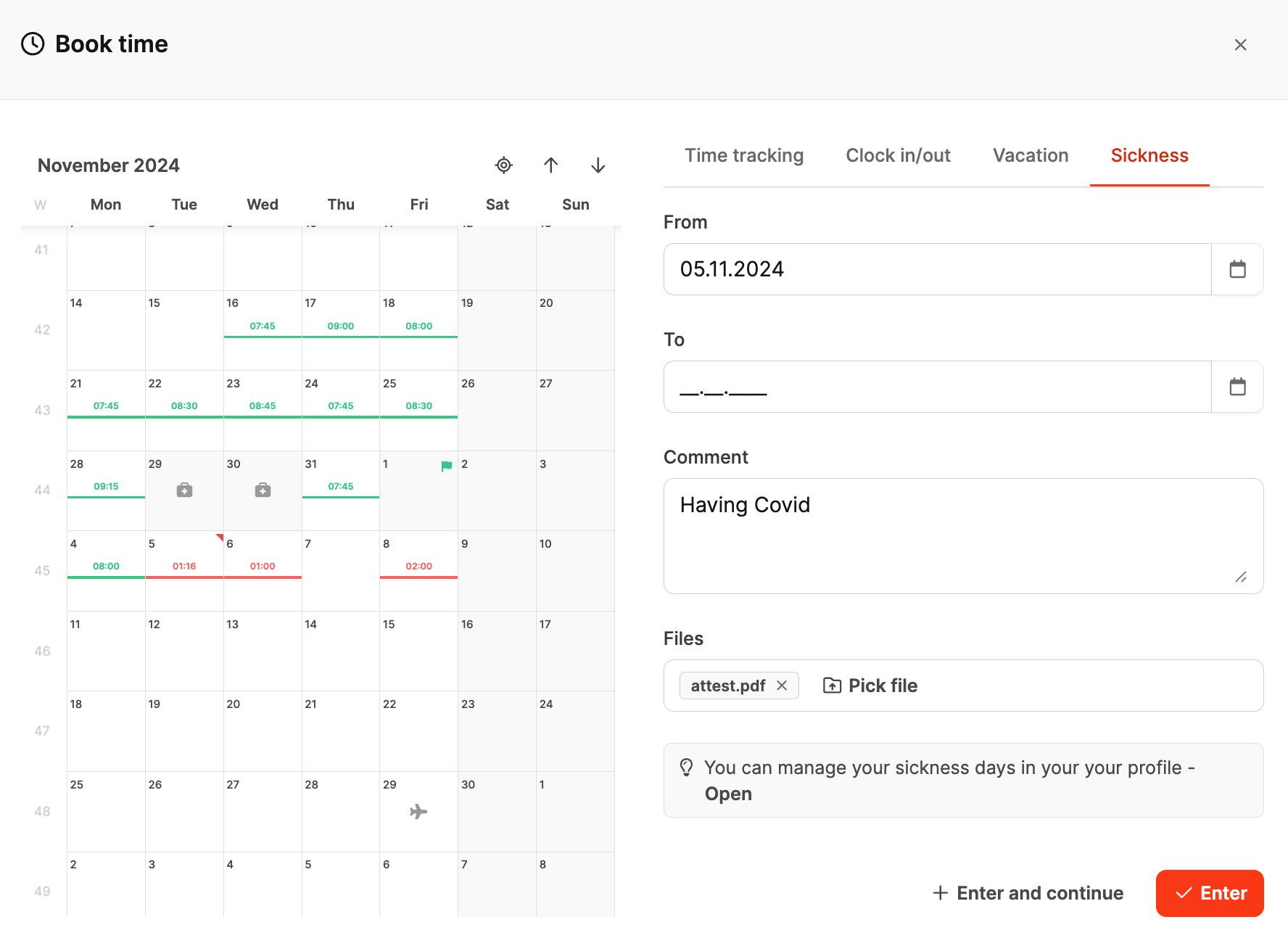
Open Book Time → Sickness and provide:
- From / To: Start and end date
- Comment: Optional information
- Upload: Medical certificate or other evidence
Saving adds the report to your profile and makes it visible to HR. See attendance tracking.
Alternative 1: Time statistics in the header
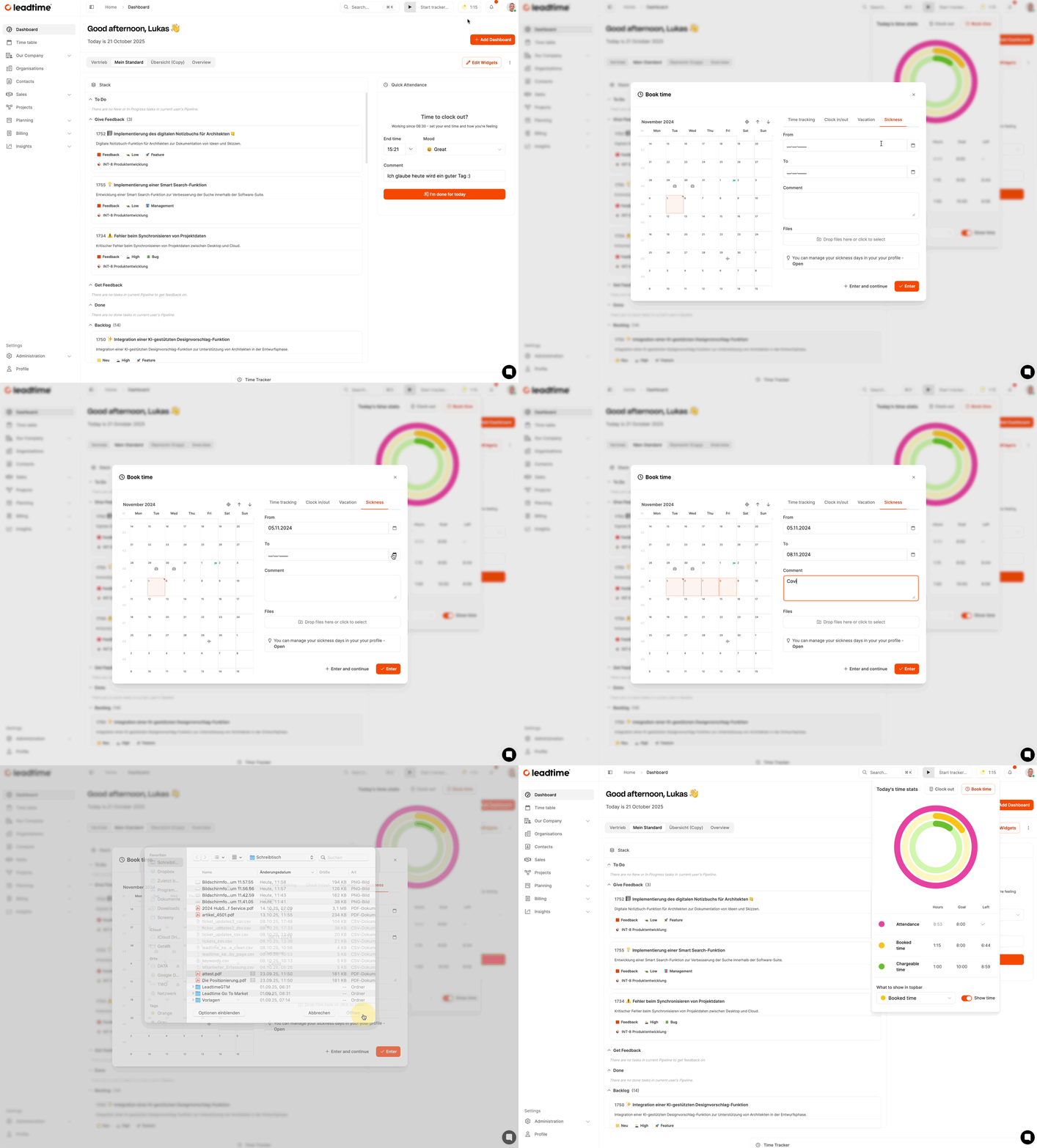
Open Time statistics → Book Time → Sickness, enter the period, optionally add a comment or certificate, and select Save. See time-booking targets.
Alternative 2: Team Calendar
Open the Time Table in the Team Calendar, select the relevant date in your row, then choose Sickness. Enter the dates, optional comment, and certificate and save the report.
Go to Team Calendar.