
Vacation Compensation
Carry over, deduct, or add vacation days with a transparent adjustment history.
Open Your Company → Employees → [Employee] → Vacation to manage compensation. Carry unused days into the next year, deduct days, or grant additional leave while retaining a transparent account history.
See Leave Management.
Overview
The employee’s Vacation tab contains Vacation compensation, listing each adjustment with its date, type, year, number of days, and target year.
See Employee Vacation.
Add compensation
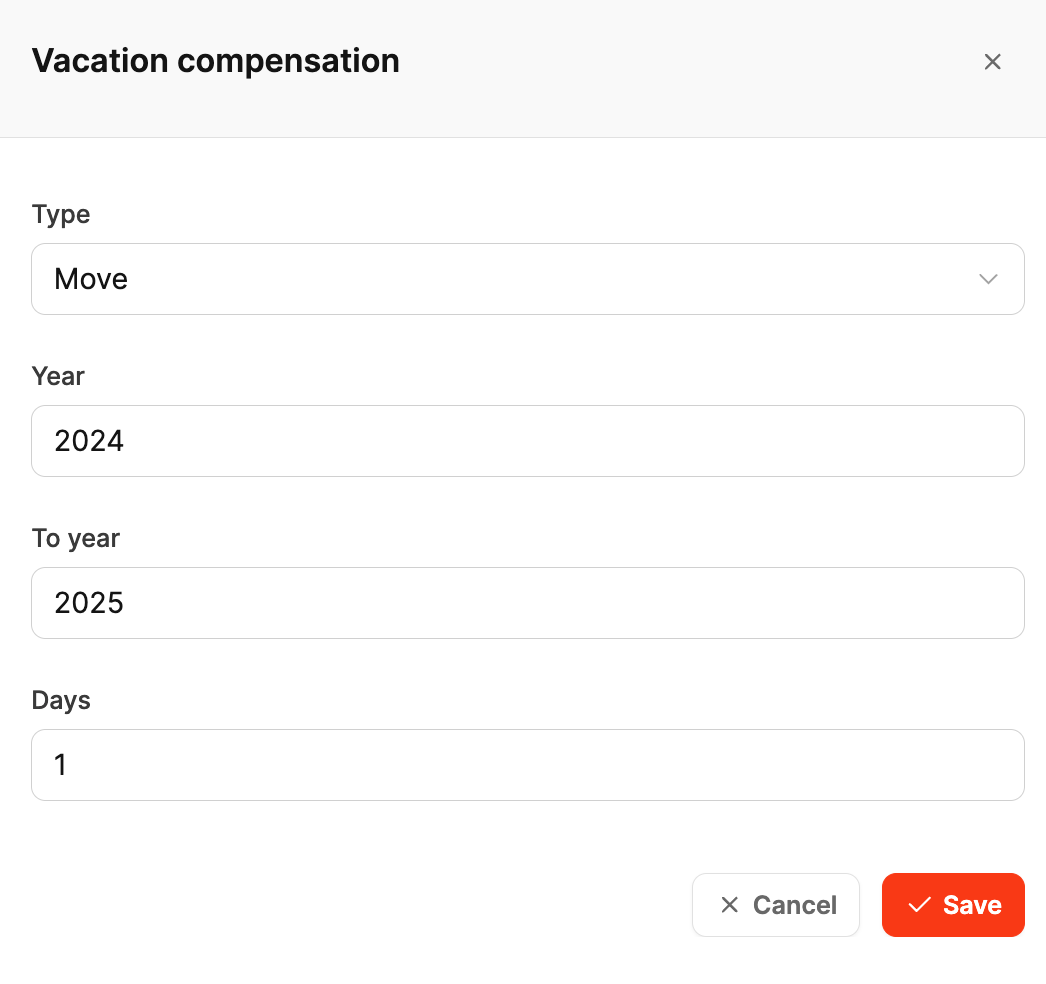
Select Add and complete the Vacation compensation dialog:
- Type:
- Move → Carry days into the next year
- Subtract → Let days expire or deduct them
- Add → Grant additional days as a bonus or adjustment
- Year: Source year
- To year: Target year, shown only for a move
- Days: Number of days affected
Select Save to update the vacation statistics.
Manage and trace entries
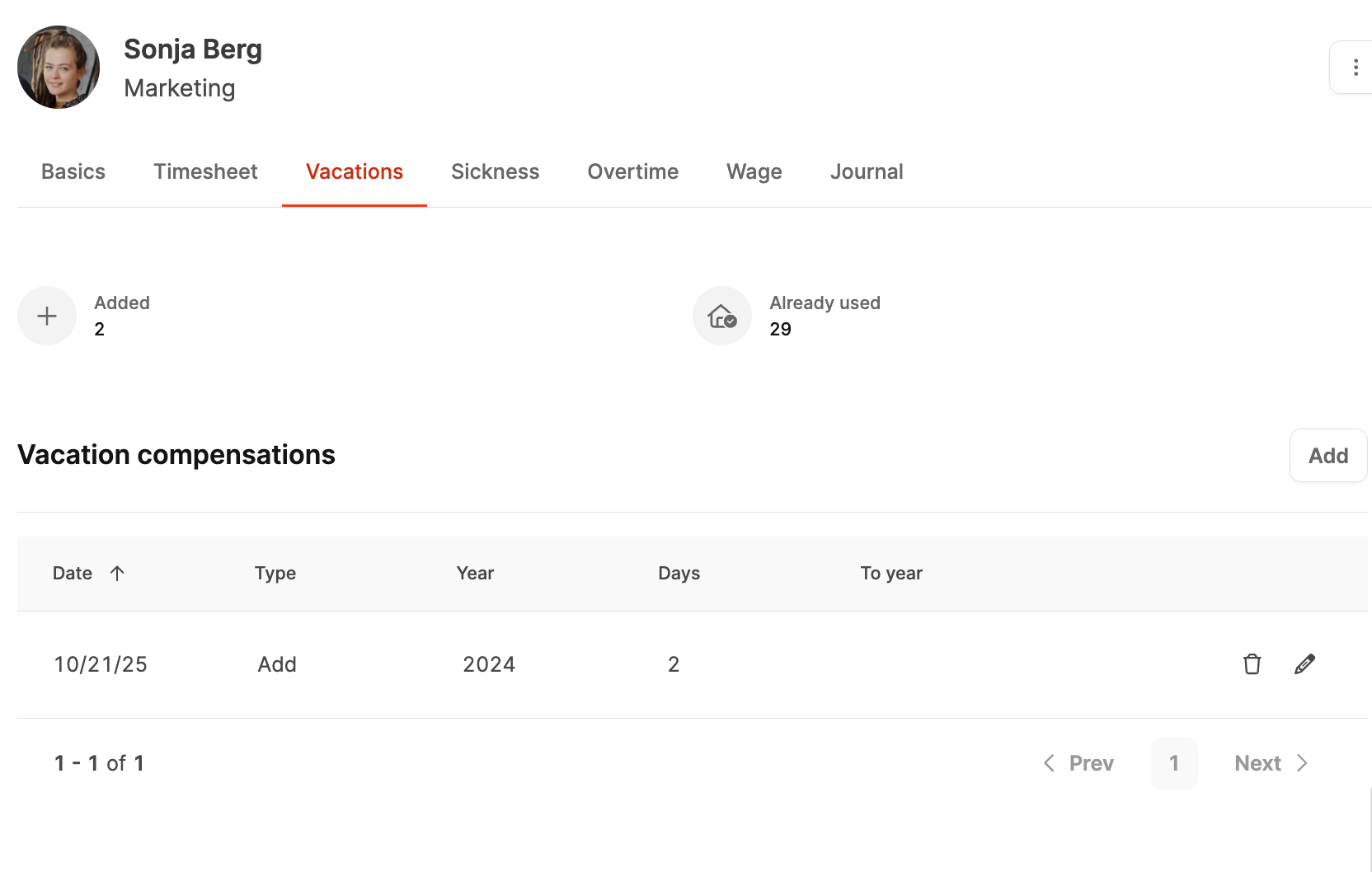
The employee profile lists every adjustment. Edit or delete entries when necessary. Employees and managers can see which days were carried over, added, or deducted.
Financial compensation
When vacation is paid out, you can also record it as a bonus payment under Salary, retaining the financial side of the adjustment.