
Checking an Employee's Time Tracking
Leadtime offers a detailed time tracking overview in the employee profile with filter, total and comparison functions for precise performance analyses.
In Leadtime, managers can review an individual employee’s time tracking directly in their profile. This function provides transparency about working hours, activities and project assignments, and helps you spot anomalies or opportunities for optimization.
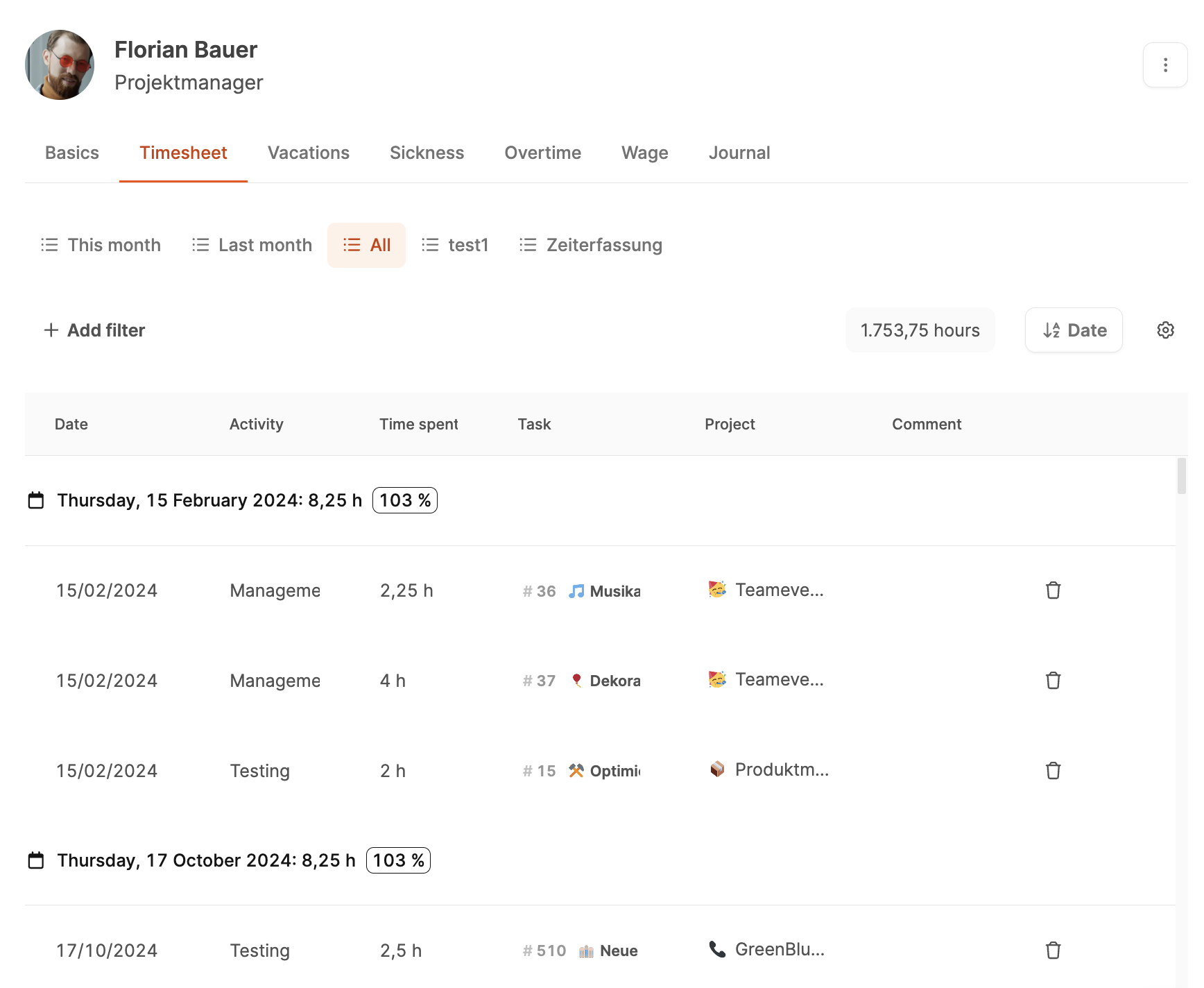
How it works
1. Accessing the employee profile
- Open Our Company → Employees.
- Select the employee you want.
- In the profile, click the Time Tracking tab (or Timesheet).
There you will find a complete overview of all booked working hours – grouped by day and with all associated tasks.
To the Employee time tracking area
2. Daily overview and totals
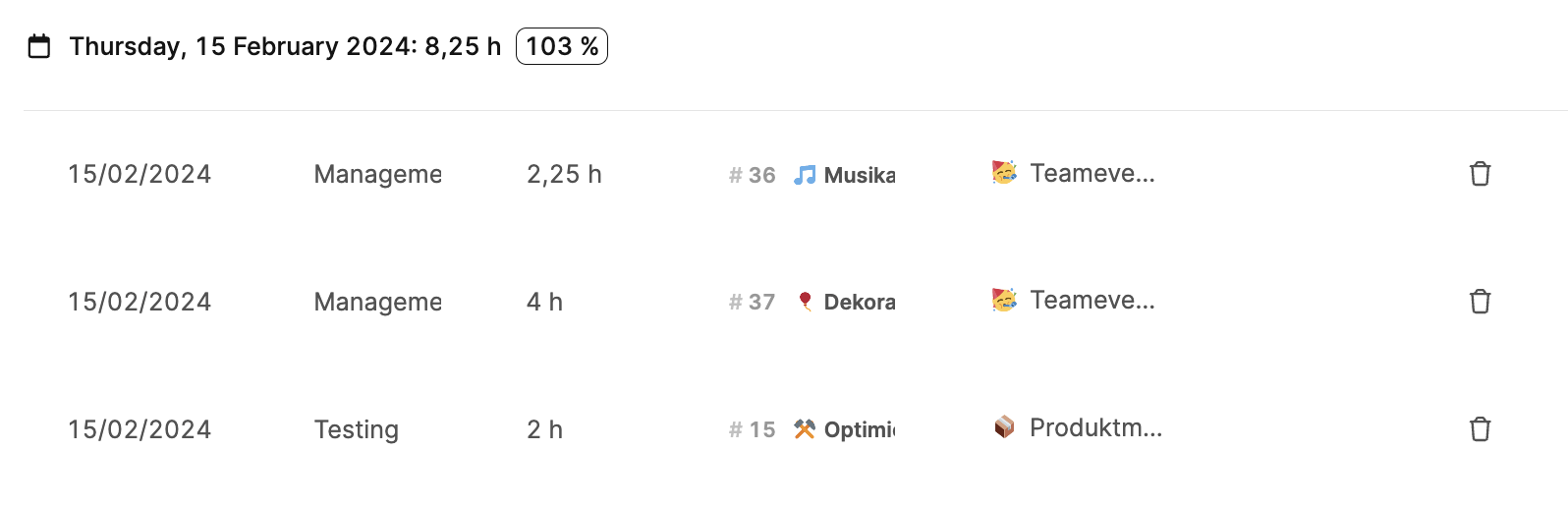
Each day is listed individually and includes:
- Date of the booking
- Activity (e.g. management, testing, development)
- Time spent in hours
- Task (ticket number with title)
- Project to which the task belongs
- Comment, if provided
The total per day is calculated automatically.
Next to it, a percentage appears showing how much of the agreed daily working time has been reached (e.g. 103% for 8.25 h out of 8 h).
3. Selecting a time period

Using the Date dropdown at the top of the view, the period can be adjusted flexibly – e.g. This month, Last month or Custom.
This lets you run monthly evaluations or weekly checks directly in the tool.
4. Sorting and filtering
The filter options let you narrow down entries precisely:
- Activity: Shows only certain activities (e.g. development or testing).
- Project: Filters by individual projects.
- Task: Lists only entries for specific tickets.
- Period: Groups by day, week or month.
The results can also be sorted and saved as needed.
5. Analyses and comparison values
The total area at the top shows the total hours for the selected period (e.g. 1,753.75 h).
This makes it easy to follow workload, productivity and deviations from target times.
For example, you can check whether an employee is regularly above 100% of their working time, or whether tasks with a low value-added share take up a disproportionate amount of time.