
Invoicing Express Quotes
The article explains how you can offer smaller, short-term customer requests via express offers directly from tickets, have them approved and then bill them efficiently in invoice verification.
Express quotes make it possible to offer smaller customer requests directly from a task at a clearly defined price. Acceptance records the agreed amount on the task. The quote appears in invoice verification only after the other billing requirements are also met.
About Express quotes
What is an express quote?
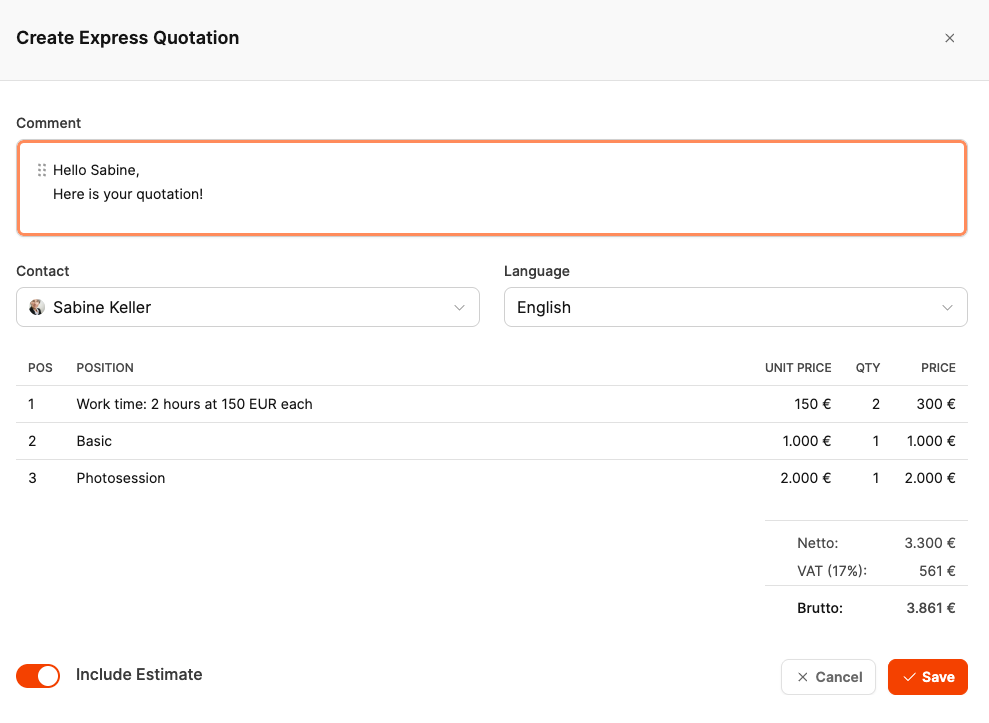
An express quote is a formal mini quote created from a single ticket. It is suitable for short-term, billable tasks such as bug fixes, small feature enhancements or individual support measures.
The quote combines:
- an estimated time requirement and
- optionally fixed-price products that were assigned to the ticket.
The total amount is offered to and billed to the customer as a single item.
Express quotes enable fast, transparent, and clearly approved billing of small additional tasks.
Requirements
An express quote appears in invoice verification when:
- the customer has accepted the quote
- the task has reached a status of the type Closed
- the task has not already been billed and is not excluded from billing
- the project has an organization and is not deleted
For a single project, the project must also have a status of the type Billing or Done. A support project does not need to be in one of these project statuses.
Acceptance alone does not create a prepared invoice. Keep the accepted quote in its task, complete the work, and close the task when it is ready for billing.
Billing in invoice verification
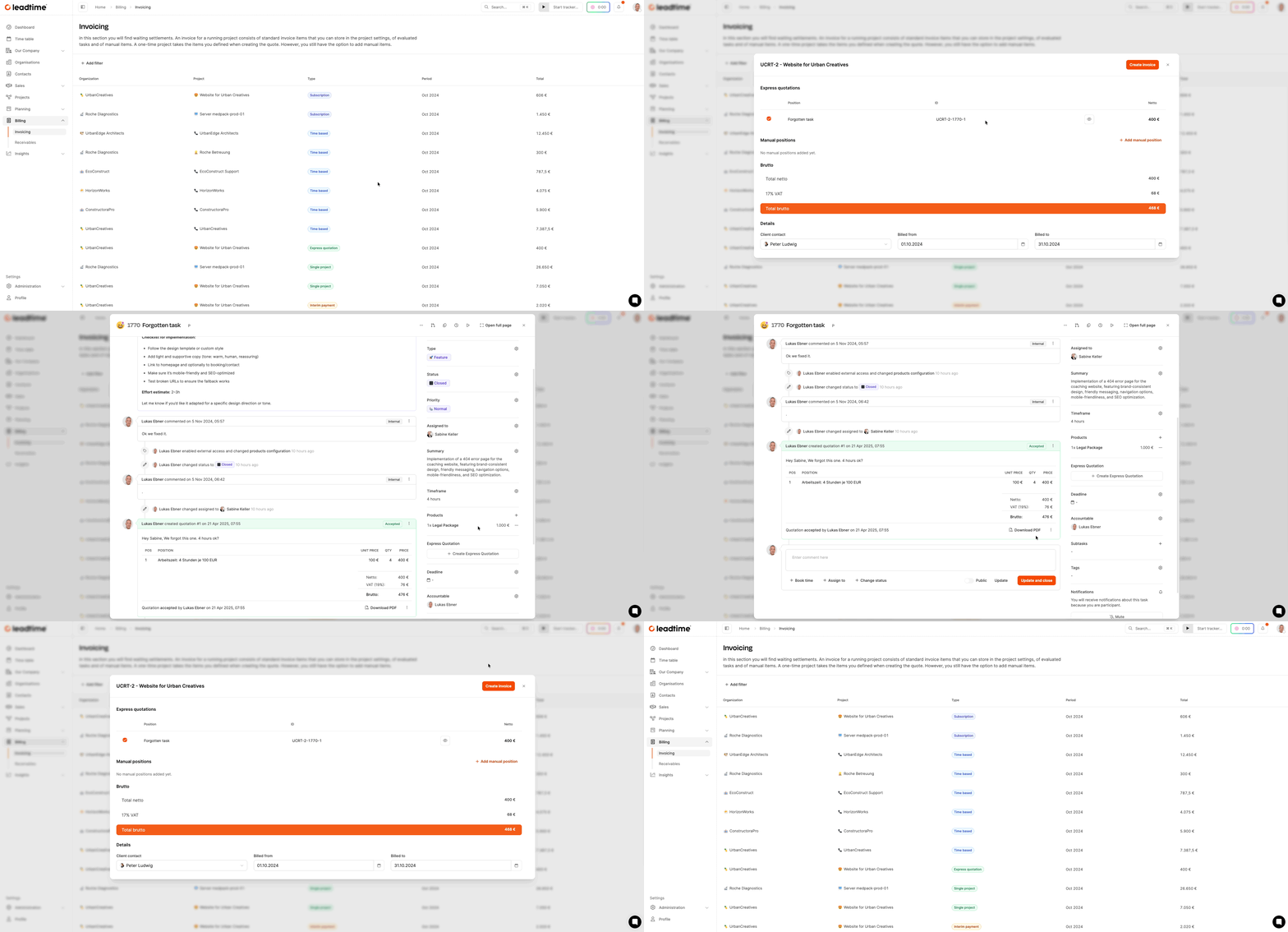
-
Open Billing > Invoice verification.
-
Select the entry that contains the express quote.
-
Check the following in the detailed view:
- Quote number and title
- calculated time requirement
- optional product items
- Net amount including the Leadtime fee
-
Click “Bill” to create the invoice.
After release, the entry disappears from the list and appears in the Receivables section.
If mixed billing is enabled for the project, Leadtime can add the quote to another prepared invoice for the same project and billing period. Otherwise, it appears as an express quote invoice.
Notes on use
- Use express quotes when customers need price approval before implementation.
- Combine them with fixed-price products to bill flat rates or additional services.
- Document tasks in the ticket in a comprehensible way; the quote documents are stored in an audit-proof manner.
About Express quotes