
Project Planning
Defines the structure, content and prices of an individual project, forms the basis for offers, implementation and billing with versioning.
The rider “Configuration” is one of the most important areas in Leadtime – and appears exclusively at Individual projects. While ongoing projects tend to follow a continuous service process, individual projects are about that Plannable and targeted implementation of a completed project – i.e. a project with a defined scope, a set goal and an agreed budget.
And that’s exactly what the configuration area is responsible for: It maps the entire project structure, enables pricing and creates the basis for offers, implementation and billing.
[!WARNING] You can find the entire process of project planning and implementation with Leadtime at Planning and implementing projects with Leadtime (workshop part 1)
What is the purpose of the project configuration?
[!INFO] warning Important: Changes in the configuration area – e.g. B. new products, discounts, changed components - start a new project version so that it is always possible to understand the status on which an offer or invoice is based.
The configuration is the central control element for project managers. Here they are Project guidelines defined – from the product selection down to the smallest work package. This area therefore fulfills three central tasks:
- Offer preparation: The project is structured in terms of content and price.
- Project structuring: Tasks, components and work packages are planned.
- Billing basis: Everything billed later is based on the configuration.
Overview
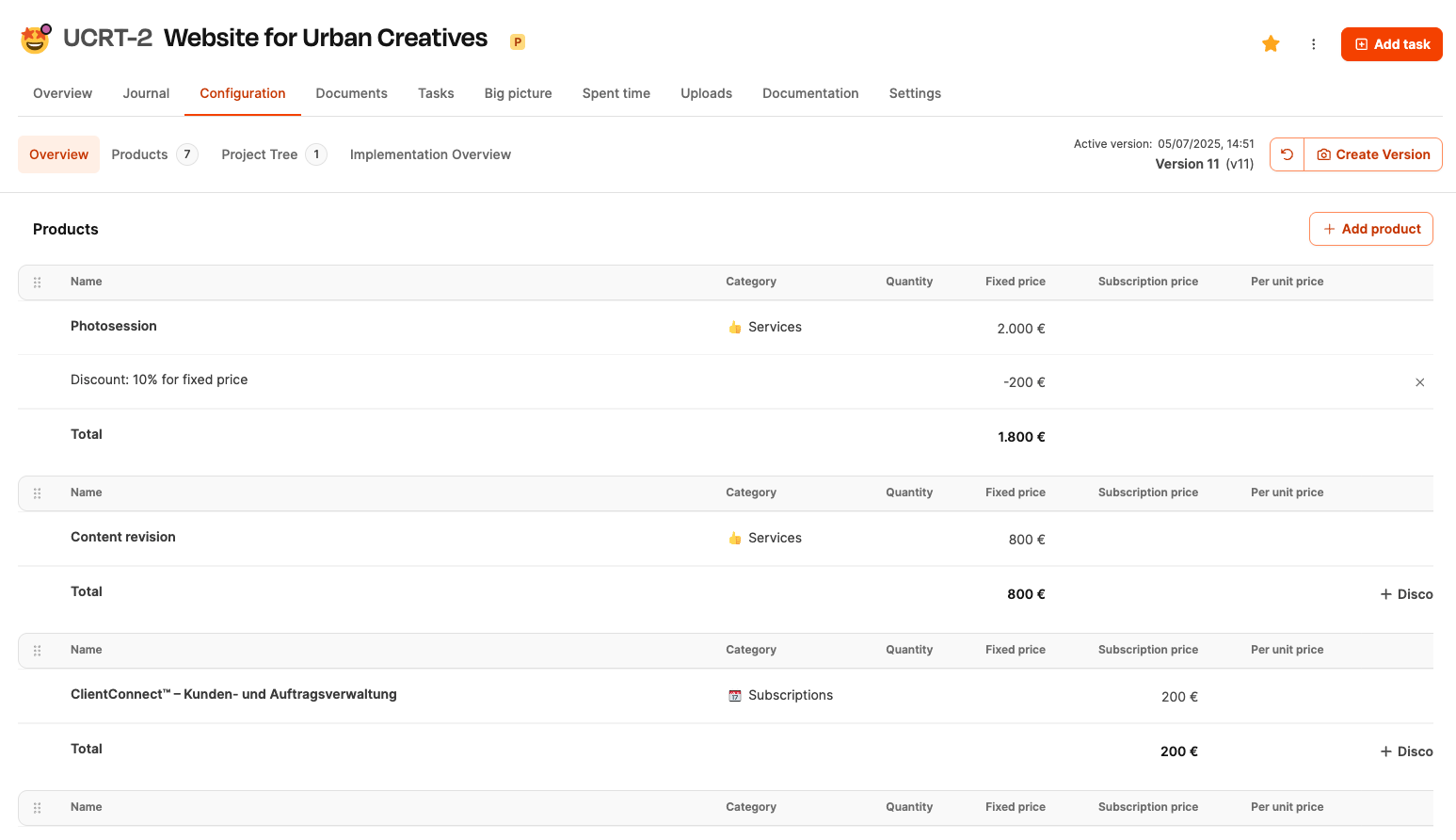
Shows all products and services in the project with prices and durations. Here, products from the catalog can be added, discounts can be granted or manual items can be added. In addition, the overall calculation becomes visible.
For an overview: Project Planning – Overview
Products
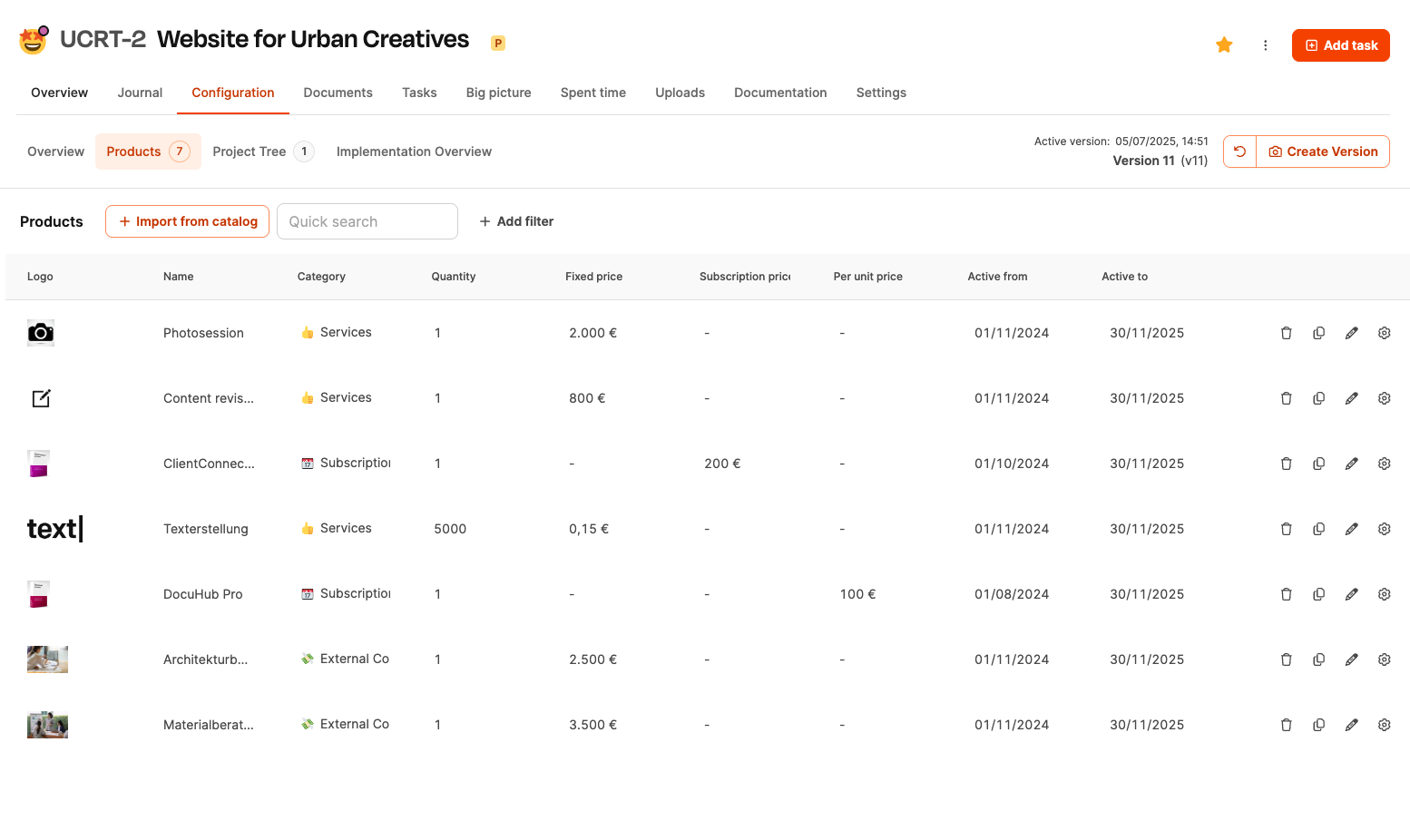
Lists all products assigned to the project, including start/end date, pricing structure (e.g. one-time or recurring) and reference to the product catalog.
To the Products tab: Project planning – products
Project tree
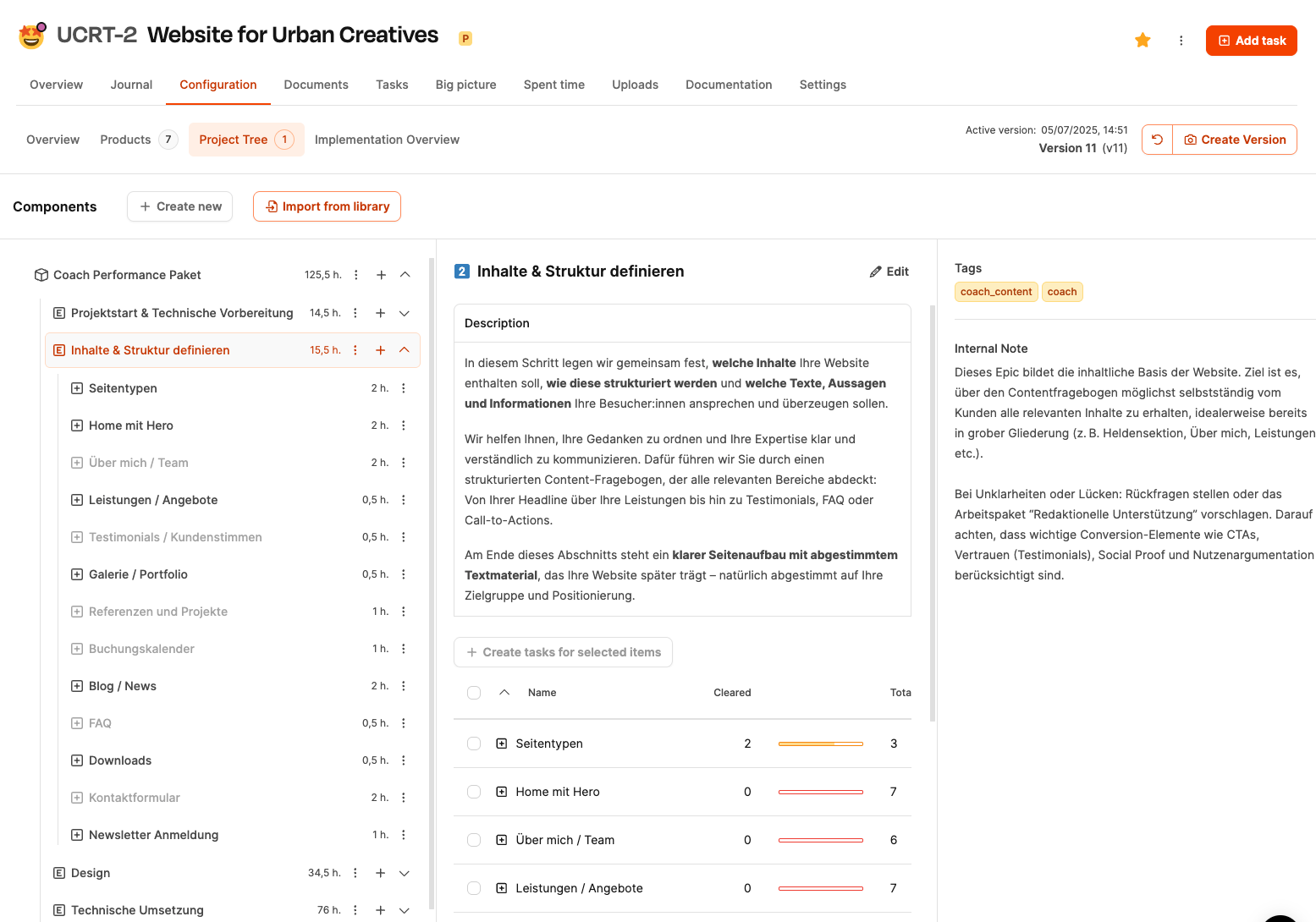
This is where the operational structure is created. Tasks, components and work packages are integrated and organized. Effort estimates and questionnaires are incorporated and form the basis for operational tickets.
About the project tree: Project Planning – Project Tree
Implementation overview
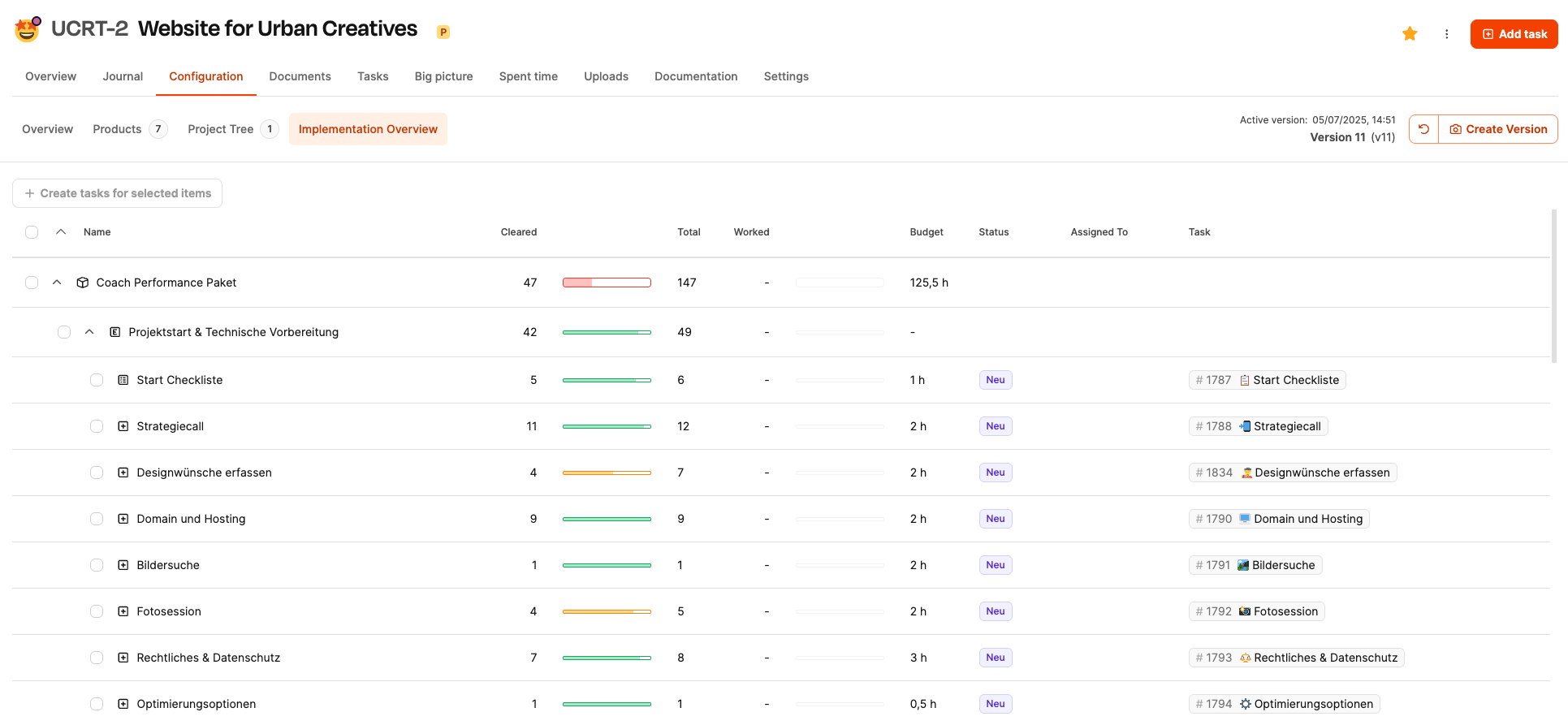
Shows the progress of implementation. Answered questionnaires, started work packages, booked times compared to planning and possible deviations are displayed.
For the implementation overview: Project planning - project progress
Versioning
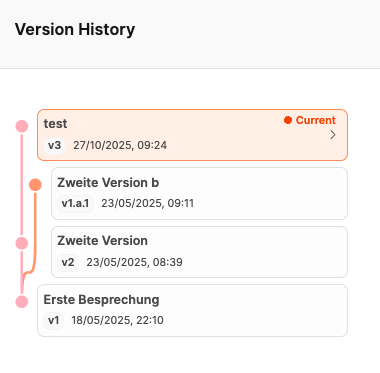
Changes to the configuration are created automatically Project versions. This means you can always see which offer and billing statuses were valid. Changes to components, discounts or work packages result in new versions.