
Employee Vacation
Review an employee's used, planned, and remaining vacation days.
Open Your Company → Employees, select an employee, then open the Vacation tab on the right.
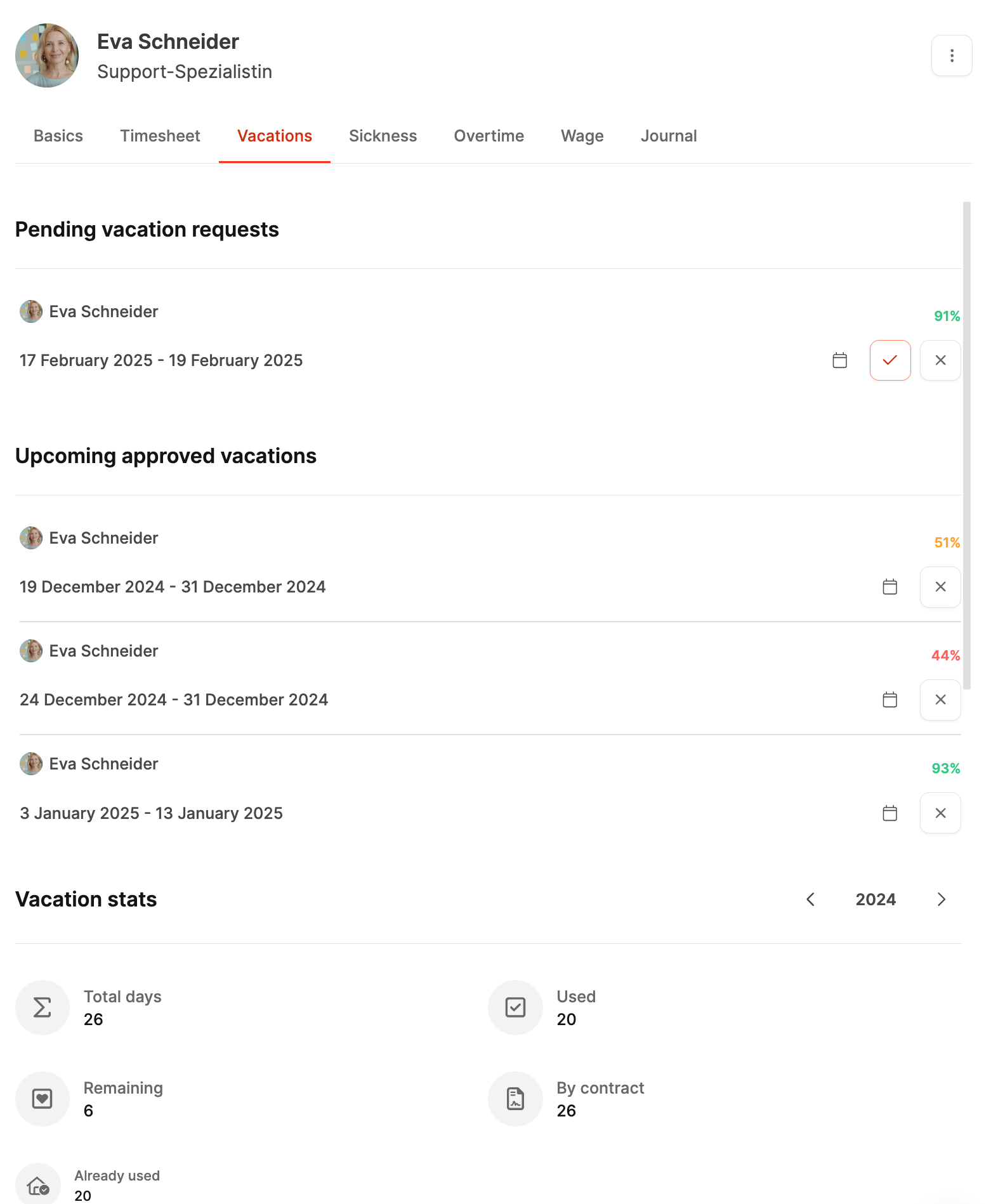
The tab provides a complete view of the employee’s vacation plan and current leave balance. Managers can review, approve, or reject requests and see how many days have been used or remain available.
Learn more under Leave Management.
Functions
Pending vacation requests
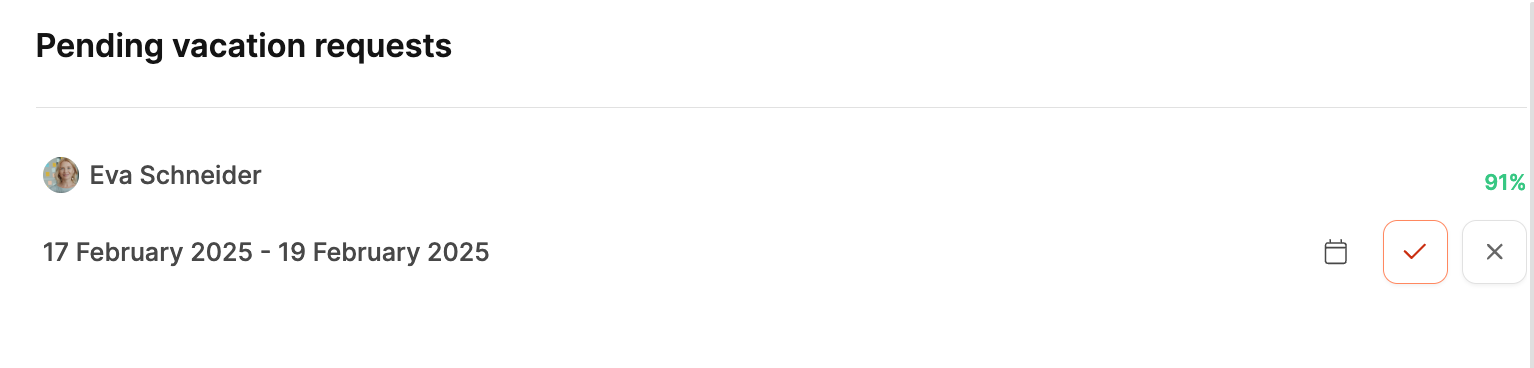
Lists pending requests with their dates and the company’s current staffing level. Use the checkmark to approve a request or the X to reject it.
Select the calendar icon to open the Team Calendar for more planning context.
Approved vacation
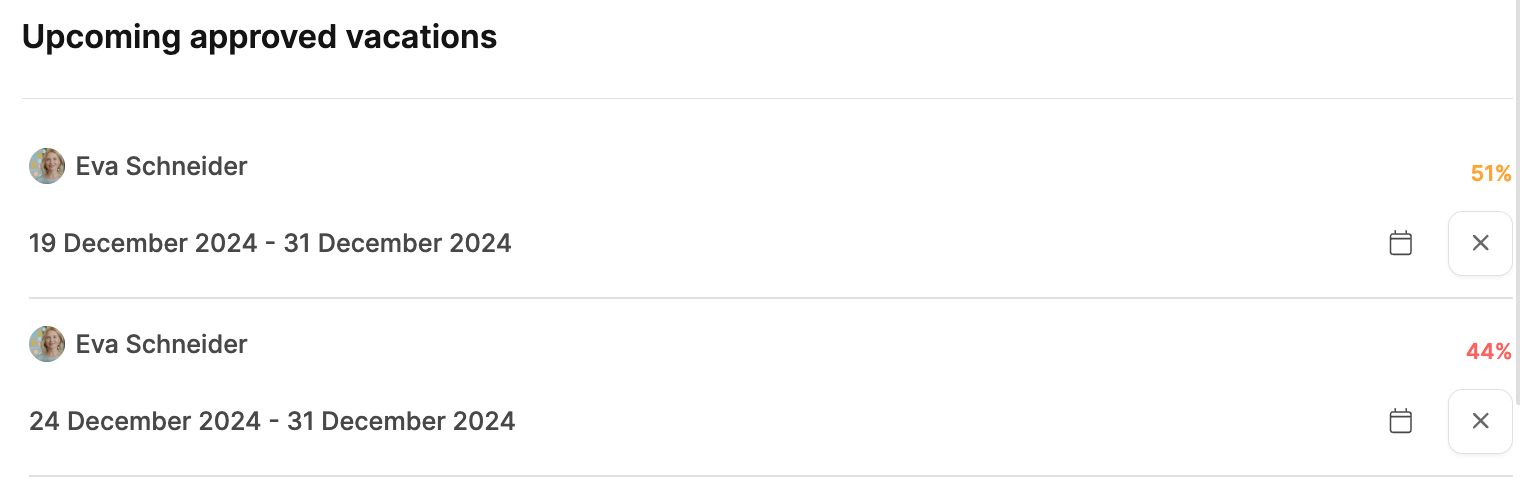
Lists future approved vacation and shows the company staffing level, such as 51%. You can cancel vacation when necessary.
Vacation statistics
Shows the annual status at a glance:
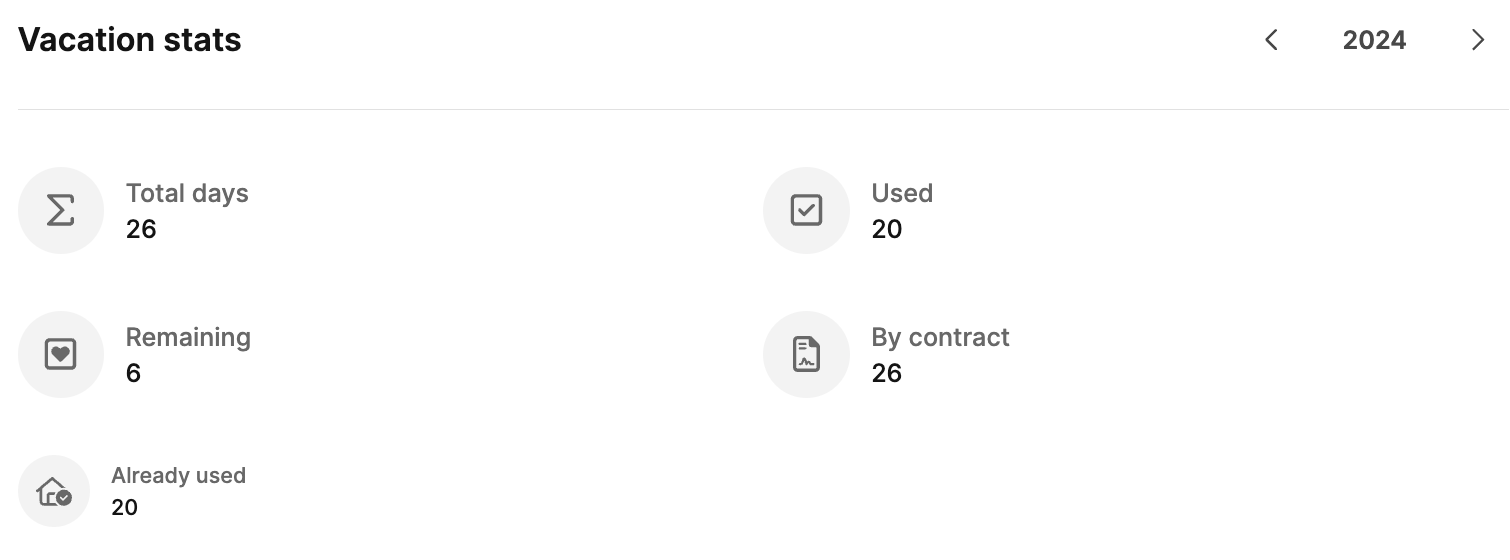
- Total Days: Contractual vacation days
- Used: Days already taken
- Remaining: Days still available
- By contract: Total contractual entitlement
Vacation compensation
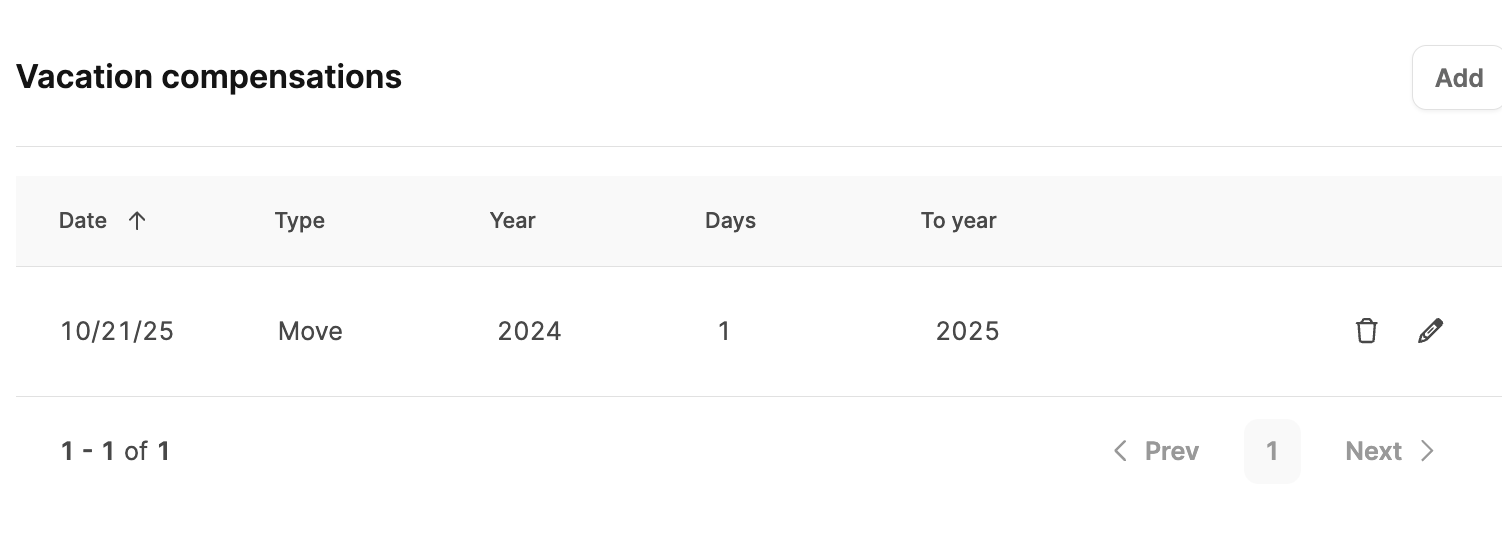
Use vacation compensation to adjust an employee’s leave account beyond ordinary vacation planning. You can:
- Carry unused days into the next year
- Add extra days, for example in exchange for overtime or exceptional work
- Deduct days following a cash payout or correction
This supports situations such as parental leave, overtime compensation, or paying out remaining leave when an employee leaves.
Select Add to create an entry. Each compensation contains:
- Date of change
- Type, such as carryover, deduction, or additional leave
- Year / target year
- Number of days affected
Vacation history
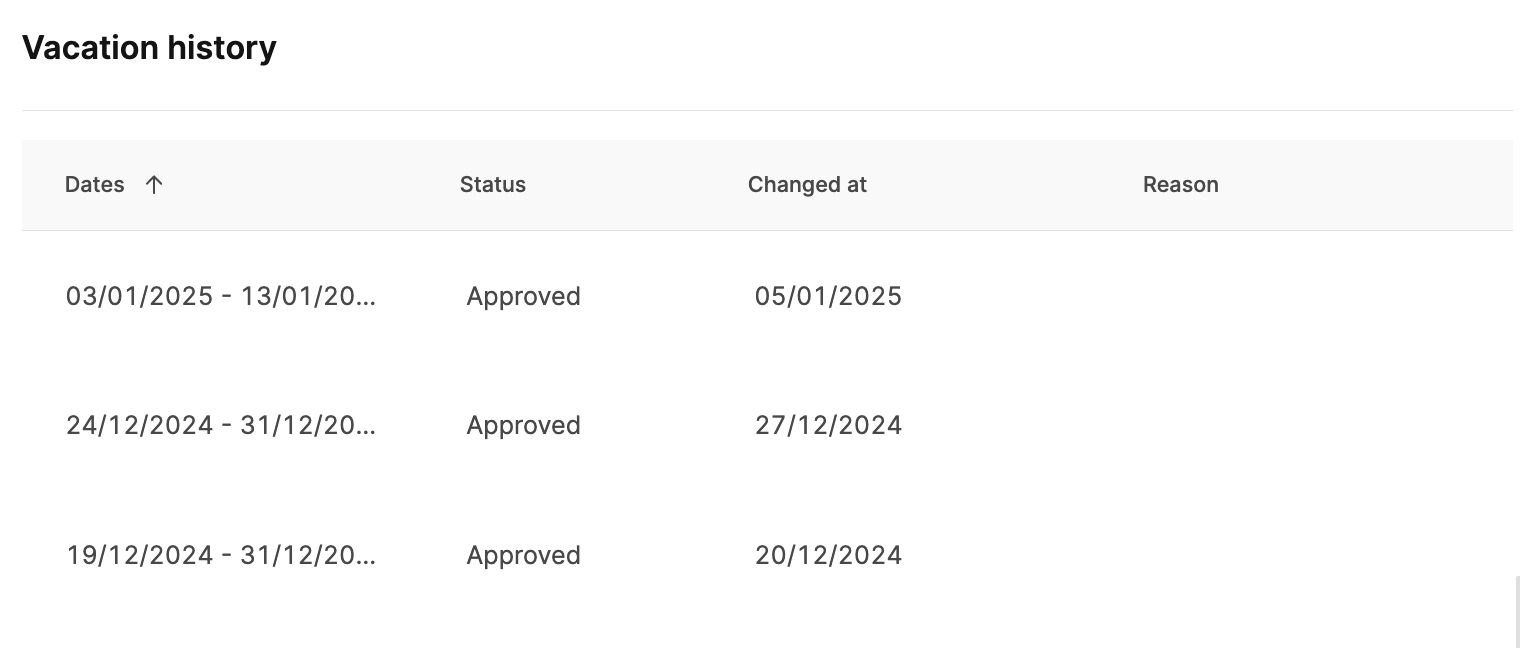
The history records every previous request, including approved, rejected, and canceled requests.
Fields
- Dates: The vacation period.
- Status: Approved, Rejected, or Cancelled.
- Changed at: The date of the latest change or approval.
- Reason: The reason for rejection, cancellation, or a later change.
Leadtime saves each entry automatically when a decision is made, creating a complete record for internal evidence and reporting.
Learn more under Leave Management.