
Time-entry Data
Review and manage every time entry in the Workspace, including filters, totals, and manual entries.
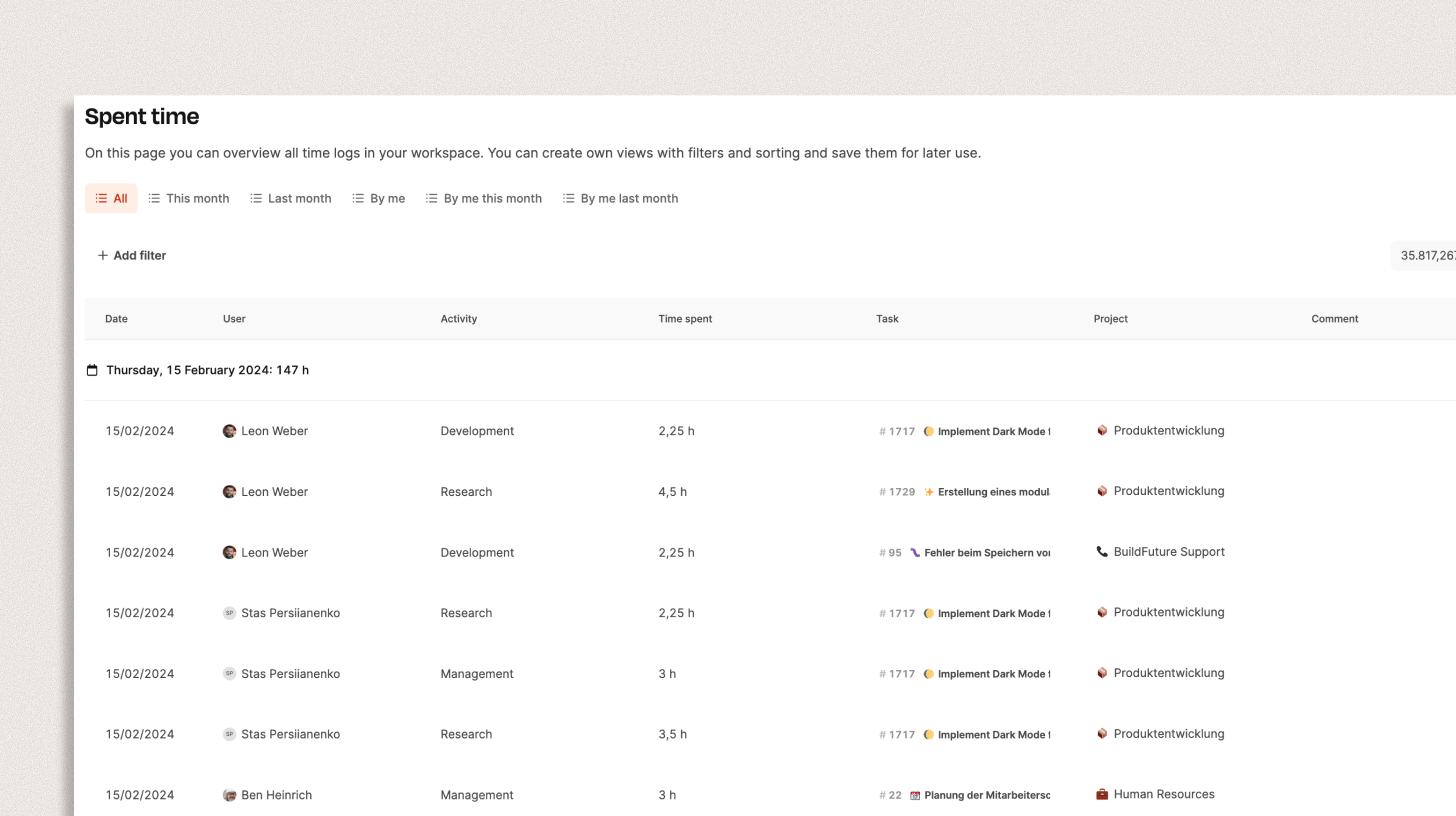
Your Company → Time-entry Data provides a central overview of every time entry in the Workspace. Administrators, project leads, and team members can see how much time was recorded for tasks, projects, and activities. The page makes working time transparent and traceable and supplies the data used for reports, billing, and internal management.
Learn more about time tracking.
How it works
The table lists recorded time with these columns:
- Date – when the entry was recorded
- User – the employee who recorded the time
- Activity – the type of work, such as development, research, or management
- Time spent – recorded hours or minutes
- Task – the related ticket or work package, including ticket number and title
- Project – the project related to the entry
- Comment – an optional note
Use the filter bar at the top to narrow the entries:
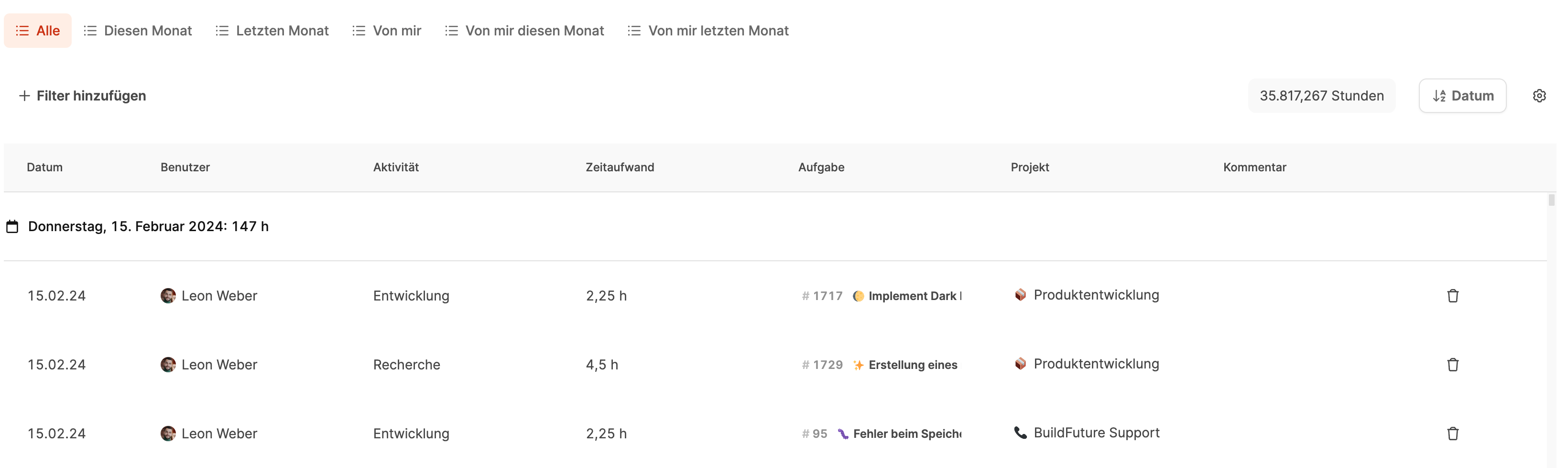
- All, This month, Last month, By me, By me this month, and By me last month
- Add custom filters such as user, project, or date.
Select Book time in the top-right corner to add an entry manually.
The page also shows the total recorded hours and groups entries by day so that each day’s total remains visible.
Use the trash icon in a row to delete that time entry.