
Use of Tags in Project Components
Tags are inherited automatically throughout the component structure, enabling clear organization across projects.
In Leadtime, tags are used to categorize work packages, checklists, or test suites by topic and make the resulting tickets easier to organize later. They help you filter, group, and assign tasks across projects.
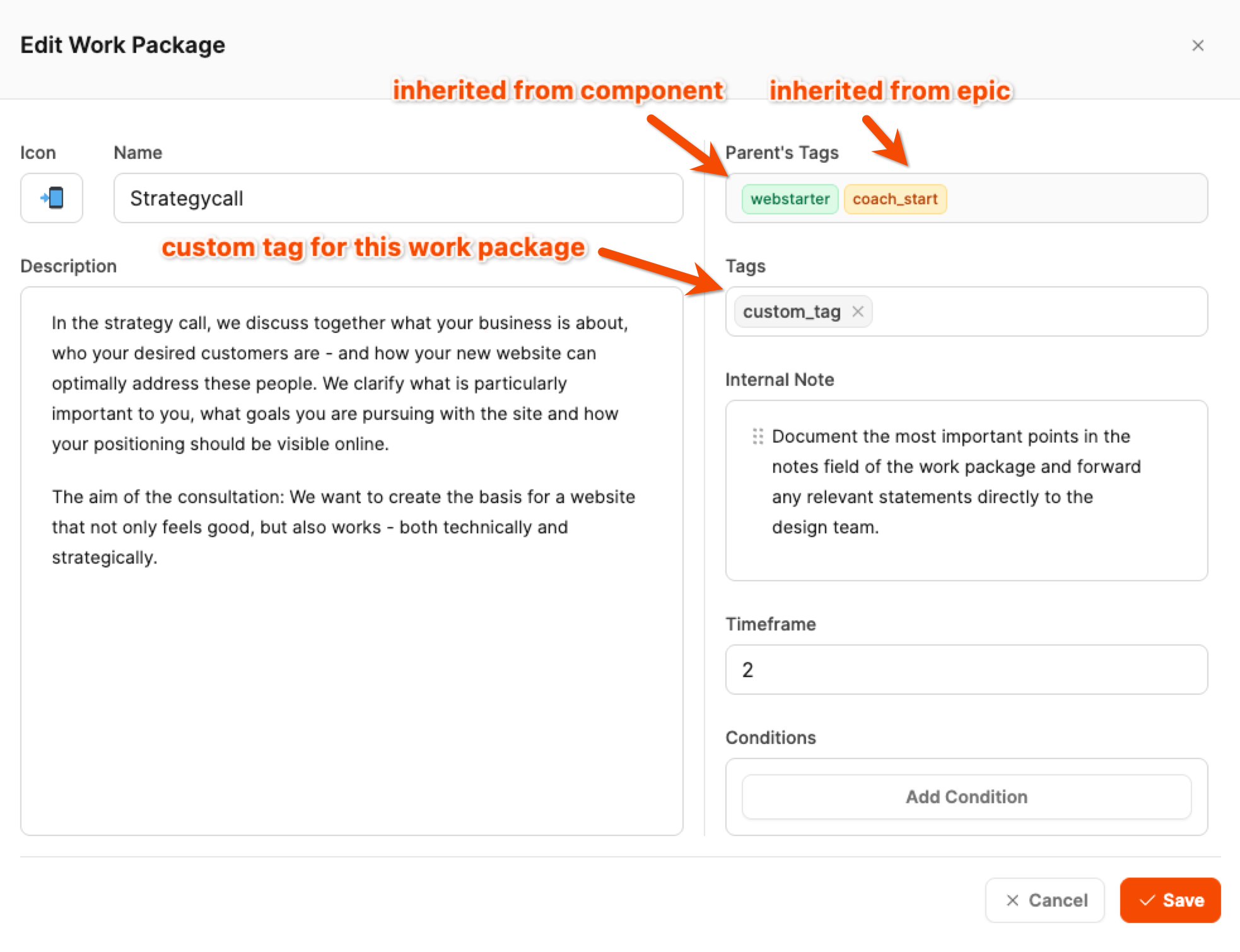
Tags can be assigned directly to a work package or at a higher level, such as a component or an Epic. When a tag is added at a higher level, it is automatically inherited by every subordinate element. This principle is known as cascading tags.
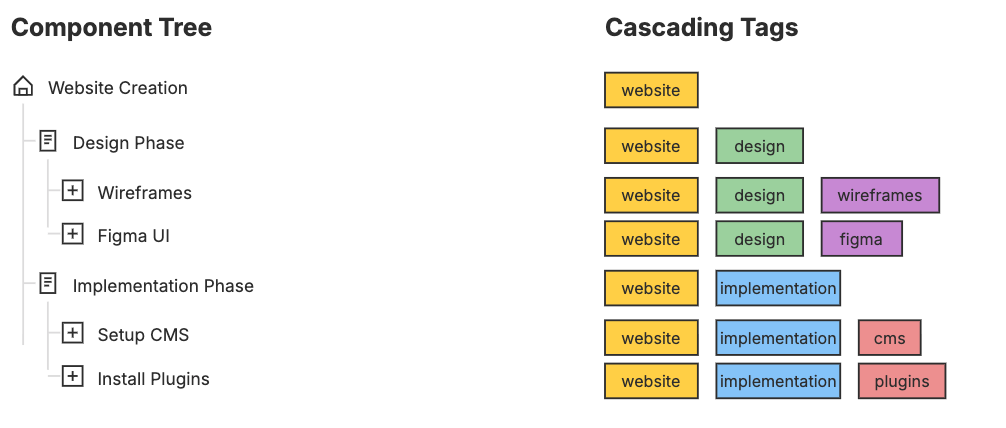
This means:
- A tag on the “Website development” component hierarchy automatically appears in all work packages beneath it.
- This creates a clear, logical tag assignment across every level.
This structure makes it easy to identify every task across its entire hierarchy, whether you are working in the component tree or the ticket view.
Specialized division of work across projects
The cascading tag structure in Leadtime is particularly useful when several projects based on the same components are running at once. Related tasks can be grouped across different projects and assigned in a targeted way.
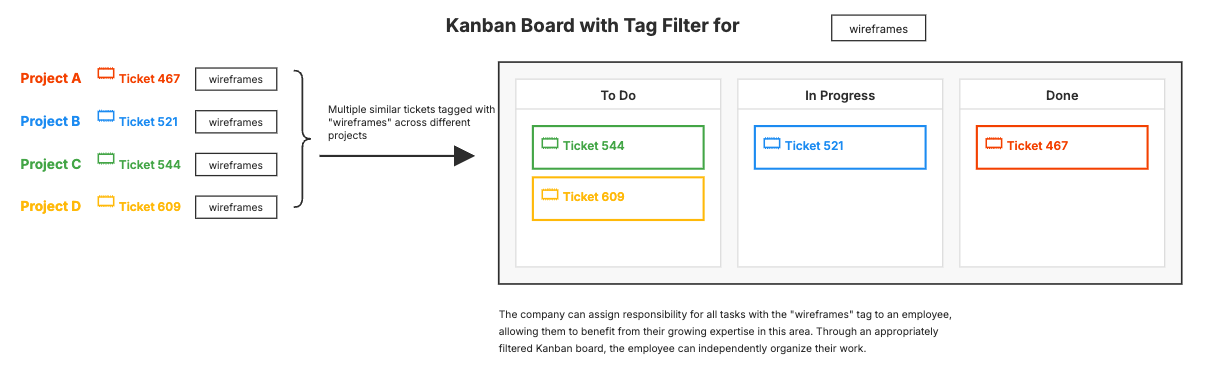
An example:
Suppose five customer projects running in parallel each contain a “Create wireframes” work package. The employee responsible for creating wireframes can simply filter their Kanban board by the “wireframes” tag. This gives them an immediate overview of every open task on that topic, regardless of the customer project it belongs to.
Tags therefore support more than structuring work during the planning phase: they also enable operational coordination and division of work in day-to-day operations. They allow tasks to be assigned to specialized team members, improve visibility across parallel projects, and create transparency throughout execution.