
Employee Time Tracking
Review the working time recorded by an employee.
Open Your Company → Employees, select an employee, then open the Time Tracking tab on the right.
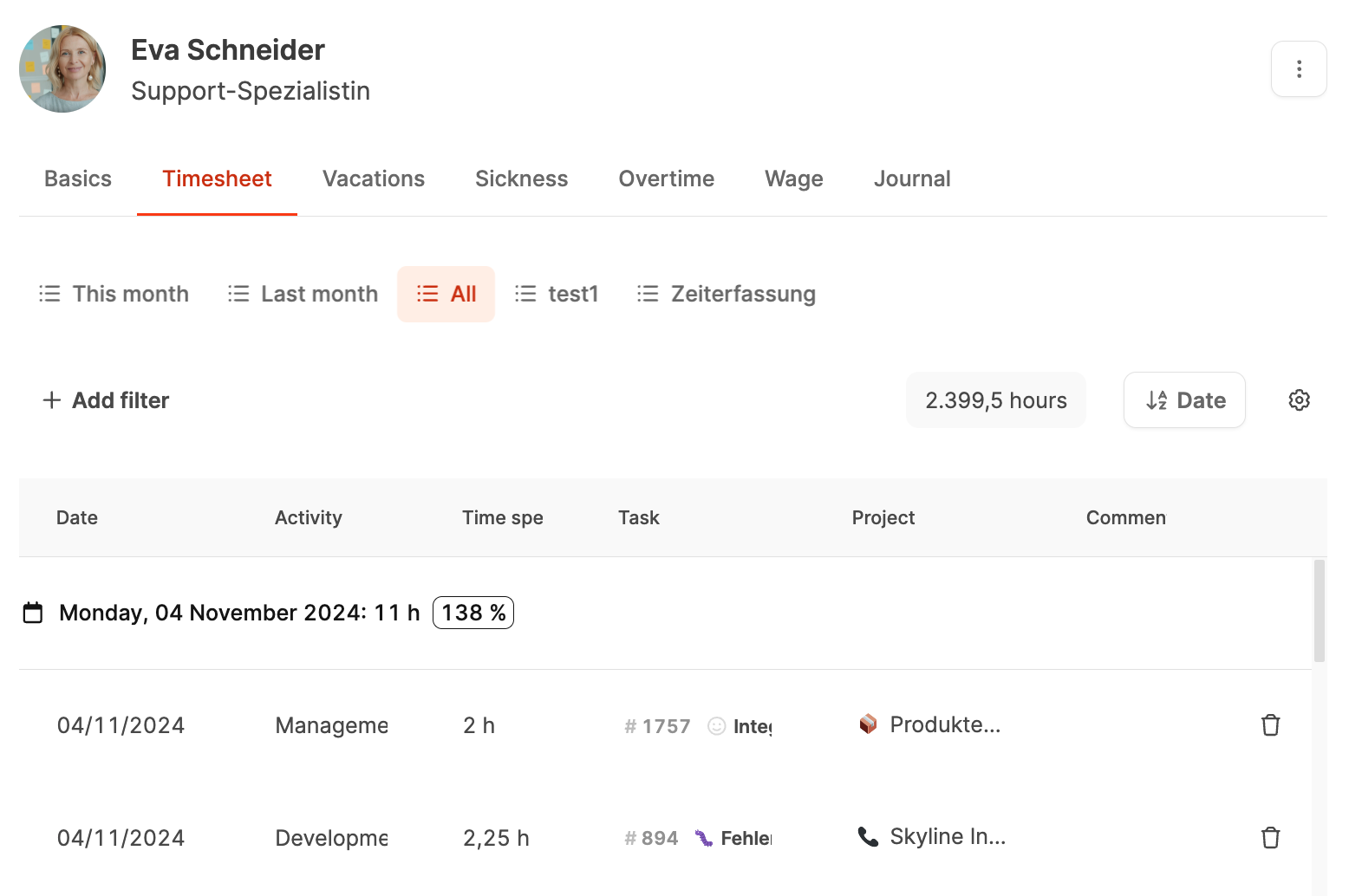
The tab provides a complete overview of the employee’s recorded working time. Managers can check entries, analyze utilization, and trace work by project.
Learn more about time tracking.
Functions
-
Date range:
Choose This month, Last month, or All, or set a custom range.
-
Filters:
Filter by project, task, or activity to analyze specific portions of time.
-
Total:
The top-right corner shows all hours recorded in the selected period.
-
Table sorting:
Sort entries by date or another column.
-
Customize view:
Use the gear icon to show or hide columns, group by day, week, or month, and save custom views.
-
Percentage:
Each grouping shows recorded hours as a percentage of contracted time, making overbooking and underbooking visible.
Example:
If an employee records 11 hours on a day when their contract specifies eight, the view shows 138%. Hover over the value to see the expected and actual time.