
Project components
Project components standardize recurring project types and combine requirements management, calculation, and execution in a single workflow.
In Leadtime, you can find project components under Administration → Component Library.
Project components are reusable project templates that serve as the basis for delivering typical customer projects.
They contain all standardized work packages that regularly occur in projects of a particular type, such as onboarding or development projects.
Their modular structure makes it possible to map requirements, effort, and quotes in one end-to-end workflow.
How to use project templates in projects: Project planning – project tree
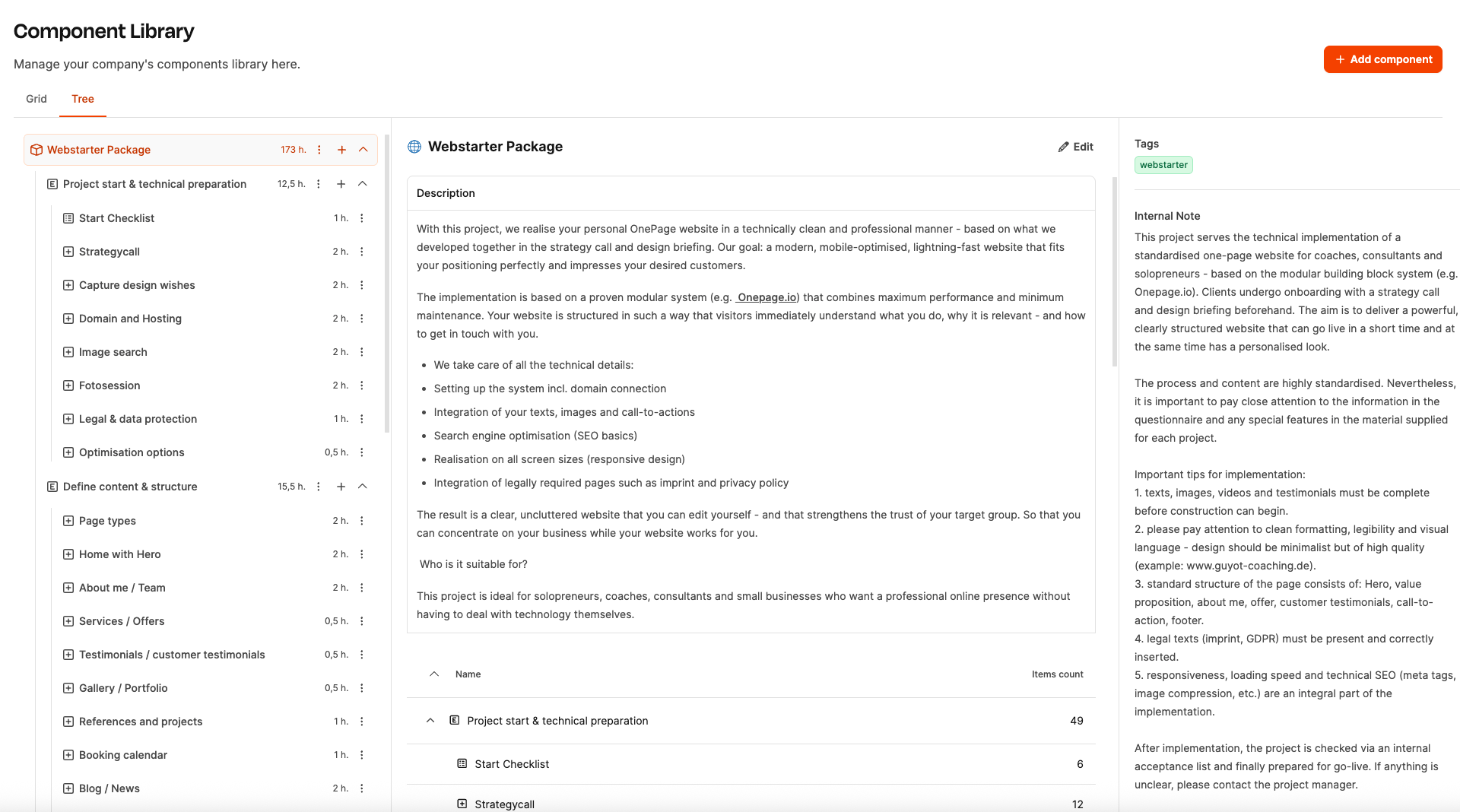
What is a project component?
A project component is a template or playbook for planning and delivering a project.
It represents the typical processes and work packages for a particular type of project and can be adapted to customer-specific requirements as needed.
These adjustments have a direct effect on the calculated effort, allowing requirements management and quote creation to work together seamlessly.
This allows recurring projects within the company to be:
- standardized
- simplified
- accelerated
[!WARNING] The Project Components Workshops show you how to develop a project component in a series of workshops.
Structure of a project component
The building blocks of project components
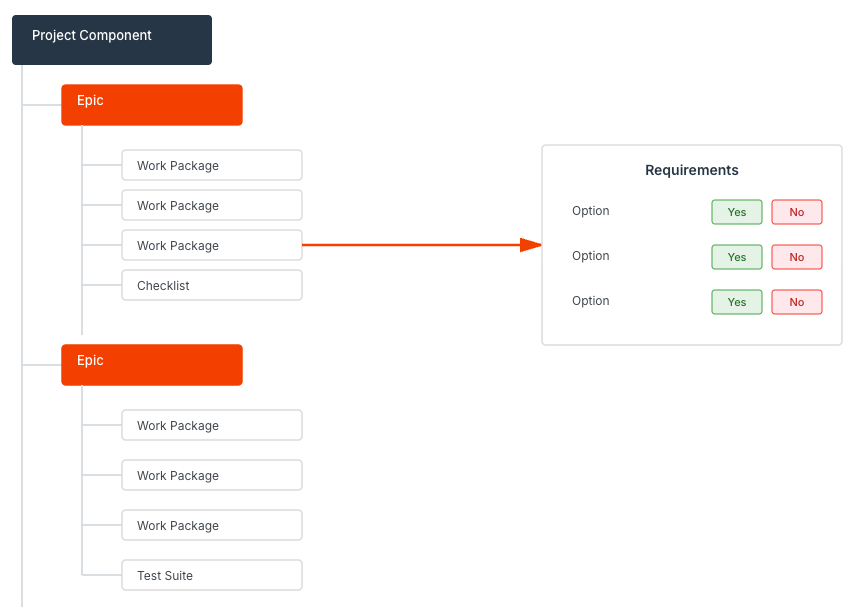
A project component is a structured collection of predefined Epics and work packages that together represent a recurring project scenario—for example, developing a website, introducing new software, or delivering a consulting project.
Each Epic represents a major section of the project (for example, “Technical preparation,” “Design & implementation,” or “Testing & go-live”) and contains several work packages that define the specific tasks and deliverables.
Work packages can also be linked to questionnaires (requirements). These questionnaires capture customer requirements in a structured way. The answers—usually simple options such as Yes/No or Standard/Advanced—automatically affect the effort and therefore the calculation of the project component.
This makes requirements management an integral part of quote creation:
- Requirements are defined directly in the component,
- effort and price automatically adjust to the answers,
- and specifications, quotes, and tickets can be generated from the configured component at the click of a button.
The project component therefore bridges customer briefing, calculation, and execution—in a standardized, transparent, and efficient way.
Benefits
- Faster quote creation: Effort and prices are calculated directly from the answers.
- Greater consistency: Projects are based on identical standards and templates.
- Efficient execution: Work packages can be converted into tickets immediately.
- Greater transparency: Requirements, effort, and prices are documented transparently.
- Fewer sources of error: Structured questionnaires replace manual documents.
Example: Website development project as a project component
The building blocks of project components
In the Component Library, each website development template is created as its own project component, such as “Webstarter Package”.
This component contains all the standardized work packages required to deliver a modern one-page or multi-page website.
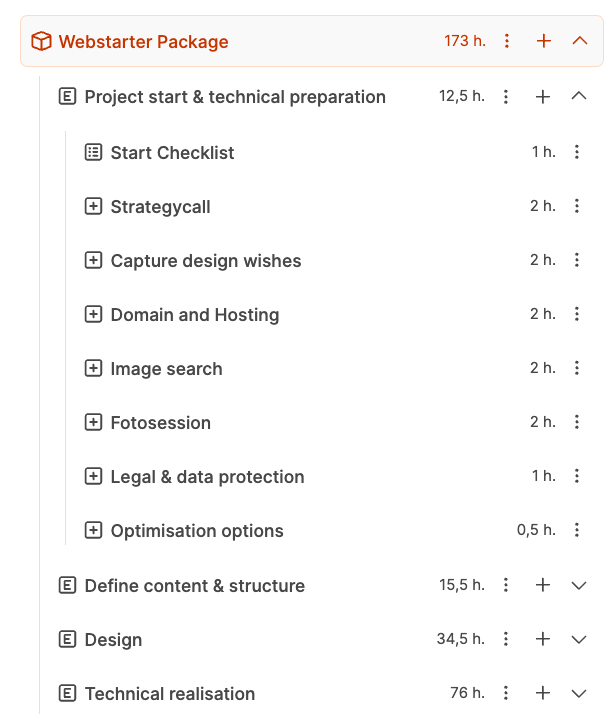
| Section | Description | Example work packages |
|---|---|---|
| 1. Project kickoff & technical preparation | Clarifying technical fundamentals and the project environment | Kickoff checklist, strategy call, domain & hosting, image research, privacy policy & legal notice |
| 2. Define content and structure | Content and visual planning for the website | Page structure, hero & homepage, about page, service pages, customer references |
| 3. Design & implementation | Implementing the layout and technical setup | Layout design, responsive design, integration of copy and images |
| 4. SEO & optimization | Technical fine-tuning and search engine optimization | Meta tags, loading times, image compression |
| 5. Testing & go-live | Project completion and handover | Quality assurance, approval, publication, documentation |
How to use project templates in projects: Project planning – project tree