
Holidays
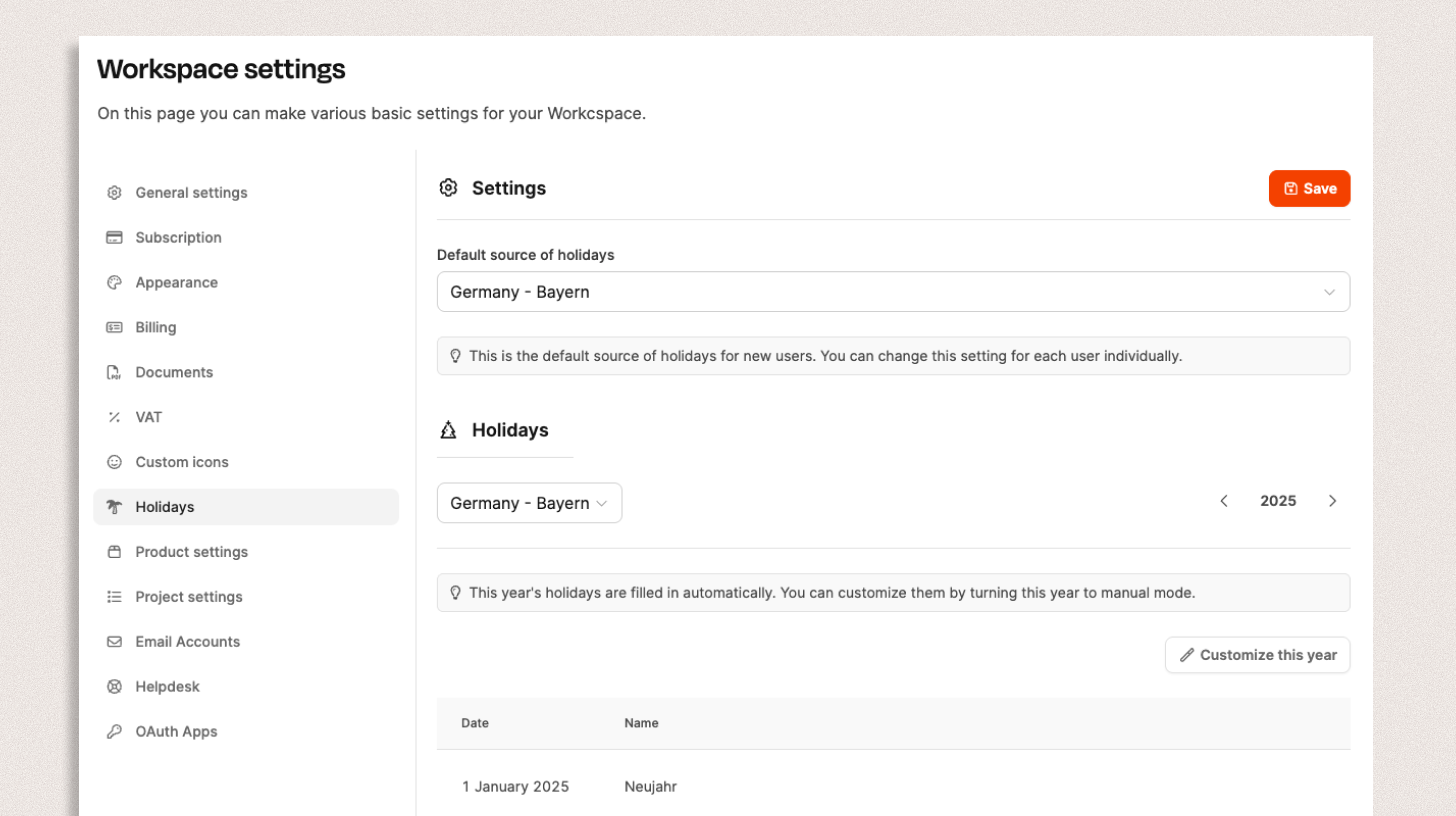
Here you can set which regional holiday rules the system should use
Manage holidays
Found under Administration → Workspace Settings → Holidays
One of Leadtime’s central tasks is capacity management—planning how much work can be completed with the available employees. To do this, the system needs to know which days employees are not available. In addition to vacation days, this includes the holidays observed in their region.
Leadtime lets you store different holiday rules by location—a crucial advantage for companies with international teams or locations in different regions.
Holidays are shown in the Team Calendar.
Set the default holiday rule

Under Default source for holidays, select the holiday region that applies to your company (e.g. Germany – Bavaria).
This setting is adopted automatically for all new users but can be adjusted individually for specific employees.
Holidays are loaded automatically from an official source and displayed in a list.
This gives you an at-a-glance view of all relevant holidays for the selected year.
Customize holidays
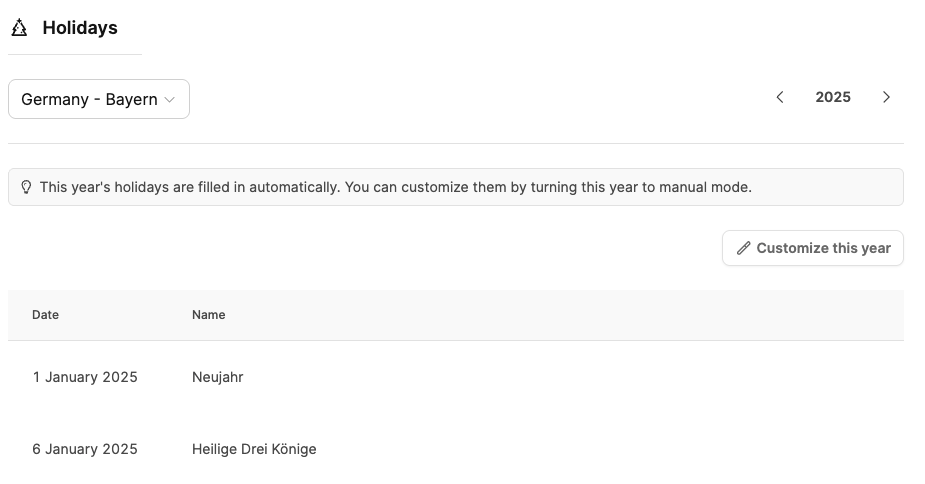
By default, Leadtime retrieves holidays automatically. The “Customize this year” button lets you plan company-specific deviations from this official data source. You can delete holidays or add your own company-only “holidays.”
Click “Customize this year” to switch to manual mode and make your own changes.
You then have the following options:
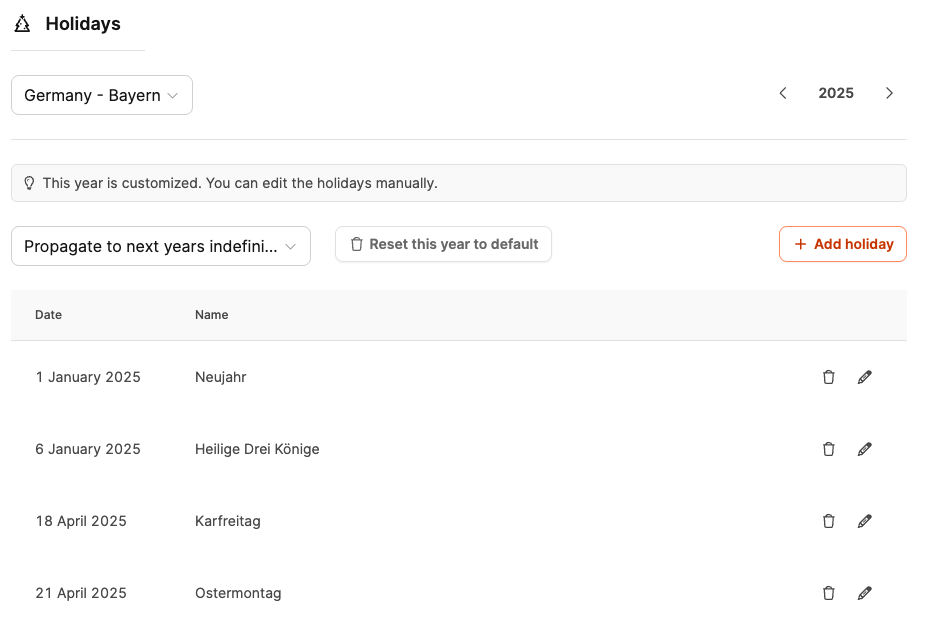
- Add a holiday (e.g. “Company outing” or “Festivus” wink)
- Delete a holiday if it does not apply to your organization
- Apply changes only for the current year or indefinitely for future years
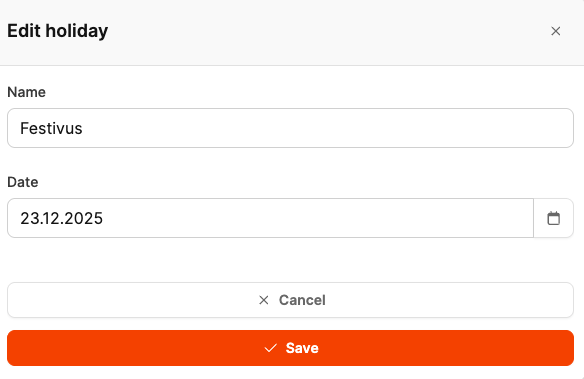
If you want to undo your changes, click “Reset this year to default” to return to the original official holiday rule.
Change the holiday rule for individual users
Especially in international teams, you may need to specify a different holiday source for certain employees.
Go to Employee Basics
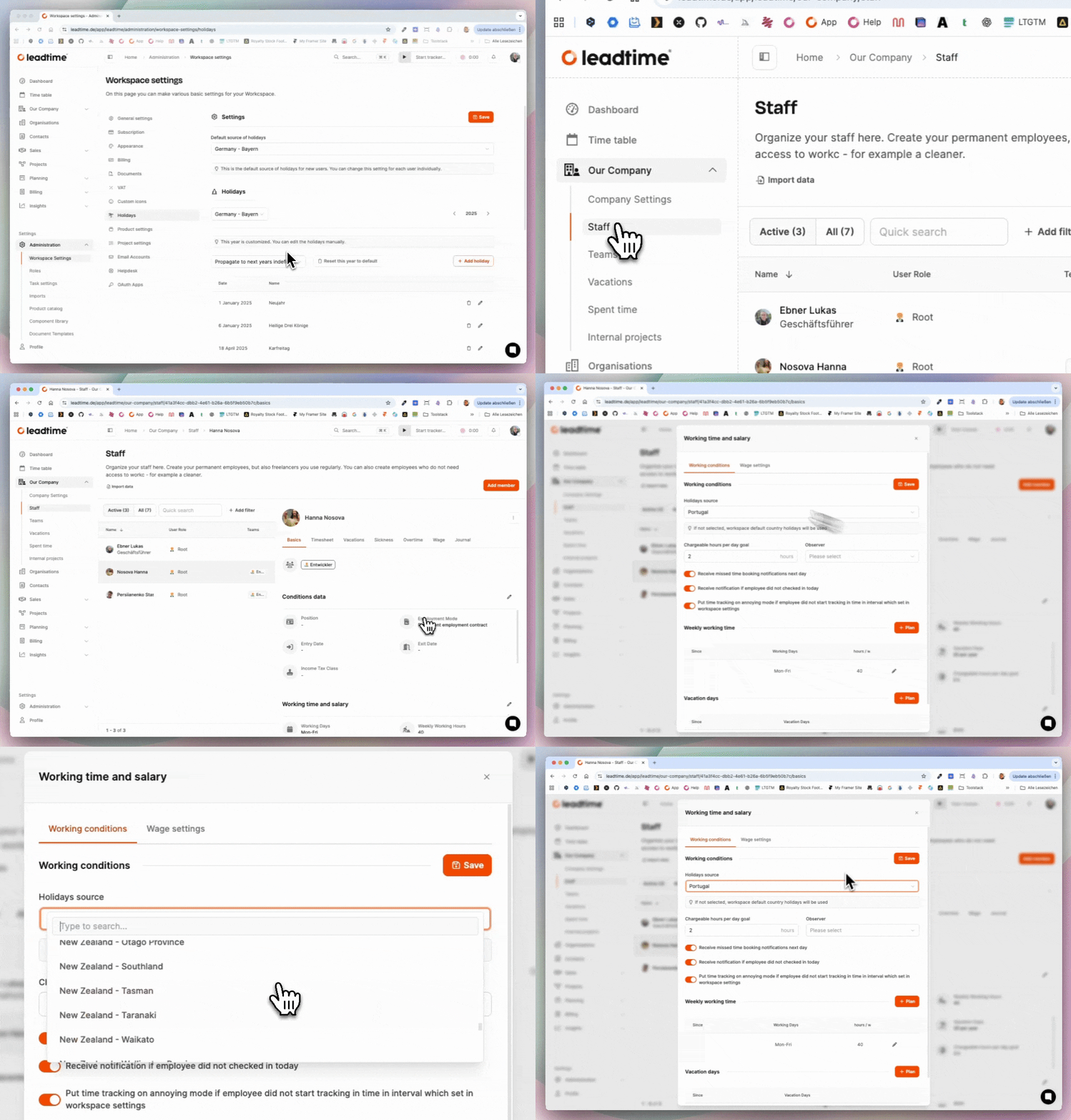
- Open Your Company → Employees.
- Select the relevant employee.
- Switch to the Basics tab.
- In the Working Hours and Salary section, select the appropriate region or country under Holiday Rule (e.g. Austria or USA).
- Save your changes.
The new rule is applied automatically, and you can check the team calendar to confirm that the holidays are applied correctly.
With this system, Leadtime ensures that your capacity planning always works accurately for each location—whether you run a local company or a distributed international team.