
Time Booking Goals
The time statistics show daily progress on three levels (attendance, documentation, billing) and promote transparent, goal-oriented time recording.
The Time statistics in Leadtime visualizes working times on three levels – attendance, documented time and billable time – and makes daily progress visible. They serve to make goals transparent, promote motivation and make the use of available working time measurable.
Every employee can see at a glance how much of their time has been used productively - and how close they are to their daily goal.
Motivation and self-control
The rings are deliberately designed as a visual feedback system.
Once a goal is achieved, the rings close - a simple but powerful signal of progress.
This mechanism is intended to motivate people to use their own time more consciously and to avoid irregularities (e.g. undocumented hours).
Structure of the time rings

The time rings are automatically generated for each day.
They are empty at the start of the working day and fill dynamically as soon as attendance is registered or time is booked on tickets.
This creates a continuous, visual representation of the individual working day - from pure attendance to the actual billable performance.
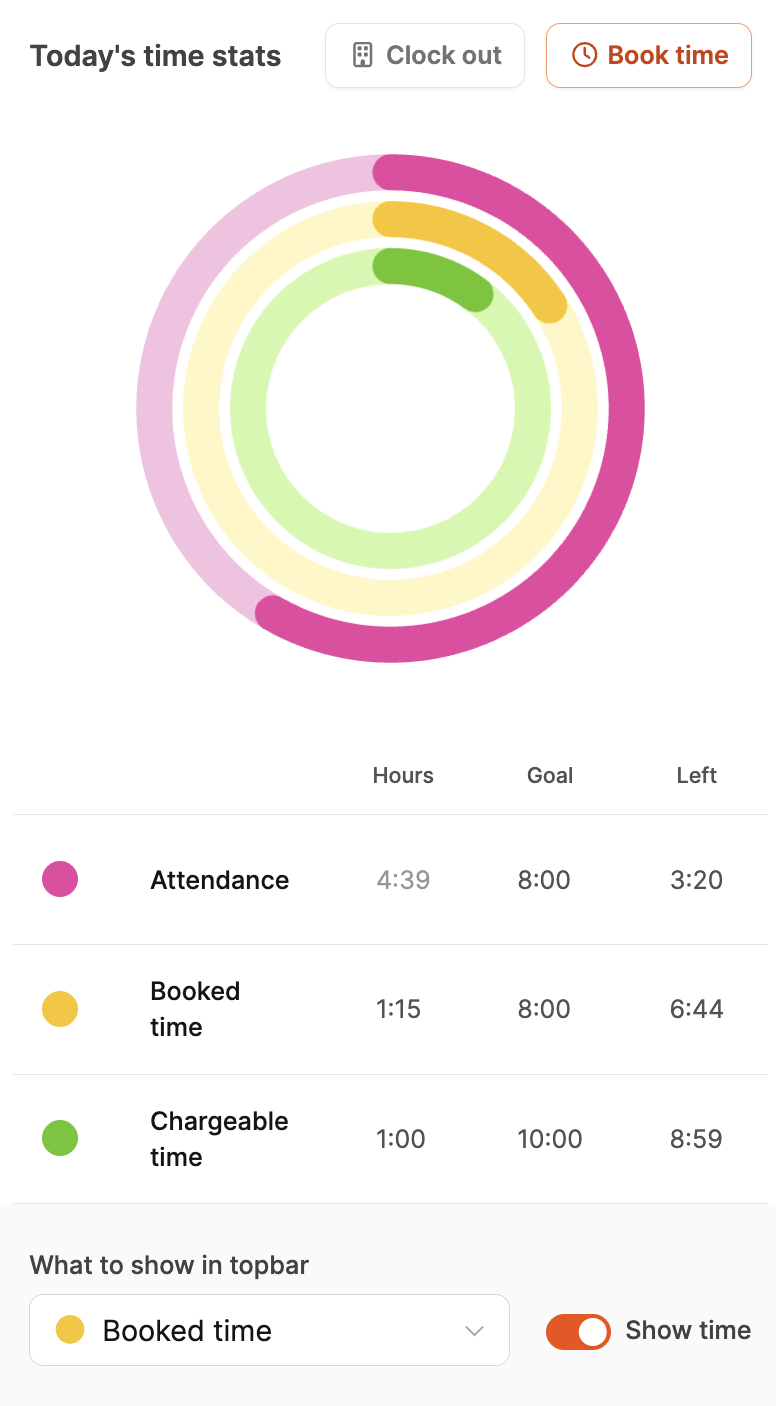
Each ring represents a dimension of working time:
Outer Ring (Magenta) – Presence
Shows the total presence time, i.e. the time between check-in and check-out.
Is compared with the contractually agreed working hours.
Example: With 8 hours of target time and 7.5 hours of attendance, there is a deviation of 0.5 hours.
→ The outer ring measures presence and signals whether working hours have been adhered to.
Attendance tracking (clocking in and out)
Middle ring (yellow) – Documented working hours
Shows how much of the attendance time was actively booked into projects or tasks.
Each yellow section represents a specific task.
Details (e.g. ticket number, duration) are displayed by hovering or clicking.
→ This makes it clear whether all hours attended have actually been documented.
Time booking for projects and tasks
Inner ring (green) – Billable working time
Shows what proportion of the documented time is spent on value-adding activities – that is, billable customer projects.
The daily target for billable hours can be set individually for each employee.
→ The green ring shows how productive and sales-oriented the work was.
Set the goal here: Employee basics
Time rings in the header

For better orientation, one of the three time levels can be displayed as a mini indicator in the header.
This means that the most important goal of the day – attendance, documentation or billability – always remains in view.
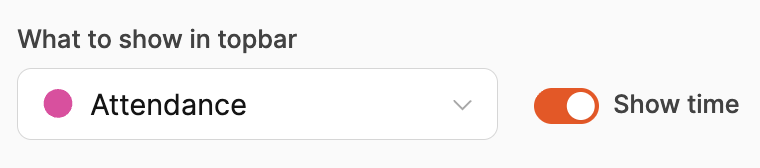
The user can use a drop-down menu in the time ring dialog to select which level should be displayed.
This means the display can be adjusted depending on the focus of the day.
Goal definition for billable hours
The target values for billable hours are defined by administrators in the
Our company → Employees → Basics → Working hours and salary
area.
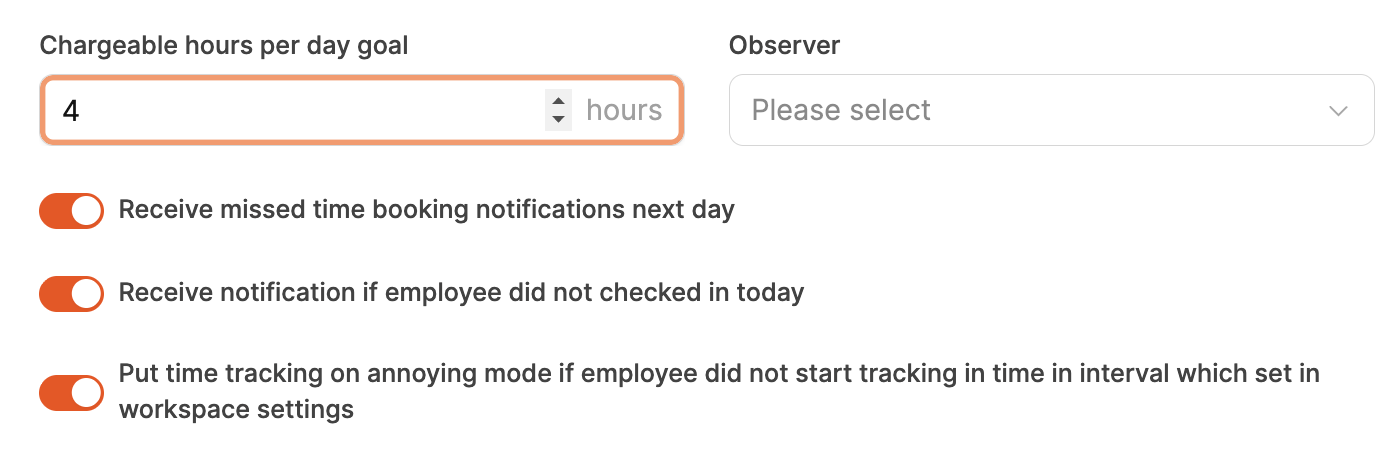
Here you can specify how many hours per day should be billable.
For example:
- Developer: 6 hours
- Project manager: 4 hours
- Support agent: 3 hours
This target helps to maintain the balance between value-adding project work and internal activities.
It also serves as a basis for reports and capacity planning.
Goal definition here: Employee basics