
Invoicing Projects
The article explains how you can invoice completed projects in Leadtime during invoice verification, which service types are automatically included in the project invoice, which invoice types can arise and how you check, supplement and finally approve them.
Once a project is completed and the project status has been set to “Bill”, Leadtime automatically creates one or more prepared invoice items in the Billing → Invoice verification area. There you check the contents, add items if necessary and finally release the invoices.
Everything about projects here: Projects
Starting project billing

- Open the project configuration.
- Switch to the Settings tab.
- Set the project status to “Bill”.
About the project settings: Projects – Settings – Basic Settings
From this moment on, Leadtime automatically creates pending invoice items. The basis is the current state of the released master version.
On this topic: Version management
What is billed?
Project billing includes all components of the project that are contained in the master version:
Project components (e.g. epics, work packages) – How project expenses are calculated
Products from the project (one-off services)
Change Requests from the course of the project
Manual items such as external or additional costs
Advance payments that were issued earlier (are automatically offset)
These elements automatically become visible in invoice verification.
Split vs. mixed invoices

In the project’s Settings → General billing settings you define whether:
- Leadtime bundles all billing items into a single mixed invoice
- or generates several separate invoices
We recommend split invoices, because they:
- increase willingness to pay,
- reduce queries,
- simplify documentation.
Here you set how a project should be billed: Projects – Settings – General Billing Settings
Billing types at a glance
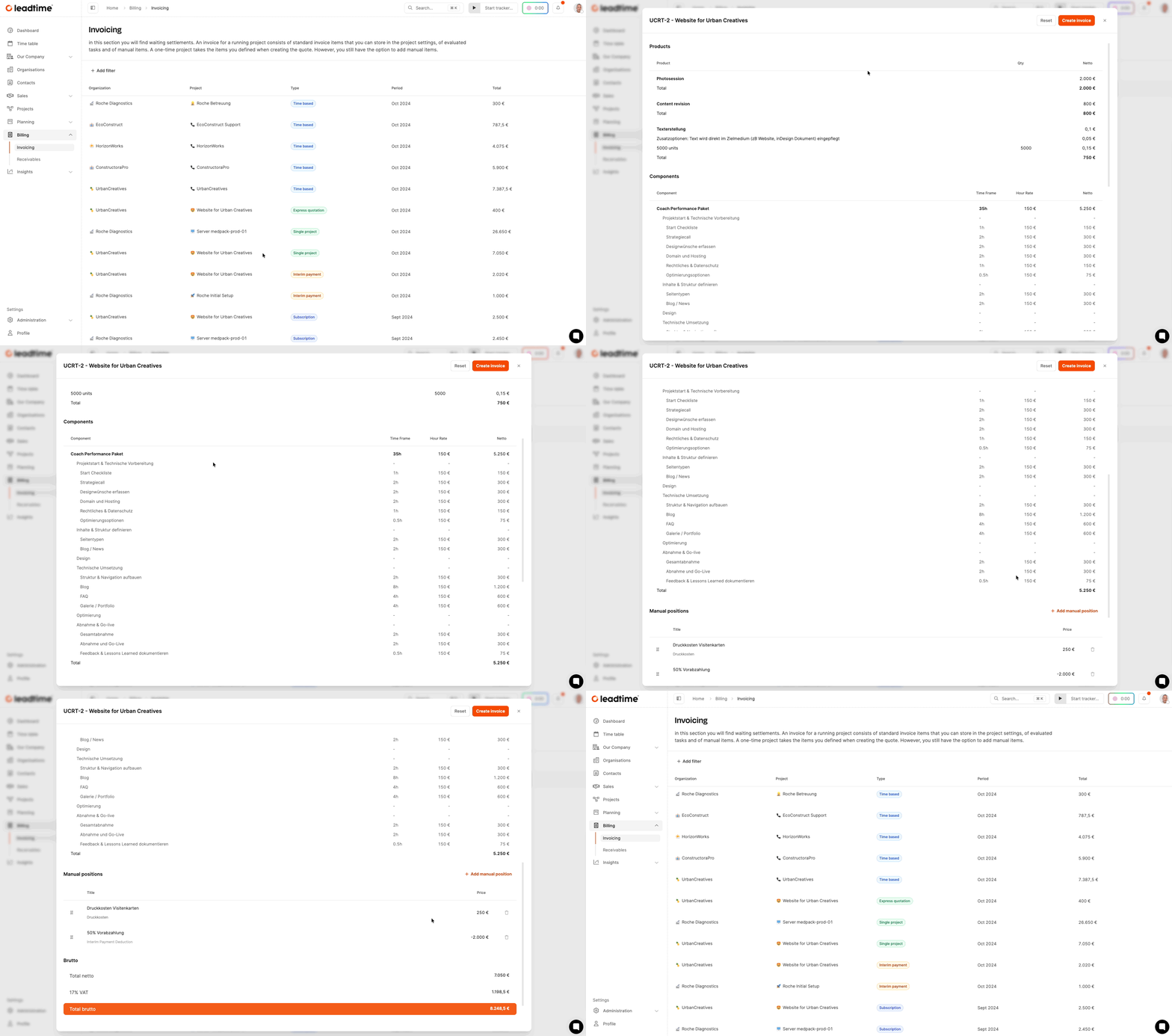
Depending on the project structure, up to five different invoice types can appear:
| Invoice type | Content | Use |
|---|---|---|
| Project invoice | Main invoice based on the master version | At project completion |
| Product subscriptions | Recurring services from the product catalog | e.g. hosting, support |
| Change Requests | Subsequent individual tickets involving effort | Additional requirements |
| Express quotes | Separately commissioned fixed-price tasks | Urgent additional features |
| Interim payments | Advance or interim payments | Partial billing within the project |
The separation ensures clear traceability.
An express quote is included only after the customer has accepted it and its task has reached a status of the type Closed. See Invoicing express quotes.
Checking and releasing the project invoice
In invoice verification, all created draft invoices are shown in a table. Clicking on an entry opens the detailed view. There you can:
- check items
- add manual information
- and finally release via “Bill”
Any advance payments already issued are automatically deducted as a negative item.
After release, the draft disappears from invoice verification and appears in the Receivables section.