
Overview
The overview shows all price-relevant project components and enables discounts, manual positions and offer versions.
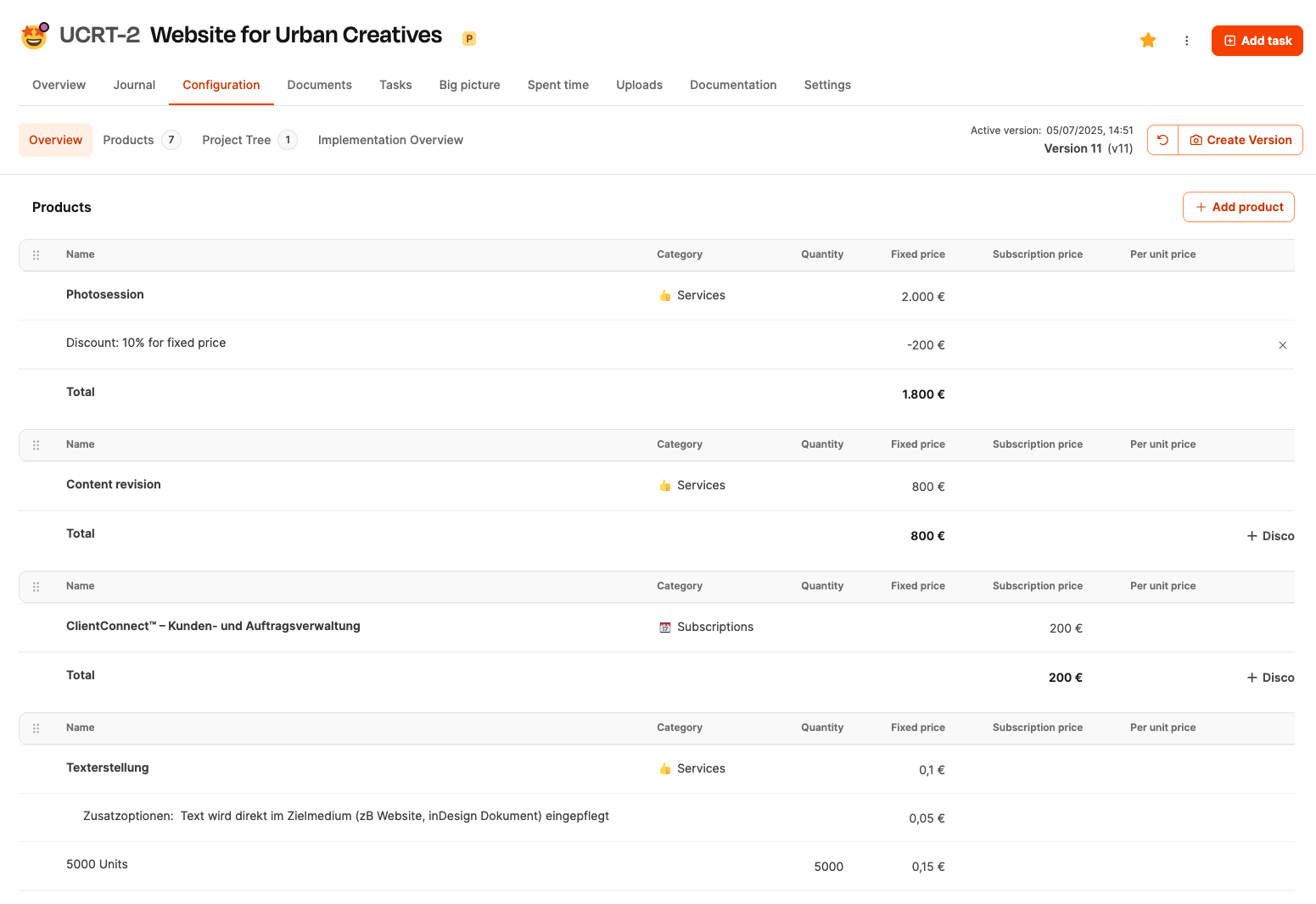
The Overview in the rider Project planning shows all price-relevant components of an individual project. It is used to fully prepare an offer, grant discounts, add manual items and view the overall calculation in a comprehensible manner. This area is the basis for what later appears in the formal offer and invoice.
Use cases
The overview supports several important purposes:
-
Offer configuration
All elements that the customer should see are activated and priced here.
-
Pricing strategy
Discounts can be granted per category or as an overall price advantage.
-
Option offers
Multiple offer variants can be created through versioning.
-
Basis for negotiation
Adjustments to products, packages and expenses become immediately visible.
Structure of the page
The page is structured in a table and is divided into several sections:
Products
Shows all products added to the project. Category, quantity, price types (fixed price/subscription) and individual prices are displayed for each product. Products usually come from the central product catalog. Projects – Project planning tab
Components (project tree)
Shows the complete content structure of the project. The estimated effort per work package is taken over here and later forms the basis for the working time billing. Projects – Project planning tab
Manual positions
Additional costs not included in the catalogue. External costs such as: B. Printing or fees. Name, category and price are stored for each position.
Projects – Project planning tab
Sum blocks
The overview shows separate totals for:
- one-off project costs,
- recurring fees (subscriptions),
- Hourly effort from the project tree.
This means you can always see what the total price is made up of.
Give discounts
Discounts can be set in several places:
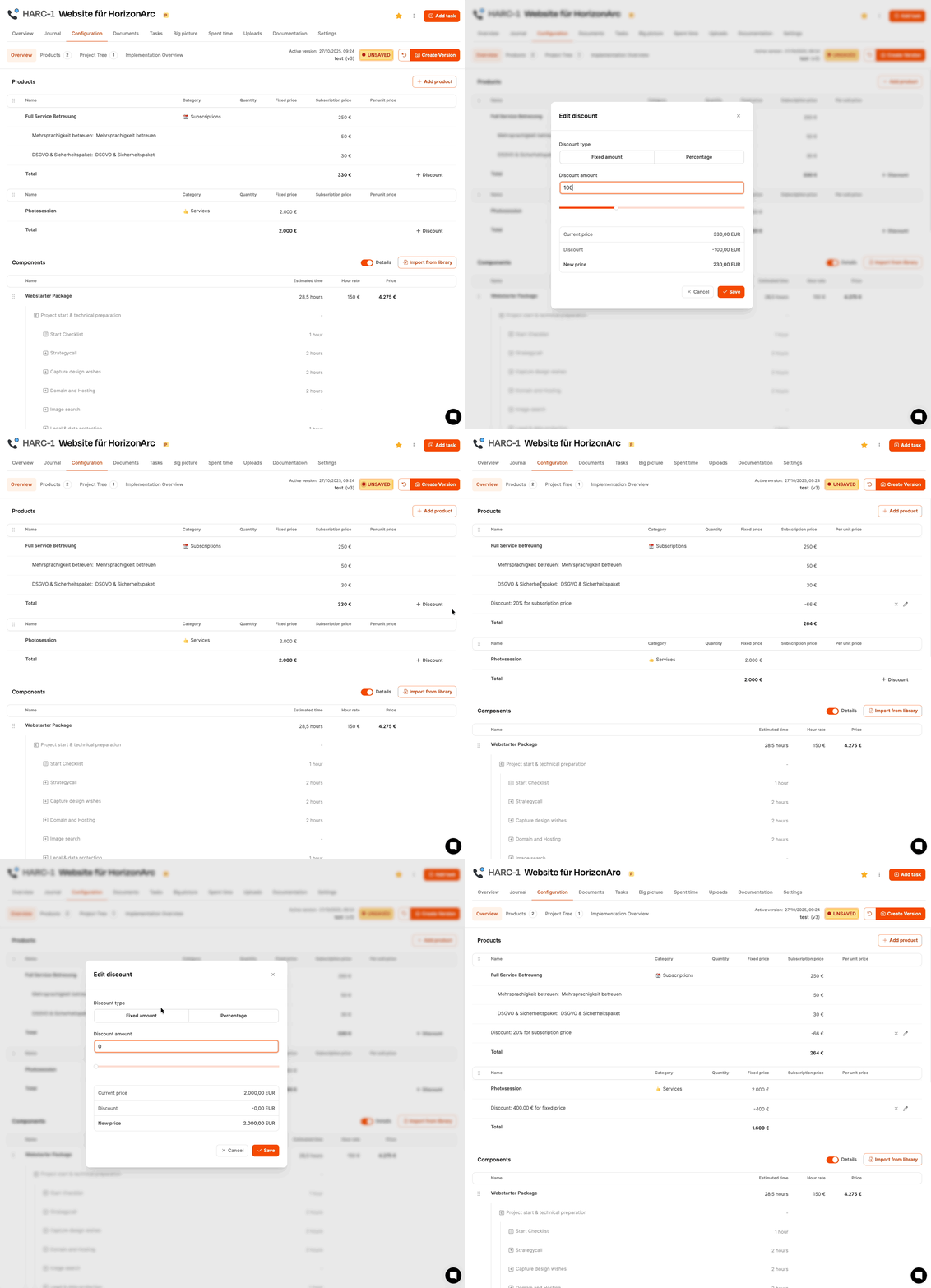
- on Products (fixed or recurring),
- on Subscriptions,
- on Fixed prices,
- on Project hours (total sum of the calculated expenses),
- on manual positions.
Two discount types are available:
- Fixed amount (e.g. −100 EUR)
- Percentage (e.g. −5%)
Each discount immediately shows the impact on the new total.
Versioning through changes
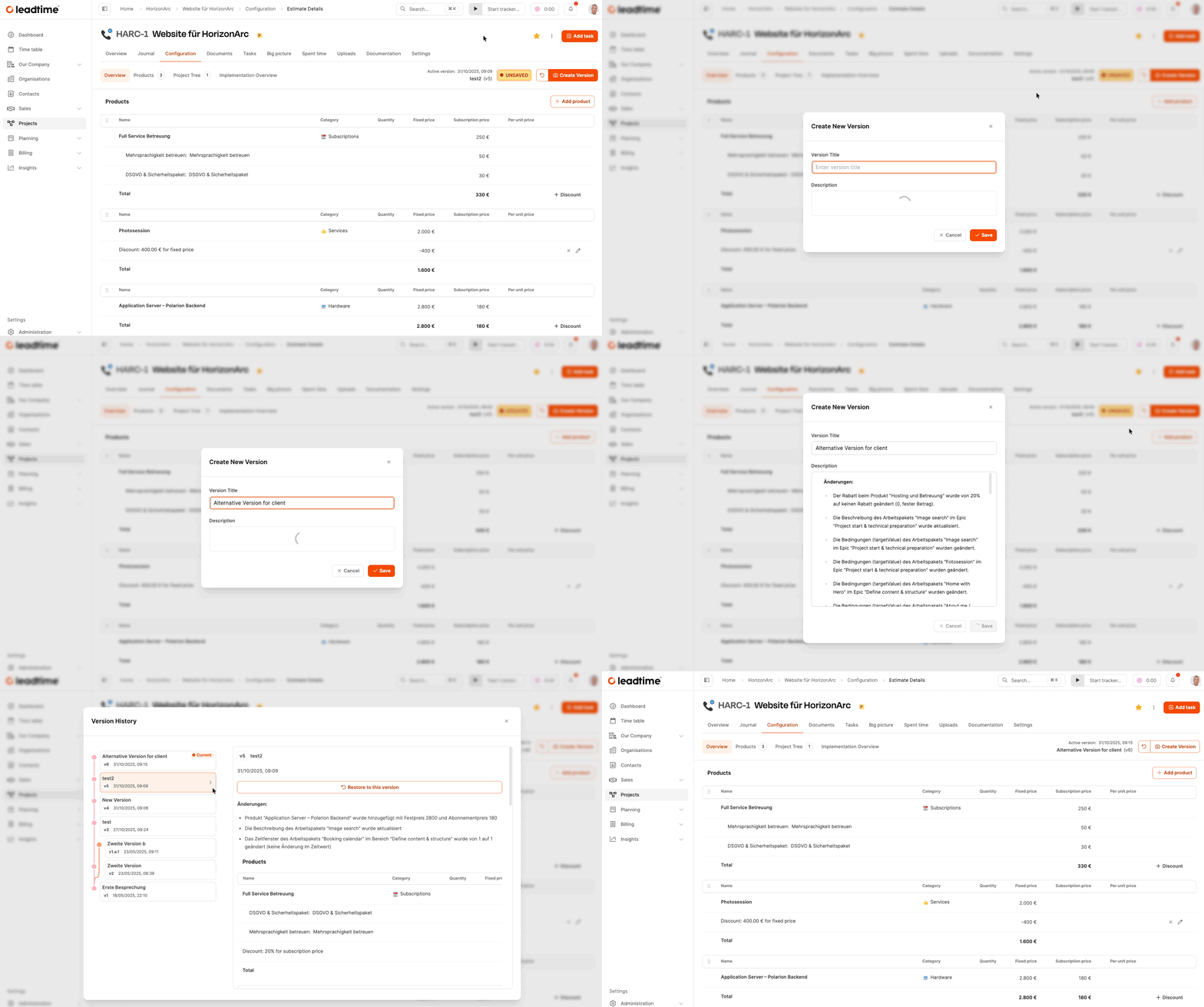
Each adjustment automatically creates a new one Project version. Historical supply levels remain comprehensible and can be compared in parallel - e.g. for alternative offer options.
Add manual positions

About the button Create position additional costs can be recorded:
- Name (e.g. “Printing Costs”)
- Category (e.g. external costs)
- Description (optional)
- Price (fixed amount)
These items also appear later in the offer and in the invoice and can be discounted.