
Subscription Billing
Manage recurring fees in the project, including fixed-price and unit subscriptions as well as automatically generated product subscriptions - ideal for SaaS.
The Subscription billing of a project can be found at Projects → [Select project] → Settings tab → Subscription billing.
Here you manage regularly recurring fees, e.g. for licenses, hosting packages or support quotas. The subscriptions recorded will later be automatically included in the invoicing as soon as the project is relevant for billing.
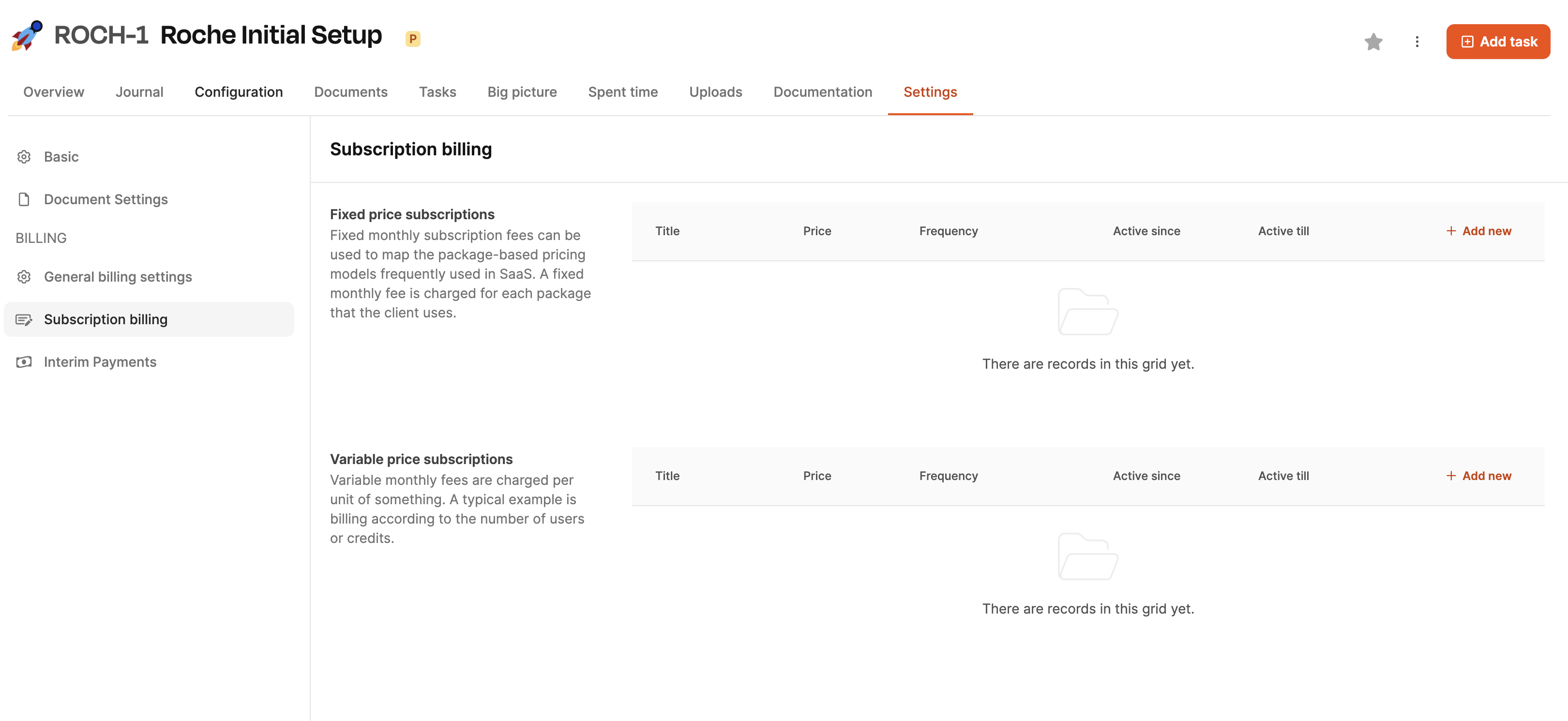
The site is in two manually configurable areas divided as well as one automatically generated area.
Recurring payments in projects
A project can be linked to recurring payments in Leadtime in two ways:
1. Manually stored subscriptions
About the areas Fixed price subscriptions and variable priced subscriptions Recurring fees can be recorded directly in the project. These entries automatically trigger corresponding invoice items when the period is active.
Example: If a fixed price of €100 per month is entered here, an invoice for this amount will appear every month in the invoice verification.
2. Products from the product catalog
The more elegant method is to use products that have been defined in the product catalog. Products can be stored there with recurring price logic. As soon as such a product is added to a project, the system automatically takes over the stored subscription conditions.
Example: A product with a monthly fee of €100 automatically generates a corresponding billing as soon as it is part of the project.
Advantage:
While manual entries are maintained on a case-by-case basis, products represent standardized services and reduce maintenance effort and sources of errors.
Manually created fixed price subscriptions
In this section you can recurring fixed amounts define. A table is available for this purpose, in which each row corresponds to a subscription. About “Add new” (top right of section) add a new entry.
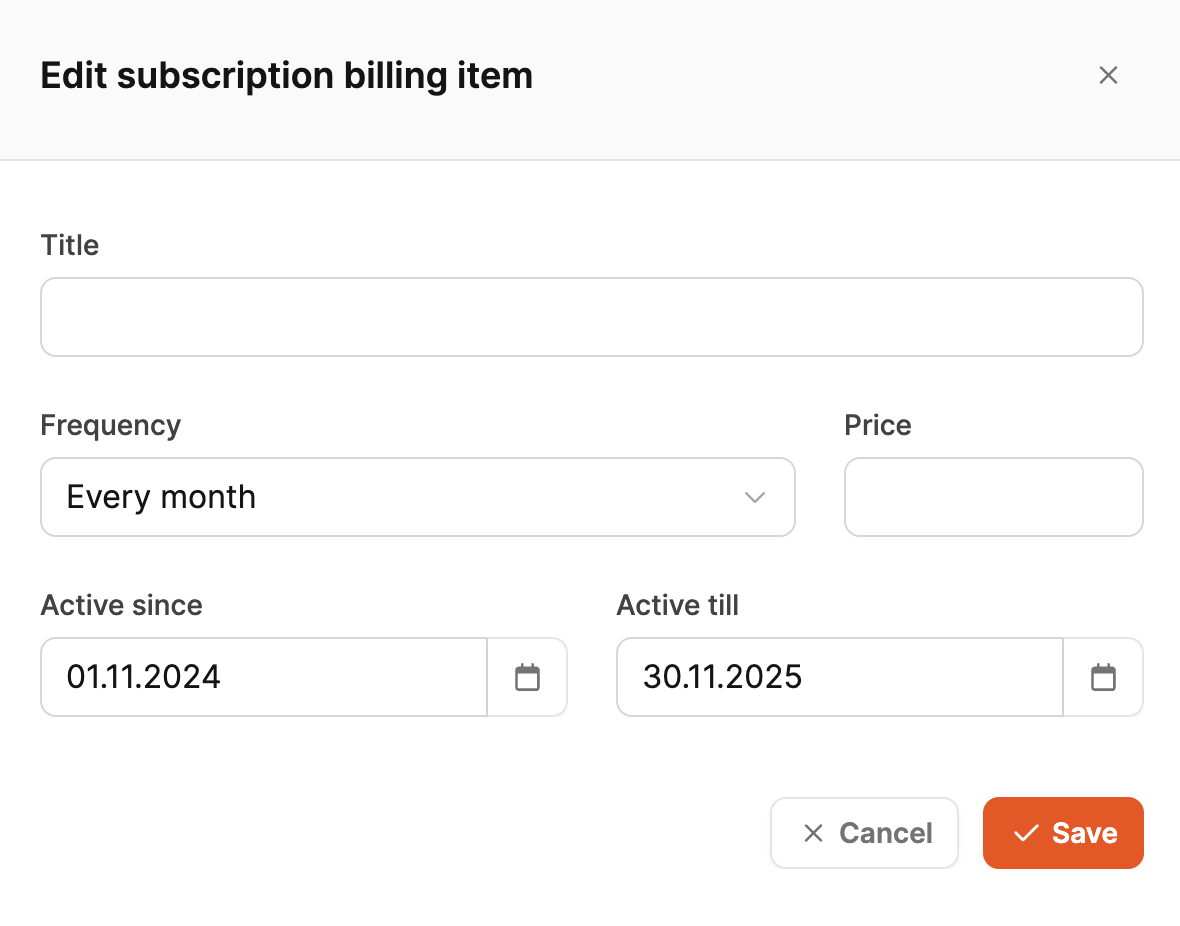
After clicking, a form opens with the following fields:
-
Title
Name of the subscription (e.g. “Support/Hosting Package”)
-
Frequency
Billing interval (e.g. monthly, quarterly, annually)
-
Price
Fixed amount per interval
-
Active since / Active till
Period in which this subscription should be billed
A fixed price subscription is suitable, for example: B. for flat monthly fees.
Manually created variable subscriptions
Use variable billing subscriptions a price per unit – e.g. per user, device or API credit. The billing-relevant quantity is entered manually for each invoice.
The configuration is done using the same fields as for the fixed price subscription, with the difference that Price is clearly to be understood as a standard price.
Typical example:
“€15 per active user per month”
Form for editing a subscription entry
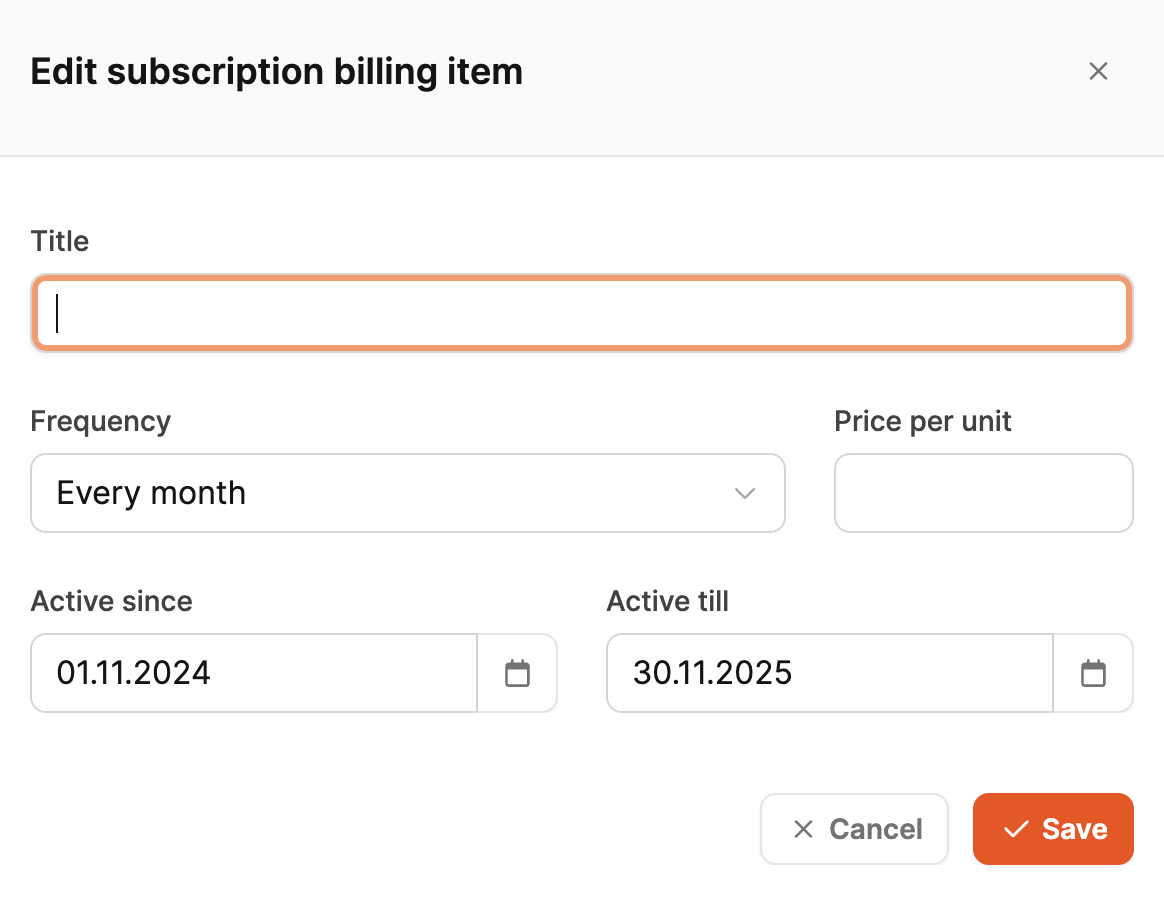
The editing dialog window contains:
-
Title
Name of the subscription (e.g. “Support/Hosting Package”)
-
Frequency
Billing interval (e.g. monthly, quarterly, annually)
-
Price per unit
A unit price that is multiplied by the number of units of a thing in accounting.
-
Active since / Active till
Period in which this subscription should be billed
Several subscriptions can exist in parallel - for different packages or price models.
Automatically generated subscriptions (product catalog)
If a project Products contains a subscription pricing model in their definition, these appear automatically in the third section of the table.
This means:
- no manual creation required
- Pricing logic comes directly from the product definition
- Adjustments are made in the product catalog
This area appears automatically as soon as corresponding product lines exist.
Billing start for individual projects
Important: In Individual projects Subscriptions will only be billed once the project has status “billing” has achieved. This avoids unwanted fees during the delivery phase.
Overview of subscription types
| Type | Price basis | Facility | Source | Start |
|---|---|---|---|---|
| Fixed price subscription | Fixed amount per interval | manually | Project | from project status “billing” |
| Variable subscription | Price per unit | manually | Project | from project status “billing” |
| Product subscription | from product definition | automatically | Product catalog | from project status “billing” |