
Task participants
Participants of a task are notified about all updates
The Task Participants area in Leadtime shows everyone who is or was involved in a task. By adding participants automatically, you make sure the right people always get the info they need. This keeps team communication smooth and clear, even if responsibilities change.
Automatic Participant Adding

- Whenever a task is assigned to a user, they are automatically added as a participant.
- Even if the task is reassigned later, the original participant will still be listed.
- This creates a complete history of everyone involved, which is super helpful for complex projects.
More than one person can be a participant in a task at the same time. This helps with teamwork, since everyone stays in the loop about progress, changes, and comments.
Through the ticket system: Projects – Tasks tab (ticket system)
Notifications
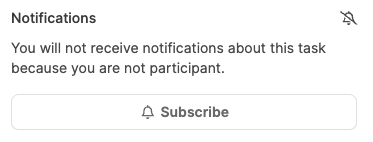
Participants get automatic notifications when:
-
status changes
-
new comments
-
changes to the assignment
-
other updates to the task
-
Notifications make sure nobody misses important changes.
Muting notifications
- With the “Mute” button, participants can pause their notifications for a task.
- While muted, you’ll still be listed as a participant, but you won’t get any more notifications.
- This feature is great for people who aren’t actively involved for a while, but still want to stay connected to the task.
Via the ticket system: Projects – Tasks tab (ticket system)