
Support Contingents
Set up retainer plans for support projects, assign tasks and bill for hours used.
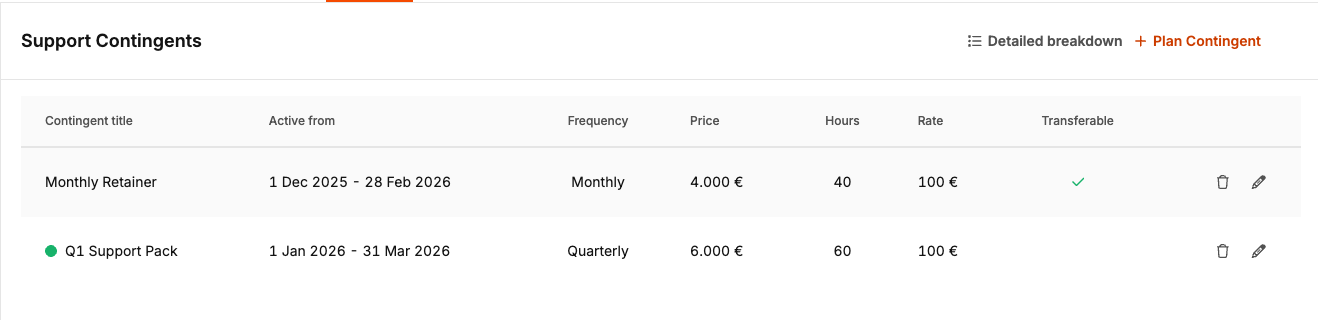
Support quotas are retainer plans that define allocated hours and prices for support projects. You can create multiple quotas per project — e.g. a monthly retainer plus a quarterly support package — and they can overlap. When creating invoices, completed tasks with booked time are automatically assigned to quotas and consume hours from the retainer instead of being billed as separate items.
Support quotas are suitable for ongoing support contracts, retainer billing and prepaid hourly packages. They give you a clear overview of how many hours are left per period and which tasks have consumed them.
When to use support quotas
- Ongoing support contracts: The customer pays a fixed monthly or quarterly fee for a certain number of support hours.
- Retainer billing: Pre-allocated hours that may or may not be transferrable depending on your setting.
- Prepaid hourly packages: One-time or recurring packages (e.g. 60 hours per quarter) that are consumed when tasks are closed and billed.
Where you find it
Support quotas are only available for projects of type Support. Navigate to Project settings → Billing → Support quotas. You can also see the quota progress in the project overview and when creating invoices for support projects.
Create quota
- Open a support project and go to Project settings → Billing → Support quotas.
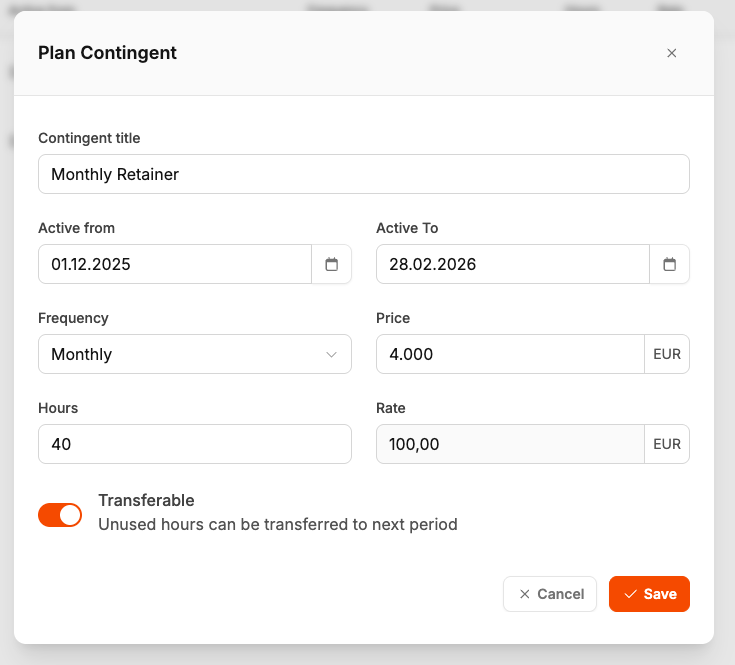
- Click on Plan quota.
- Fill out: Quota title, Active by / Active until, Frequency, hours, Price and Transferable.
- Click on Save.
Task assignment
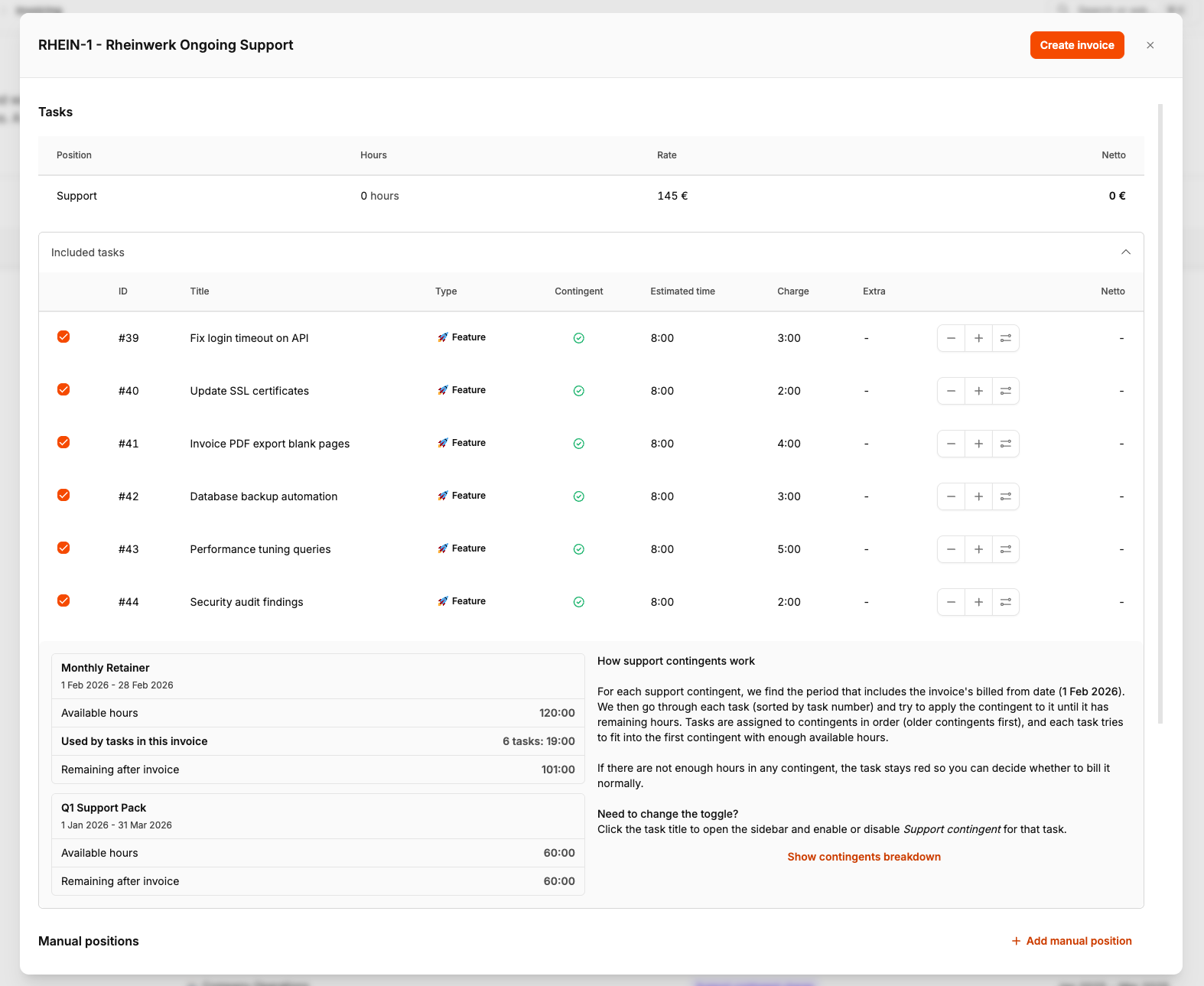
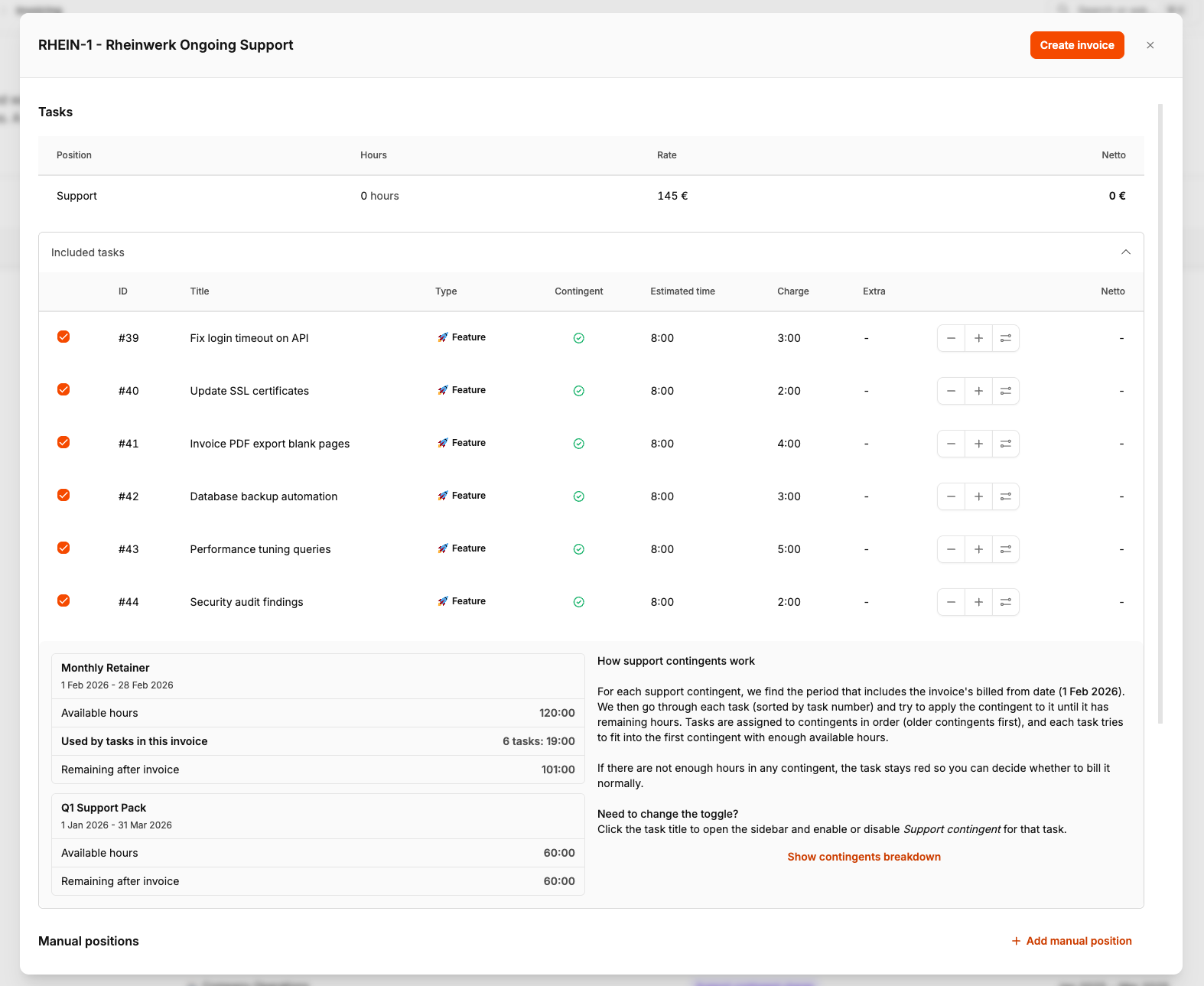
Each task can be marked for support quota billing. In the task sidebar, use the Support quota switch. Only tasks with this setting are taken into account when creating the invoice. A green checkmark means the task is covered by a quota; a red icon means there are not enough hours available.
Detailed breakdown
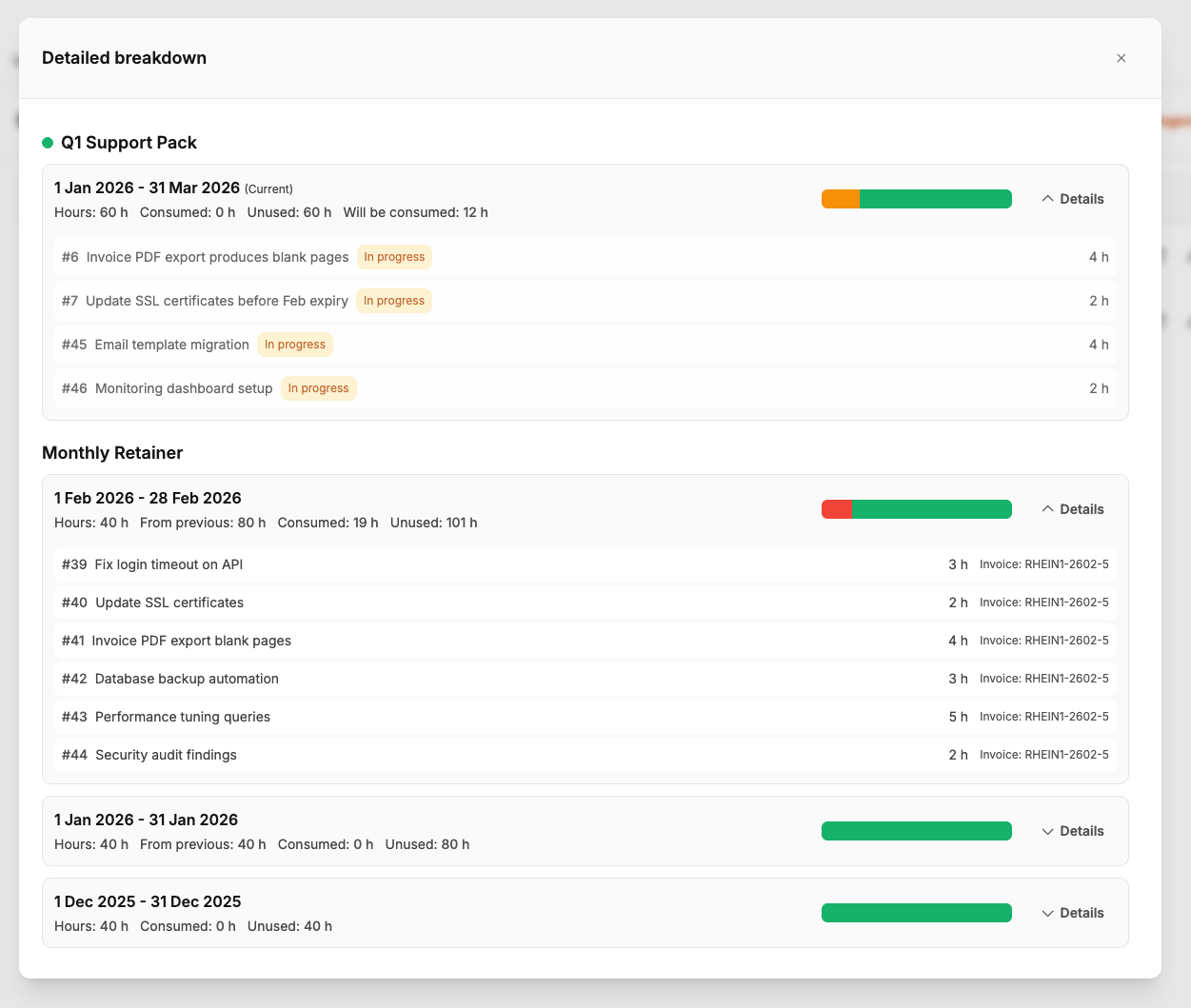
Click on Detailed breakdown to open a modal showing each quota period: hours, From previous, Consumed, Will be consumed and Unused.
Billing
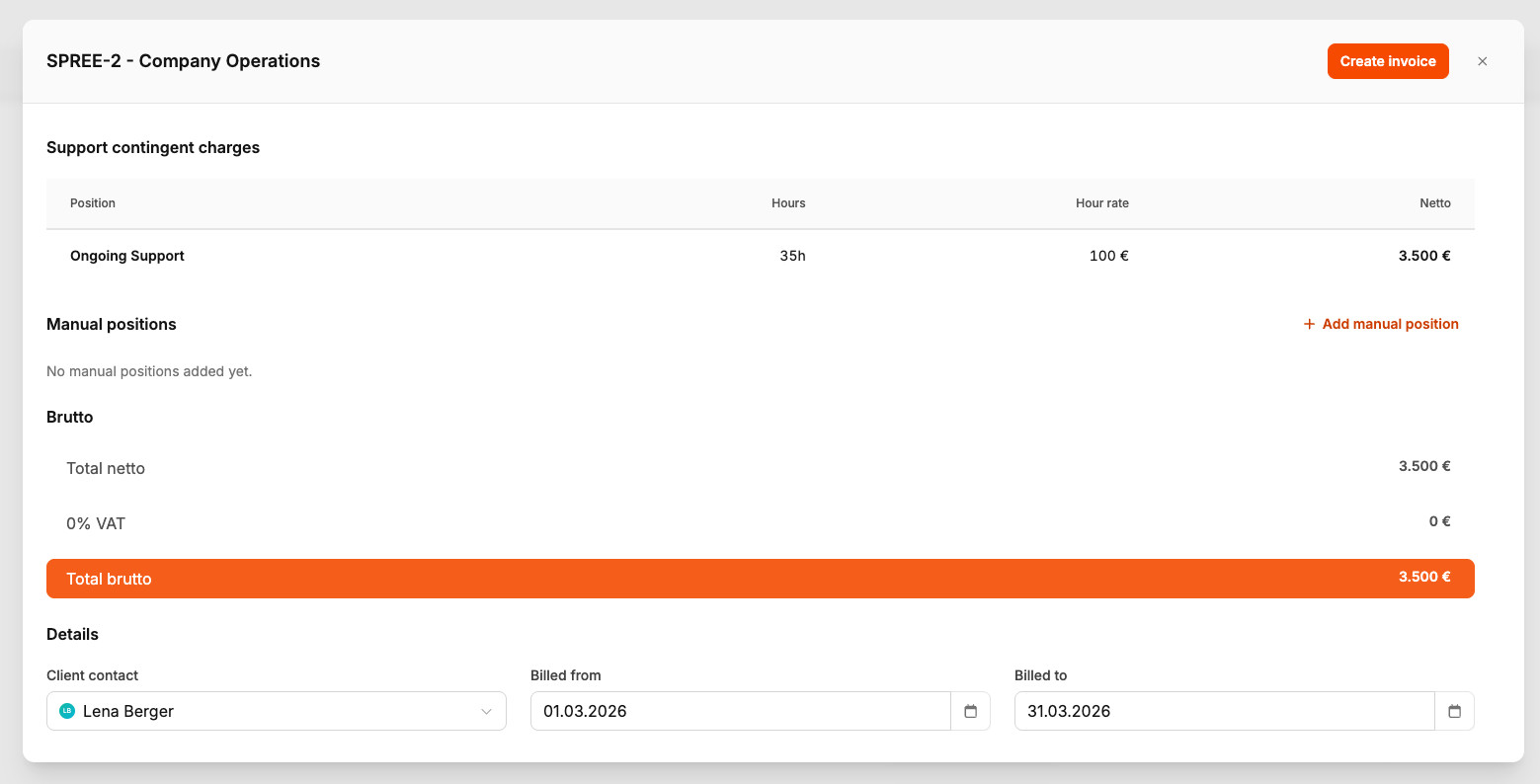
When you create an invoice for a support project under Billing → Invoices, the system combines retainer fees and task hours into a mixed invoice. Tasks assigned to quotas do not appear as separate items — they consume hours from the quota.
In invoice verification you can see Tasks included with quota indicators (green checkmark = covered, red = not enough hours), View quota breakdown for the consumption forecast per period, and Support contingent positions — invoice items that bill the retainer fee per quota period.
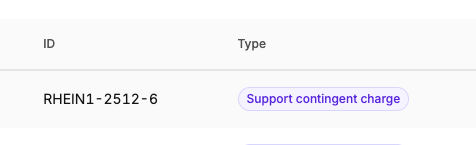
Each quota period with hours used appears as a Support contingent position on the invoice — recognizable by the purple badge. The position uses the quota price for that period; the task hours used are not billed separately.
Permissions
Toggle support quota (default team leader, CEO) — enable/disable per task. View support quota details — detailed breakdown with consumption per period.