
Acceptance Tests and Integrated Test Case Management (Workshop Part 14)
Acceptance tests examine delivered services in a structured manner and document test results in a comprehensible manner before go-live.
You can find the area for acceptance tests in Leadtime within the project in the tab Project planningas soon as a work package with integrated test cases has been created. These tests are used to systematically check whether the agreed requirements have been met before project completion.
To the Building blocks of project components
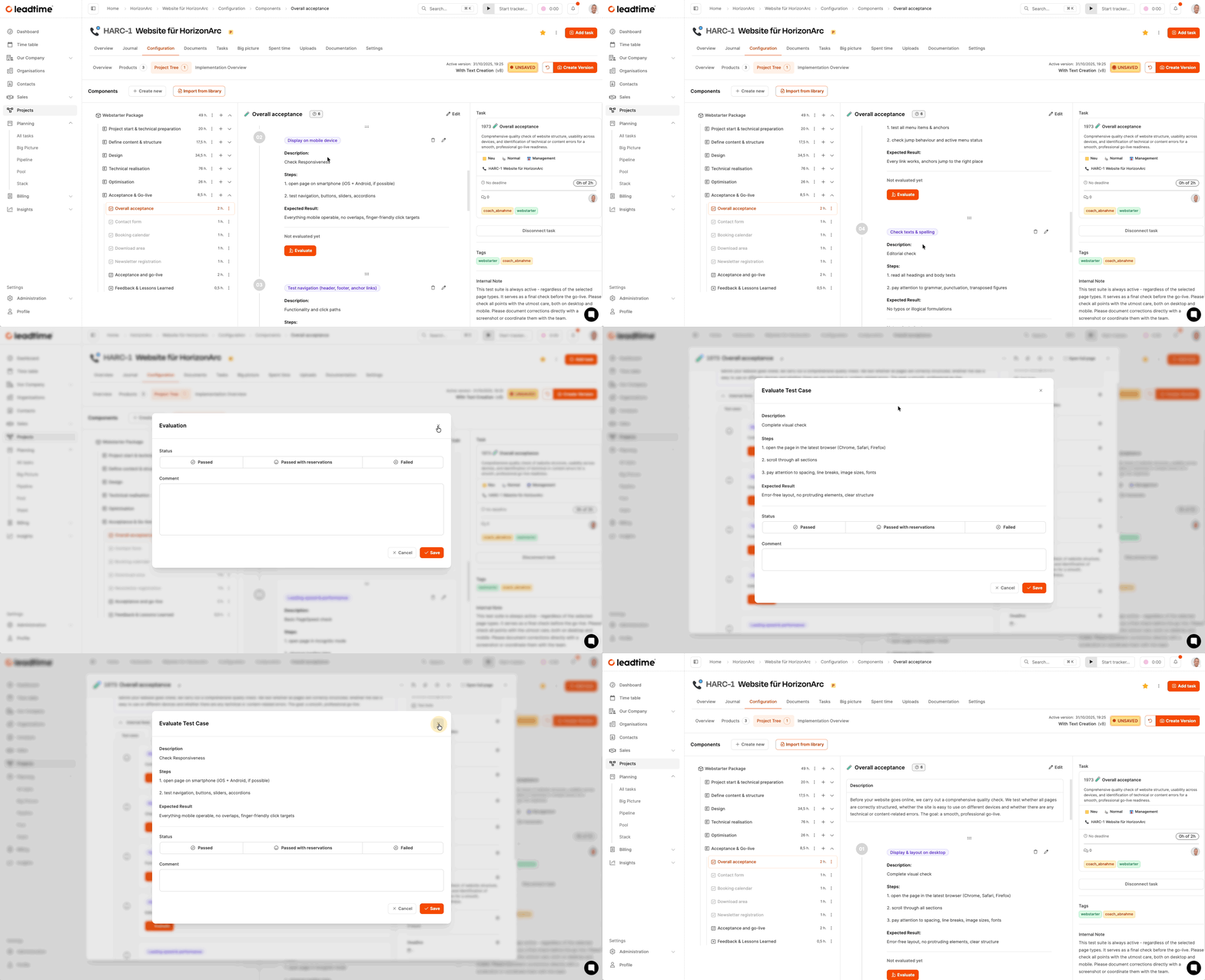
As part of our workshop on the Web4Coach project, we have our own work package for the Total acceptance in our project template created. This contains defined tests that are processed and evaluated individually in Leadtime. This includes typical test steps such as:
- visual check on desktop
- Responsiveness on mobile devices
- Navigation and click paths
- technical functional tests
Each of these tests is provided with a description, specific test steps and the expected result. When running the tests, click Evaluate and then give a rating:
- check_mark_button Passed
- neutral Passed with restrictions
- cross_mark Failed
You can also leave comments about the observation. If a test fails, create one directly Bug ticketso that the error can be corrected before go-live.
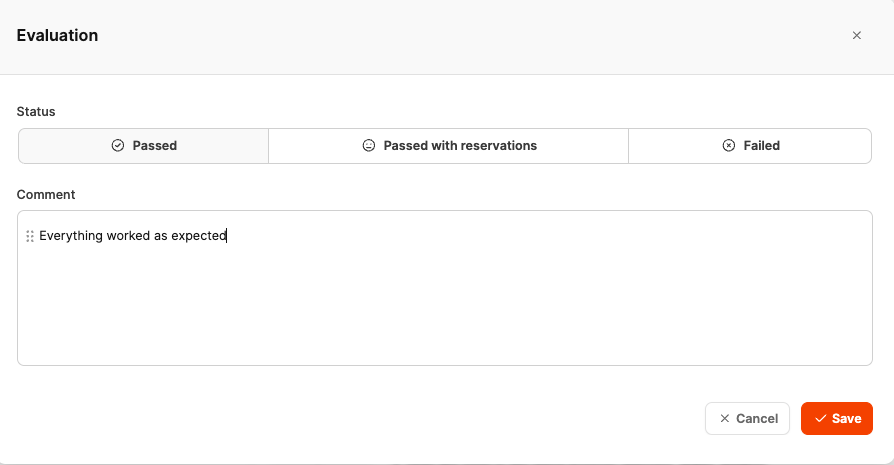
During the workshop, this process is carried out step by step for Web4Coach so that both the agency and the customer can document the acceptance in a reproducible and understandable way.
The test results appear directly in the ticket and serve as the basis for formal acceptance and project completion.
For part 15 of the workshop: Invoicing a completed project (workshop part 15)