
Creating a Project Contract (Workshop Part 10)
Create project-related contracts as DOCX with variables and conditions based on a saved project version.
You can find this area in the project tab Documents. Here you create all project-related contracts, which are automatically filled with customer and project data. Conditional logic allows sections to be shown only when they are required. This ensures consistent content and reduces manual effort.
In the workshop, Web4Coach is at the point where the “Website EcoNomic Innovators” project has been configured and the customer is about to be commissioned. The aim of the next step is to create a project contract that documents all agreed services for the OnePage website project in a legally secure manner.
Via the Documents tab:
Projects – Documents tab (individual projects only)
Step-by-step instructions
-
Open project
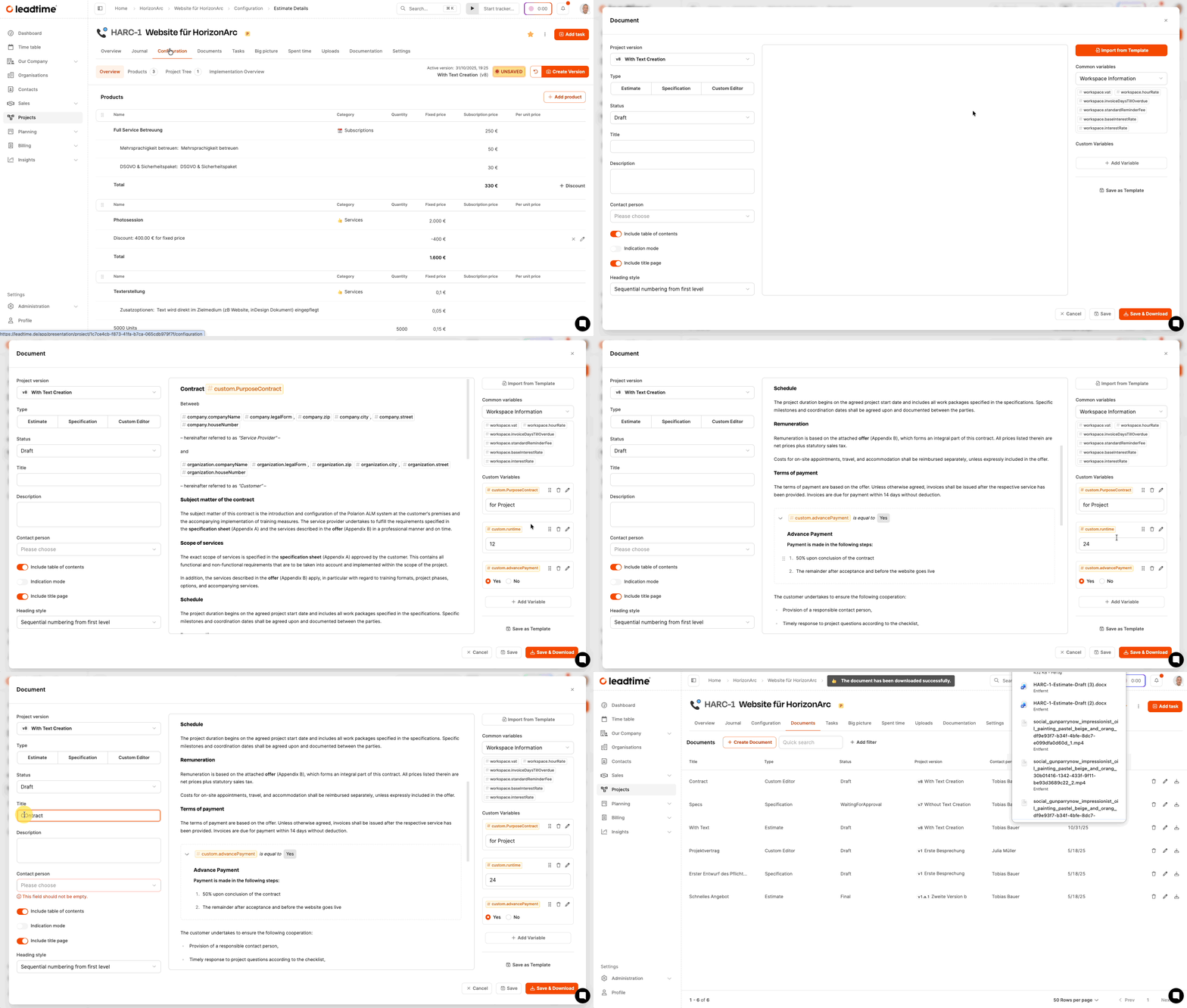
Open the “Website EcoNomic Innovators” project and switch to the tab Documents.
-
Create new document
Click on Create Document.
-
Select document type
Choose the type Custom editor. This is intended for contracts and legal documents.
-
Select project version
Choose one saved version, which is intended to represent the binding basis. Documents must always be based on versions in order to make later changes traceable.
-
Import template
Click on Import from template and select a previously stored contract template. This will be adopted into the editor.
-
Maintain variables
On the right you will find custom variables, for example:
-
Advance payment: Yes/No
-
Advance payment: percentage value
Enter the required values. Clauses based on this are automatically shown or hidden.
-
-
Title and contact person
Assign a descriptive document title and, if necessary, select a contact person.
-
Set numbering style
Choose the heading style with sequential numbering from level H2.
Background: Since text sections can be dynamically shown and hidden, the numbering must remain flexible.
-
Generate document
Choose Save & Downloadto export the Word document.
It contains all project, customer and organizational data as well as dynamically generated paragraphs.
Template management
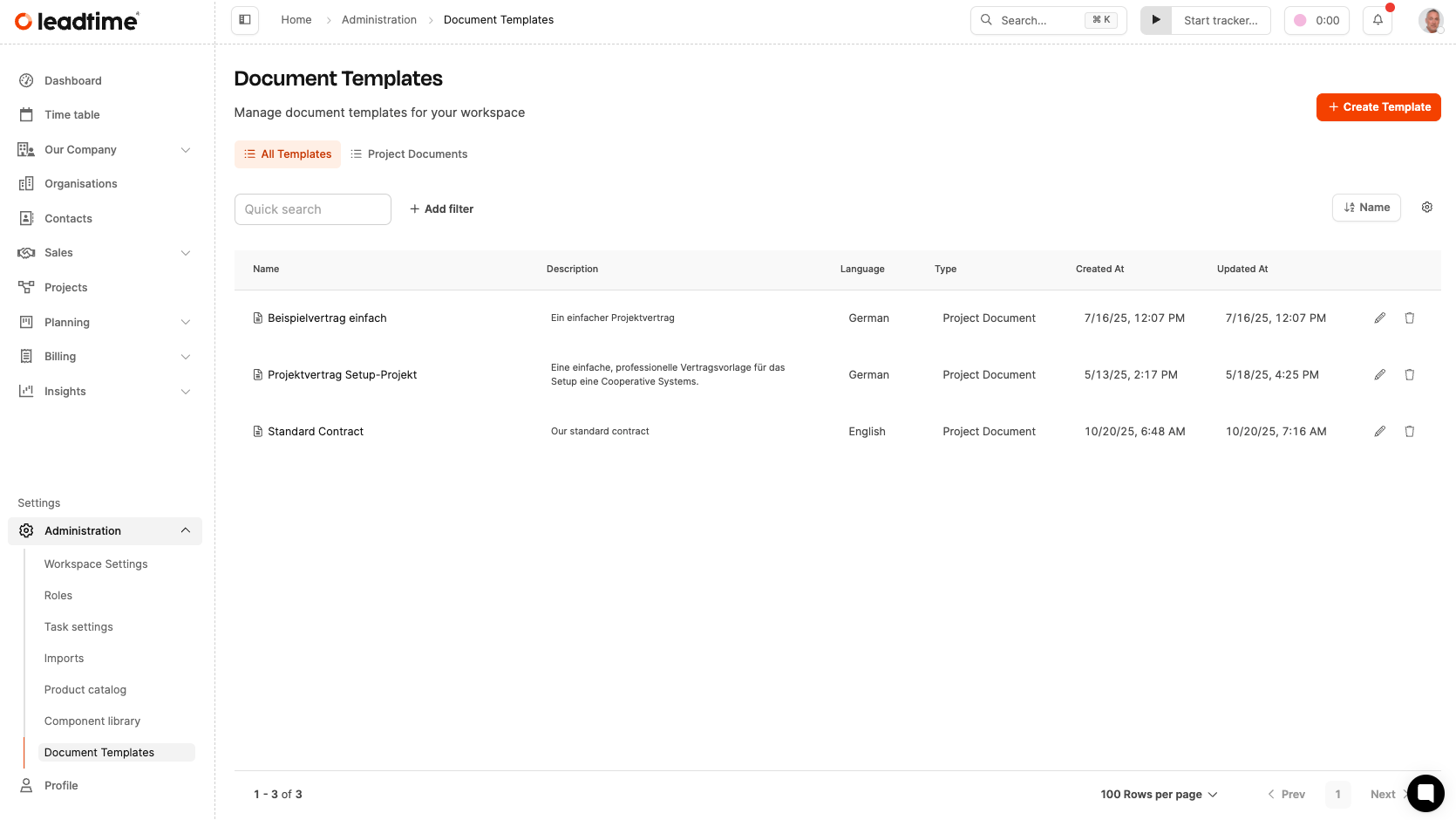
The administration takes place centrally Administration → Document templates. Templates consist of:
- static text,
- general variables (organization, address, project name),
- custom variables for individual contract logic.
This enables standard recurring contracts with minimal customization.
How to define document templates: Document templates
Click here for part 11 of the workshop: Communicate project time (workshop part 11)