
AI Text Assistant
Create, revise, and standardize text with the AI Text Assistant.
The Leadtime AI Text Assistant is an intelligent writing aid built into the editor wherever you create or revise text in Leadtime. It helps you write faster, communicate more clearly, and adjust your writing style automatically—from technical tickets to project documentation.
Where the Text Assistant is available
The AI Text Assistant is available wherever you use the Text Editor in Leadtime:
-
Tickets and tasks:
Quickly draft or revise bug descriptions, change requests, and comments.
→ Especially useful for support and development teams.
-
Project templates and work packages:
During initial setup, turn short notes into complete technical or organizational descriptions.
-
Product descriptions in the product catalog:
Create consistent, easy-to-understand copy, including multilingual content.
-
Document templates:
Keep standard wording for proposals and project documents clear and consistent.
-
Journals:
Document observations, feedback, or events in the employee journal precisely, transparently, and neutrally.
Why it is useful
- Saves time on recurring writing tasks
- Produces consistent, high-quality copy
- Supports multilingual teams
- Improves readability and clarity
- Encourages clear communication across the company
How it works
Enhance with AI
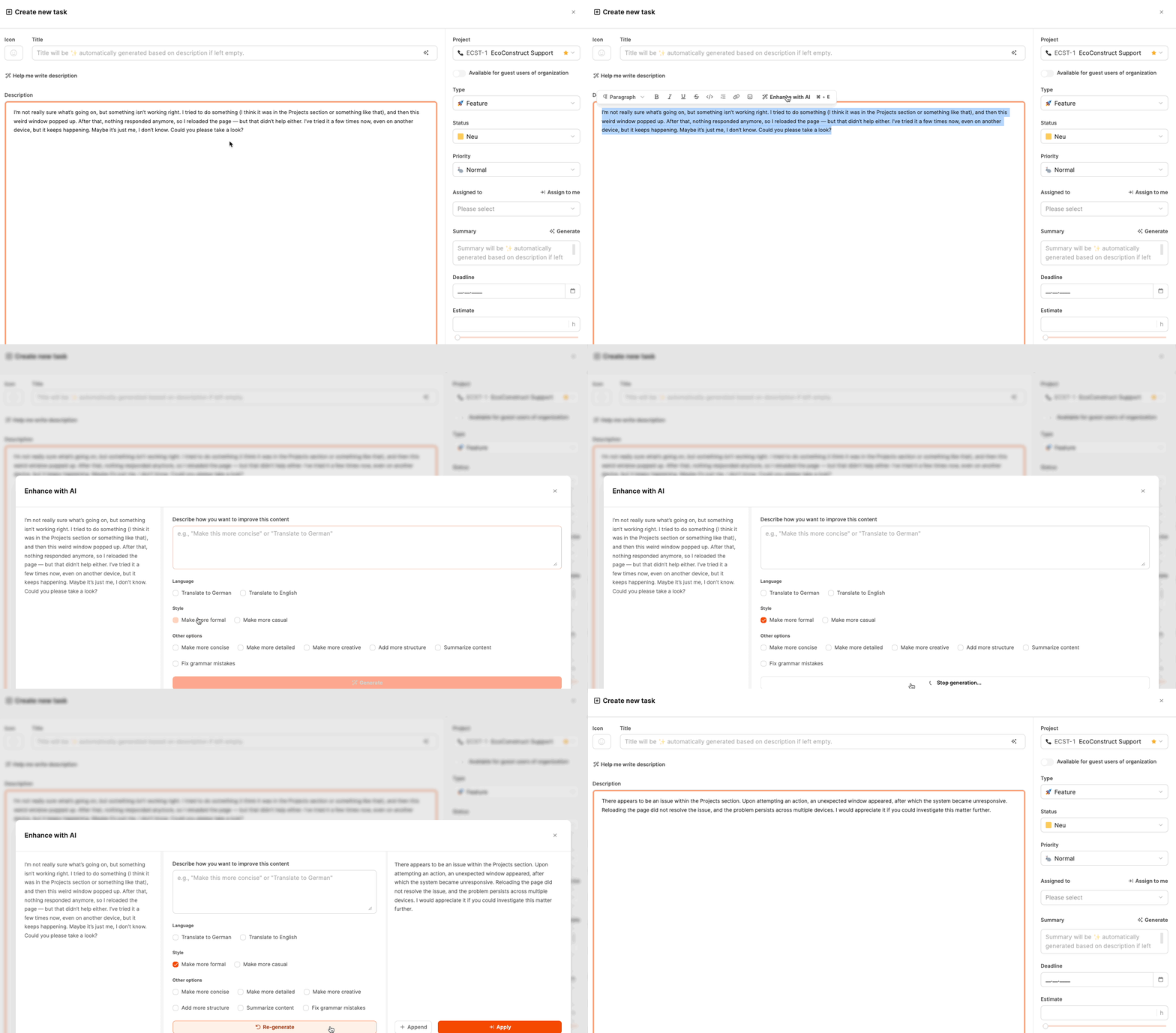
Revise or expand existing text.
For example, select a short, unstructured description and let the assistant turn it into a complete, clearly organized text.
Options:
- Change the language, such as German ↔ English
- Adjust the tone to be more formal or informal
- Shorten, expand, or restructure the text
- Improve grammar and phrasing
Generate with AI
Create new text from a prompt.
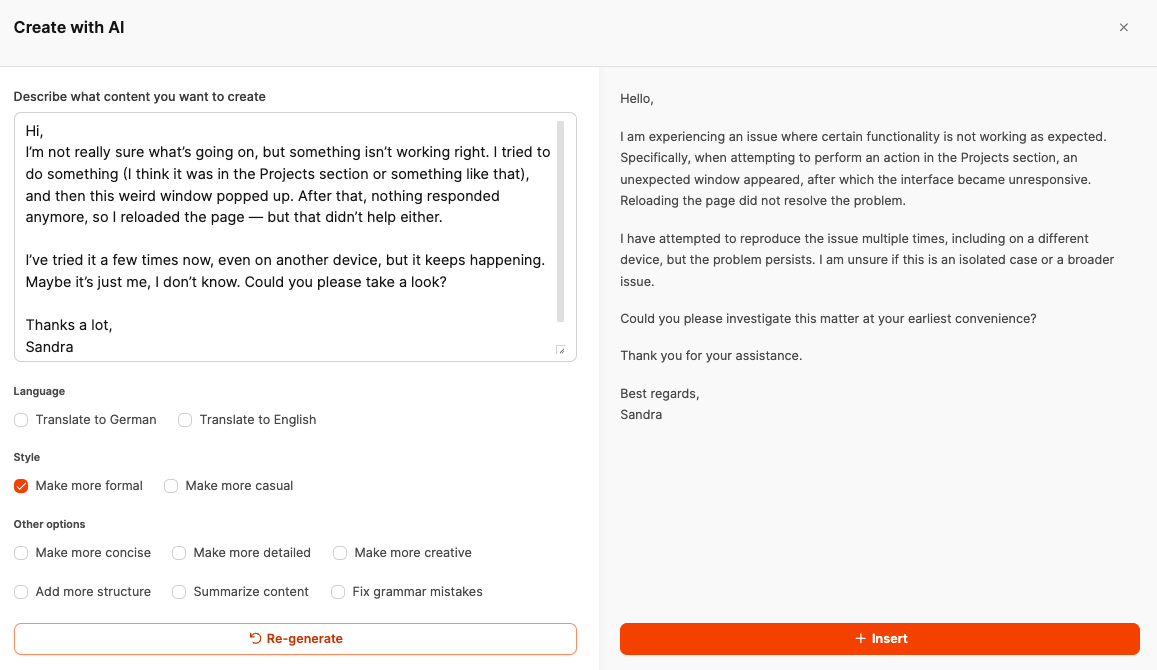
The assistant turns it into a complete, professionally written description containing the relevant points.
Available variations
The examples show several ways to optimize text:
- Formalized: Turns imprecise copy into a structured, professional message.
- Detailed: Adds relevant information such as technical details or context.
- Translated: Translates text into German or English on request.
- Structured: Adds subheadings, lists, or callouts.
- Condensed: Reduces long text to its essentials without losing meaning.
A short note becomes a clear, professional description that is easier to use across teams.
Summary
The Leadtime AI Text Assistant makes drafting and revising text easier, faster, and more precise.
It helps you think through the content, applies structure automatically, and adapts to your style—whether you are documenting tickets, building project templates, or writing product descriptions.
This turns time-consuming writing into a clear, efficient, and consistent process inside your daily workflow.