
Vacation
Request vacation and review your leave balance, status, adjustments, and history.
Use My Profile → Vacation to organize your leave.
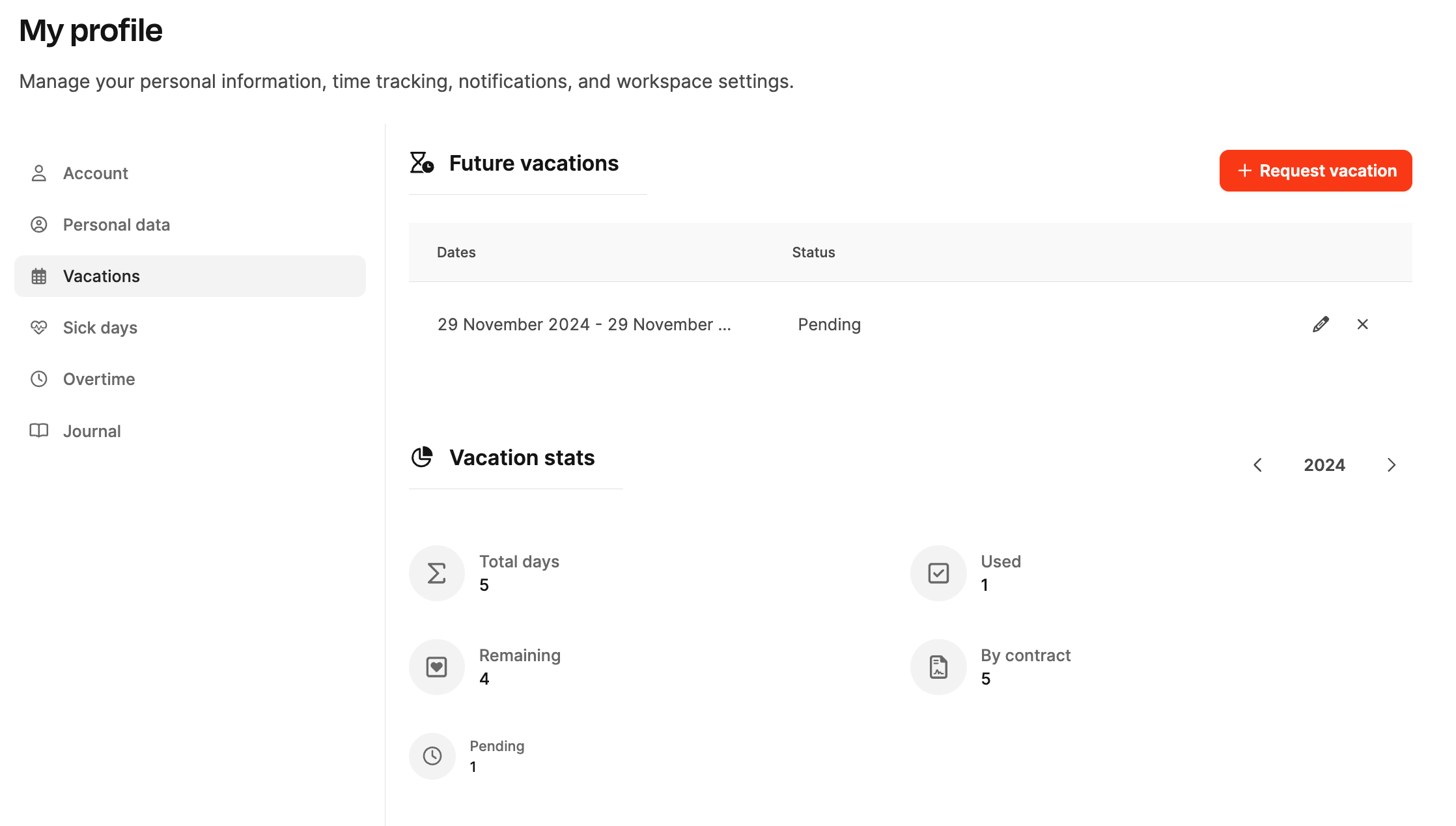
Request vacation, review approval status, and track your full balance, including adjustments and history.
See Leave Management.
Request vacation
Vacation overview
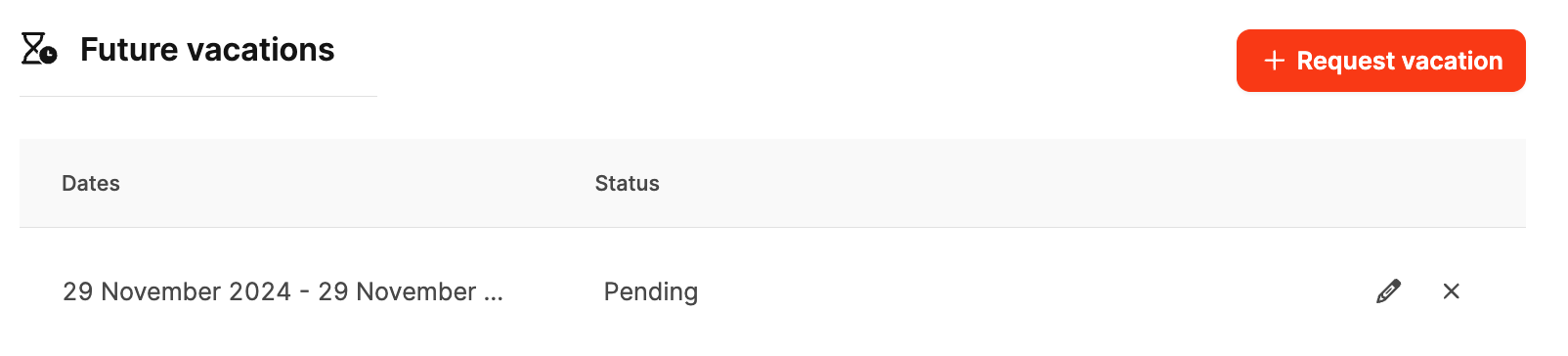
The list shows future requests and their status:
- Pending: Submitted but not approved
- Approved: Confirmed
- Rejected: Not approved
Select Request vacation to create a request.
Request from your profile
- Open My Profile → Vacation.
- Select Request vacation to open the time-booking calendar.
- Choose the start and end dates; Leadtime calculates the days.
- Review available days in green and planned days in orange.
- Select Request.
After a manager approves it, the vacation appears automatically in your profile.
Alternative 1: Time statistics in the header
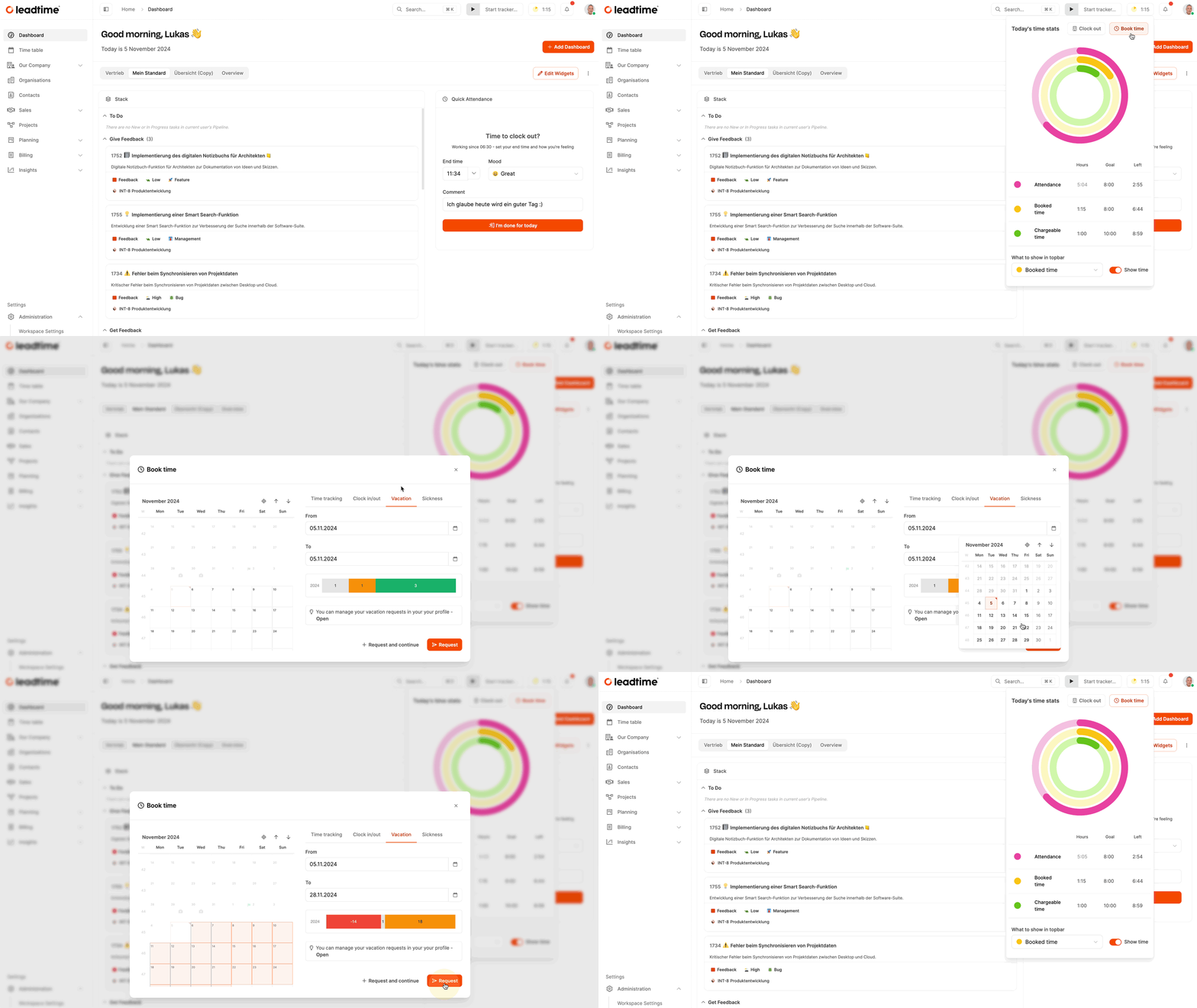
Open Time statistics in the header, then choose Book Time → Vacation and enter the period. See time-booking targets.
Alternative 2: Team Calendar
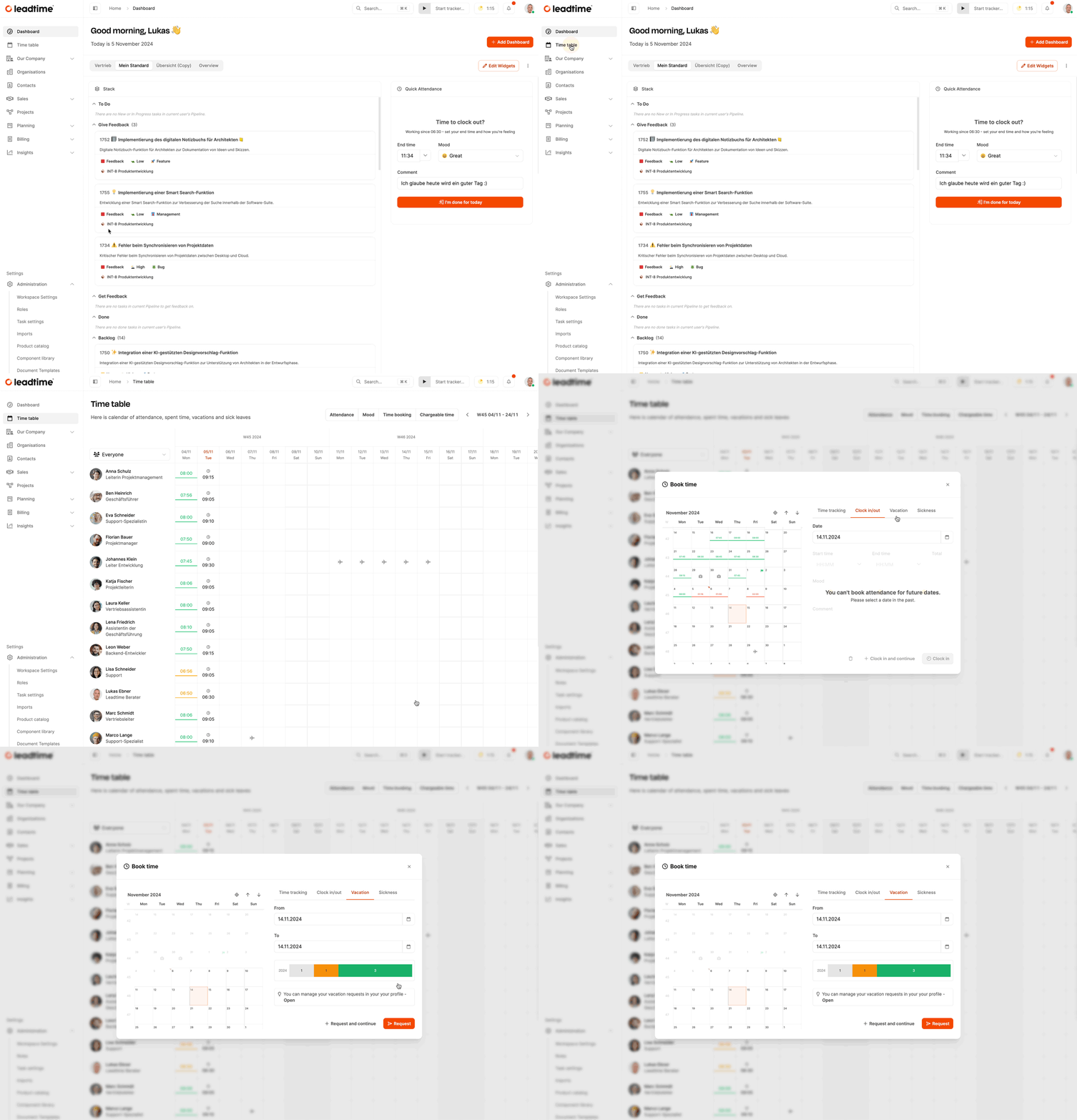
In the Team Calendar’s Time Table, choose Book Time → Vacation. Leadtime links the request to your profile and sends it to the responsible manager.
Go to Team Calendar.
Statistics
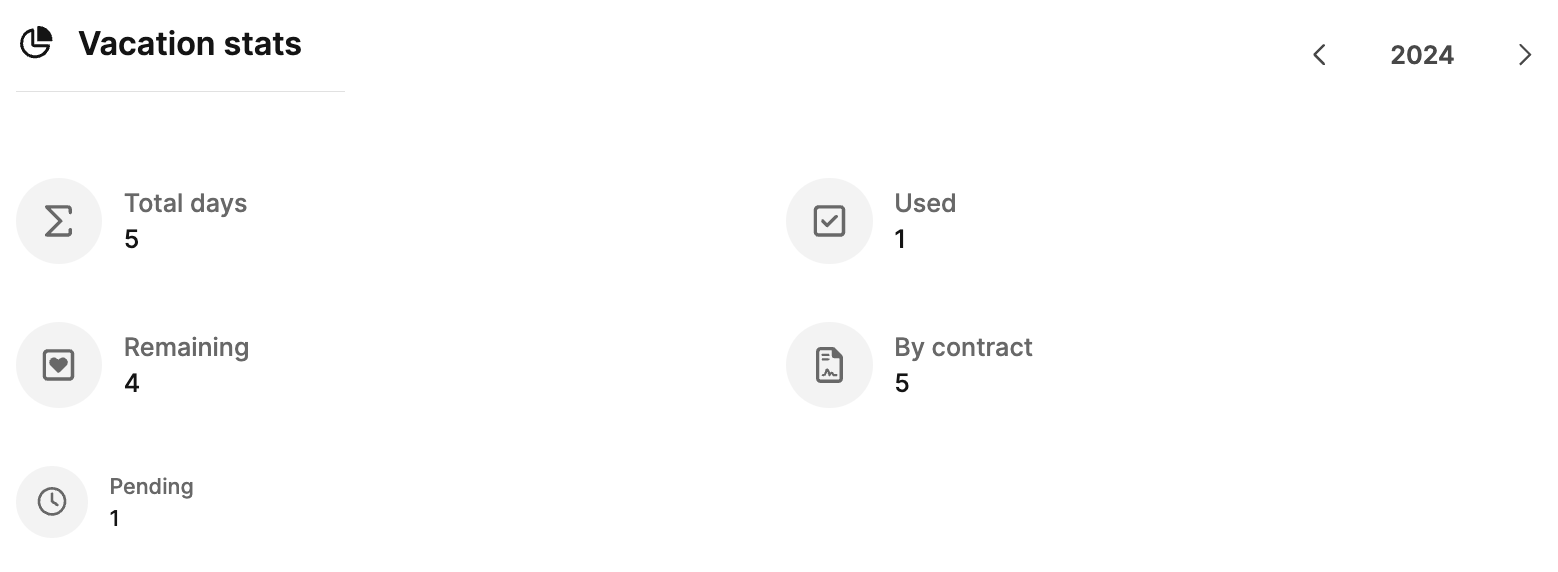
- Total days: Days planned or taken this year
- Used: Days already taken
- Remaining: Available days
- Pending: Requests not yet approved
- By contract: Total contractual entitlement
Adjustments
This section shows changes made by managers or administrators, such as granting additional days or deducting paid-out days. Each adjustment records its date, type, and number of days. You cannot edit these entries yourself.
Manage them under Employee Vacation.
Vacation history
The history lists completed vacation with its status, change date, and reason where applicable.