
Adding Products to Projects (Workshop Part 5)
Allows the addition of standardized, separately billable additional services to a project with variant and subscription management.
You can add standardized additional services to a project in Leadtime Products add. These supplement the project scope with hosting, support subscriptions or maintenance packages and are billed independently of project-related working hours. The aim is to manage additional services clearly priced, recurring and automatically.
Why include products in the project?
Especially when working with new customers, it makes strategic sense to not just selling a single project, but the customer to commit to long-term cooperation. An example: A web agency is creating a new website for a customer – and would like to sell them a hosting and support package at the same time.
This package is not part of the project scope itself (so it will not billed as working time in the project), but is one separate, standardized service with a fixed price or subscription model. In Leadtime this service is called product led.
How it works
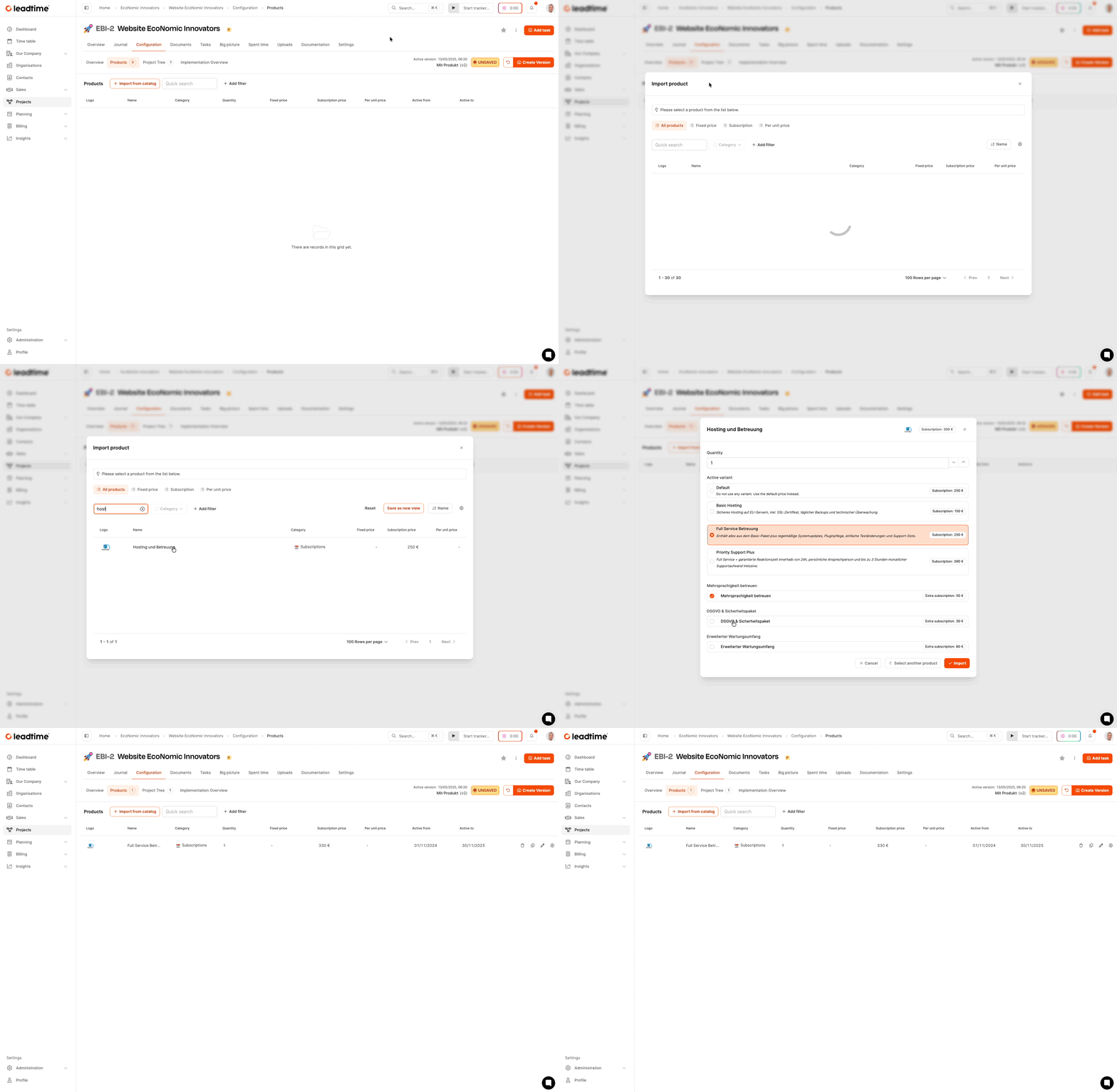
Add product via project configuration
Open in the project: Configuration → Products → + Add product
The Leadtime product catalog then opens. There you select the desired product and add it to the project. Products can be both one-off and subscription-based.
How to add products to the project Project planning – products
Product variants and additional packages
Many products have:
- several Variants (e.g. Standard, Full Service),
- optional Additional packages (e.g. security, multilingualism).
Selected variants and options automatically change the stored price. The product then appears as a separate block in the project’s offer overview.
Billing
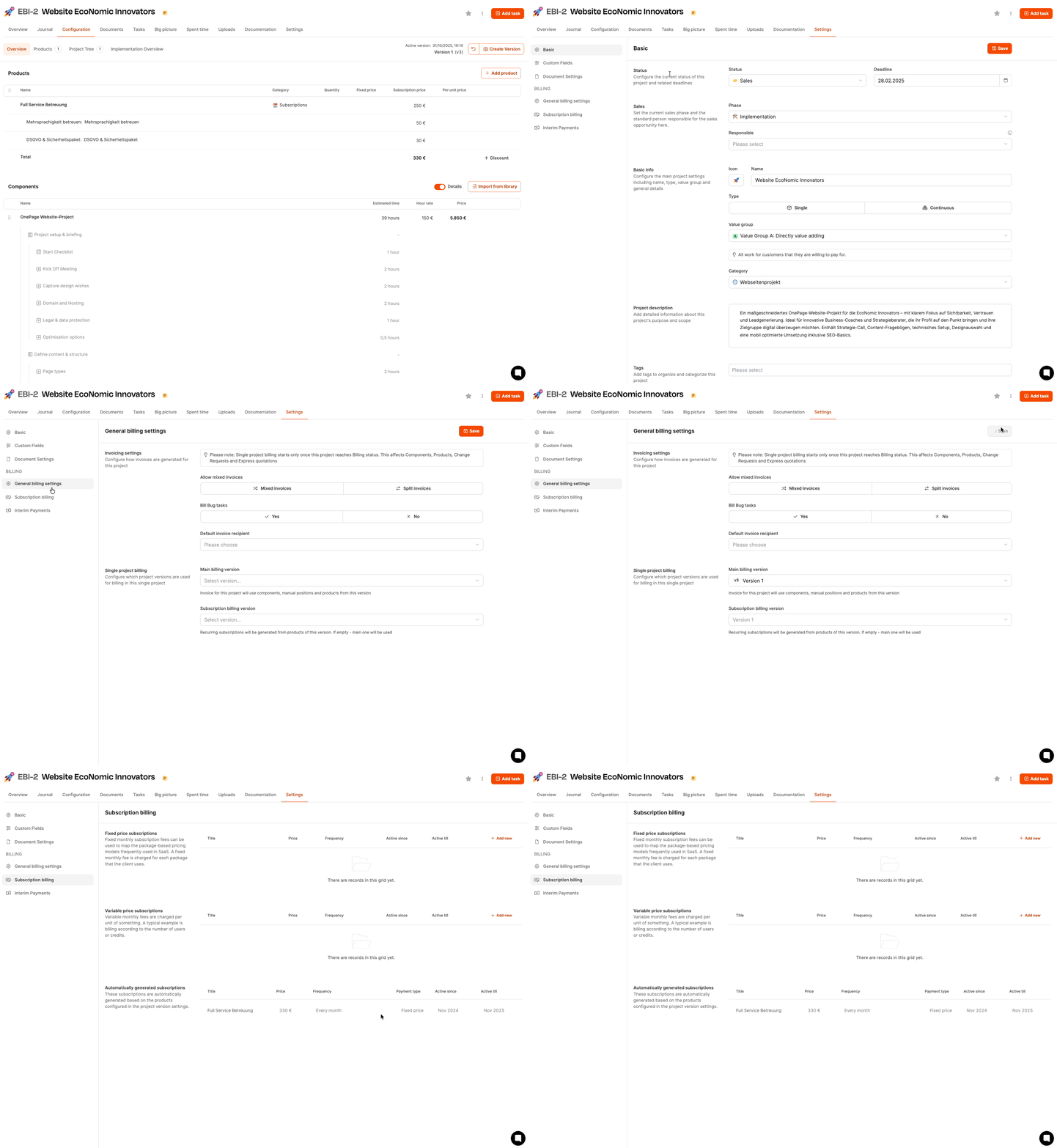
If the offer is accepted, Leadtime automatically creates a subscription with:
- Payment interval from the product catalog,
- automated invoice logic.
For individual projects, billing only starts when the project status is up Billing is set.
See Billing with Leadtime
Versioning
After adding a product, Leadtime shows the notice Not saved on. Then create a new version to reference the product in offers and documents.
For part 6 of the workshop: Automatic effort calculation (workshop part 6)