
Team Calendar
View attendance, vacation, and sick leave in one calendar with direct access to employee details.
Open Team Calendar from the main menu to see attendance, vacation, and sick leave for the whole team. The overview supports transparent capacity planning and helps team leads coordinate cover and project schedules.
How it works
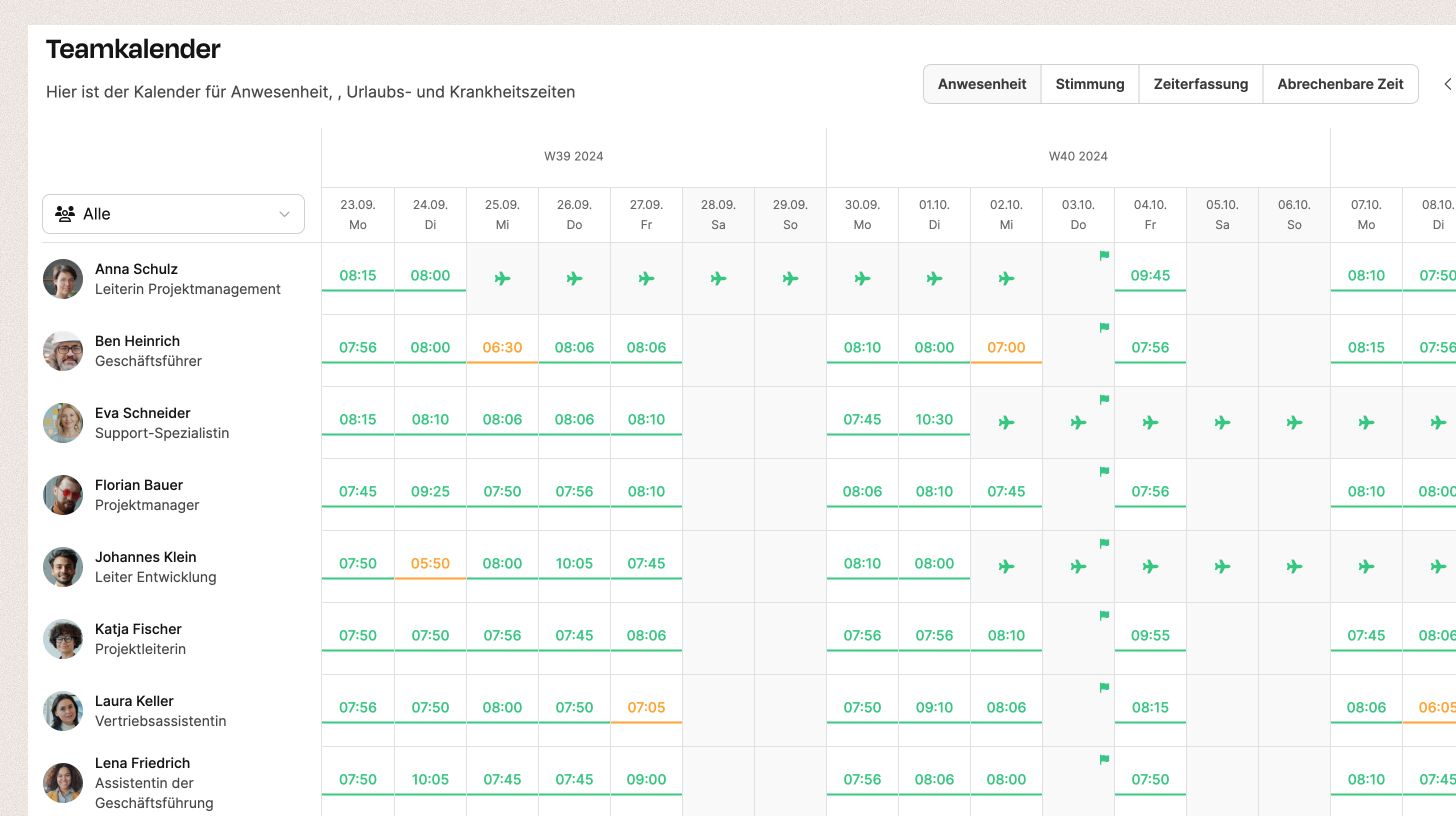
The calendar shows one week at a time and lists employees in rows with their current status icons. Use the controls at the top to move between weeks. View options appear on the right:
Attendance – shows the start and end of each workday
Mood – displays each employee’s daily feedback
Time tracking – displays recorded working time
Billable time – shows productive, billable hours
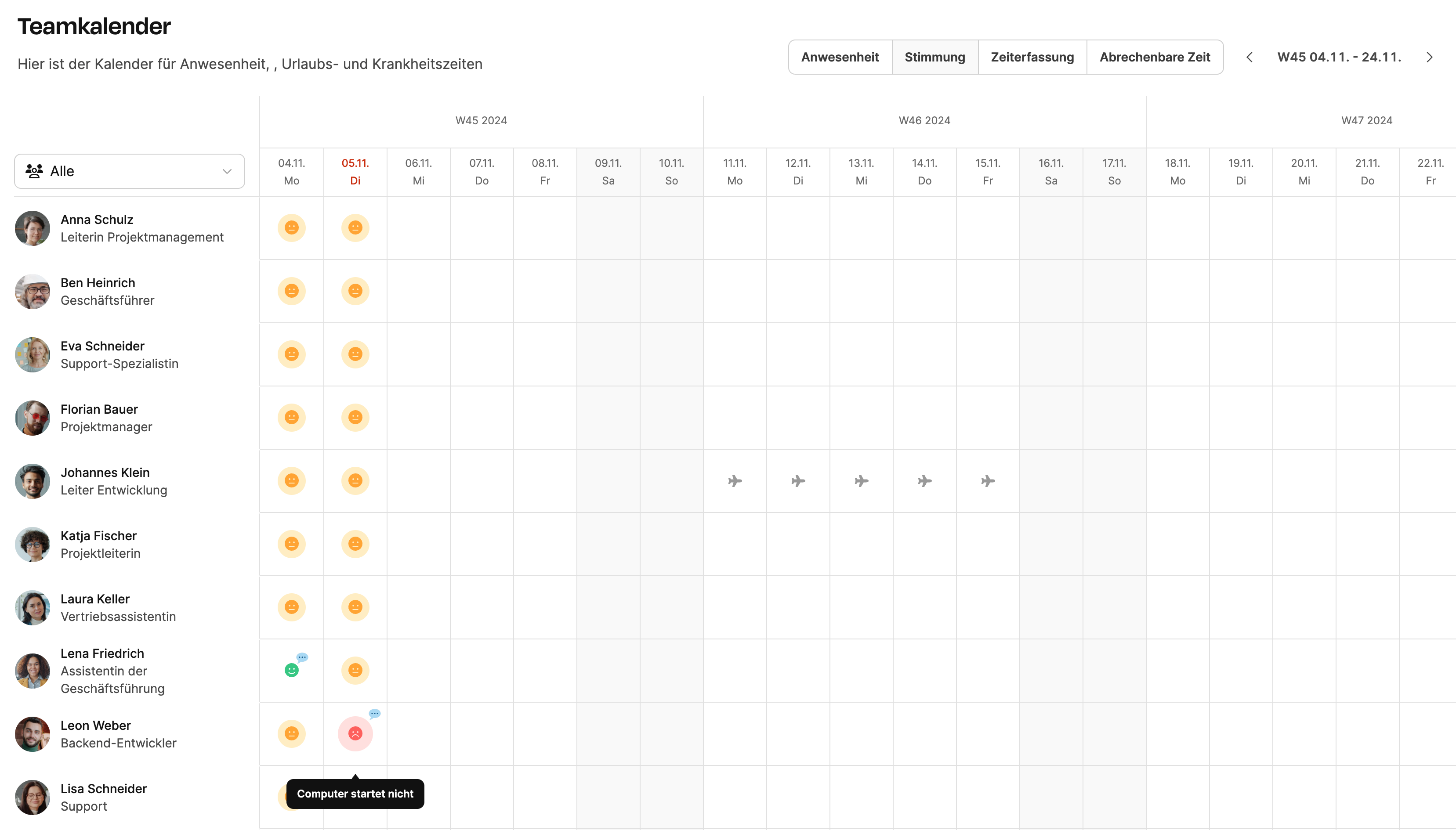
Columns and icons
- Weekdays (columns): Monday through Friday
- Employees (rows): Name, role, and profile picture
- Times: Start and end times, such as 07–09, or total time, such as 4 h
Use the All dropdown to filter the view by team or department.
Absences and working times are imported automatically from the Vacation and Time tracking modules.
Interaction
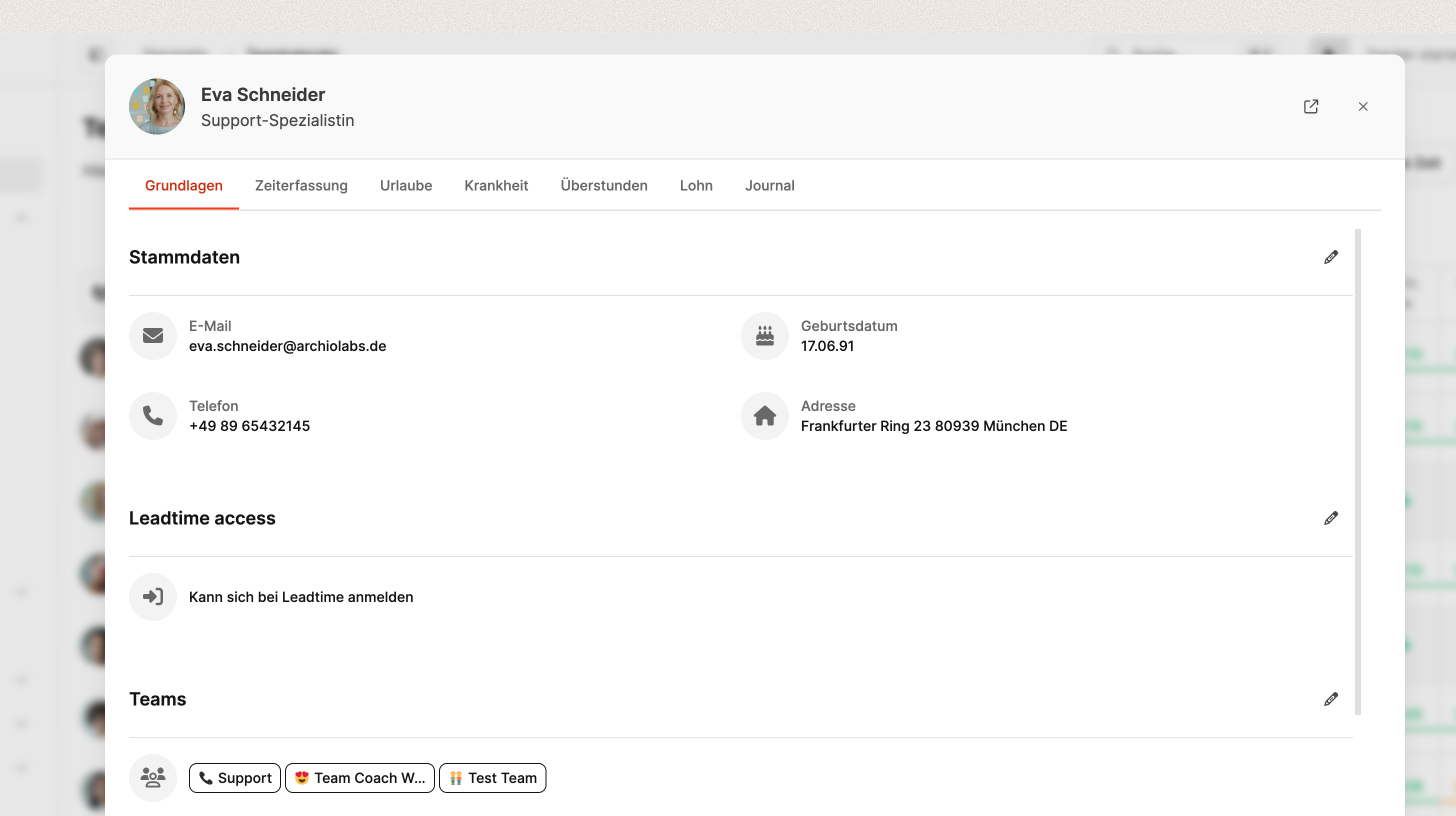
Select an employee’s name or profile picture to open their details in a dialog. It provides access to their master data, time tracking, vacation, and sick leave.