
The Project Template Used (Workshop Part 2)
The OnePage Website component standardizes website projects, records requirements dynamically and generates effort, offers and tickets automatically.
The project component One-page website forms the content and technical basis for standardized website projects. It is set up centrally once in Leadtime and then reused as often as required. Each project can be individually configured using structured questions, conditions and optional service blocks without varying processes, quality or calculations. The component serves as the basis for quotation calculation, effort estimation, ticket generation and subsequent processing.
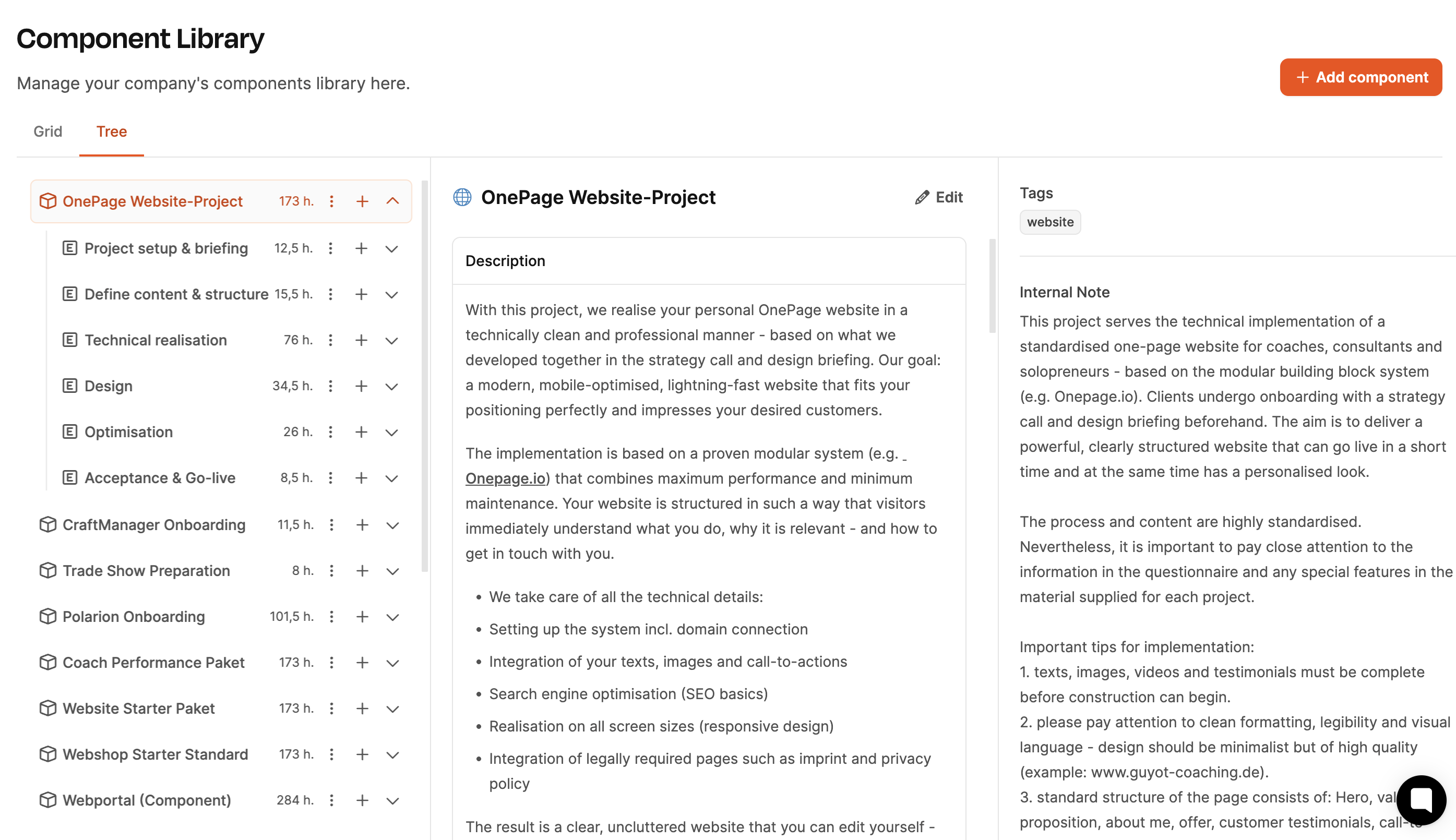
Construction and structure
The component One-page website is divided into several superordinates Epics which represent central phases in the course of the project. Within each epic are Work packages, Checklists and optional performance sections. In total, more than 40 structured steps are created that clearly define the course of the project.
Typical epics include:
- Project start & technical preparation
- Define content & structure
- design
- Technical implementation
- Optimization
- Acceptance & go-live
Each epic bundles thematically relevant work packages, which are later converted into tickets and processed by the team.
See the building blocks of project components
Example: Epic “Project start & technical preparation”
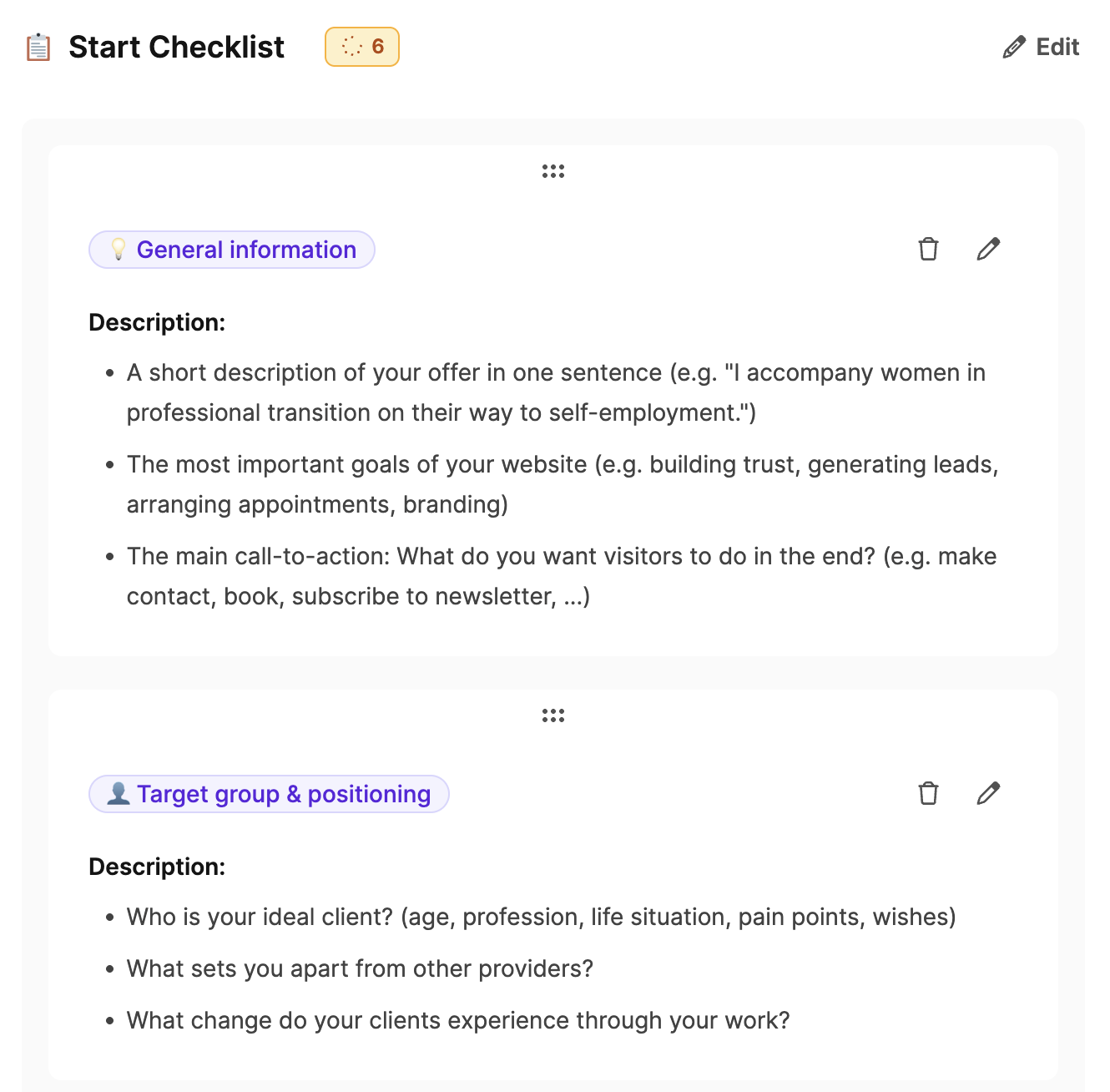
The customer receives one before the actual project begins Checklist with preparatory questions, e.g. E.g.:
- What is the goal of your website?
- Describe your offer in one sentence.
- Who is your target group?
This checklist will help you do the following Strategy call to be maximally effective.
In Strategy call the customer himself is through one Questionnaire which questions topics such as positioning, target group and unique selling points in a structured manner.
Dynamic conditions
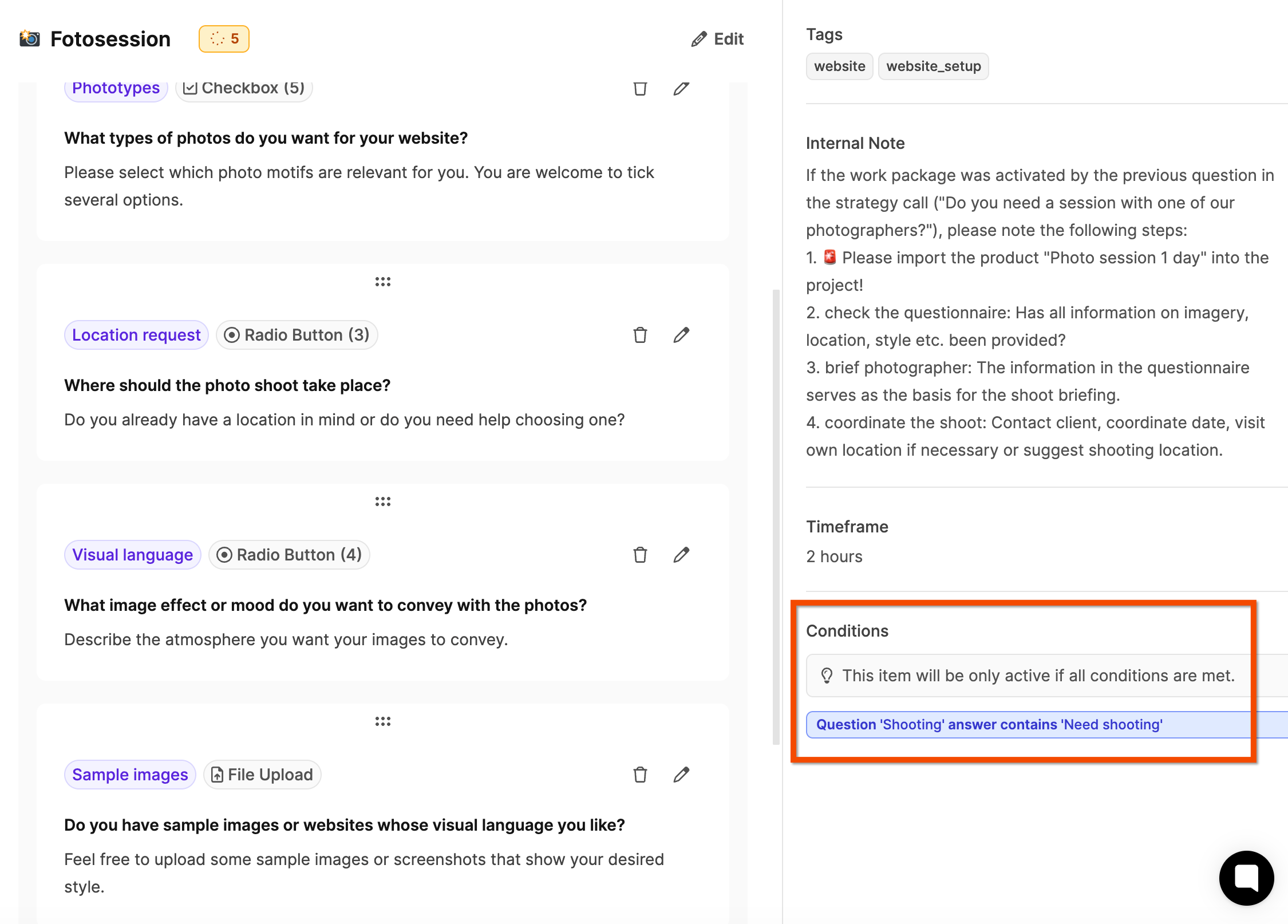
Many work packages respond rule based to customer responses. Activate conditions if necessary:
- additional work packages,
- optional services,
- Products from the product catalog,
- further questions.
Examples:
- If the customer states that they need professional photos, a photo shooting work package is automatically activated and the product Photo session added.
- If the customer selects certain page types (e.g. testimonials), suitable work packages for content and structure appear.
This logic creates a complete scope of services without manual additions.
See Conditions in work packages
Influence on effort and budget
Customer responses have a direct impact on the calculated project effort. Example:
If the customer specifies that they want to use an existing design template instead of an individual layout, the effort in the design phase is significantly reduced.
By systematically querying all requirements, a tailor-made project scope is created - automatically documented and clearly calculated.
How project expenses are calculated
Reusability
Once set up, the “Coach Performance Package” can be used at any time reused – with clear processes, predictable resources and a definable scope of services.
The advantages for Web4Coach:
- Uniform setup with simultaneous flexibility
- Efficient order clarification and calculation
- Automated offer creation
- Seamless billing
With this project component, the agency creates one professional, scalable standard process, which at the same time takes individual customer wishes into account.
For part 3 of the workshop: Creating a project (workshop part 3)