
All Tasks
Cross-project task overview for filtering, prioritizing and controlling all tickets in the workspace.
You’ll find this area in Leadtime under Planning → All tasks. It lets you display, filter and prioritize all open and ongoing tasks across every project. That way you keep an overview even when customer and internal projects are running in parallel.
See List views and Kanban boards
[!WARNING] Note: You can create tickets from another ticketing system via import: Data imports
How it works
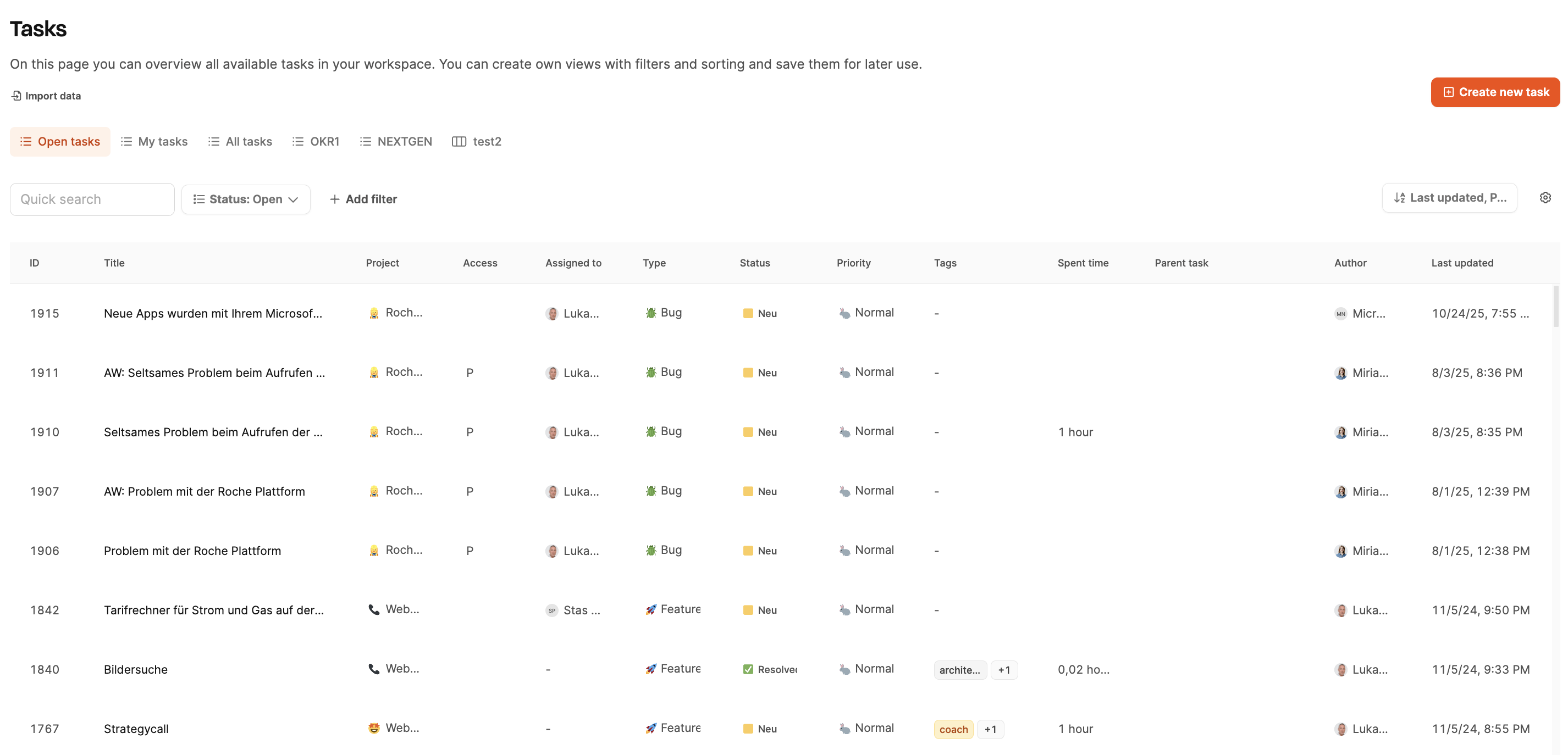
The table lists all tickets workspace-wide and allows flexible filtering by status, responsible person, project, type or tag.
Visible UI elements:
- Quick Search for direct text search
- Status filter (e.g. New, In Progress, Feedback, Resolved)
- Add filter for combined filter logic
- Sorting options (e.g. Last updated, Priority)
- Create new task for quickly creating new tasks
Table columns:
- ID of the ticket
- Title (task name)
- Project (associated project)
- Access (visibility of the task)
- Assigned to (responsible person)
- Type (bug, feature, etc.)
- Status (current processing status)
- Priority (urgent/normal/low)
- Tags (topic assignment)
- Spent time (booked time)
- Parent task (parent task, if one exists)
- Author (creator of the ticket)
- Last updated (timestamp)
Use cases:
- Daily and weekly planning across all projects
- Spotting bottlenecks early (e.g. overloaded team members)
- Searching for unassigned tasks
- Monitoring recently updated tickets
- Quality assurance for bugs and support cases
Notes:
- Filters can be saved and reused.
- This view deliberately contains no project structure – the focus is on operational implementation.
- Perfect for jour fixe and task review meetings.