
Creating Quote Versions (Workshop Part 7)
Create different offer variants based on saved versions to transparently offer optional project services.
With offer versions you can compare different service variants of a project and provide the customer with a structured selection. This allows optional services to be clearly evaluated without manually recalculating the project scope.
About that Version management
Initial situation
A customer commissions a website with five subpages. The agency can optionally create the text. A product is used to create the text and is billed based on the price per word. If the option is also selected for the text to be inserted directly in the target medium, the price per word increases accordingly. This results in two possible offer variants.
Step-by-step instructions
1. Create the first version without creating text
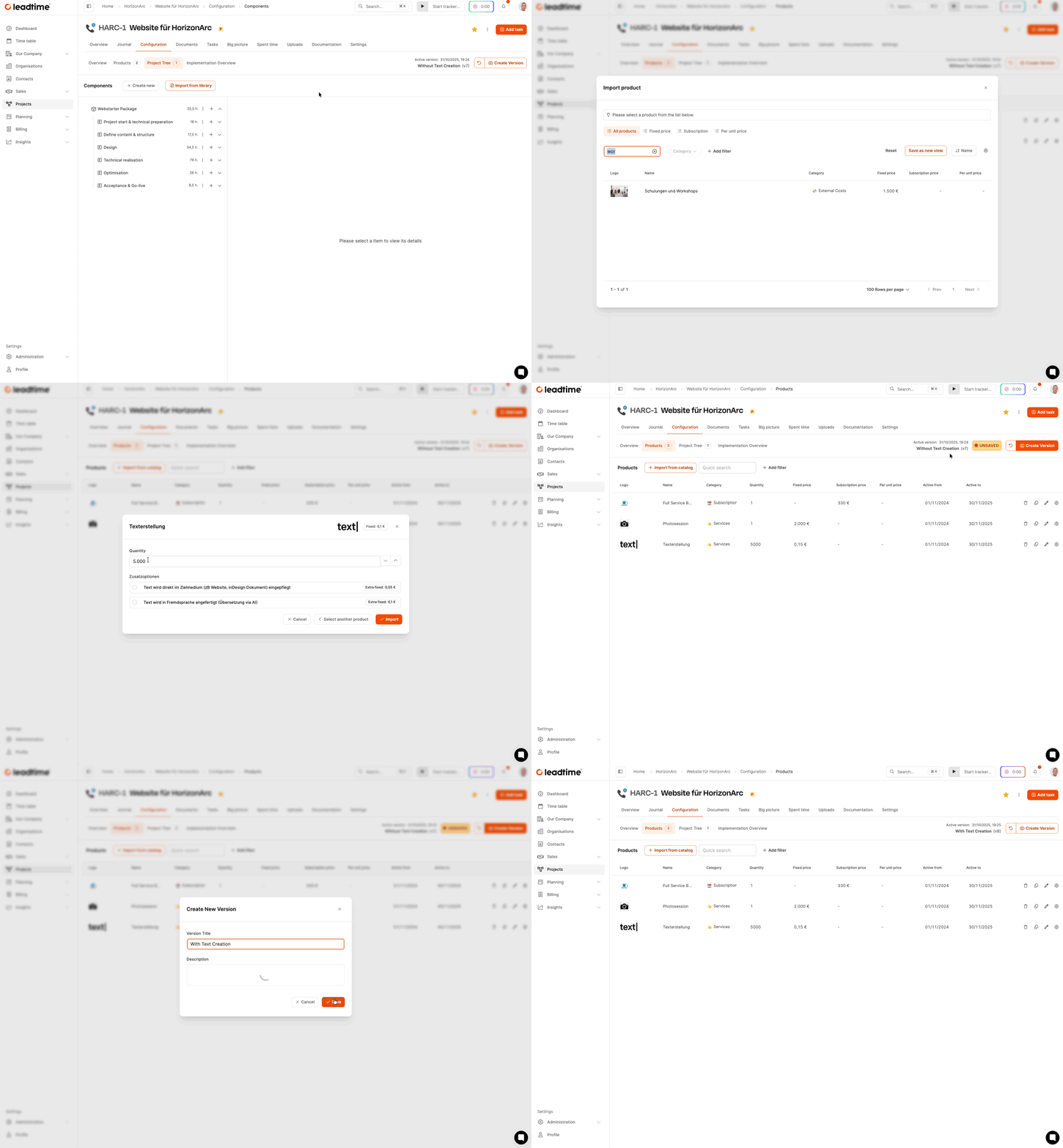
Open the area in the project Configuration and create a new version. Give it a suitable name, for example “Version without text creation” and save it. This version only contains the services from the project tree.
2. Create second version with text creation
Create in scope Configuration another version, such as “version with text creation”. In this version, add a copywriting product and enter the desired amount of words. Optionally activate additional service components, for example the direct entry of content. Then save this version too.
3. Create offers
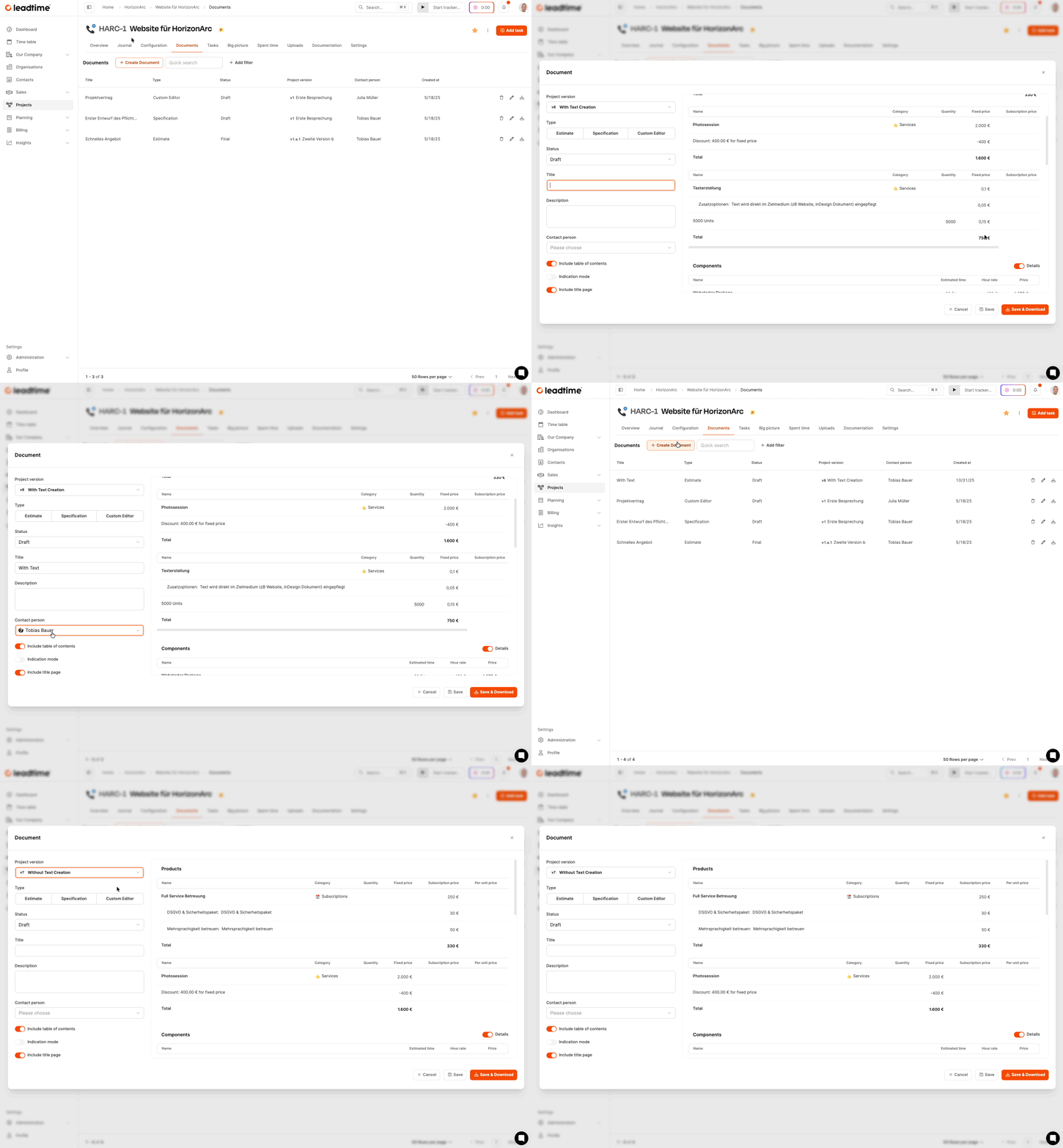
Switch to the area Documents and create a quotation document for both versions. Select the document type “Offer”, set the status to draft and assign an appropriate title. Download both offers. Both documents now differ in price and scope of services.
To create documents: Projects – Documents tab (individual projects only)
Result
You have two complete offer variants in Word format, which differ from each other in terms of content and price. The customer can decide transparently which variant he would like to order.
For part 8 of the workshop: Manual positions and discounts (Workshop Part 8)