
Version Management
Clearly saves project statuses, enables comparison, traceability and consistent offer and billing documents.
Version management freezes the current status of a project and ensures that content offered, negotiated and ordered remains clearly traceable at all times. Versions provide binding documentation of which services were sold and serve as the basis for offers, specifications and later invoices.
How it works
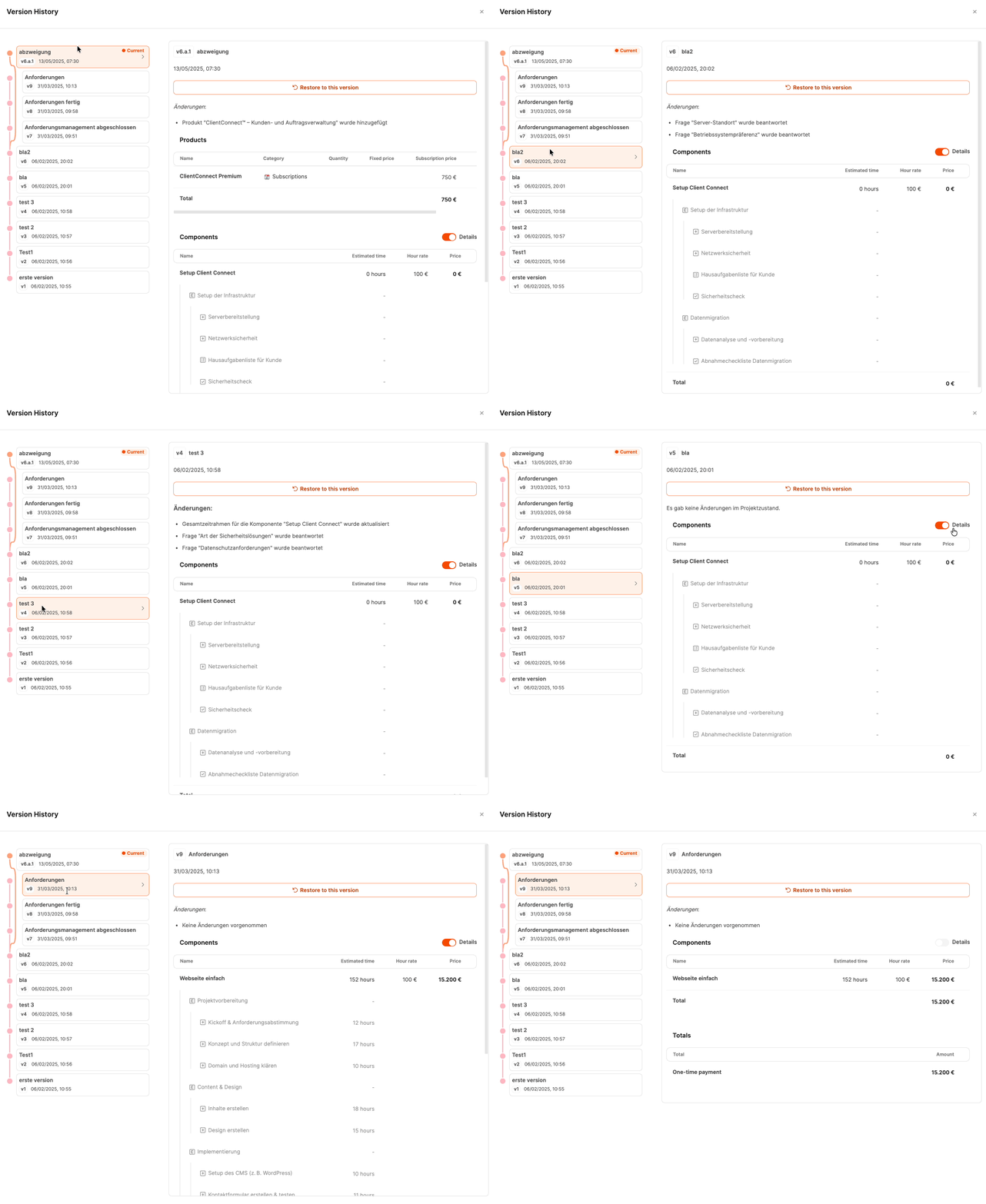
What does a version store?
A project version contains the complete content and commercial status at the time of saving. These include:
- Configuration of the project tree including dynamically activated work packages
- added products including variants, prices and discounts
- answered questions from forms and their effects
- manually added positions
- all changes from the tab Configuration
This documents what the scope of the project consists of and what decisions were made.
“Not Saved” identifier

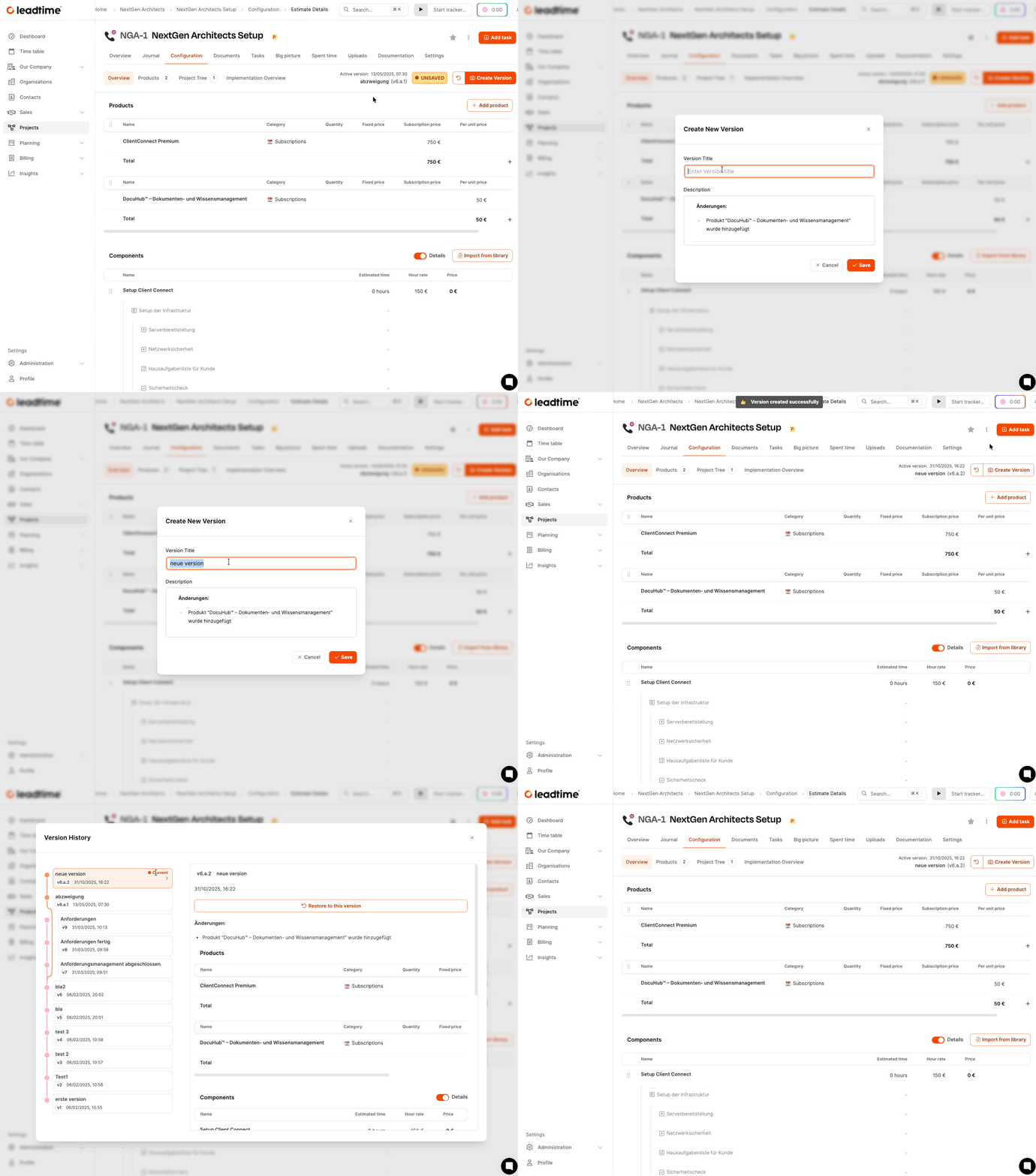
As soon as something changes in the project, a message “Not saved” appears. It signals that the current status has not yet been versioned. You don’t have to save after every change, but you should create a new version before quoting or customer documents.
Create version
About the button Create version open the dialog for assigning a title. A description is automatically generated and documents the differences from the last version. After saving, the notice disappears and the version appears in the version history.
Versions and documents
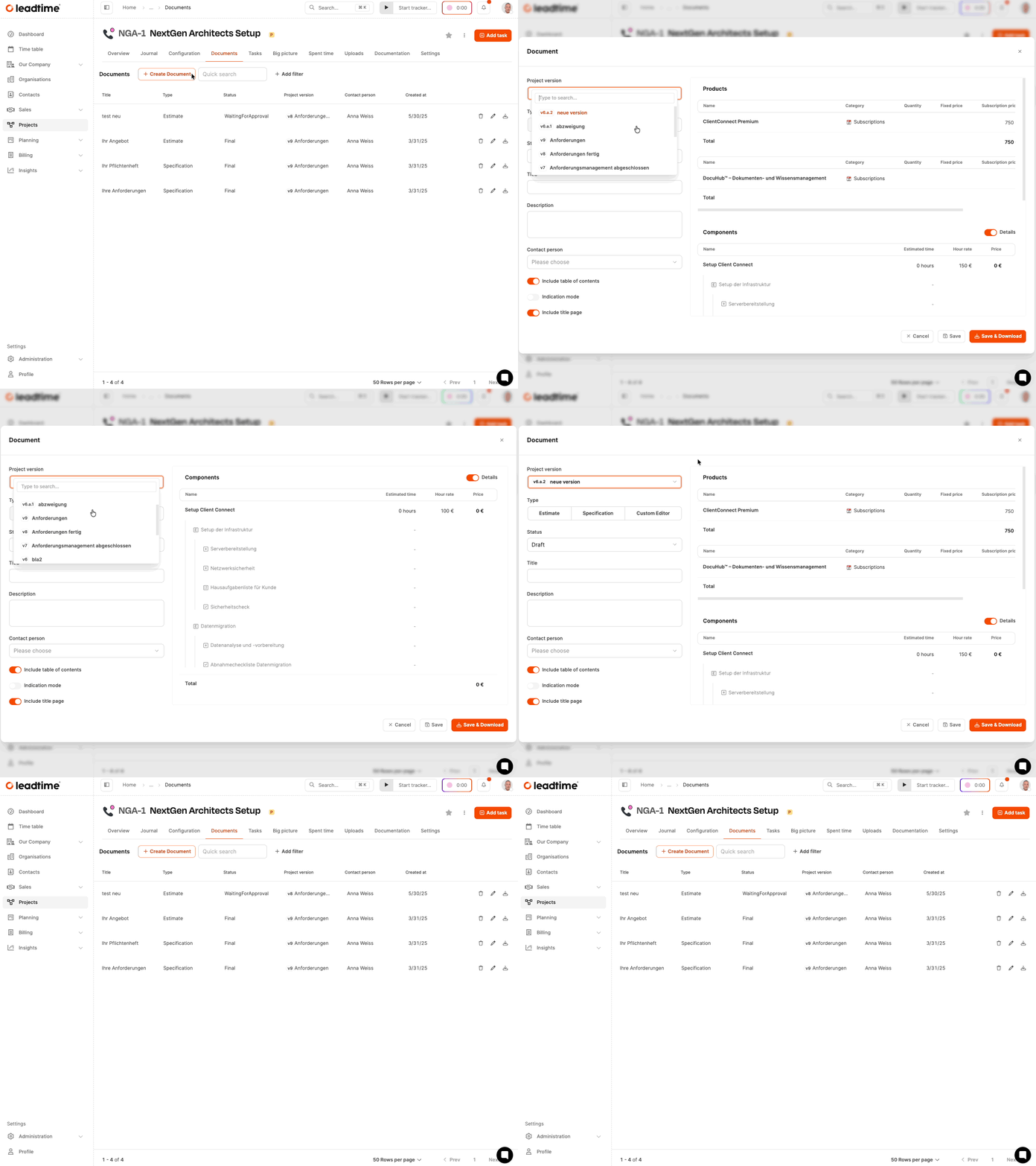
When creating offers or specifications, you must select a saved version. The documents generated from this refer exclusively to the frozen version of the selected version.
Switch between versions
In the version history you can view older versions, jump back to earlier versions or create a new variant based on an older version. This allows project variants to be compared, negotiated or updated.
Best practices
- Save versions after completed questionnaires or structural changes.
- Create a version before sending offers.
- Use clear, descriptive version titles.
- Create variants if customers want to compare alternatives.