
Journal
Document conversations, feedback, and objectives throughout an employee's development.
The employee journal under Your Company → Employees → [Employee] → Journal documents observations, conversations, and agreements between managers and employees. Use it to follow objectives, feedback, and performance discussions transparently throughout employment.
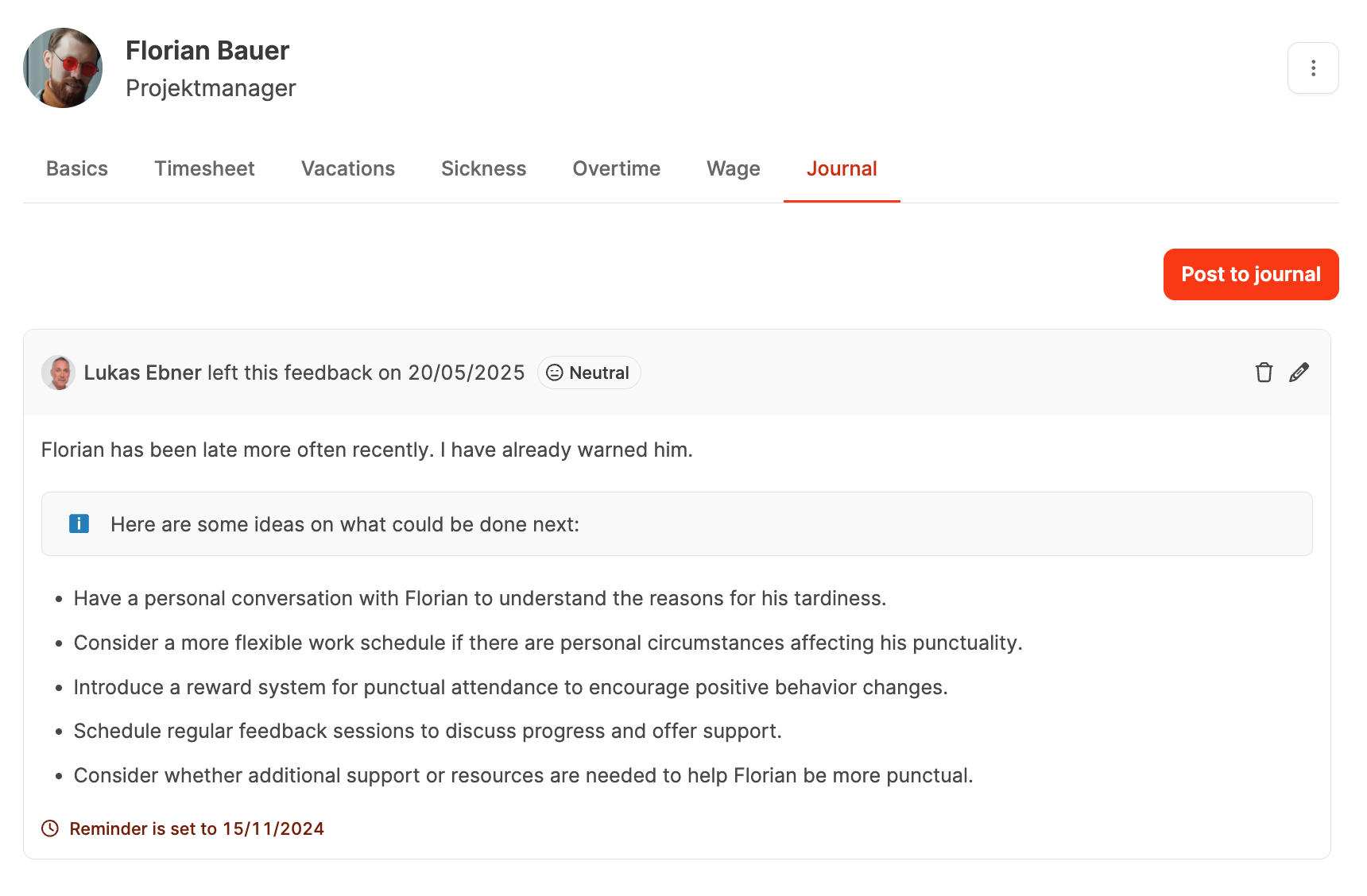
Add a journal entry
Select Add journal entry to open a dialog with these fields:
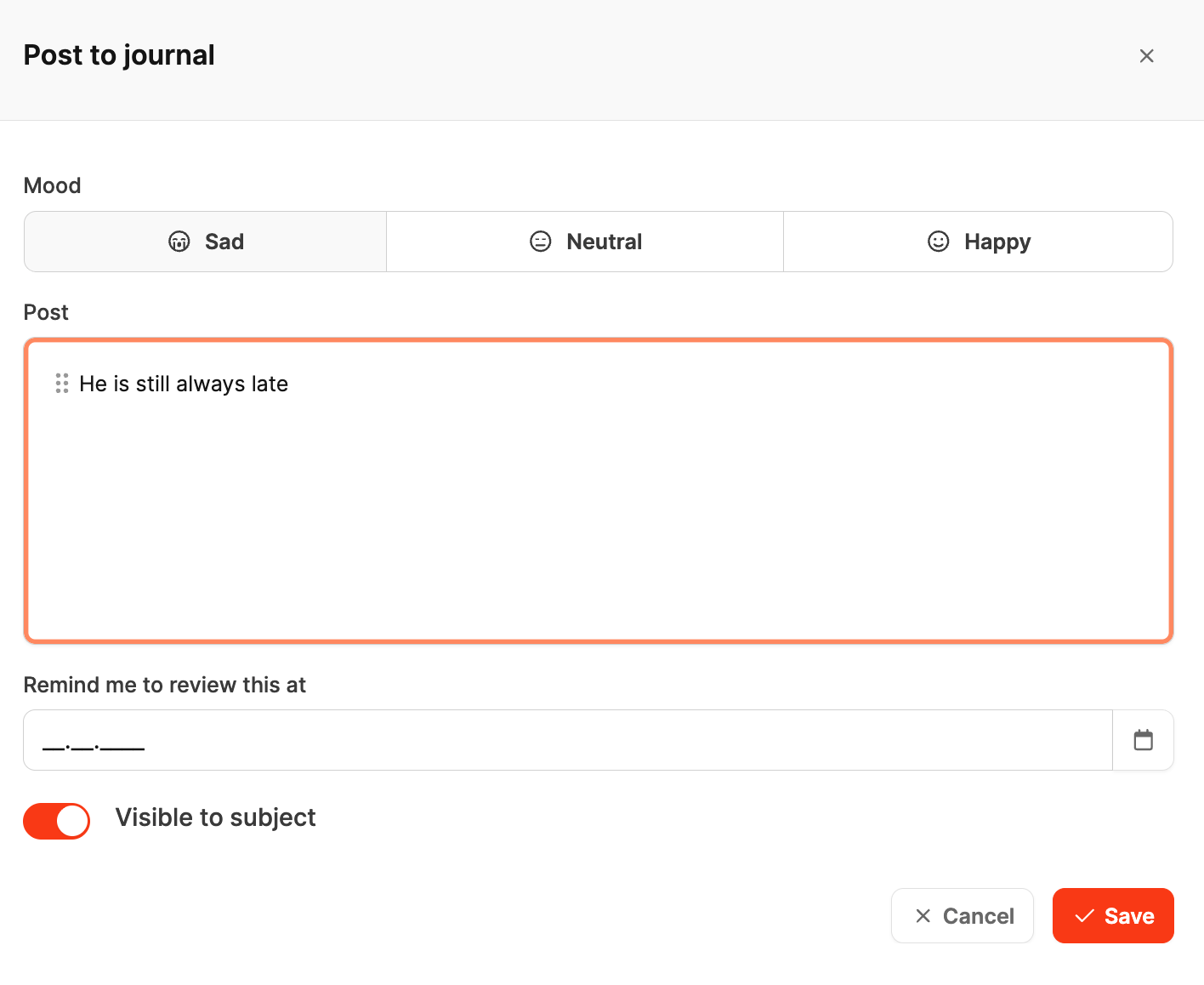
- Employee mood: 😊 Satisfied, 😐 Neutral, or 😢 Sad
- Entry: Notes or feedback from a conversation or observation
- Reminder: A date for a later review, such as following up on an objective
- Visibility: Whether the employee can see the entry or it remains internal
Employees can read visible entries and add their own contributions under Profile – Journal.
Entries from employees
Employees can add entries from the Journal tab in their own profile. This lets them record personal notes or feedback that managers can see.
Reminders
Reminders prompt managers to review objectives or agreements on a defined date, keeping employee development continuous and traceable.