
Public View on Tasks
Enables clear separation of internal and external communication in projects with guest users.
The section Tickets from guest users’ perspective explains how external users – like customers or partners – can join projects in Leadtime. By separating public and internal content, companies can efficiently collaborate with customers without exposing internal processes. This creates transparency for clients while keeping data safe and communication well-structured internally.
About guest users
Public vs. Internal
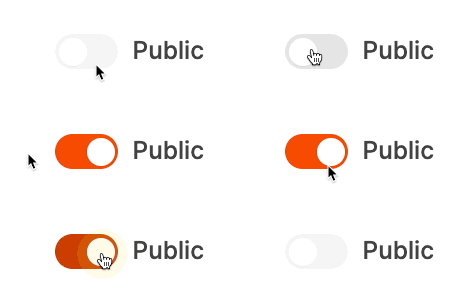
Each ticket lets you decide if a comment or information is public (visible to customers) or internal (only visible to your internal team). This is set for every comment or update individually.
Public
The comment or status is visible to guest users. Typical examples: progress updates, answers to customer questions, or telling someone their task is done.
Internal
The comment is only visible to internal employees. This is good for follow-up questions, votes or technical discussions that the customer shouldn’t see.
Display for internal users
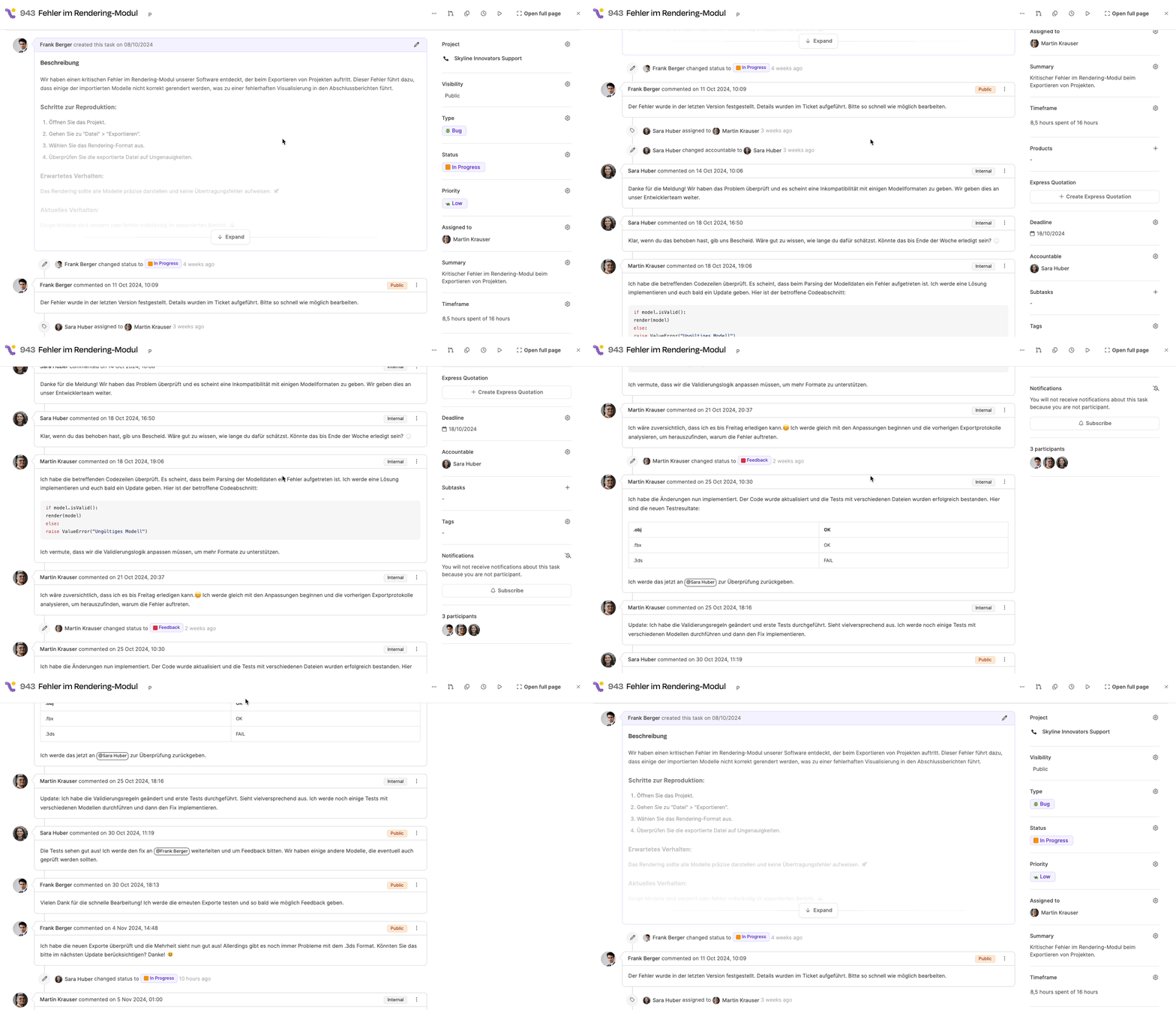
Guest users only see:
- Public comments
- Public status changes
- Visible editors and progress updates
Internal discussions, time entries or notes stay hidden.
Display for guest users
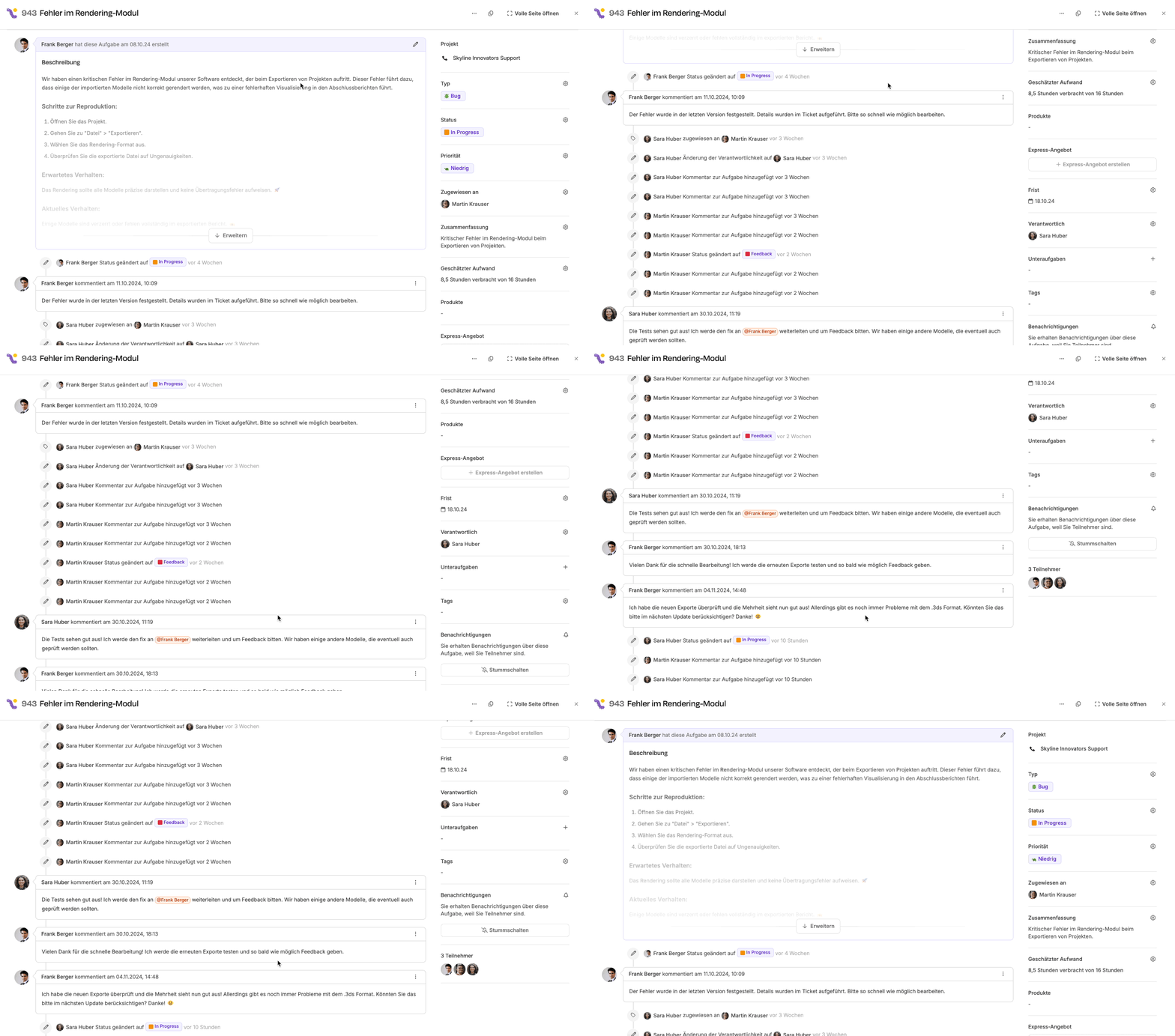
The comment is only visible to internal employees. This is good for follow-up questions, votes or technical discussions that the customer shouldn’t see.
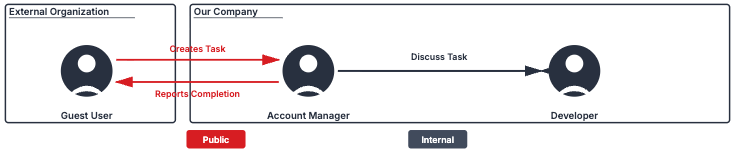
Practical application
-
Customer creates ticket:
- The customer submits a ticket through their dashboard, e.g. for a technical issue.
- The ticket shows up automatically in the right project for the internal team.
-
Internal handling:
- The internal team (e.g. support, developers, project management) keeps communicating and working internally.
- Comments or questions that aren’t relevant for the customer are marked as internal.
-
Public communication:
- As soon as relevant info is available, it’s added as a public comment.
- The customer can see any progress and respond to follow-up questions.
-
Closure and notification:
- Once the ticket is done, the customer automatically gets a notification about closure and can see all the public info.