
Custom task types
Task types structure workflows, bundle fields and statuses, and define how tasks are created and handled.
The Administration → Workspace settings → Task settings → Task Types section forms the backbone of task organization in Leadtime.
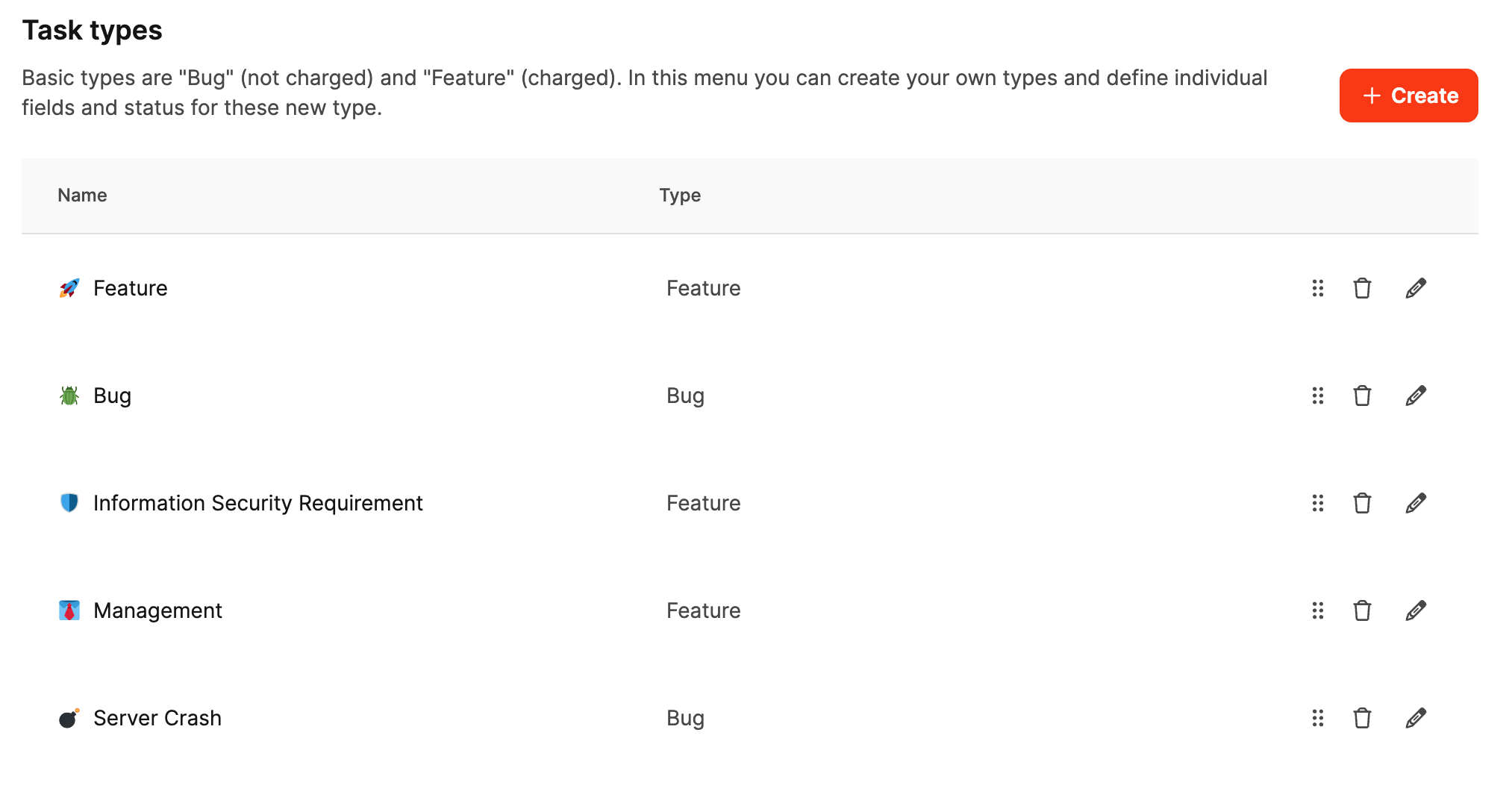
This is where all elements that determine a task’s behavior and information—statuses, custom fields, work activities, and templates—come together in a complete task type.
A task type therefore defines which kind of ticket is created, which information must be recorded, and how it moves through the workflow.
What task types do
In a ticket system, task types clearly distinguish different kinds of work.
Not every task has the same purpose or lifecycle. A software bug is handled differently from a management task or a security review.
A task type defines:
- What the ticket represents: for example, a bug, request, support case, audit, or maintenance task.
- What information is required: such as the risk level, affected systems, due date, or person responsible.
- Which statuses it passes through: for example, New → In progress → Feedback → Done.
- Which activities can be assigned: for example, development, testing, or management.
- How the description is structured: through a standard template that organizes the input.
This creates a repeatable, controlled workflow in which every task is automatically equipped with the appropriate fields, statuses, and forms.
Benefits for the company
Task types provide structure, efficiency, and traceability.
- Clear workflows: Each task type follows a defined process with consistent statuses and fields.
- Complete data: Required fields ensure that no relevant information is missing.
- Better analysis: Consistent fields and status transitions support precise analysis and reporting.
- Customizability: Teams can define types for their own processes without changing the overall system.
- Clarity in project management: Different task types immediately show what kind of work is involved.
Interaction with other settings
The Task Types section links the different parts of the system:
- Work activities determine which activities users can record time against.
- Status options define the phases a task can enter.
- Custom fields add the additional information your process requires.
- The task template ensures consistent communication.
Together, these settings make each task type a complete, reusable framework for a particular task category.
Learn more about task templates
Structure of a task type
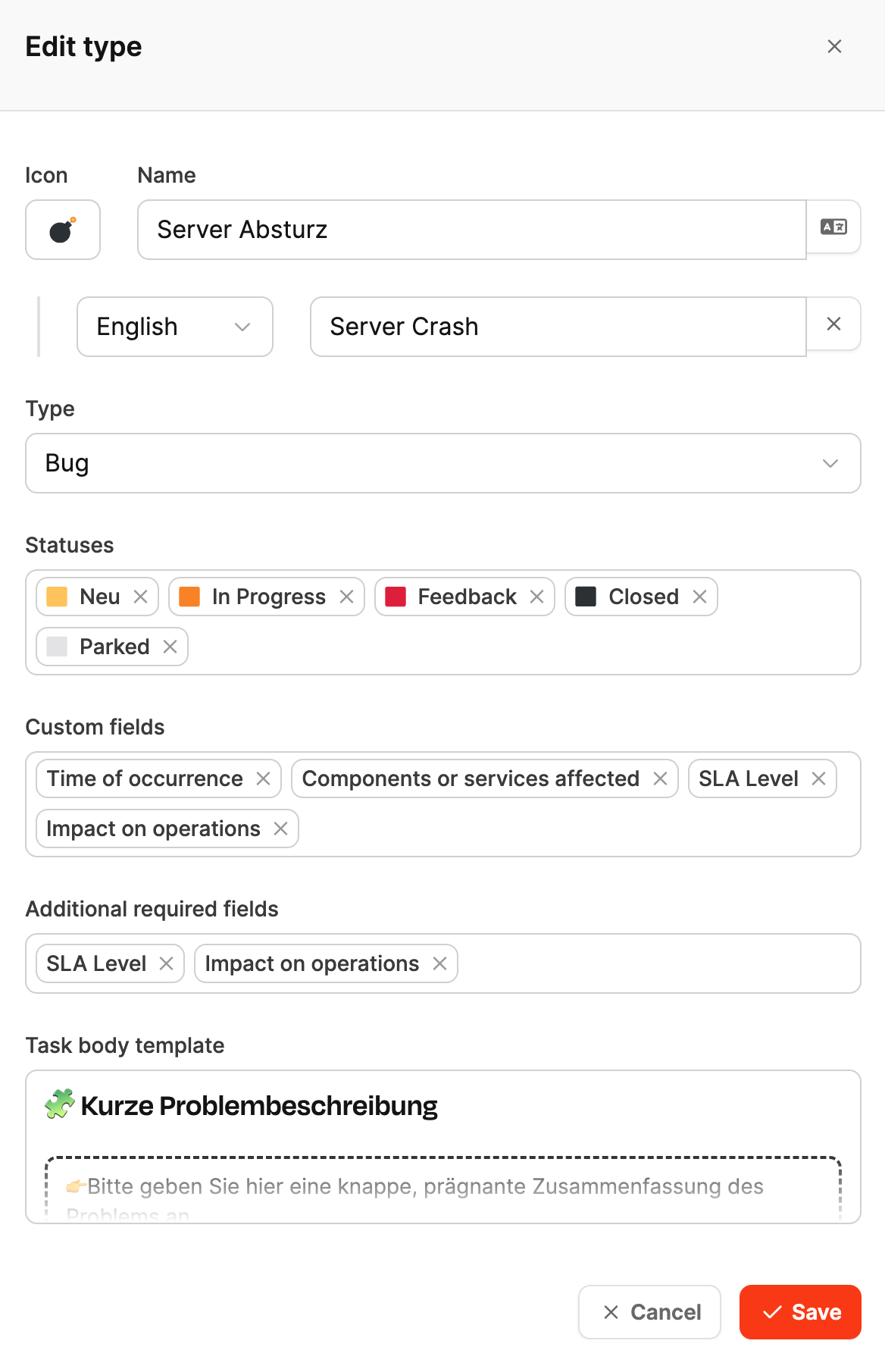
In Leadtime, a task type consists of several building blocks:
Icon and name: A recognizable symbol and name, for example, “Server crash”.
Base type: A choice between Feature (value-adding work) and Bug (error correction, not billable).
Status options: Define the task’s lifecycle. You can use existing statuses or add your own. Custom task statuses
Custom fields: Capture additional structured data beyond the standard fields, such as SLA level or affected component. Custom fields
Required fields: Ensure that users do not omit specific information.
Work activities: Specify which kinds of time entries, such as testing or development, are allowed. Custom work activities
Task template: Prepopulates new tickets with a text structure that makes data collection easier for users. Task templates
These settings collectively determine how tasks of this type are created, documented, and processed in the system.
Example: “Server Crash” task type
An IT company wants server outages to be documented and analyzed consistently.
It creates a dedicated “Server Crash” task type for this purpose.
Settings:
-
Derived from type: Bug
-
Status options: New, In Progress, Feedback, Closed, Parked
-
Custom fields:
- Time of occurrence
- Affected components or services
- SLA level
- Impact on operations
-
Required fields: SLA level, impact on operations
-
Template: Brief problem description with information about the cause and initial actions
Benefit:
Every server crash is documented in the same format, with clear responsibility, structured data fields, and a traceable workflow.
Learn more about ticket system configuration