
Add products to tickets
Explains how to add products from the catalog to a ticket and transfer them to quick quotes, including selecting variants and calculating prices.
This section shows how products from the product catalog can be integrated directly into express quotes. This way you can quickly and transparently add standardized services or extra costs to a quote – without manual calculation.
Why products make sense in express quotes
Products bring express quotes fast and consistent pricing.
Benefits:
- No manual calculation needed
- Consistent pricing structure for recurring services
- Can be combined with estimated working time
Example:
A customer requests a one-day training. This already exists in the product catalog as “Workshop – on-site”.
The product is added to the ticket and automatically listed in an express quote.
About express quotes: Express quotes
What are products in Leadtime?
Products are predefined, repeatable services or goods, offered at a fixed price. They’re different from project-based services because their scope is clearly set and not individually negotiable.
The product catalog
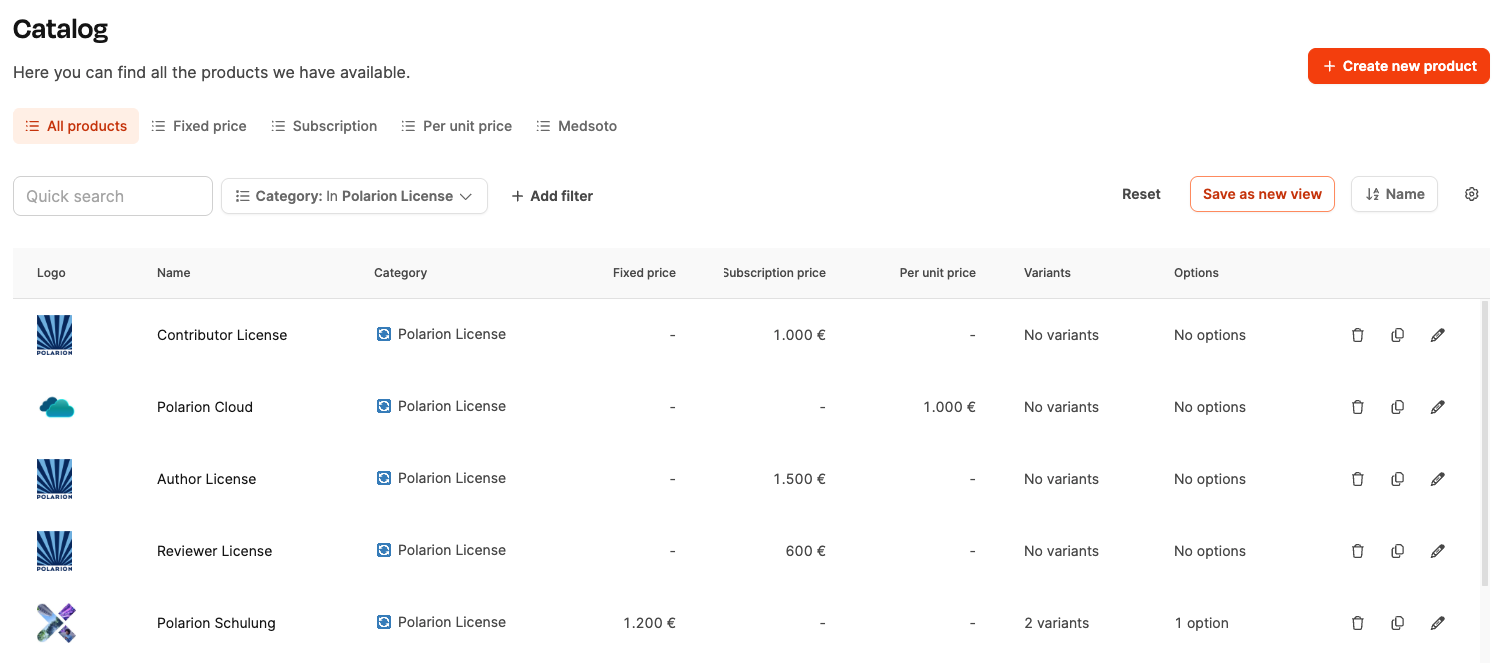
You can find it under Administration → Product catalog
Before products can be used in tickets or express offers, they need to be set up in the product catalog in Leadtime. The product catalog is the main place where all your company’s services and items get collected – with clearly set prices, variants, and categories.
Typical product types:
- Physical items (e.g. hardware components)
- Software licenses or SaaS packages
- Standardized services (e.g. workshops, support packages)
- Fixed rates (e.g. travel expenses or trainings)
All products have a fixed price, are standardized, and can be offered as often as you like.
To the product catalog
[!WARNING] Note: Only products with a fixed price can be used in express offers.
Add products to a ticket
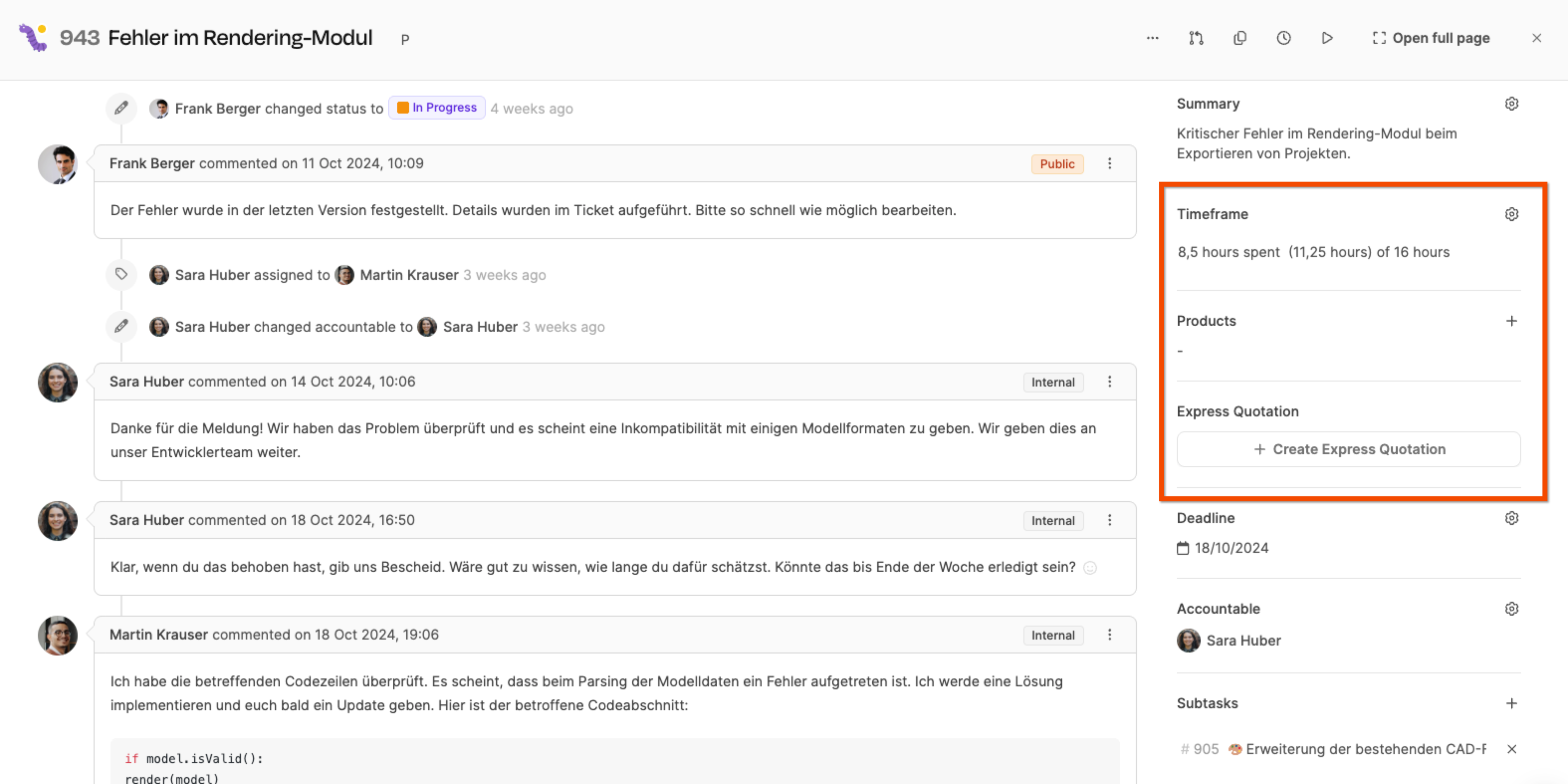
To be able to use products in an express offer, you have to assign them to the ticket first.
- Open the ticket you want.
- In the right sidebar, you’ll find the section “Products”.
- Click “+ Add product” to open the product catalog.
- Pick one or more products from the list.
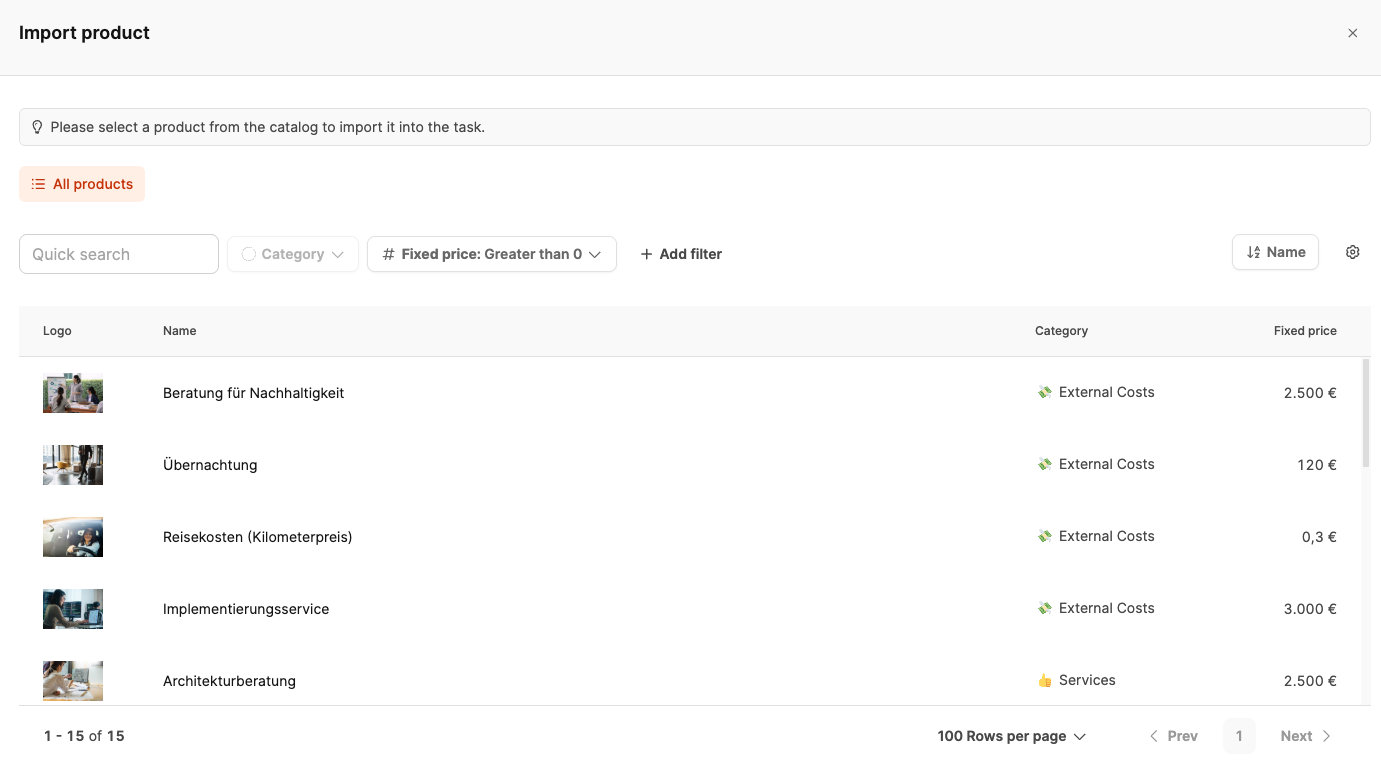
Only products with fixed price can be selected for tickets. Subscriptions or variable pricing models are excluded.
By default, the selection is filtered to “fixed price greater than 0”.
Variants and quantities
Many products have variants (like different calculation types or package sizes).
Example:
- Travel costs (price per kilometer) - Variant “Standard”: €0.30 per km - Variant “Flight trip”: €0.50 per km
If you enter 400 km with the standard variant, Leadtime automatically calculates:
€0.30 × 400 km = €120
Other products, like trainings or consultations, can be added in the same way. All selected items show up right on the ticket.
Using products in the express offer
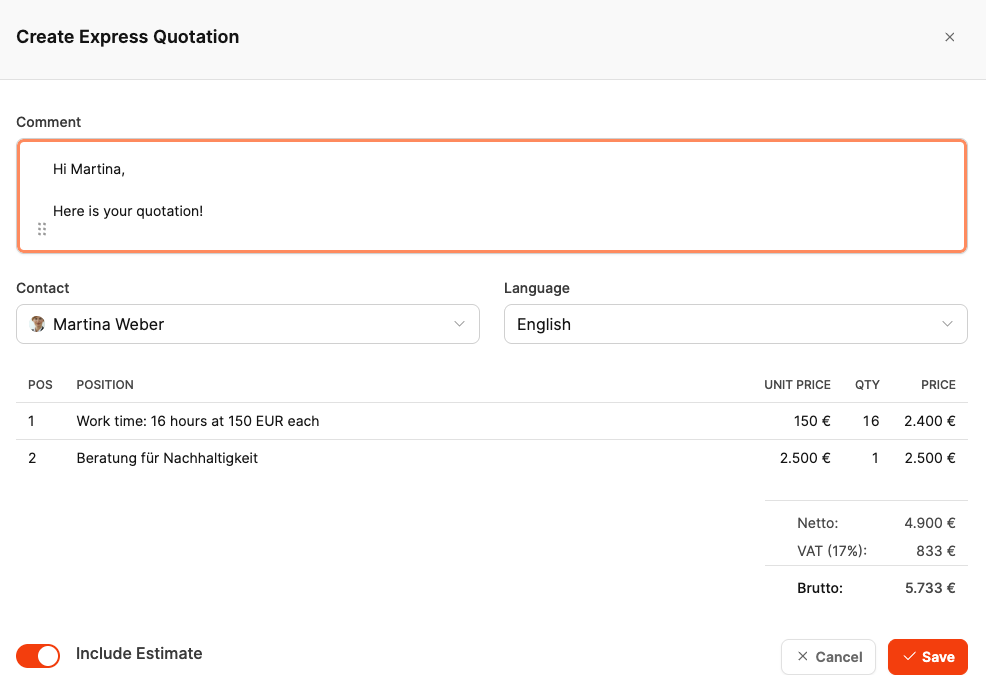
When you create an express offer, all products linked to the ticket are automatically added as offer items.
You can also choose if the work time estimate should be included.
Toggle: “Include estimate”
- Enabled → Work time shows up as its own offer item.
- Disabled → Only products are offered.
This makes it easy and transparent to create combined express offers of custom and standardized services.
Learn more about express offers