
Teams
Group employees for project access and structured reporting.
Use Your Company → Teams to group employees and manage project access efficiently. Instead of assigning permissions to every person separately, you can grant an entire team access to a project or area. This centralizes permissions, responsibilities, and resources and makes collaboration easier.
Manage the people in each team under Employees.
You can also filter charts and Dashboards by team.
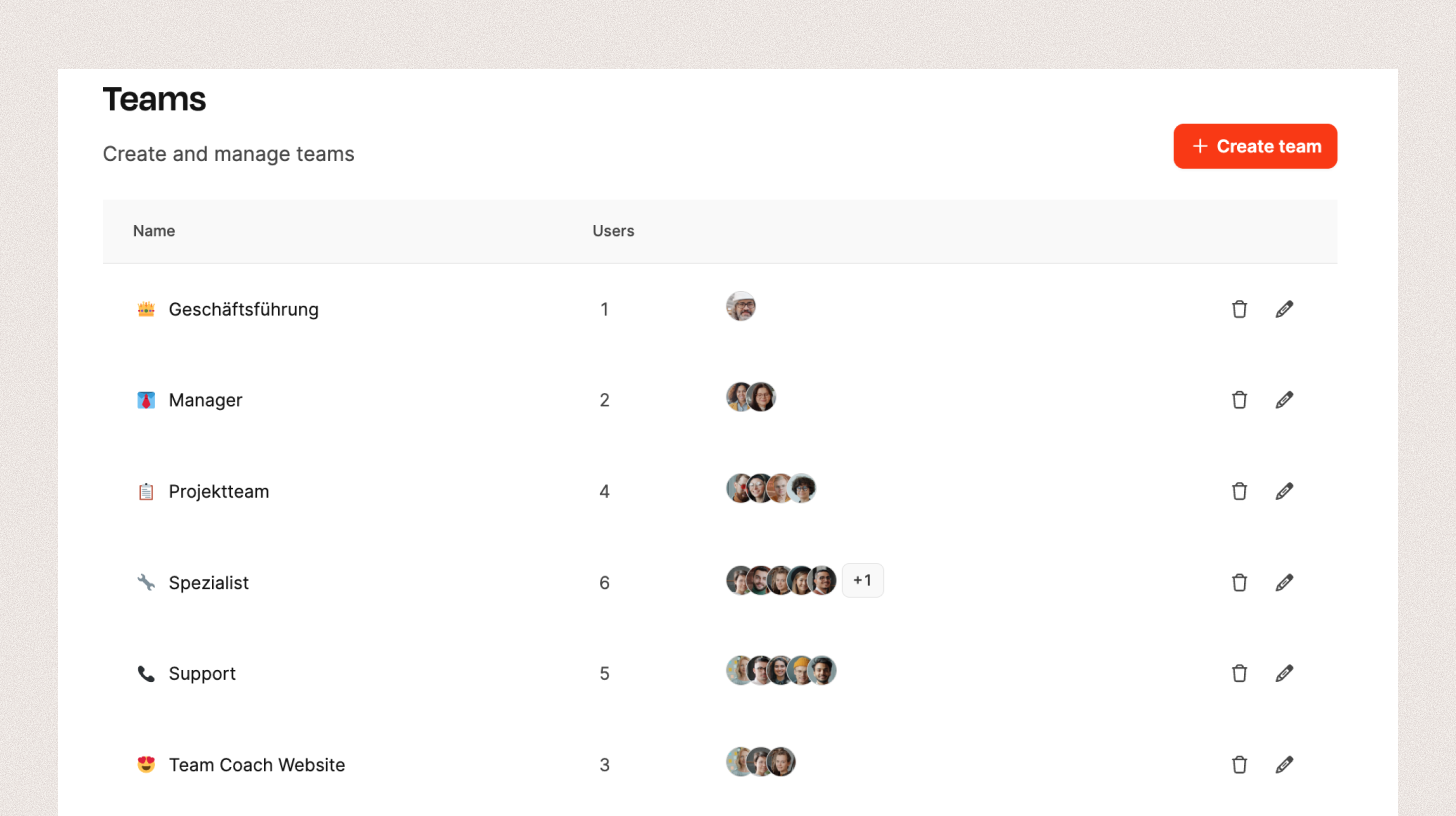
Team list
The overview lists every team with its name, member count, and assigned people.
- Edit icon: Change the team’s name, icon, or members.
- Delete icon: Remove the team from the system.
- + Create team: Open the dialog for creating a team.
Create or edit a team
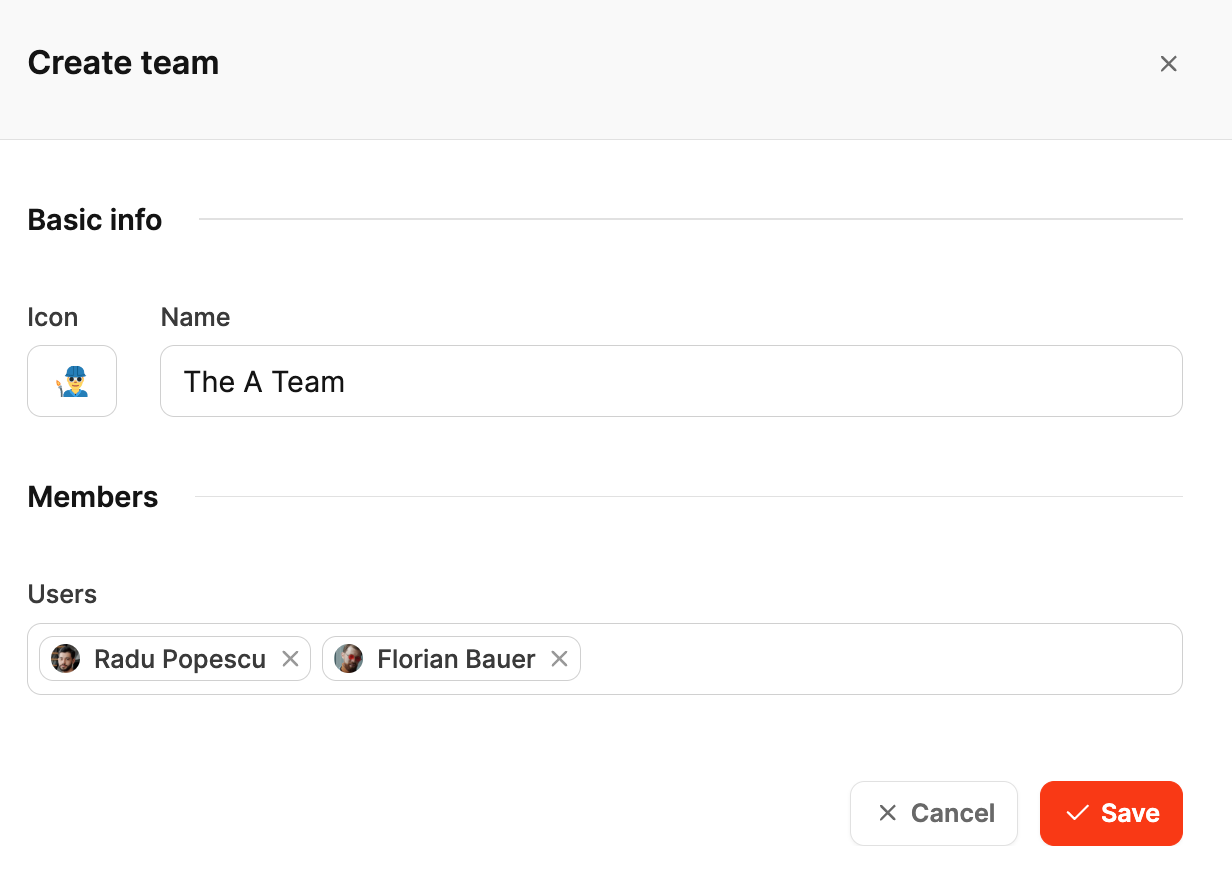
Use the Create team dialog to add a team or edit an existing one.
- Icon: Choose an icon that identifies the team visually.
- Name: Enter any team name.
- Members: Select one or more employees for the team.