
Overdue
Monitor overdue invoices, send reminders and manage payment deadlines - completely in the receivables area.
As soon as an invoice has been sent in Leadtime – by email or manually marked as “sent” – the defined payment term begins to run. If this term is exceeded, the invoice automatically appears in the “Overdue” tab of the Receivables area. Here you manage open receivables, send reminders and keep an eye on all deadlines.
Origin of the payment term
By default, the payment term is set under Administration → Workspace Settings → Invoice Settings (e.g. 30 days).
→ Setting at workspace level: Billing
→ Setting at organization level: Organization – Billing Settings
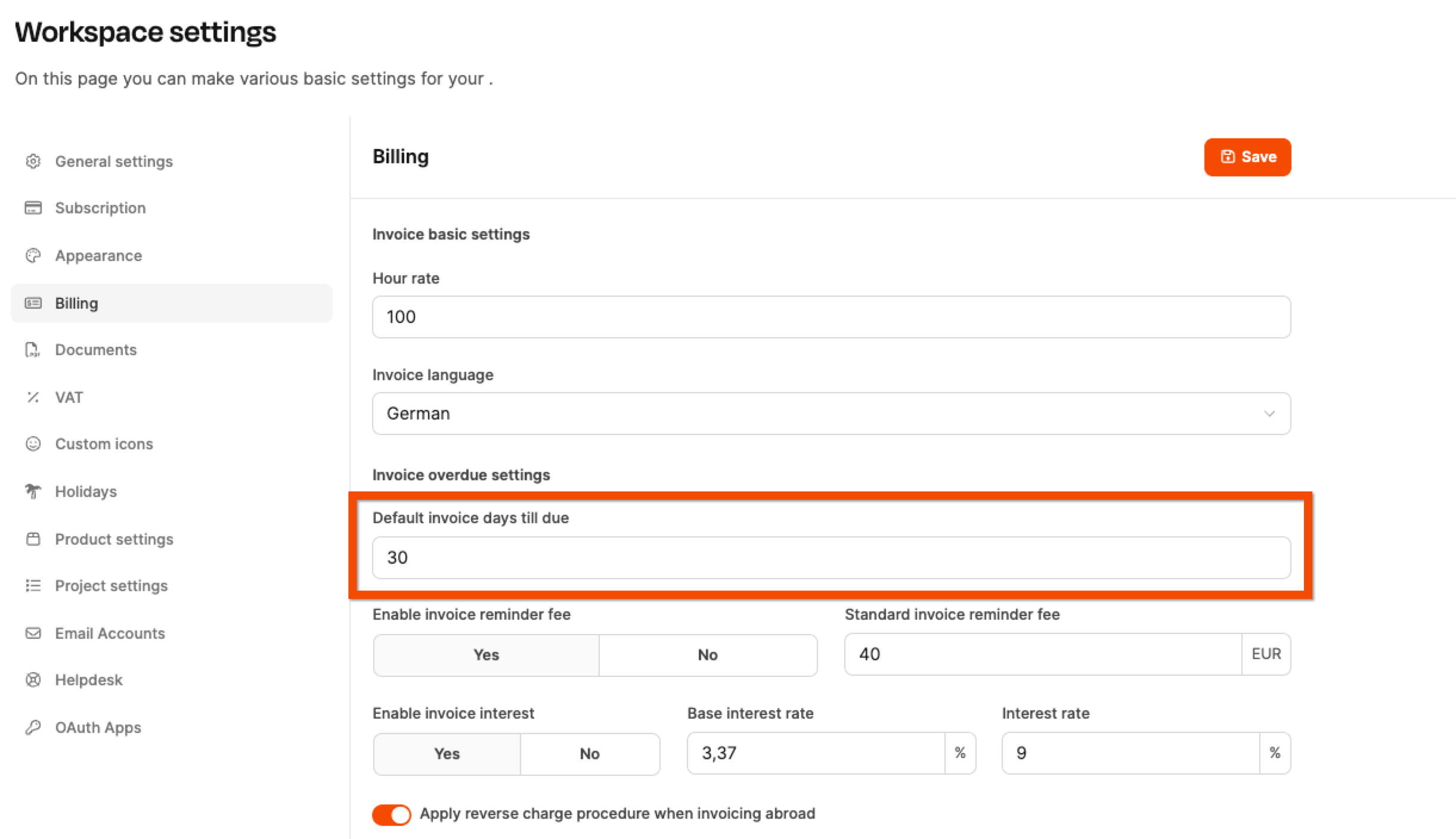
In addition, it can be adjusted individually per organization. You’ll find this setting under: Organization → Settings → Invoice Settings → Days until due date
This allows you to define, for example:
- shorter deadlines for customers who tend to pay late
- longer deadlines for large clients
Table view in the “Overdue” tab
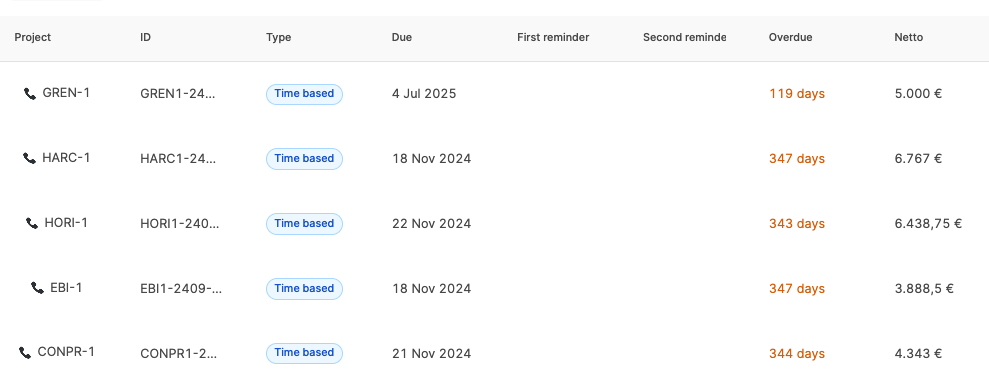
The list view shows all invoices whose payment term has been exceeded. The columns provide the following information:
| Column | Meaning |
|---|---|
| Project | Project reference of the invoice |
| Invoice ID | Unique invoice number |
| Type | Billing model (e.g. working hours, subscription, project) |
| Created | Date the invoice was created |
| Due | Original due date |
| First reminder | Date the first reminder was sent |
| Second reminder | Date the second reminder was sent |
| Overdue | Number of days overdue |
| Net | Open net amount |
This overview allows you to quickly prioritize where action is needed.
Sending reminders
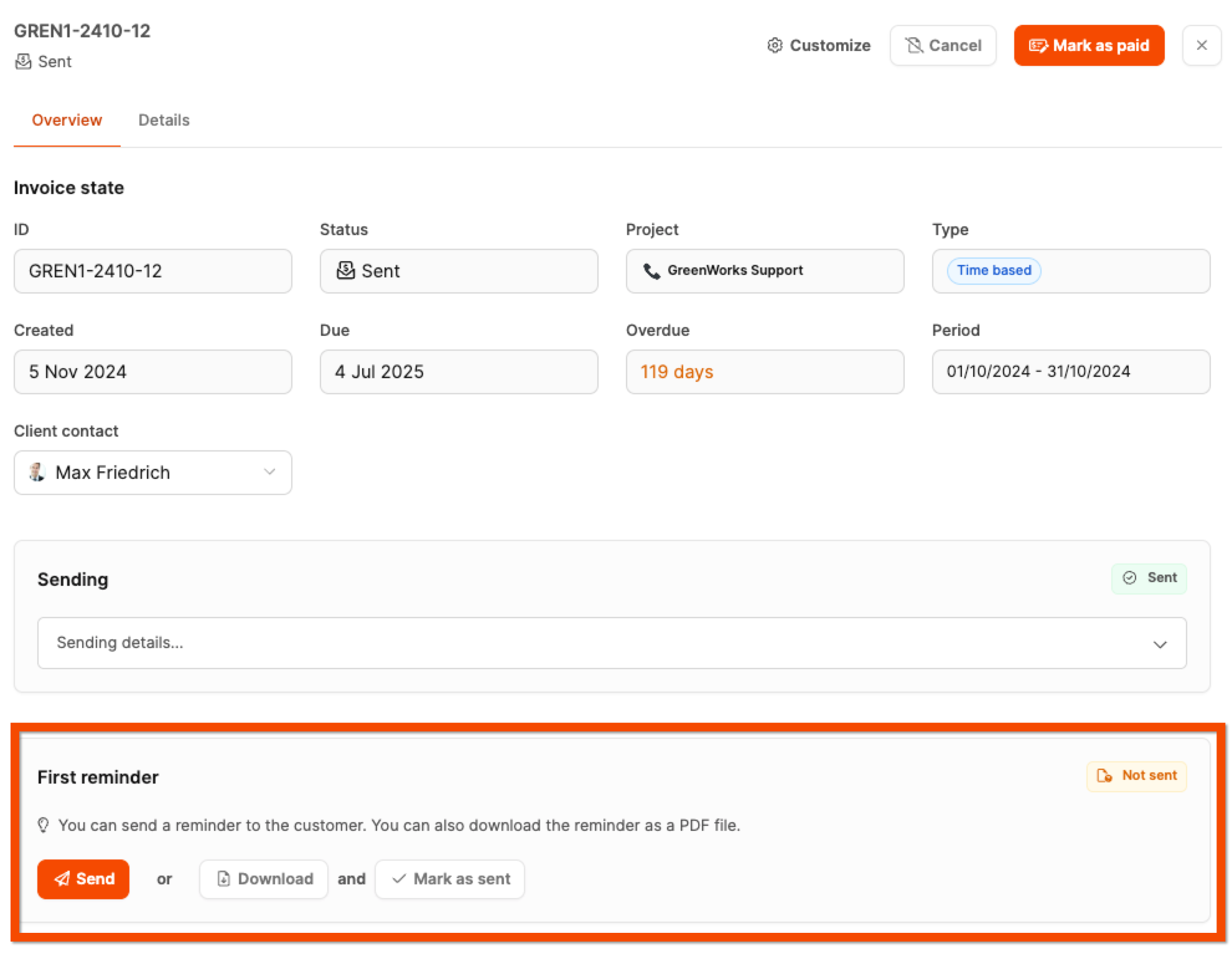
Clicking on an overdue invoice opens the reminder controls on the right. Two reminder levels are available there.
First reminder
Actions:
- Send: send by email
- Download: PDF for postal delivery
- Mark as sent: for documents sent externally
After sending, the send date is documented and the second reminder level is activated automatically.
Second reminder
Functionally identical to the first level. You decide on the timing and tone. The text blocks can be customized.
Contents of a reminder
A reminder contains:
- Level label (“1st reminder” / “2nd reminder”)
- formal text
- list of open invoice items
- optional reminder fee
- optional late payment interest (calculated from the base interest rate + surcharge and the number of days overdue)
The layout matches that of an invoice, supplemented by legal information.
Control at multiple levels
The dunning behavior can be adjusted in three places:
| Level | Setting options |
|---|---|
| Workspace | Standard interest rates, reminder fees, standard texts |
| Organization | Different deadlines or fees per customer |
| Individual invoice | Exceptions, disable reminders, alternative texts |
This means sensitive customer relationships can be handled flexibly.
Importance for receivables management
A structured, comprehensible dunning system supports:
- predictable liquidity
- professional payment management
- clearly documented communication
Leadtime guides you safely through the process and documents every step in an audit-proof way.