
Big Picture Tab
The Big Picture shows all project tasks visually grouped and lets you quickly assess status, effort, and bottlenecks.
The Big Picture section is located inside a project in the tab menu. It’s there to let you see all ongoing tasks in a project in a clear, grouped, and visual way. This view is mainly for project members who don’t have much day-to-day insight and want to quickly check status, priorities, bottlenecks, and time efforts.
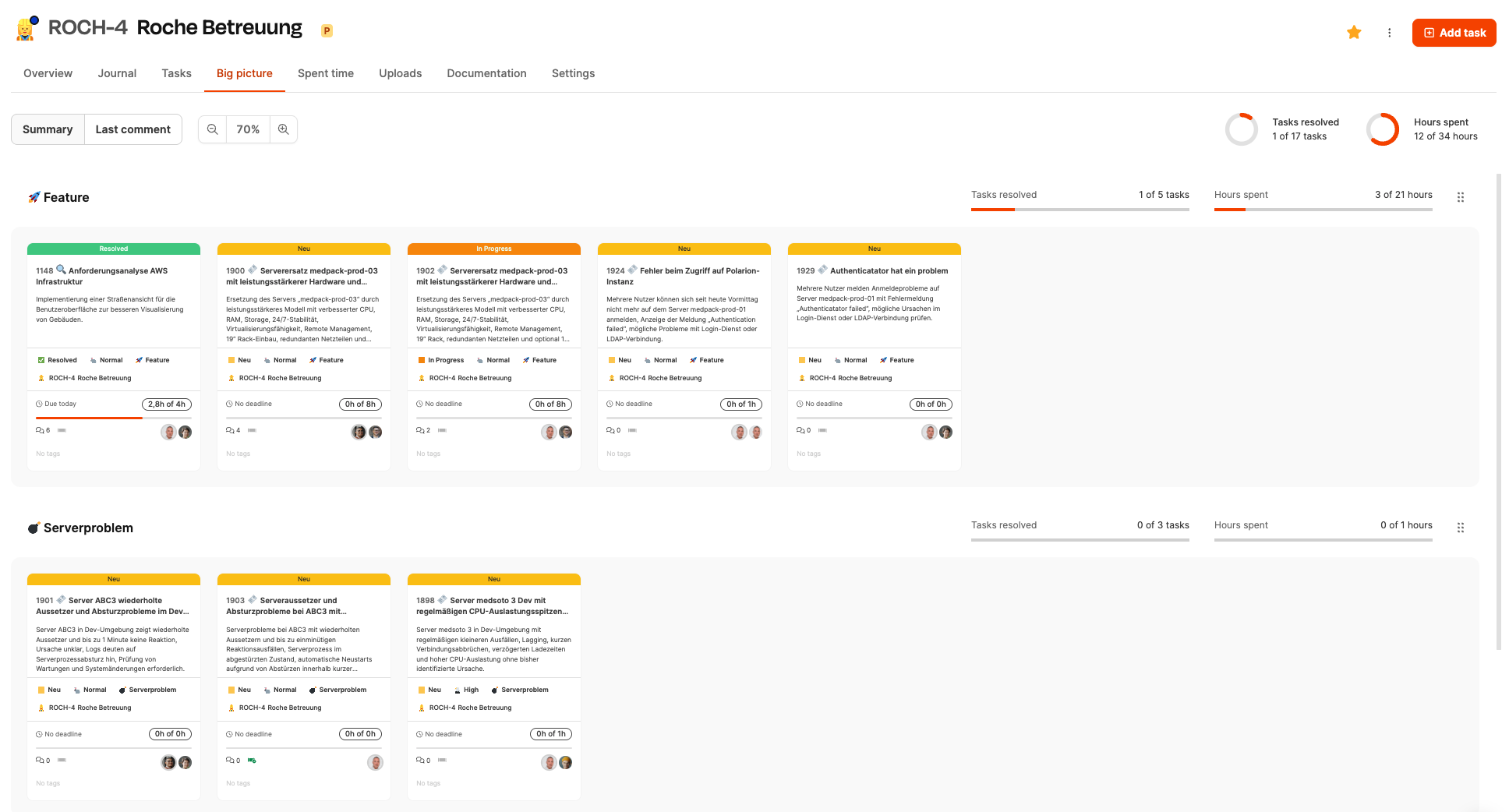
After opening the tab, the tasks in a project show up in rows. Every row stands for a task type (for example, feature, bug, or server problem). Inside these rows, tasks show up as compact cards.
More about Big Picture here: Big Picture
Header
The header offers different control elements:

View filter
Shows either the short description of the respective ticket, or the most recent comment.
Zoom slider
Adjusts the card size.
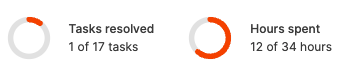
Project statistics
Shows:
- solved tasks
- logged hours compared to the overall estimate
A button at the top right lets you create new tasks.
Task rows
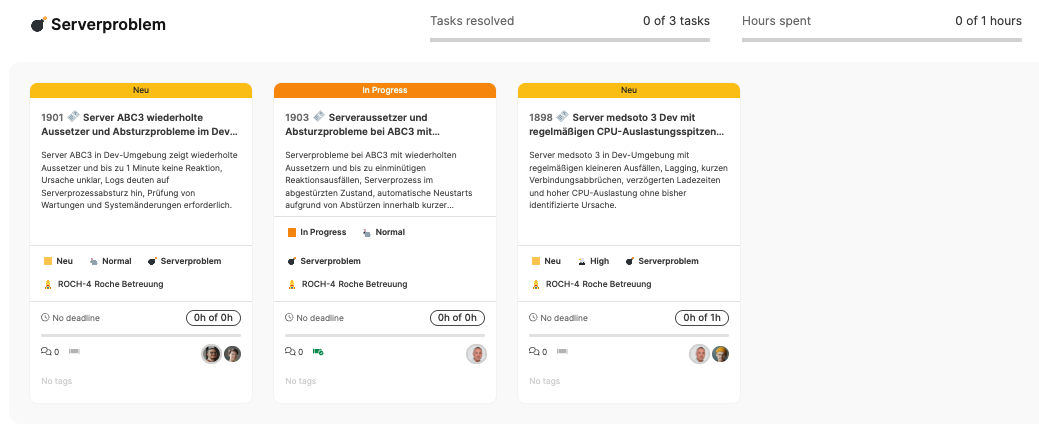
Each row shows:
- the number of included tasks,
- the progress (solved tasks),
- booked hours compared to planned effort.
This makes it easier to spot focus areas, bottlenecks, and overload situations.
Task cards
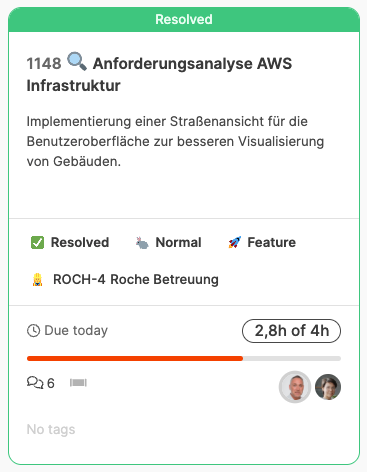
Each card shows compressed information:
- Status (e.g. New, In Progress, Resolved) – highlighted with color
- Short description of the task
- Priority (e.g. Normal, High)
- Task type
- Project assignment
- Due date (if available)
- Time info (logged time vs. estimate)
- Number of comments
- Assigned people
Icons also show if the task is part of the current processing pipeline.
By clicking on a card you’ll open the full details view.
Interaction
Within the big-picture view, tasks can be:
- opened,
- prioritized (via sorting),
- filtered Tasks can be quickly evaluated in the interface—no need to dive into details.
More about Big Picture here: Big Picture