
Cancelled
Shows canceled invoices, creates credit memos and returns service items to invoice verification for re-billing.
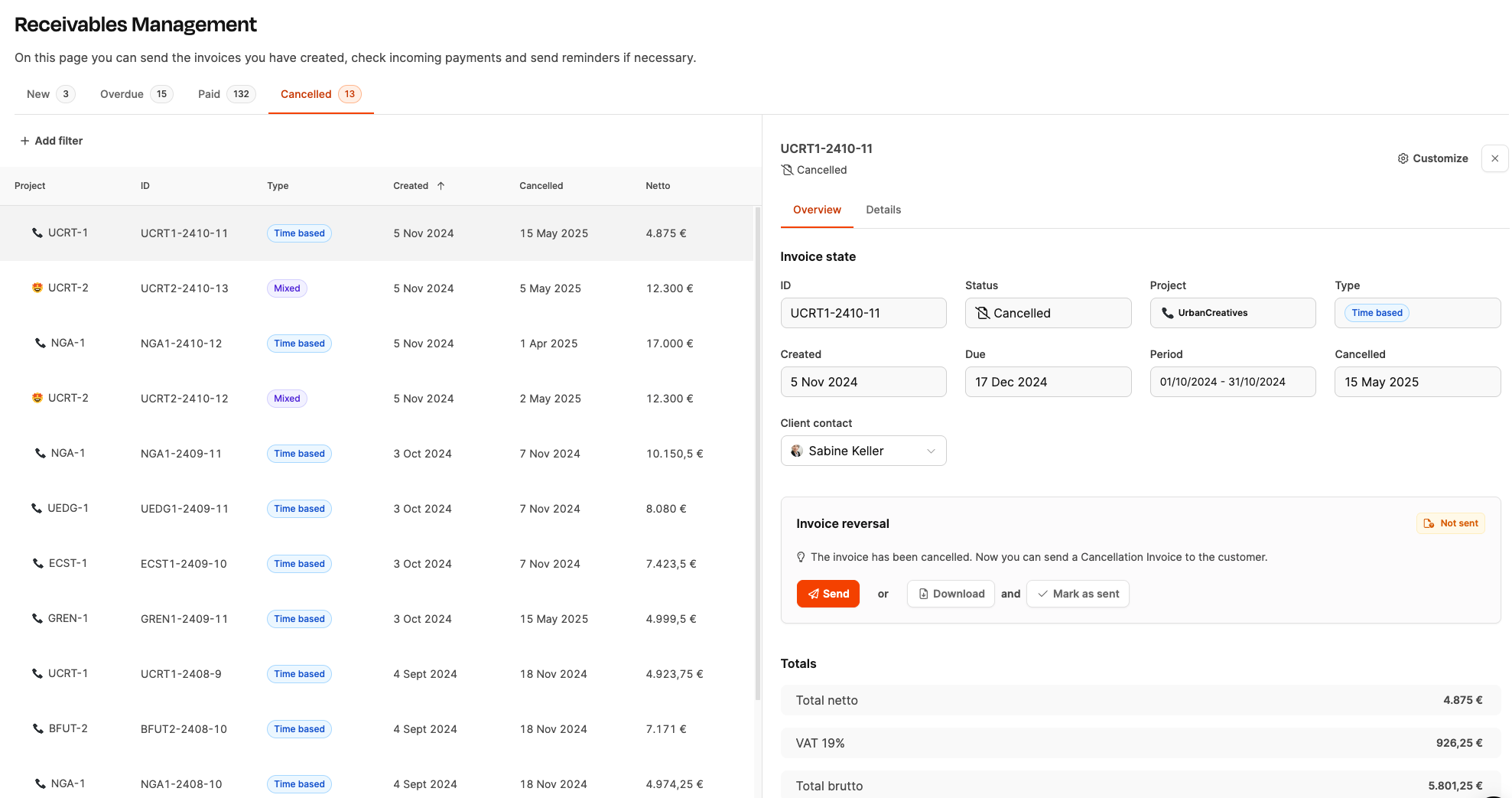
The “Cancelled” tab in the Billing > Receivables area shows all invoices that were officially cancelled after being sent. The cancellation is carried out via a credit note and neutralizes the original amount in a commercially correct way. Service items are returned to invoice verification, where they can be corrected and billed again.
How it works
The tab lists all cancelled invoices in a table with the following details:
- Project (associated project)
- Invoice ID
- Type of invoice (e.g. working hours, mixed)
- Created on
- Cancelled on
- Net amount
The list serves as audit-proof documentation of withdrawn invoices.
Detail view
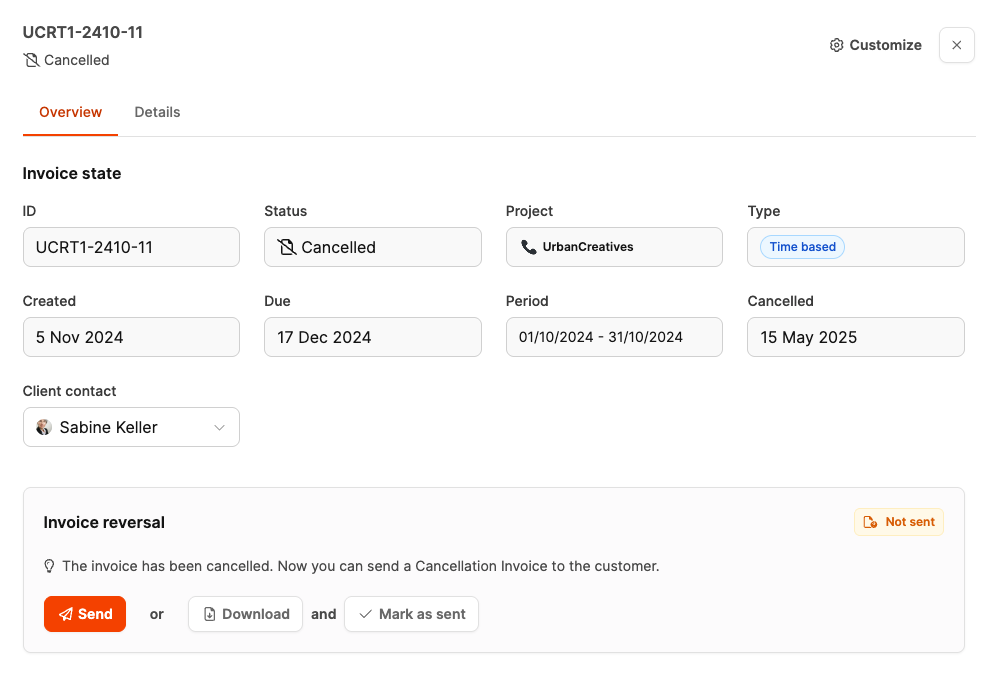
Clicking on an invoice opens the detail view on the right with the following information:
- Customer data and contact persons
- original billing period
- Status of the cancellation invoice (e.g. sent)
- Amount overview of the neutralized invoice
- References to related documents
Text of the cancellation invoice
The text of the cancellation invoice is maintained under:
→ Setting at workspace level: Billing
→ Setting at organization level: Organization – Billing Settings
Cancellation process
The cancellation is triggered from the relevant invoice:
- Open the invoice (e.g. in the “New”, “Overdue” or “Paid” tab)
- Select Cancel
- Confirm
The system then generates:
- a credit note for 100% of the gross amount
- the marking of the original invoice as cancelled
- the return of all included items to invoice verification
Sending the credit note
The cancellation invoice can be:
- sent to the customer by email,
- downloaded and submitted manually, or
- marked internally as sent.
The booking (invoice + credit note) results in a payment amount of €0.