
Salary
Track salary development, planned adjustments, and bonuses and compare compensation across the team.
Open Your Company → Employees, select an employee, then open the Salary tab on the right.
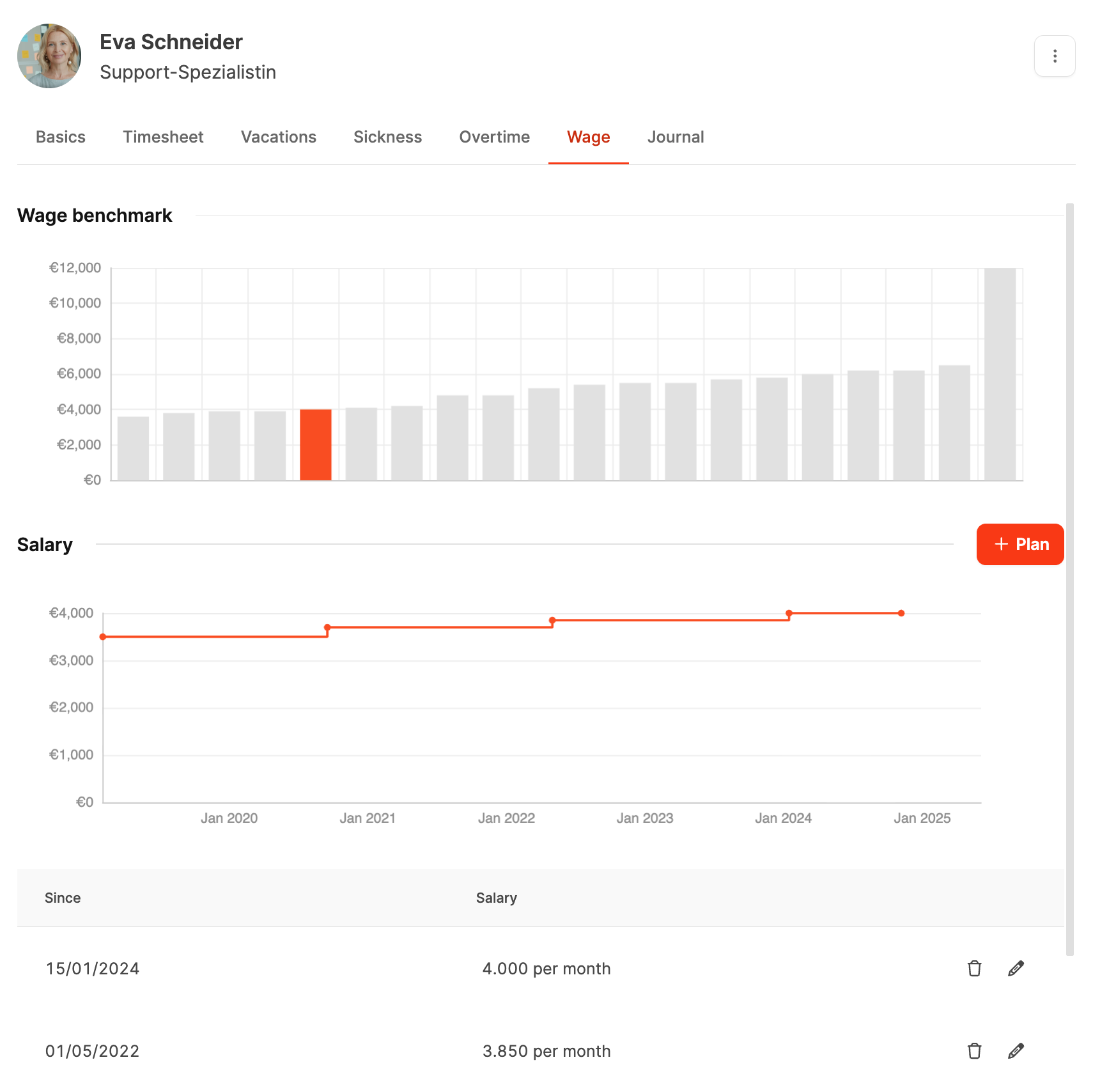
Salary management makes an employee’s compensation history visible in comparison with the rest of the team. It records historical changes, planned adjustments, and bonuses for a transparent compensation structure.
Find the employee’s salary settings under Employee Basic Information.
Salary benchmark
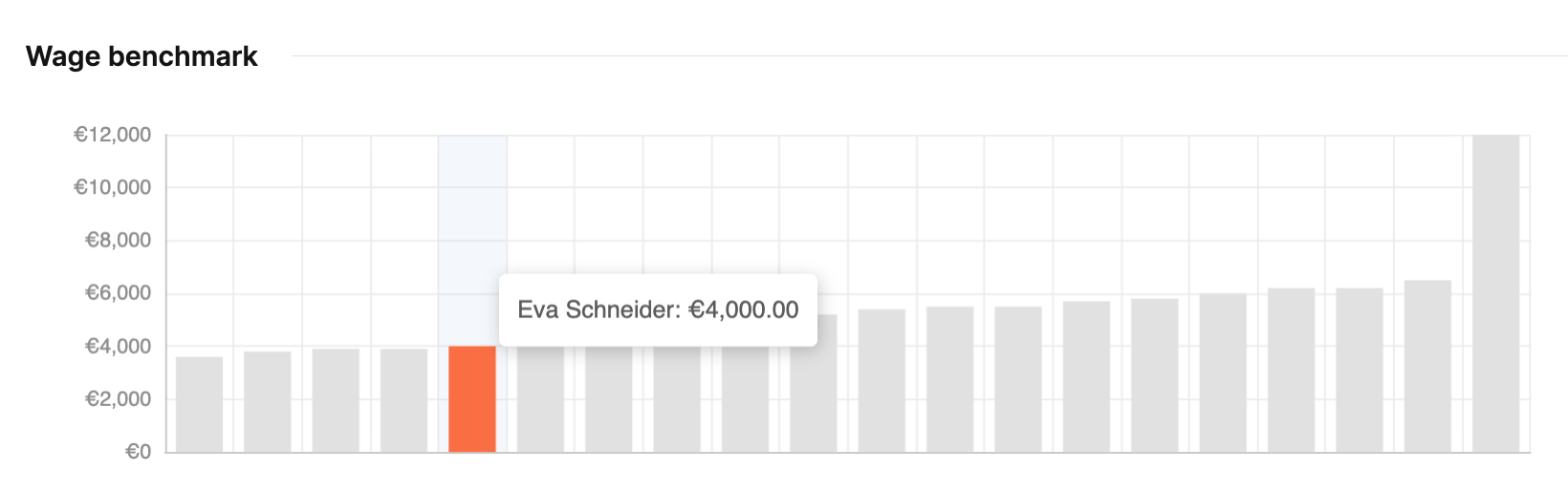
The bar chart compares the employee’s salary with other team members, helping managers assess internal balance at a glance.
Salary
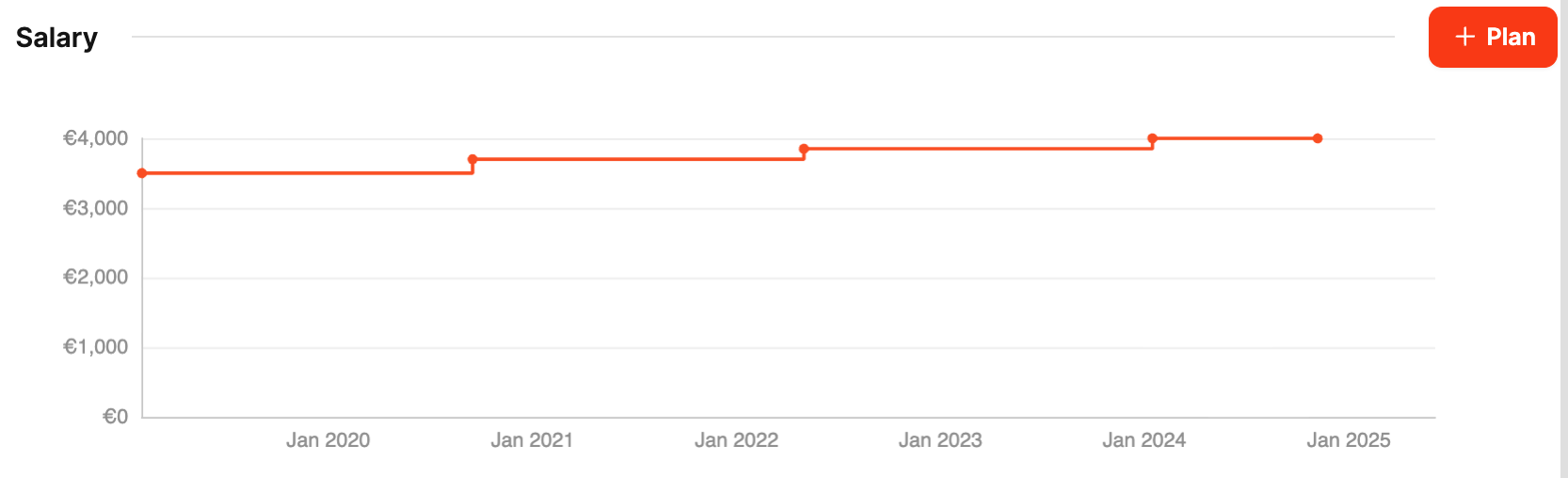
This section documents compensation development:
- Timeline: Shows salary changes over the years.
- Planning: Select Plan to enter a future adjustment with its start date and amount.
- History: Records every previous change with its date and amount.
Bonus payments
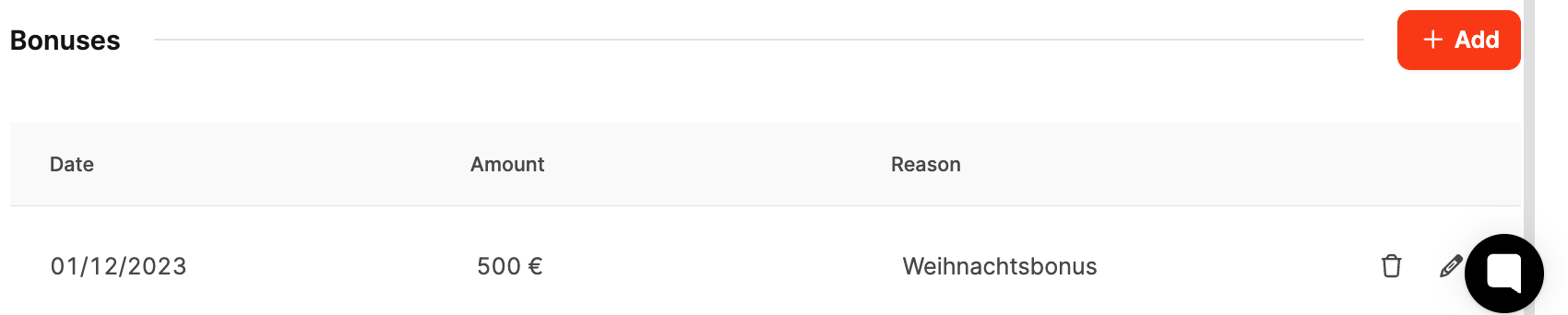
Record special compensation such as incentives, one-time payments, and performance bonuses.
- Add bonus: Enter the date, amount, and reason.
- Manage: Edit or delete existing entries.