
Estimates
Keep track of active project estimates and pending express quotes in a list or Kanban board.
The Sales → Estimates area shows estimates that are still part of the active sales pipeline.
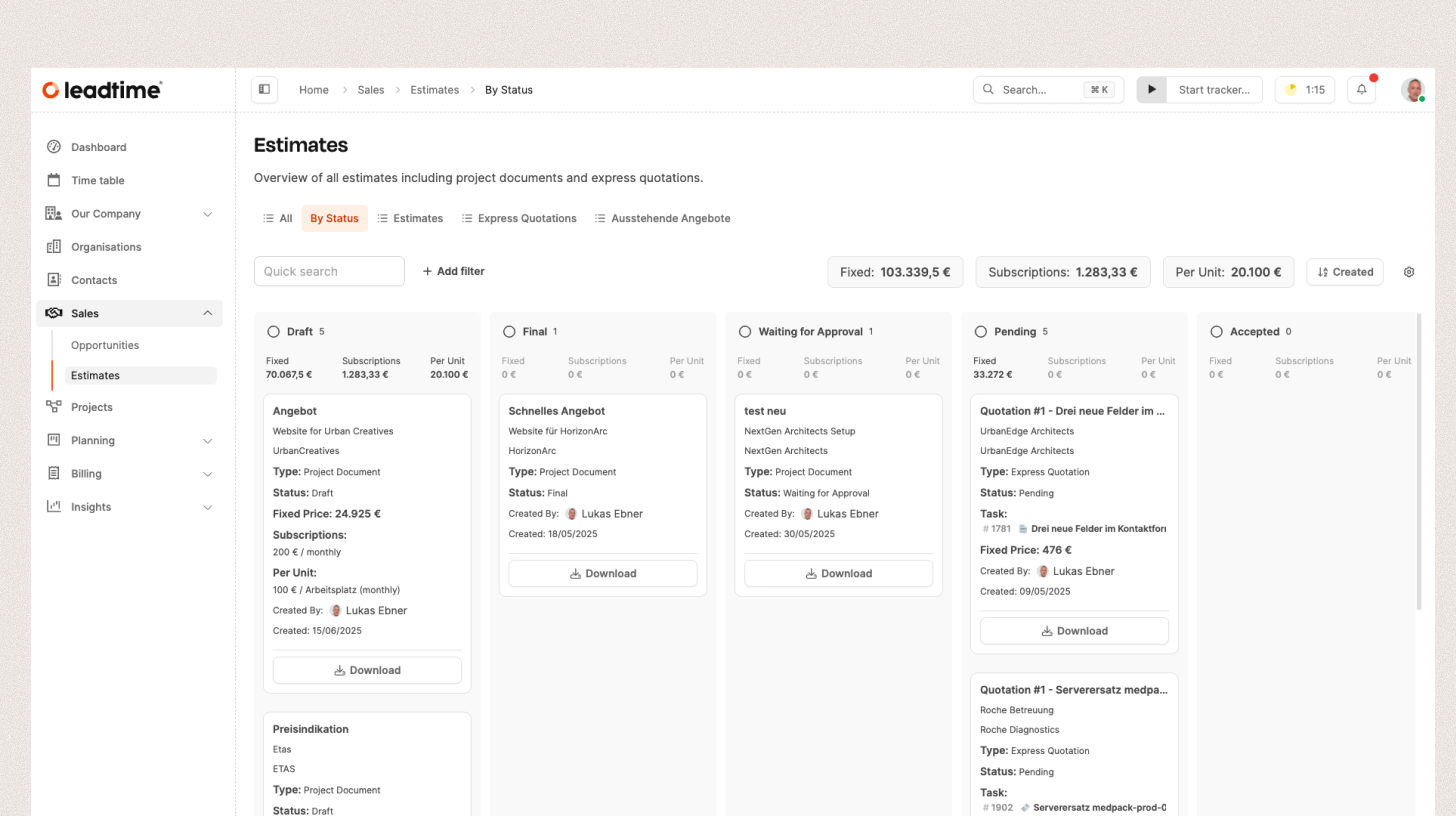
The overview helps you prioritize sales opportunities and see the total value of active estimates. It combines:
- the latest qualifying project estimate for each project with the status Draft, Waiting for Approval, or Final
- the latest pending express quote for each task
Accepted, rejected, and parked records are not a sales history. They do not appear in this overview. You can find a project estimate in the project’s Documents tab and an express quote in its task.
More about project estimates here: Projects – Documents Tab (Single Projects Only)
More about express estimates here: Express Estimates
The Estimates area can be shown in two different views:
List View
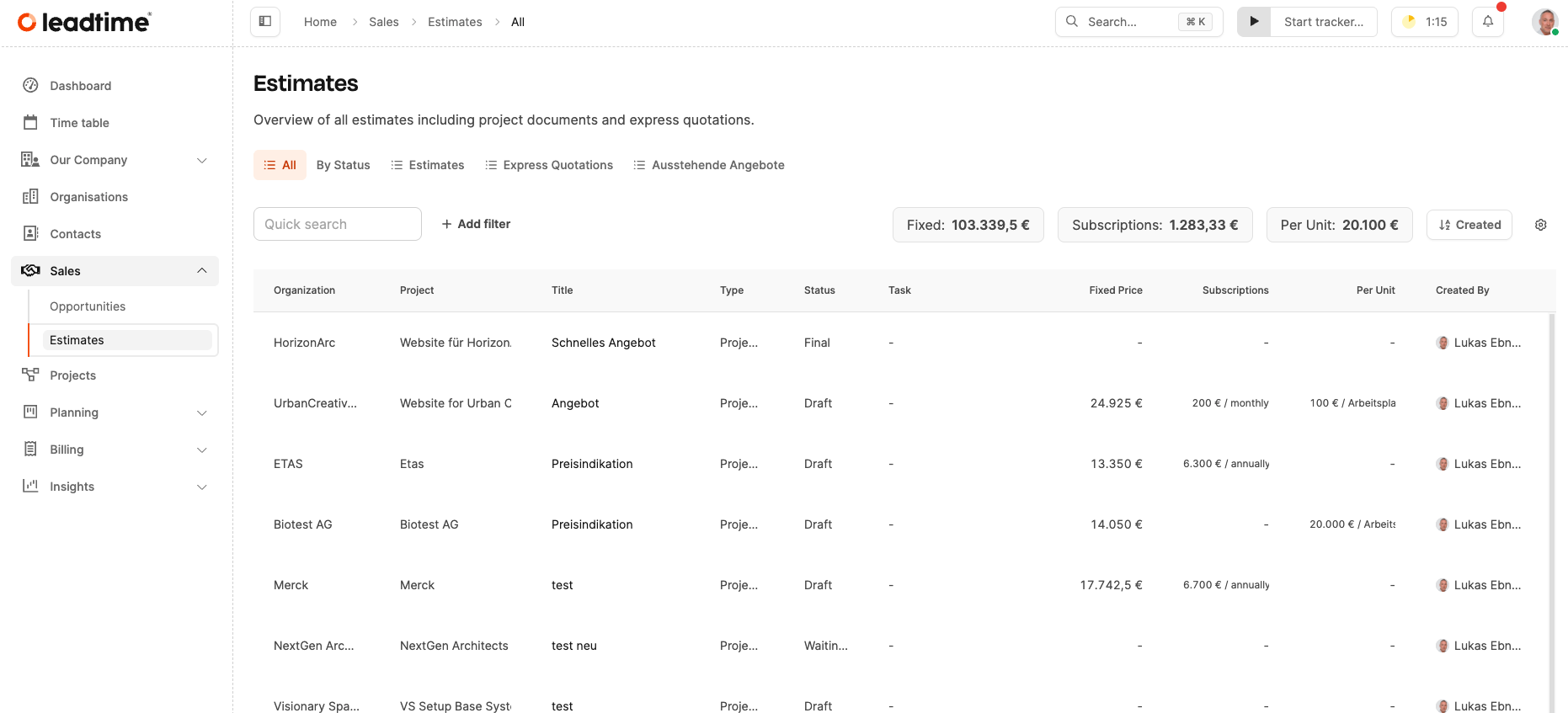
Ideal for tabular evaluations with lots of columns.
Here you can sort and filter estimates by organization, project, status, type, creator, price, and other criteria.
- Columns can be shown or hidden, rearranged or saved by custom filters.
- Your own views can be saved and reused – for example, grouped by region, person responsible or offer status.
- The view can also be pinned to the dashboard to access current offer statuses quickly.
Kanban View
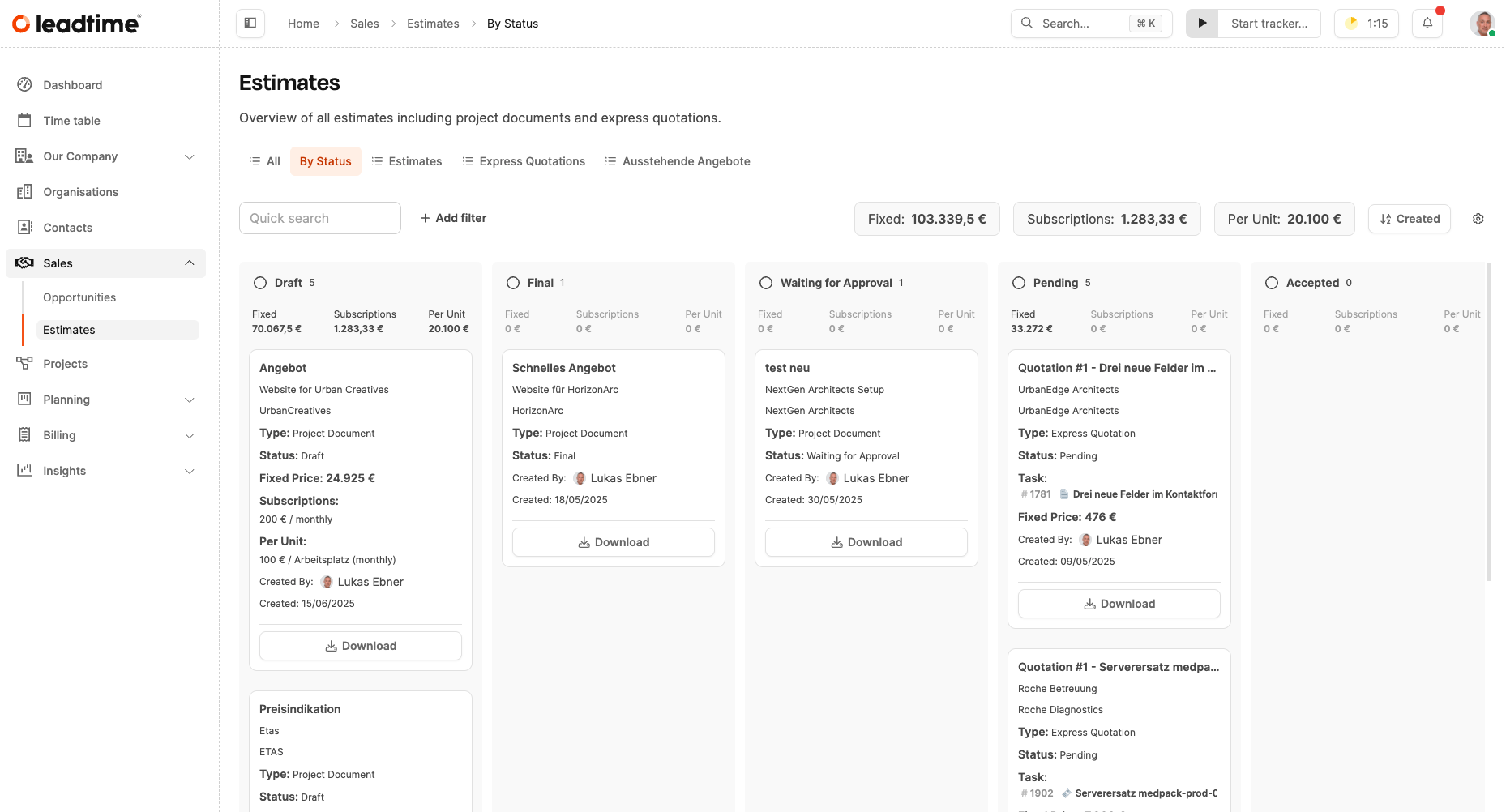
The Kanban view is the clearer and more practical version for everyday sales.
Here the active estimates are grouped as cards by their status:
- Draft
- Waiting for Approval
- Final
- Pending for express quotes
Each column (“Lane”) represents a quote stage.
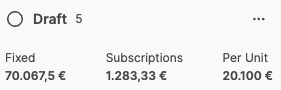
At the top of each lane, sums for the price components of the offers inside are calculated automatically:
- Fixed Price – Total of all fixed prices in this offer phase
- Subscriptions – Total of all recurring prices (e.g. monthly or yearly subs)
- Per Unit – Total of per unit prices (e.g. price per user or workspace)

At the top of the board, you also see the total across all active estimates.
This view gives you a direct overview of the pipeline and helps you see ongoing offers, possible deals, and sales potential at a glance.
Types of Offers
Leadtime distinguishes between two types of estimates:
- Project estimates: Estimates linked to a project
- Express quotes: Quick quotes linked to individual tasks or ad-hoc services
You can use filters or saved views to show both types either separately or together.
More about project offers here: Projects – Documents Tab (Single Projects Only)
More about express offers here: Express Offers
Create and manage estimates
The Sales overview is for viewing and organizing active estimates. Create and manage the source record in its context:
- Create a project estimate in the project’s Documents tab. The estimate stays linked to its project version, products, project modules, and custom items.
- Create an express quote from the Express Quote section of a task. The quote can include estimated work and products assigned to the task.
Changes to the source record are reflected in the Sales overview while the record has an included status.