
Employees
Use the team list to manage employees and open their details.
Open Your Company → Employees.
The Employees area manages everyone who works for your company, including permanent employees, freelancers, and external service providers.
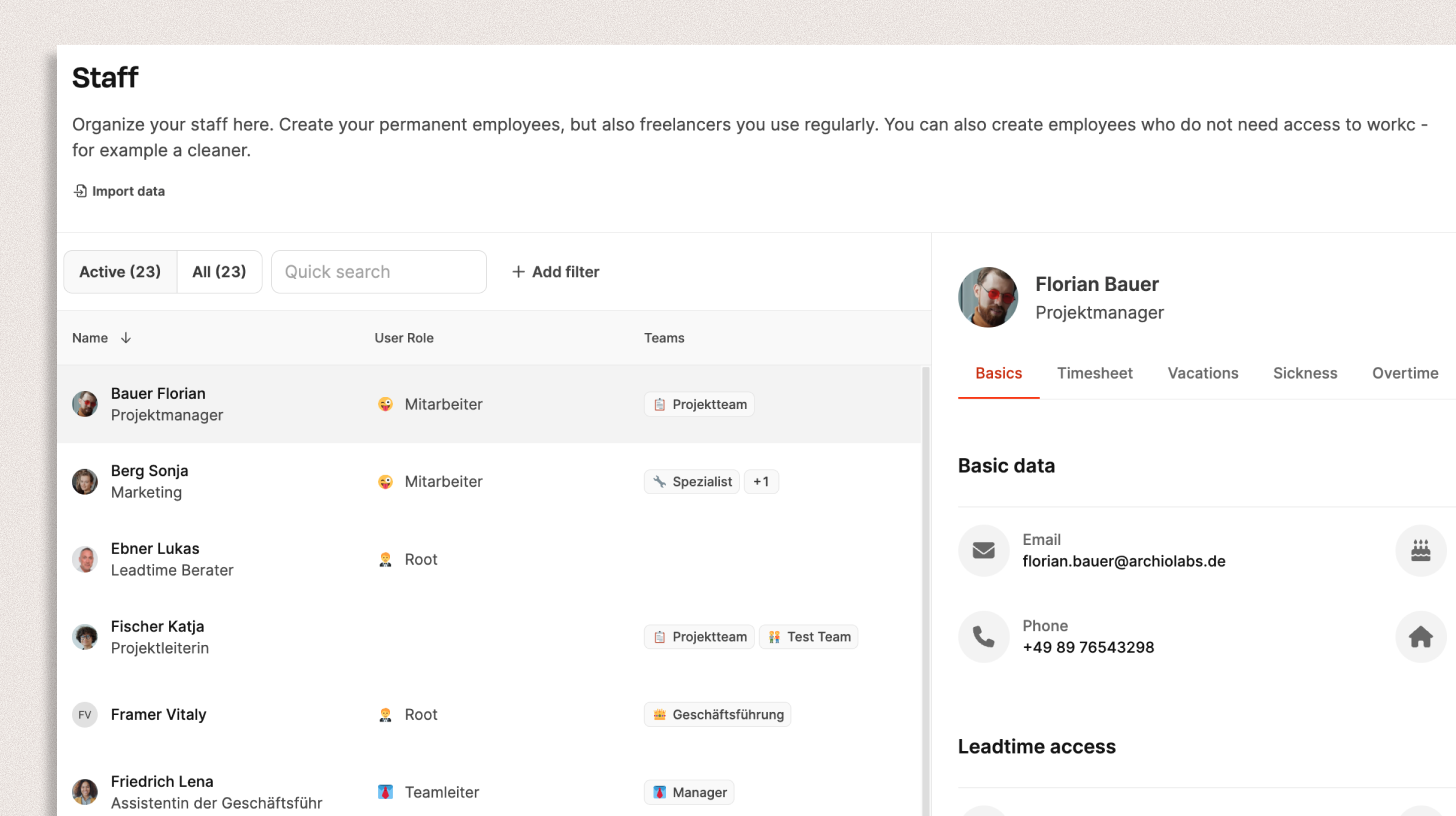
Create, edit, deactivate, or import employee profiles and manage their access to Leadtime.
List view
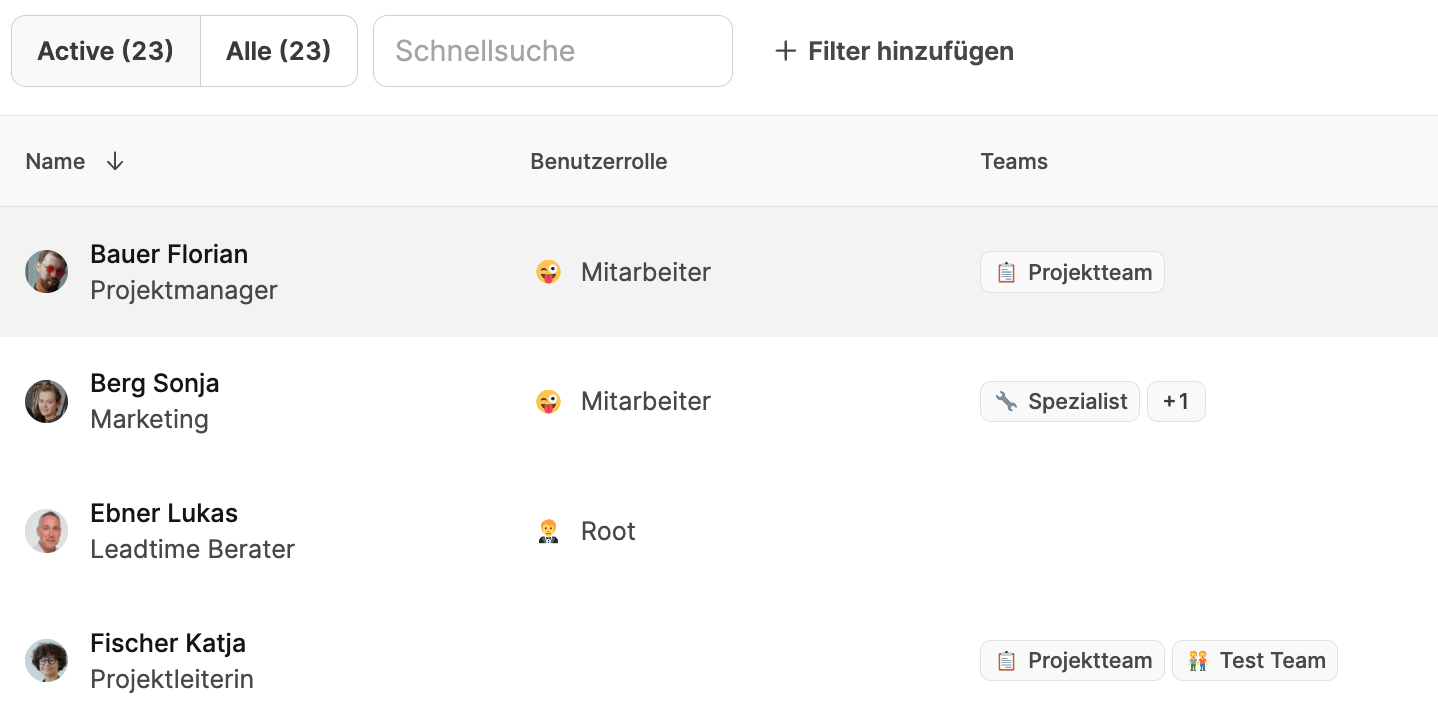
The left column lists every employee in your company with:
- Name and position
- User role, such as employee, team lead, or Root
- Assigned teams
Use the controls above the list to:
- Switch between active and all employees.
- Filter the list with the search field
- Sort by role or team
- Add a person with Add member
- Import employee data with Import data
Detail view
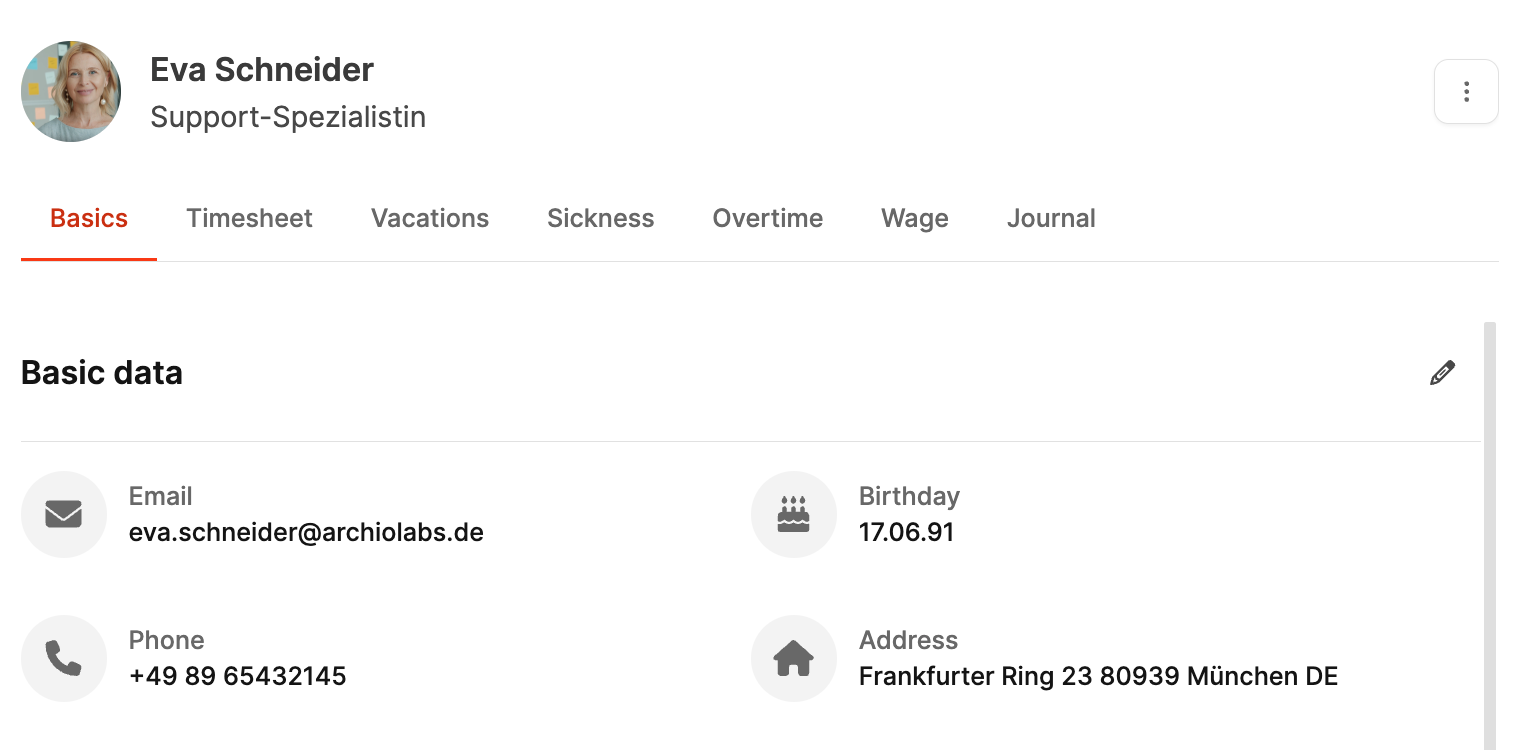
Select an employee in the list to open their details on the right. The view is divided into tabs:
Basic information
Shows employee master data, including:
- Name, email, phone number, and address
- Date of birth
- User role, such as employee, manager, or Root
- Leadtime access, such as “Can log in to Leadtime”
- Assigned teams
Time tracking
Shows all time recorded by the employee. See Time Tracking.
Vacation
Review and manage requested and approved vacation.
Sick leave
Record and view the employee’s sick leave.
Overtime
Manage the employee’s overtime account, including its balance and compensation. See Employee Overtime.
Salary
Record salary, fees, or internal hourly rates under Employee – Salary.
Journal
Use the optional internal journal for performance conversations, feedback, and other relevant information. See Employee – Journal.
Import employee data
Select Import data to import a larger employee list from a CSV file.
Leadtime detects the fields and maps them to its data structure, such as name, email, role, and team. You can add or correct missing fields manually.
⚠️ Note: Importing new employees with Leadtime access automatically creates user accounts. This can affect your license count and monthly costs.
Learn more about the data importer.