
Product Catalog
The product catalog in Leadtime is used for the central management of all standardizable services and products of a company
Find this section under Your company → Product catalog.
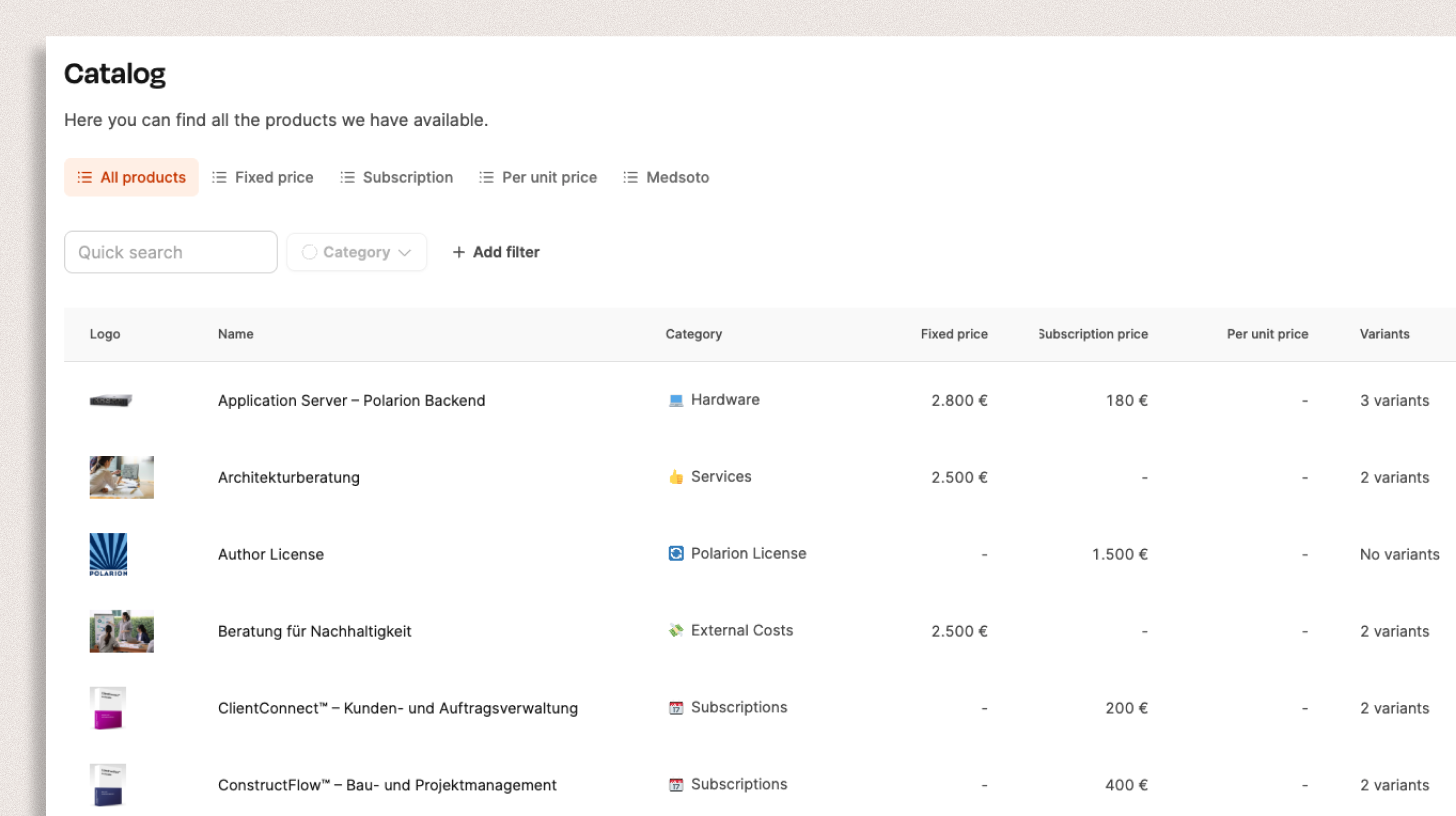
Leadtime’s product catalog provides a central place to manage all of a company’s standardizable services and products. It lets you structure offerings, set prices, and define variants or options. The catalog forms the basis for sales, quote creation, and recurring-service billing.
Products in Leadtime
In Leadtime, a product is a standardized, reusable unit of service offered by a company.
A product can be a physical item, a software license, or a clearly defined service offered at a fixed or recurring price.
Unlike projects tailored to individual customer requirements, a product describes a predefined, repeatable offering that can be sold repeatedly and incorporated directly into quotes, invoices, or projects.
A product in Leadtime typically consists of:
- a description of the scope of service,
- a price (fixed price, subscription, or unit price),
- optional variants (for example, Standard, Pro, or Enterprise)
- and options (for example, additional services or upgrades).
The product catalog therefore provides the foundation for scalable, repeatable business models, particularly for companies that offer standardized services or subscriptions alongside custom project work.
Product types
A product in Leadtime can take several forms:
- Physical products – for example, hardware or devices
- Software products – for example, SaaS licenses or installation packages
- Standardized services – for example, training or consulting packages with a fixed scope
Bill products: Bill products
Product structure
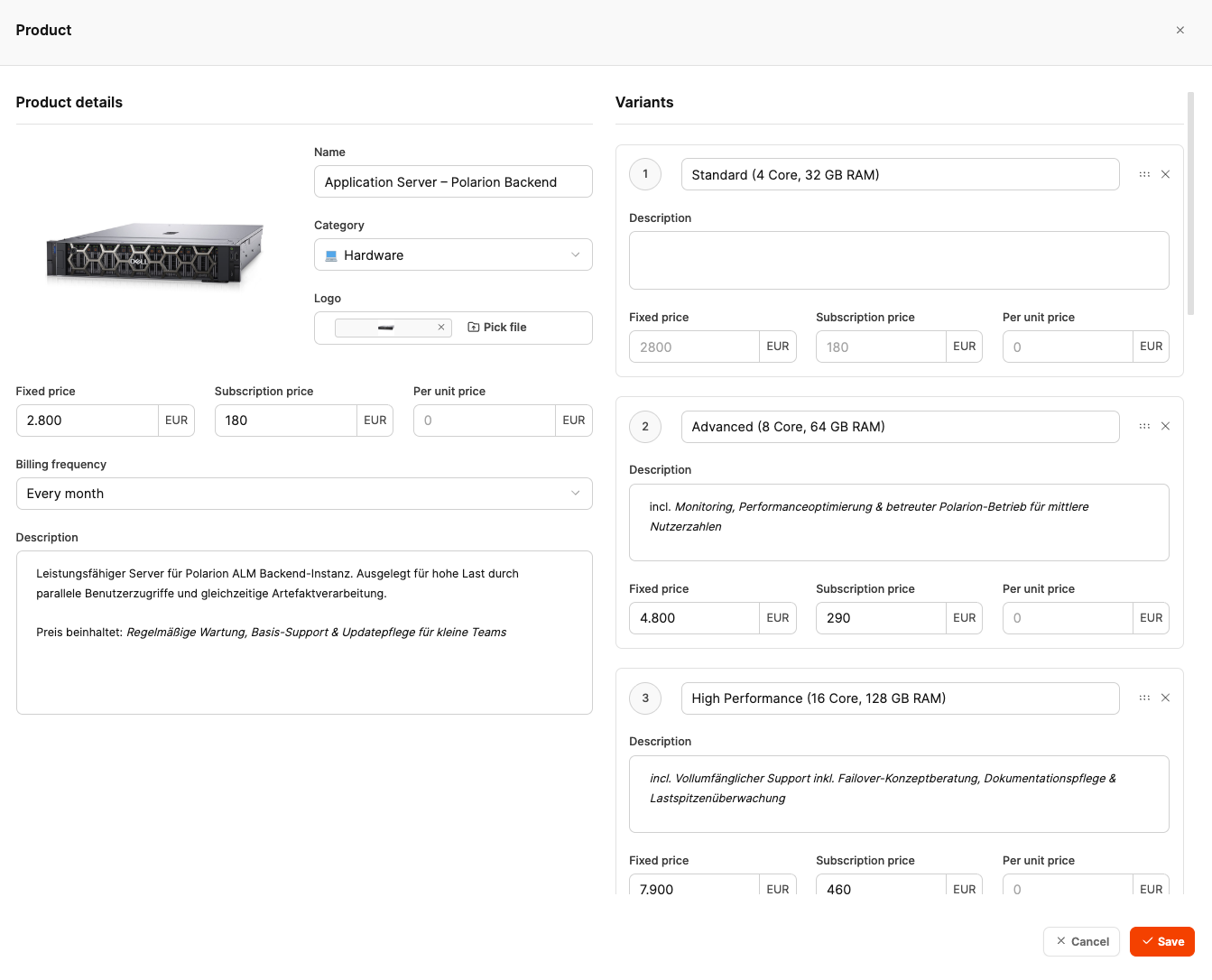
A product consists of three sections:
- Product details
- Variants
- Options
Product details
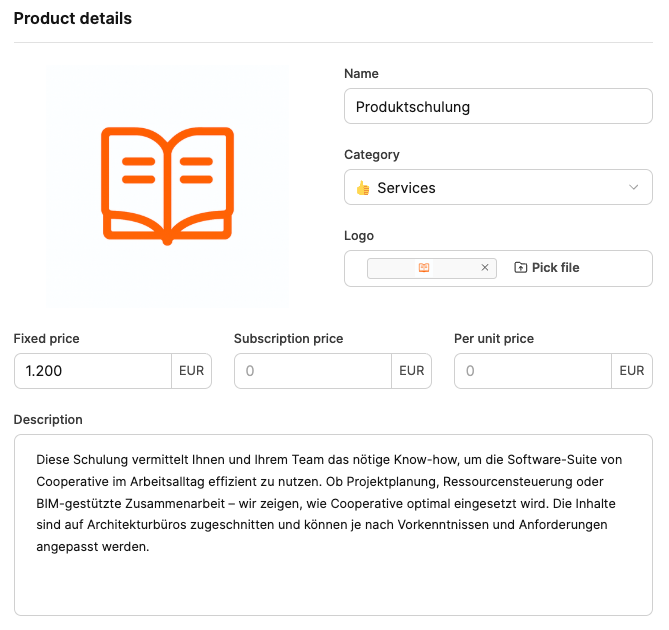
Product details form the basis of each catalog entry.
Fields:
- Name – The name of the product or service
- Category – The appropriate product group (for example, hardware, services, or software)
- Logo – An optional image for visual identification
- Description – A brief description of the product’s function or benefit
Prices
- Fixed price: one-time amount
- Subscription price: a recurring amount (for example, monthly or annually)
- Price per unit: calculated per user, quantity, or hour
The expanded view also lets you specify the billing frequency, such as monthly or annually.
Product variants
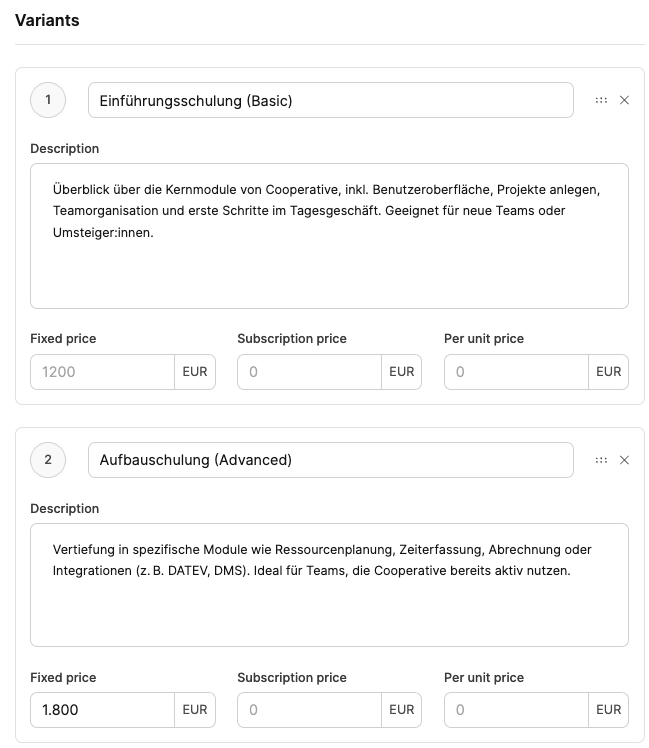
Products can contain multiple variants representing different service levels or configurations.
Each variant has its own pricing and description settings.
Examples:
-
Standard (4 Core, 32 GB RAM)
-
Advanced (8 Core, 64 GB RAM)
-
High Performance (16 Core, 128 GB RAM)
Options
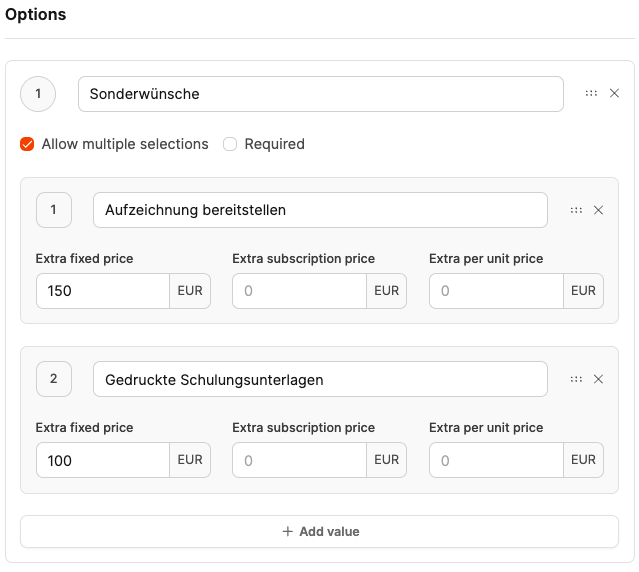
Use Options to define additional services or extensions that customers can add to their purchase.
Examples:
- “Add workshop” (+50 €)
- “Enable premium support” (+100 €/month)
Options are particularly suitable for upgrades or add-on modules because they do not require separate products.
Pricing
Leadtime supports three pricing models:
- Fixed price – one-time payment
- Subscription price – recurring payments at defined intervals
- Price per unit – flexible billing by quantity, for example, per user or hour
This structure supports flexible, scalable pricing, from one-time sales to subscription-based models.
Management and use
After they are created, products appear in the central catalog.
There you can:
- edit or duplicate them
- add variants and options
- use them in quotes, invoices, or projects
You can filter the product list by pricing type, category, or name, making large catalogs easier to manage.
Integration with projects and tickets
In Leadtime, products can be added to both projects and tasks or tickets. This integrates standardized services seamlessly into individual workflows, from quote creation through automatic billing.
Add products to projects
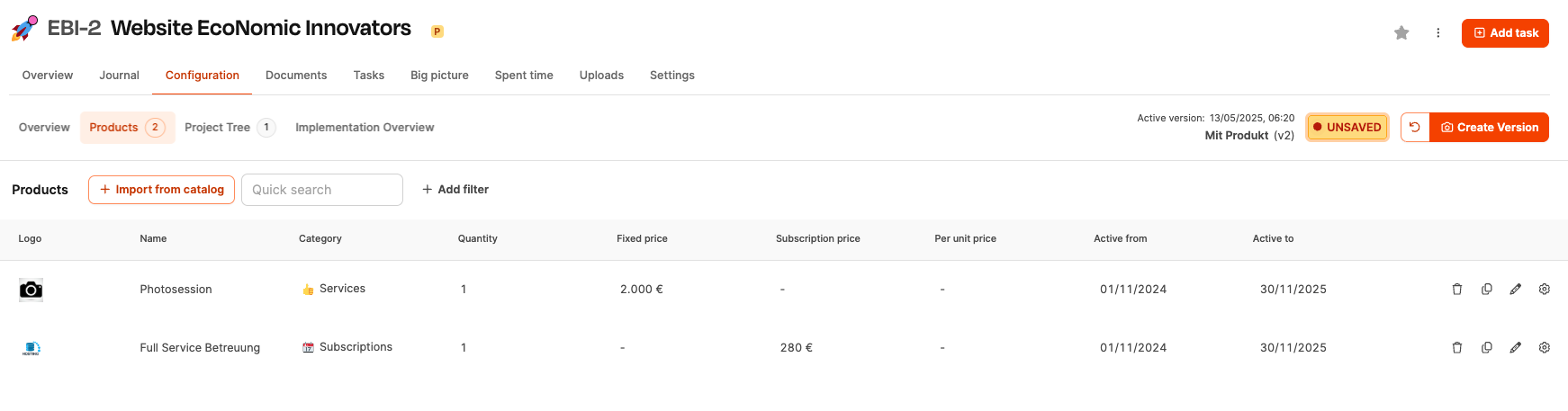
Projects often combine standardized products with custom services.
Example: A customer orders the setup of a software solution. The quote includes both the setup time (the project service) and the software product itself (from the product catalog).
Products can be added to projects in two ways:
-
For one-time sales or project offers
- The product is assigned to the project and appears in the offer.
- The customer receives a combined calculation of labor and product price.
For recurring revenue
- Products with a recurring pricing rule, such as SaaS offerings, can be added to ongoing projects.
- These products automatically generate recurring invoices at the defined interval, such as monthly or annually.
- This represents subscriptions or maintenance contracts directly within the project context.
This integration enables hybrid offerings containing both one-time and recurring services.
How to add products to projects: Project planning – Products
Add products to tickets
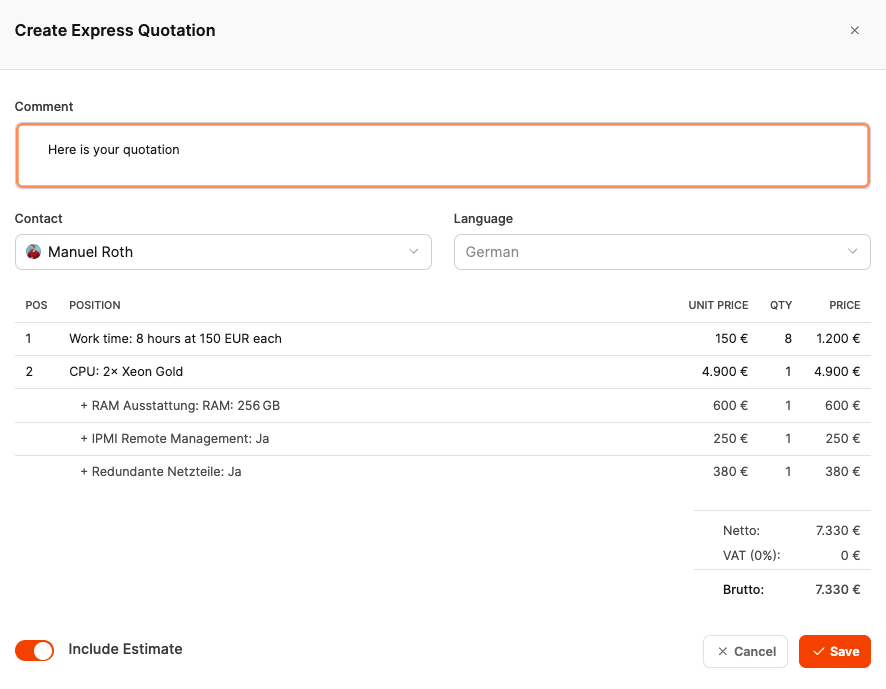
Products can also be assigned to tickets, typically for support or service requests.
This is especially useful when an individual customer request does not require its own project. An existing standard product from the product catalog can instead be used directly in the ticket.
Example: A customer submits a support request for which a suitable product exists, such as a “Support Package” or “License Renewal.” Add the product to the ticket and offer it to the customer immediately through an express quote, directly from the ticket and without additional intermediate steps.
When the ticket is closed, both the recorded work time and the product price are automatically transferred to billing.
How to add products to tickets: Add products to tickets