
Automatic Effort Calculation (Workshop Part 6)
Automatically calculates the project effort from work packages and dynamic information and uses this to generate a comprehensible project price.
This function automatically calculates the total effort of a project based on individual work packages. This gives you a transparent, comprehensible and dynamically adjustable effort estimate, without manual calculation.
How project expenses are calculated
Bottom-up calculation
The total expense arises from the sum of all capitalized components:
- Each work package comes with a predefined Minimum effort with.
- The sum of all work packages results in the effort of one Epics.
- The sum of all epics results in the Total effort of the project.
These values are maintained in the component library and automatically adopted when imported into the project.
Minimum effort
A minimum effort is incurred as soon as a work package is active in the project. Example:
“Strategy call”: at least 2 hours, regardless of the scope of the project.
This effort forms the basis for determining the price.
Dynamic adjustment
Form responses can increase or reduce effort. Example:
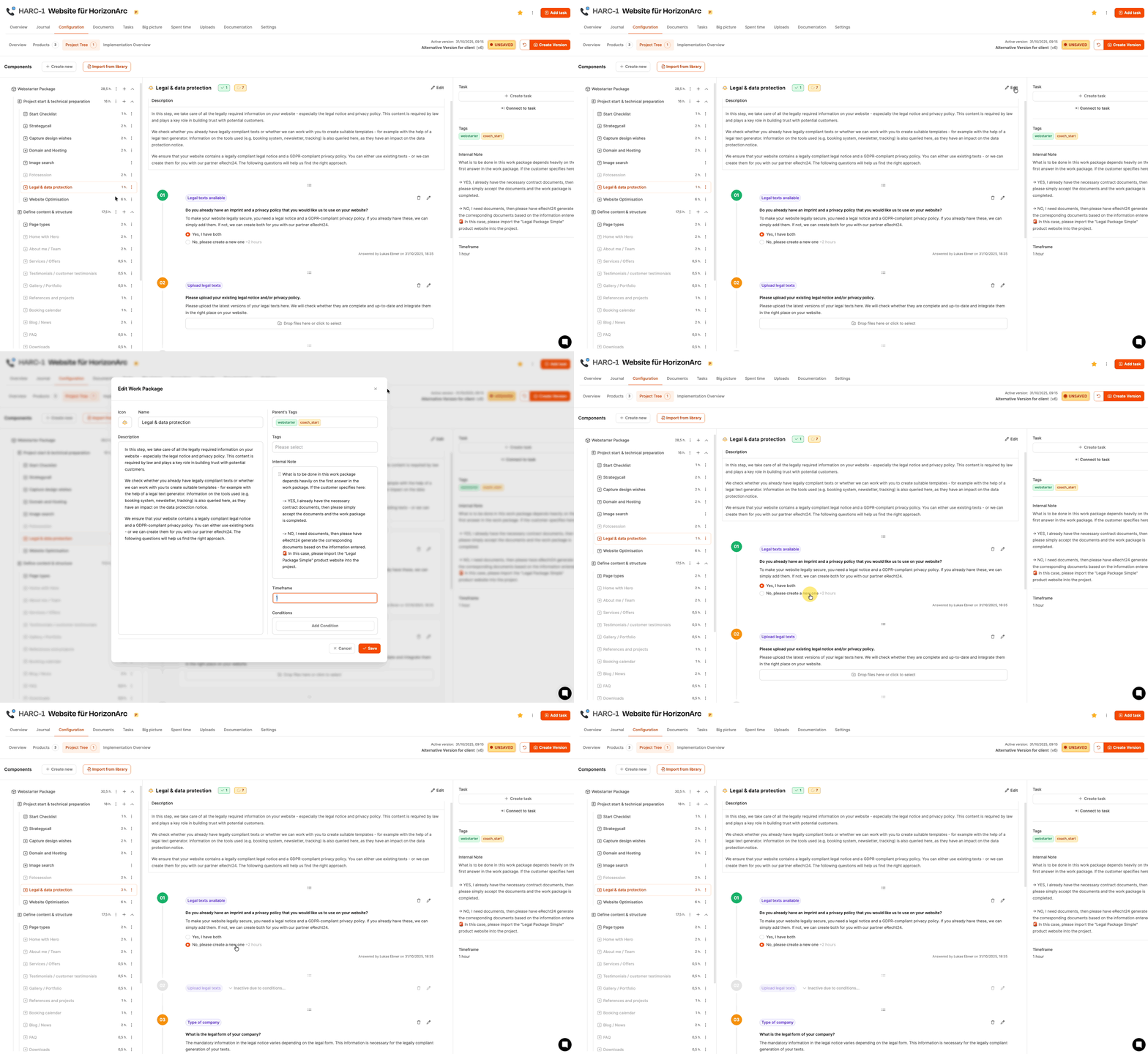
- If a data protection declaration is missing, additional hours are automatically scheduled for its creation.
In this way, the project scope adapts to the actual requirements.
Dynamic activation of work packages
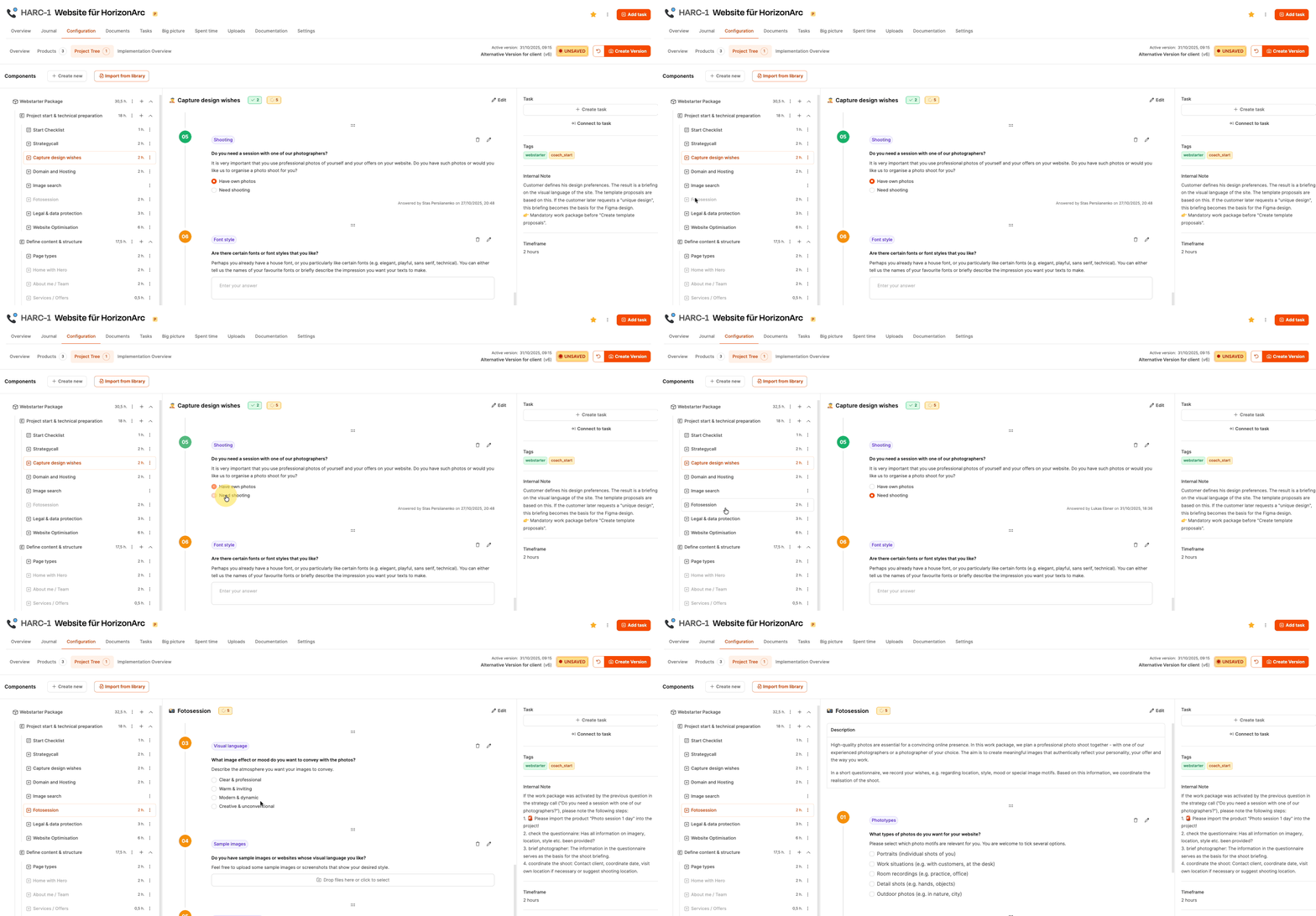
Answers in the project tree can automatically activate additional work packages. Example:
- Selecting specific page types activates their own tasks with their own effort.
As a result, the overall effort increases with each configured customer requirement.
Calculation of the project price
As soon as all expenses have been determined, the price will be determined. The basis is the hourly rate stored:
- An individual hourly rate can be defined for projects within the organization.
- This may differ from the standard, e.g. for premium customers.
Calculation:
Total Hours × Project Hourly Rate = Project Price

Example:
32.5 hours × €150/h = €4,875
The resulting price is automatically reflected in quotation documents.
To part 7: Create offer versions (workshop part 7)