
Invoicing a Completed Project (Workshop Part 15)
A project is billed by setting the project status to Billing and selecting a project version as the basis.
The workshop project Web4Coach is now completed and can be billed.
This is done in the project settings in the tab Settings → Basic settings area the Project status set to “Billing” set.
Everything about billing here Billing
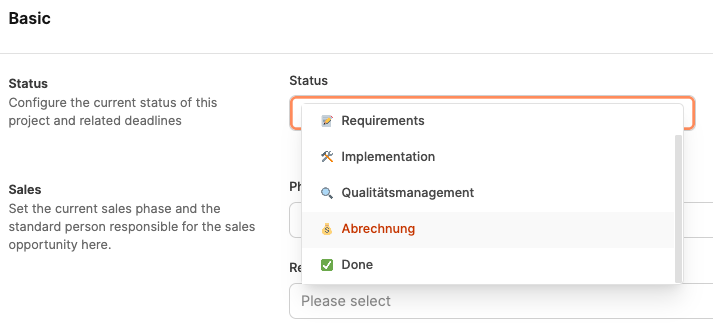
Once this status is activated, Leadtime creates automatically a new, waiting invoice in the area “invoice audit”.
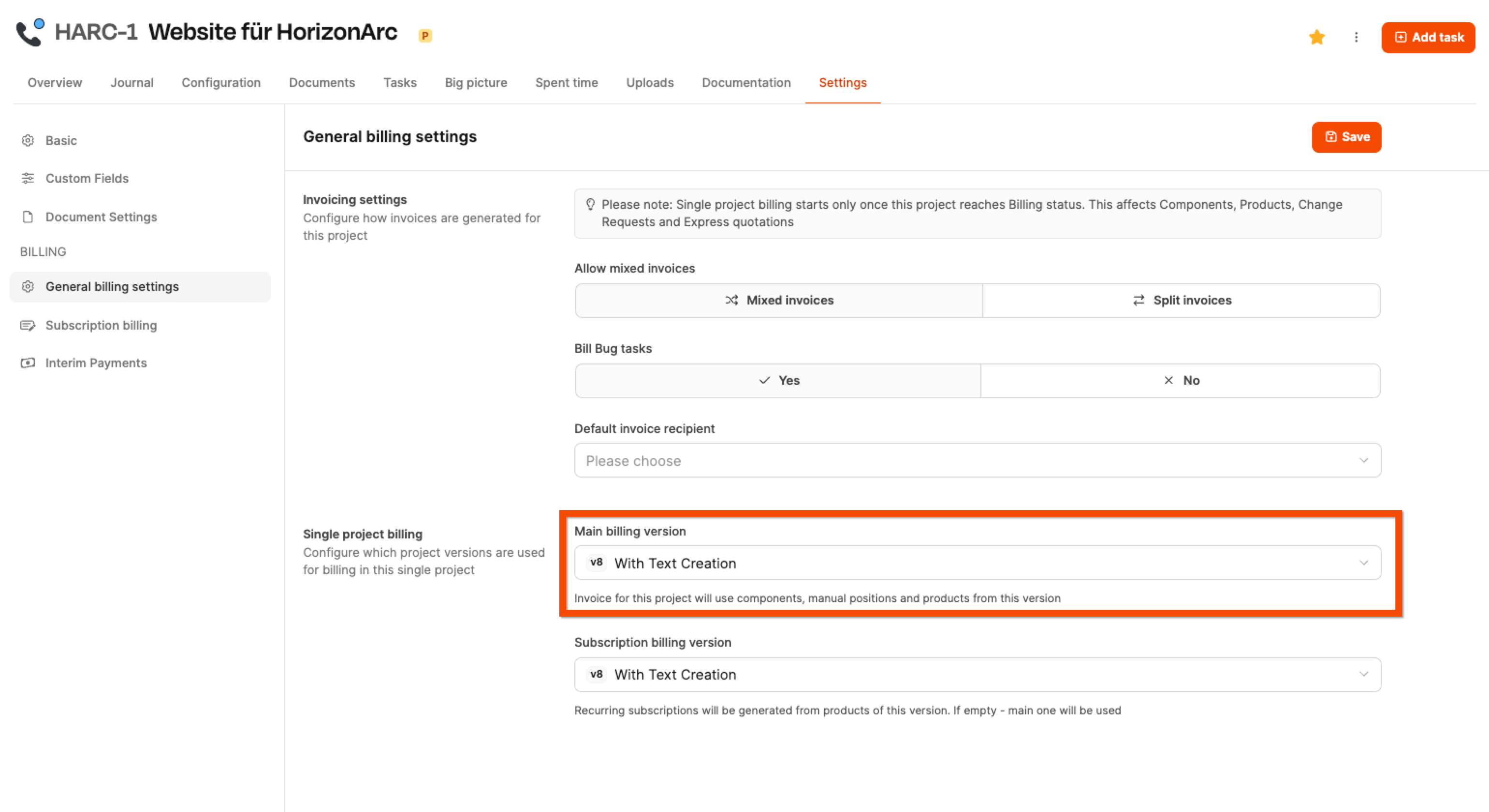
Under General billing settings In the project settings it is then determined, which project version serves as the basis for billing - usually the final released offer version.
This ensures that exactly the services that were agreed upon in the last released version are billed.
Main version as a base
About that Version management
Each project invoice always refers to a specific project version - usually that of the customer released master version. This contains:
- The calculated ones Project components (e.g. from the project tree)
- Products added to the project
- Possibly already included manual positions
However, since a project can change during implementation, the final invoice also includes:
- Change Requests (Tickets with “Is Change Request” checked)
- Added manual positions (e.g. external costs)
- Products added later (from the product catalog)
All of these items are automatically included if they are due for billing beyond the current status.
Separation of product and project accounting
Bill products and Bill projects
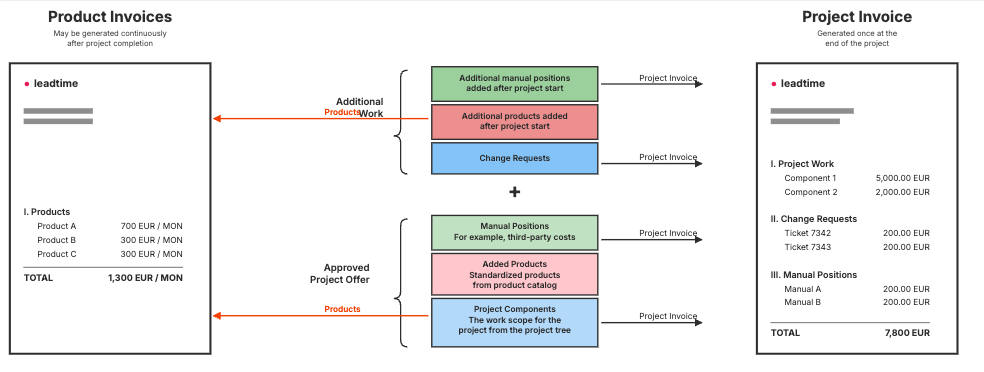
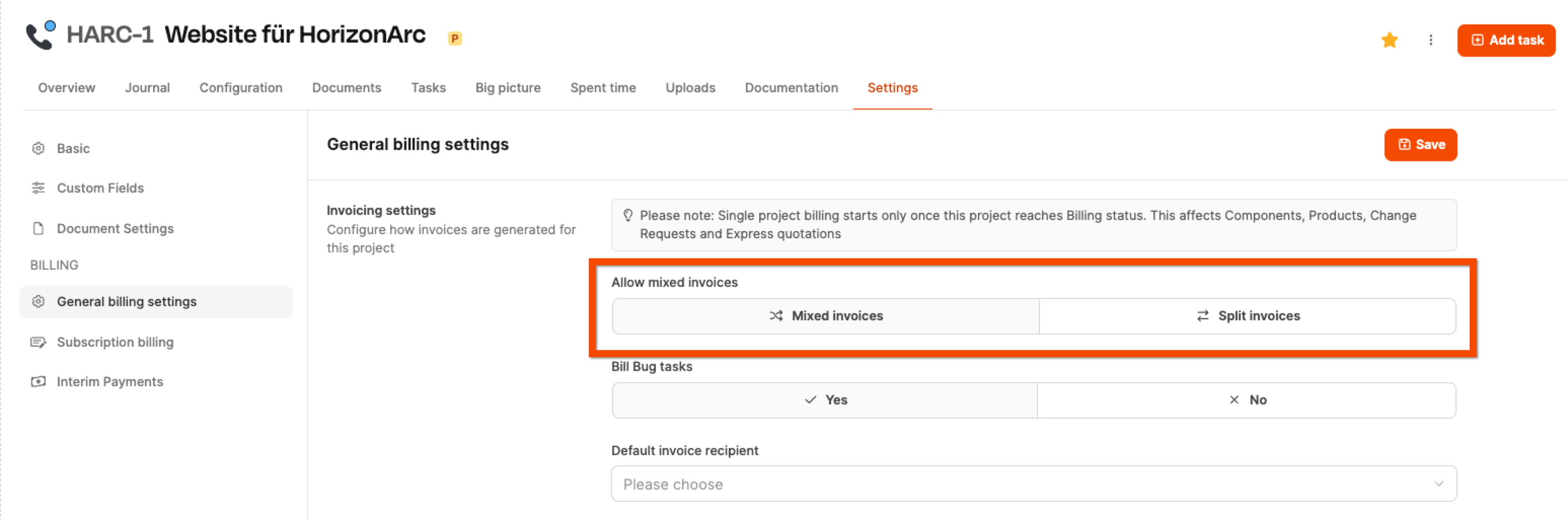
We recommend Products – especially subscriptions – should be billed in a separate invoice. These do not appear in the one-off project invoice, but are calculated cyclically.
To separate the accounts, Navigate to the general billing settings in the “Settings” tab and set the “Allow mixed invoices” option button “Split bills”.
Manage subscription billing
Because additional products may have been added to the project after the originally commissioned offer version, the General billing settings Separate versions of the project are stored for project billing and subscription billing.
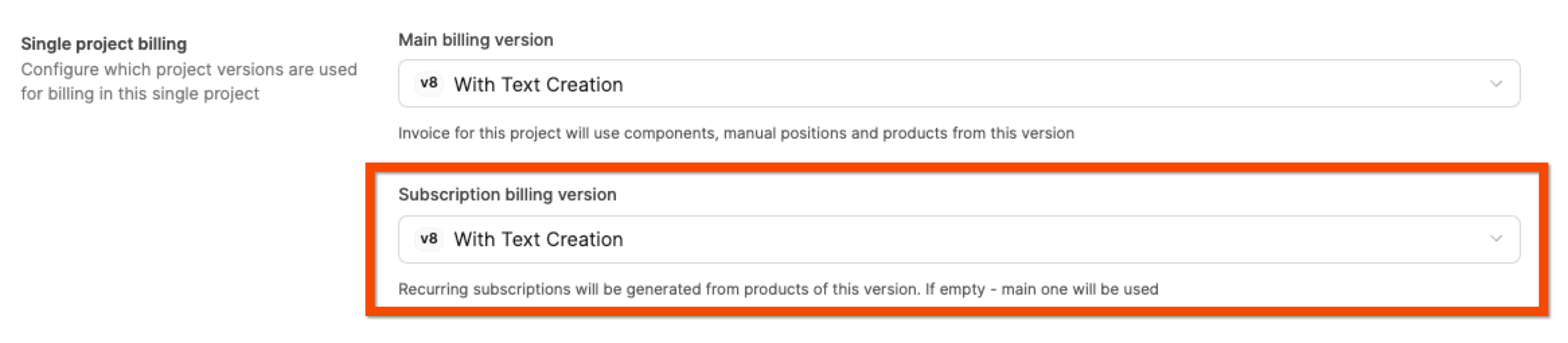
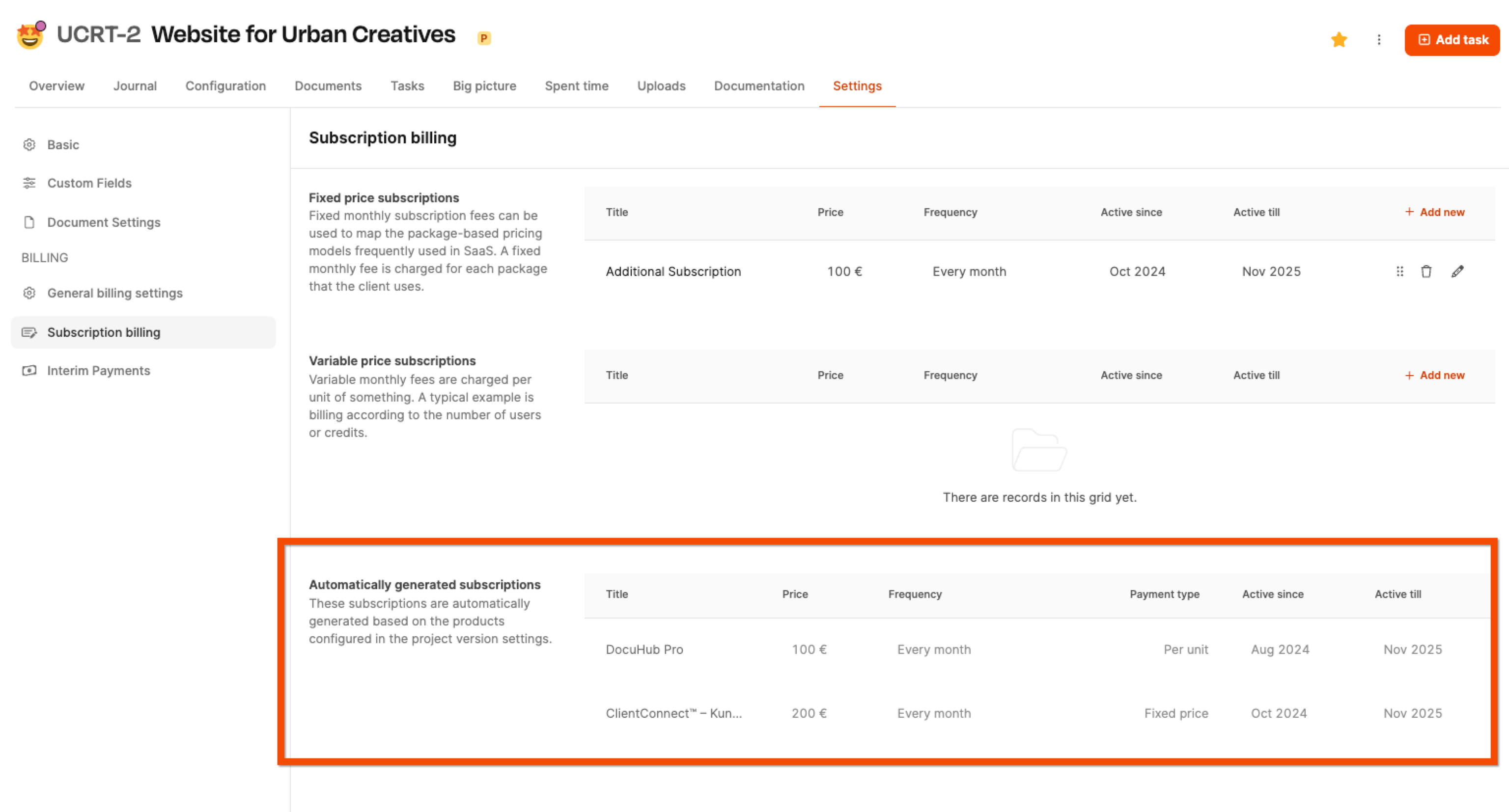
From the moment the project reaches “Billing” status, Leadtime becomes automatic Generate product invoices at the frequency specified for the respective project, until billing is deactivated or the project is closed.
You can view the subscriptions active for a project in the “Settings” tab in the Subscription Billing menu check.
Interim invoices (provision payments)
About advance payments here: Projects – Hiring – Advance payments
Why interim billing?
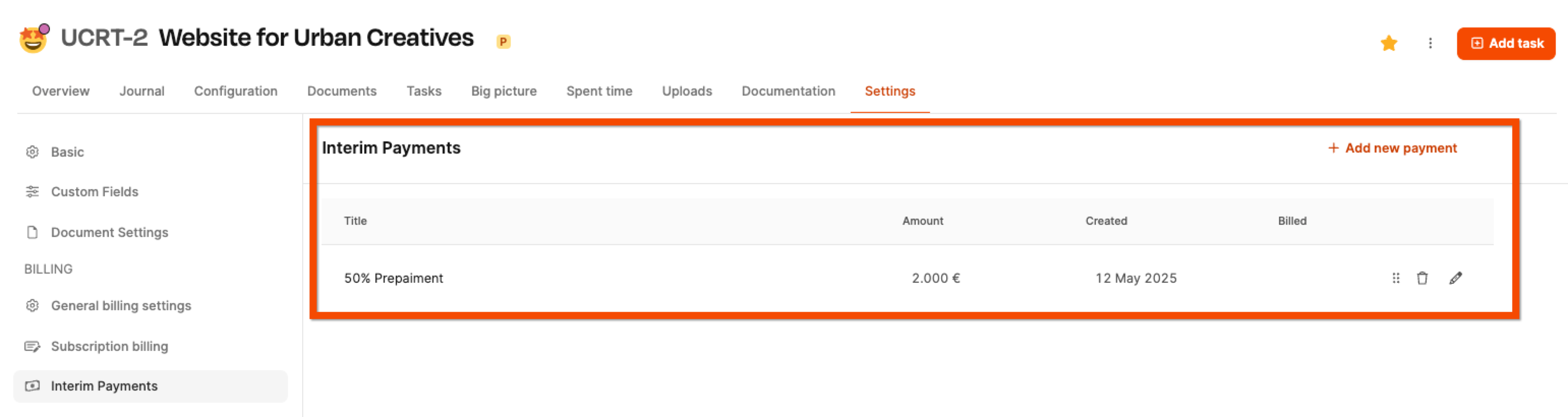
Especially with larger projects it is common Partial invoices to provide – e.g. B. 50% at the beginning, 50% upon acceptance. These so-called Advance payments ensure liquidity and reduce the risk of one-sided advance payments.
Under the rider “Settings → Advance payments” you can create any intermediate invoices.
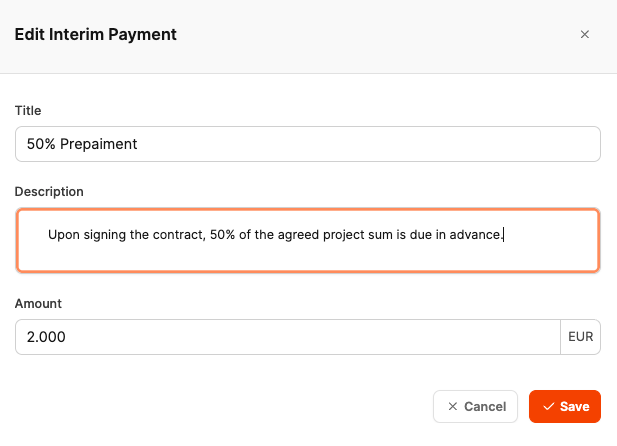
Example:
- Title: “50% advance payment”
- Amount: €2,000
The item immediately appears as an invoice in the area Audit and can be sent like any other invoice.
Automatic billing at final billing
All advance payments made are included in the final project billing automatically deducted as negative positions. This ensures that the customer not burdened twice will.
View in invoice verification
To Audit
If in the General billing settings of a project below the point “Allow mixed invoices” the option “Split bills” was selected, then Leadtime creates in the billing area several separate invoices for one project – instead of bundling everything in one overall invoice.
This setting is particularly useful for more complex projects with product subscriptions, change requests or agreed interim payments.
Where do the individual invoices appear?
Once the project has status “Settling” achieved are automatically all items to be billed in the area “Billing → Invoice Verification” visible – sorted by type and time frame.
Overall can there up to five different invoice types appear for a project:
1. Product Subscriptions
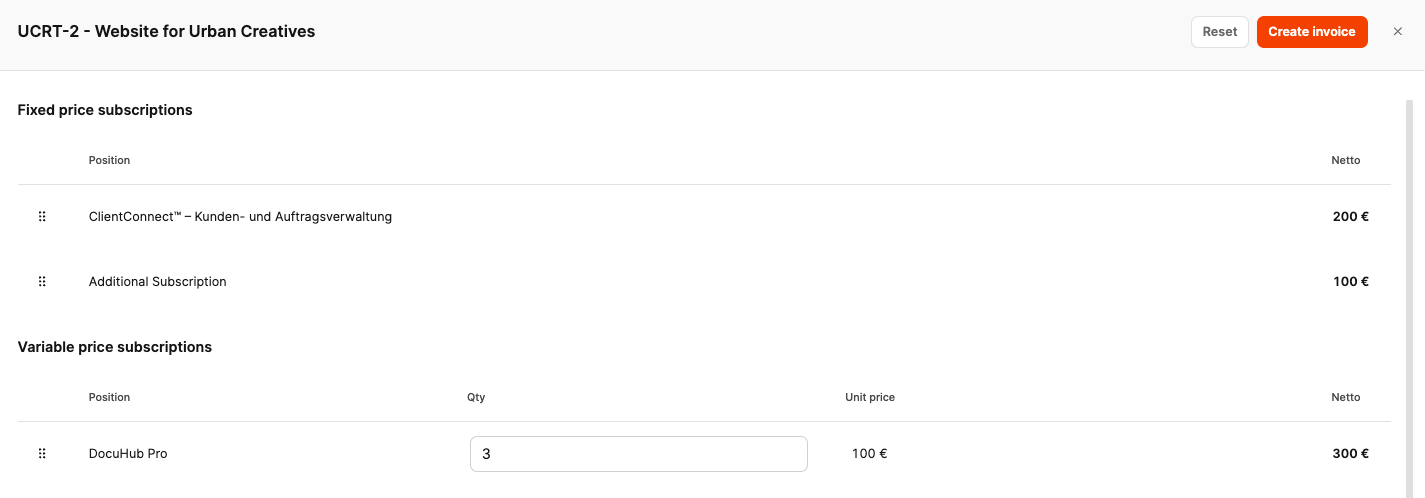
If in the project Subscriptions from the product catalog (e.g. a monthly CRM module), then a separate one appears regularly from the time of billing Subscription bill – with the frequency that is stored in the product.
Example:
-
Product: “ClientConnect”
-
Billing period: October
-
Amount: 200€
Subscription type automatic invoice
2. Change Requests
About the Handling change requests
All tickets that are as “Change Request” are marked and are not linked to a work package, are stored in their own Collective invoice billed. Leadtime summarizes all the hours of these tickets and multiplies them by the organization’s hourly rate. If the organization has no hourly rate, Leadtime uses the workspace hourly rate.
The invoice contains:
- One position: “Change Request Effort”
- A list with all included tasks as an attachment
3. Express Offers
About Express offers
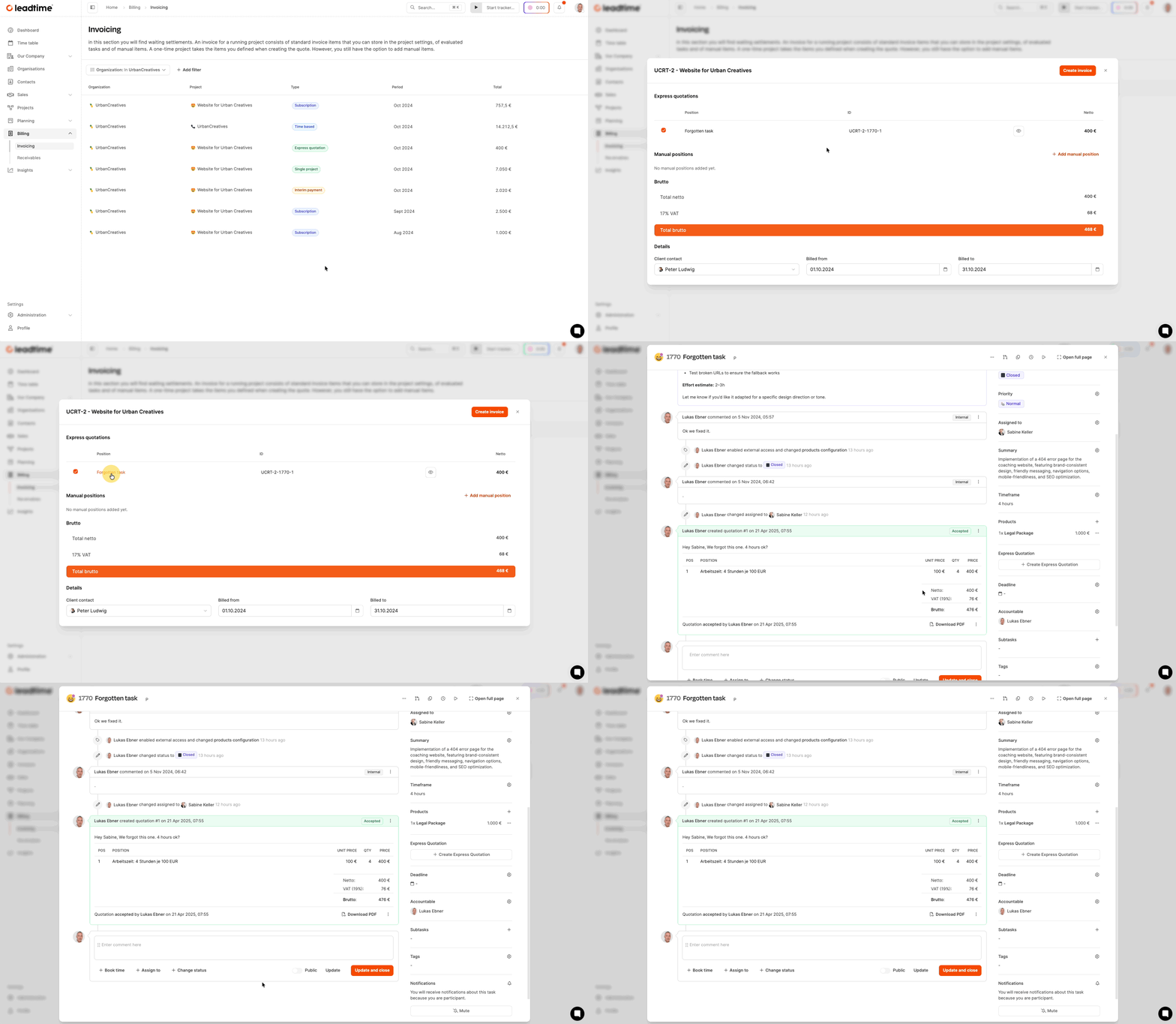
An accepted express quote becomes ready for invoice verification after its task reaches a status of the type Closed. In this single-project workflow, the project must also have a status of the type Billing or Done. The quote is billed as a fixed-price item. It appears on a separate express quote invoice when split billing is used, or as part of a mixed invoice when mixed billing is enabled.
4. Interim payments (e.g. advance payment)
About advance payments here: Projects – Hiring – Advance payments
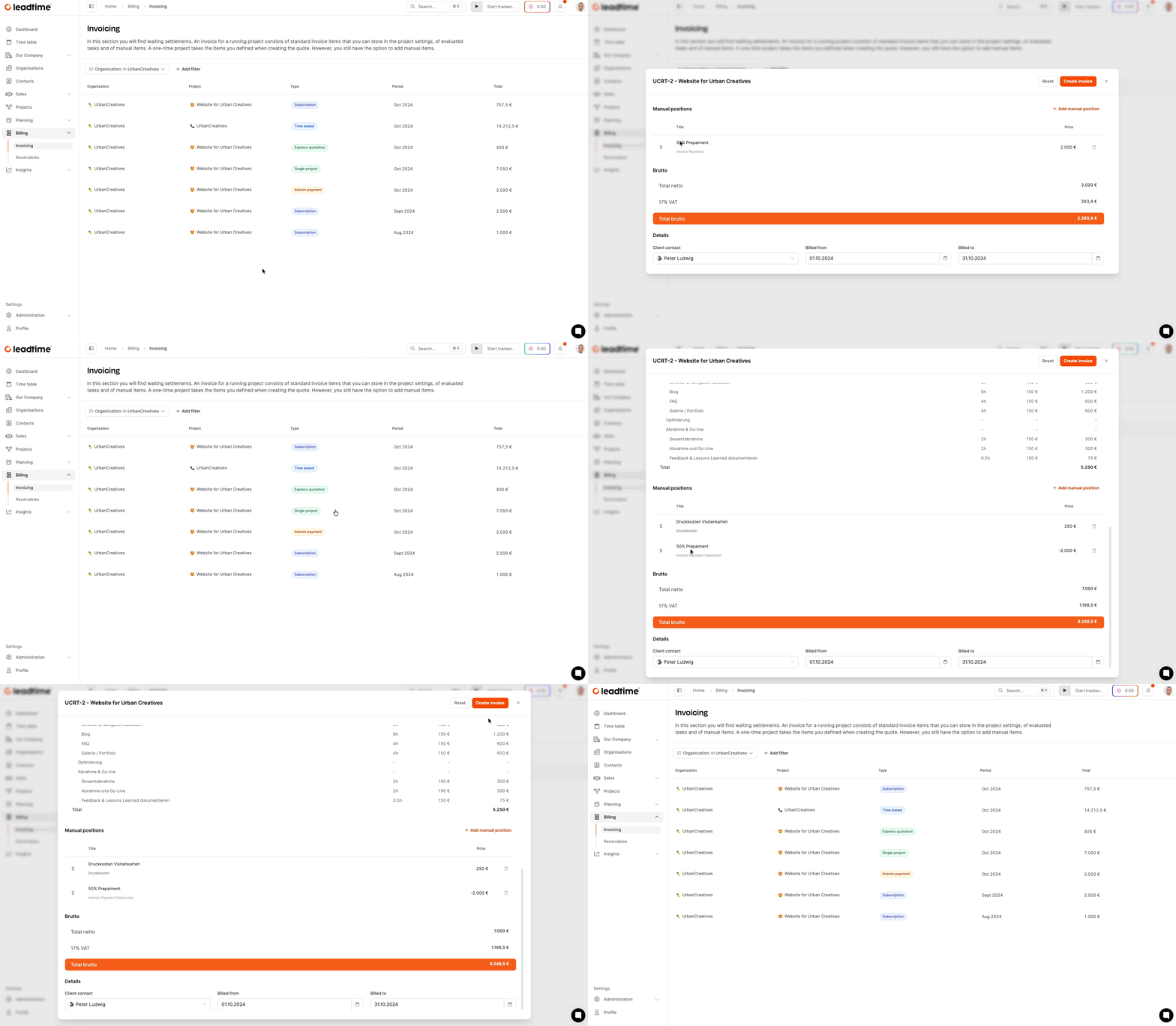
If there is one in the project Interim billing or one Advance payment has been defined (e.g. 50% deposit at the start of the project), this appears as a separate invoice of type “Interim payment” – with a clearly marked one manual position.
5. Project invoice (main invoice)
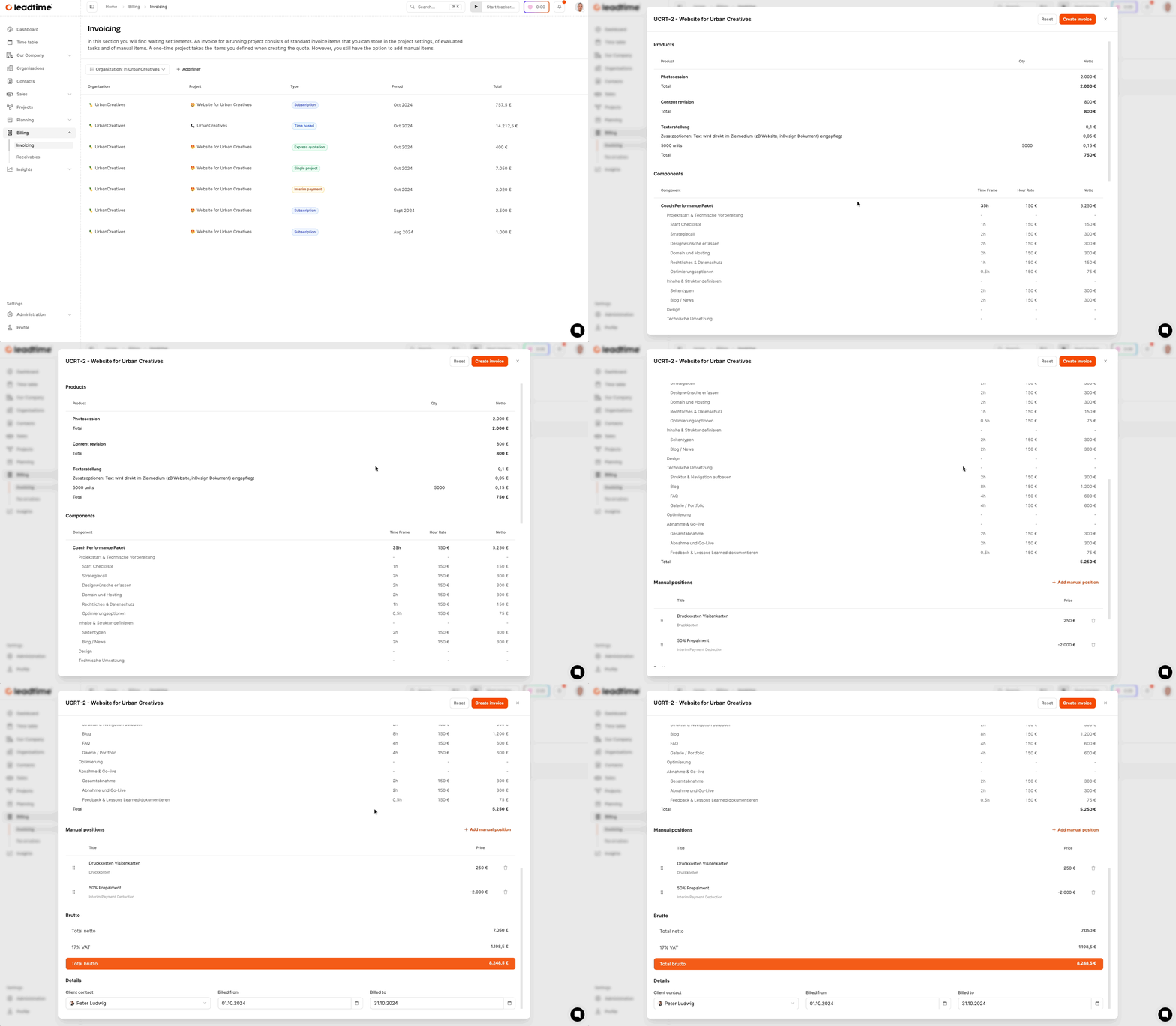
The final invoice for the individual project is based on the released project version (master version) and contains:
- All Project components (e.g. epics and work packages)
- All uniquely offered products
- The defined time frame, billed at the hourly rate stored on that project version
If there was an advance payment, this will automatically be reflected in the invoice negative position deducted - so that there is no double billing.
Mixed bills
In a mixed project invoice, all of these individual invoices are combined into one very long collective invoice. However, we recommend splitting the invoice to speed up incoming payments: If the customer has a query about one item in a mixed invoice, payment for all other items will also be delayed.
Everything about projects here: Projects