
Billing
Workspace-wide settings for invoices and reminders generated with Leadtime
Found under Administration → Workspace Settings → Billing.
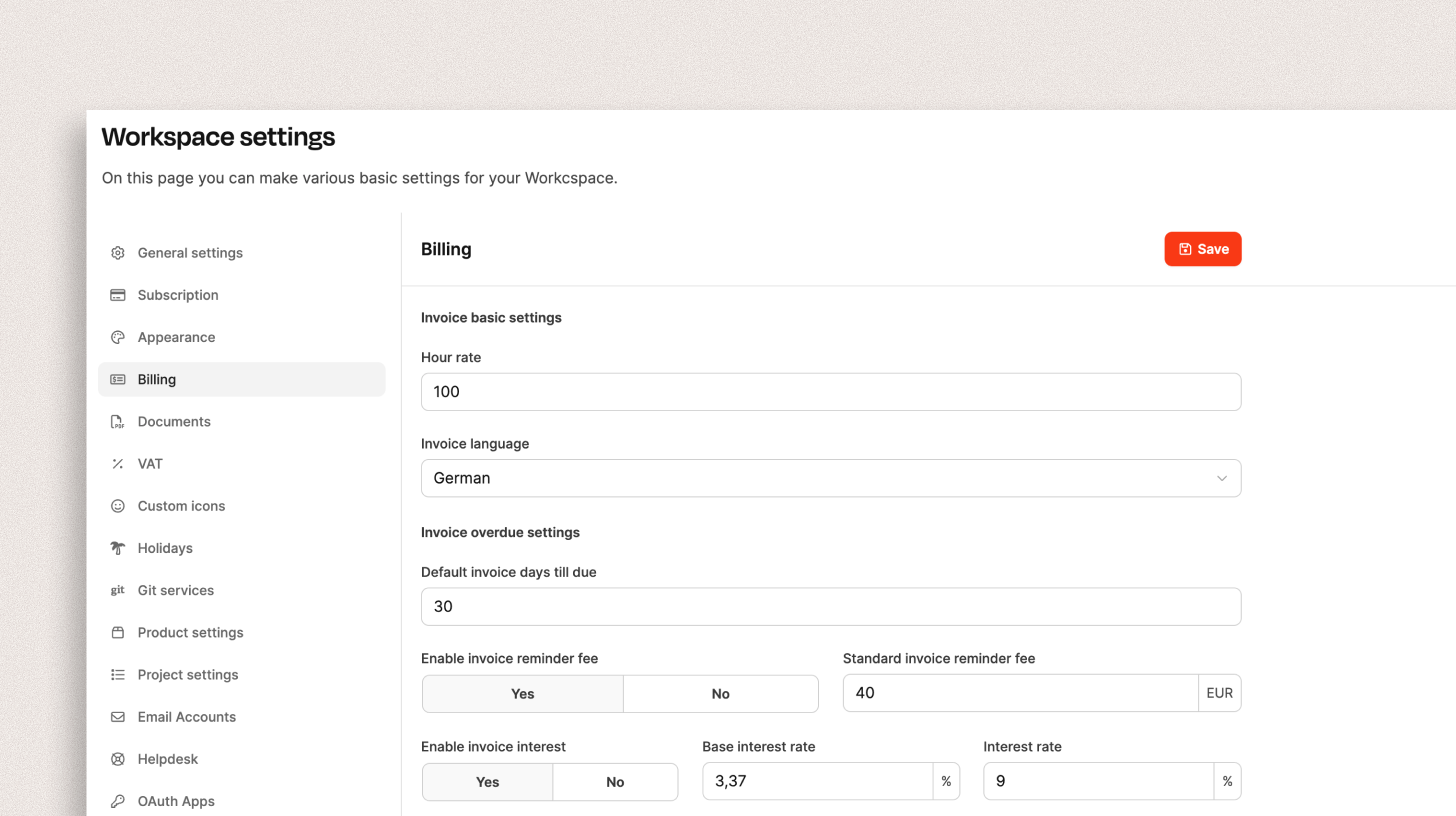
This section defines the central settings for invoicing, reminder processes, and interest calculations in the workspace. The values stored here are the defaults for all projects and organizations, but they can be overridden individually at organization level. For example, you can waive reminder fees for a specific customer.
Customize billing settings for a specific organization: Organization – Billing Settings
Billing basics
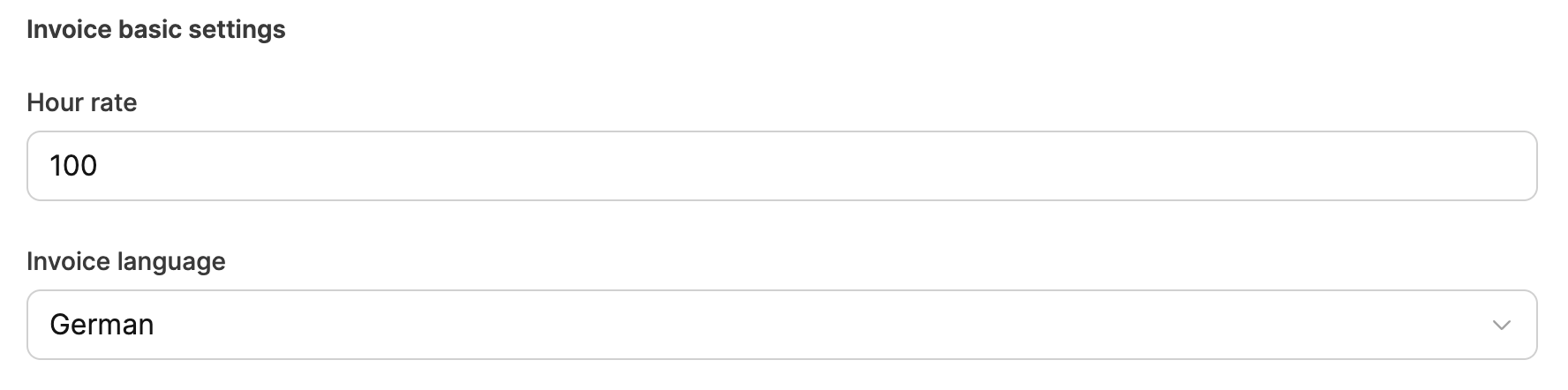
Default hourly rate
This defines the general external hourly rate to use as the company default. Note that you can store an individual hourly rate for each customer at organization level. If you do not specify an individual hourly rate for an organization, the default hourly rate stored here is used.
Defaultinvoice language
Invoice documents are based on text blocks.
You can customize these text blocks for each language version (English and German) and define the desired language version for each customer at organization level. This is particularly useful if you have customers both in your home market and in English-speaking countries. In the Workspace Settings, you define which language version should be used by default in invoice documents.
Settings for overdue invoices
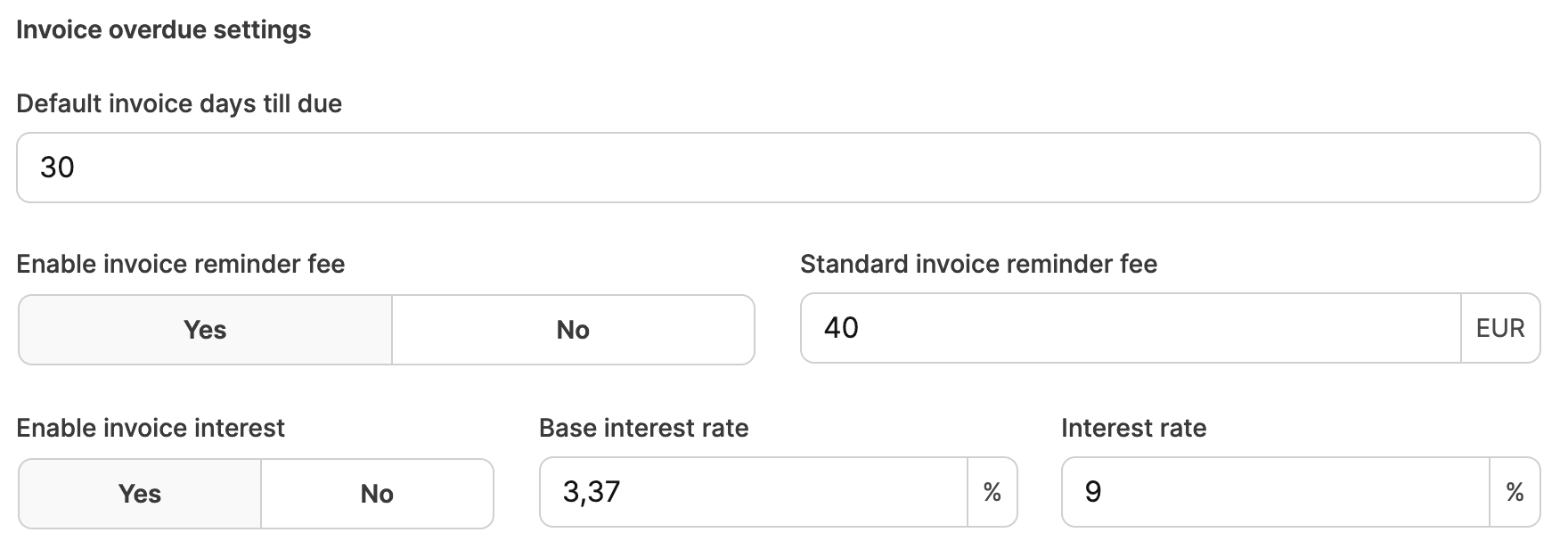
Here you can define what should happen by default when an invoice becomes overdue.
Default payment term for invoices
The “default payment term” in days defines when an invoice is considered overdue (e.g. 30 days). This value can be overridden at organization level, allowing you to grant individual customers a particularly long payment term, for example.
Enable default reminder fee
You can charge your customers reminder fees for overdue invoices. For B2B transactions in Germany and Austria, reminder fees of up to 40 euros are permitted by law (see § 288 (5) BGB). For other European countries, the corresponding values must be entered manually.
Reminder fees can be customized at organization level. This allows you to waive the fees for individual key customers so that important business relationships are not put at risk.
Default interest
For invoices that are not paid on time, default interest can be added in addition to reminder fees. However, you cannot apply an arbitrary interest amount.
For business customers in Germany, an invoice that is not paid on time may incur default interest of 9% above the base interest rate.
The base interest rate is currently: 3.37%
An example of the default interest calculation: A B2B customer purchases goods worth 1,000 euros. The payment remains outstanding for 100 days after the payment deadline. With a base interest rate of 3.37%, the default interest rate is 12.37% (3.37% + 9%).
The calculation formula is:
Invoice amount x (base interest rate + 9%) x days overdue / 365 = default interest Example calculation:€1,000 x (3.37% + 9%) x 100 / 365 = €33.89
The total amount including default interest is therefore €1,033.89.
If you want to charge default interest, enable the Default Interest radio button and enter the current base interest rate and the corresponding additional interest rate.
For countries outside Germany, the base interest rate must be set manually.
Note: Default interest can be enabled or disabled at organization level. This allows you to waive interest for individual key customers so that important business relationships are not put at risk.
Customize billing settings for a specific organization: Organization – Billing Settings
Reverse charge procedure

When this option is enabled, VAT is not shown when an invoice is created for a customer abroad. Instead, the VAT liability is transferred to the recipient of the service (e.g. the foreign company).
This feature is important for companies that provide services or goods to business customers in other European countries. When the reverse charge procedure is enabled, the invoice states that the recipient is responsible for the VAT liability. This is a common process, particularly within the EU, that facilitates cross-border trade.
About VAT
Salutations and closing formulas for documents
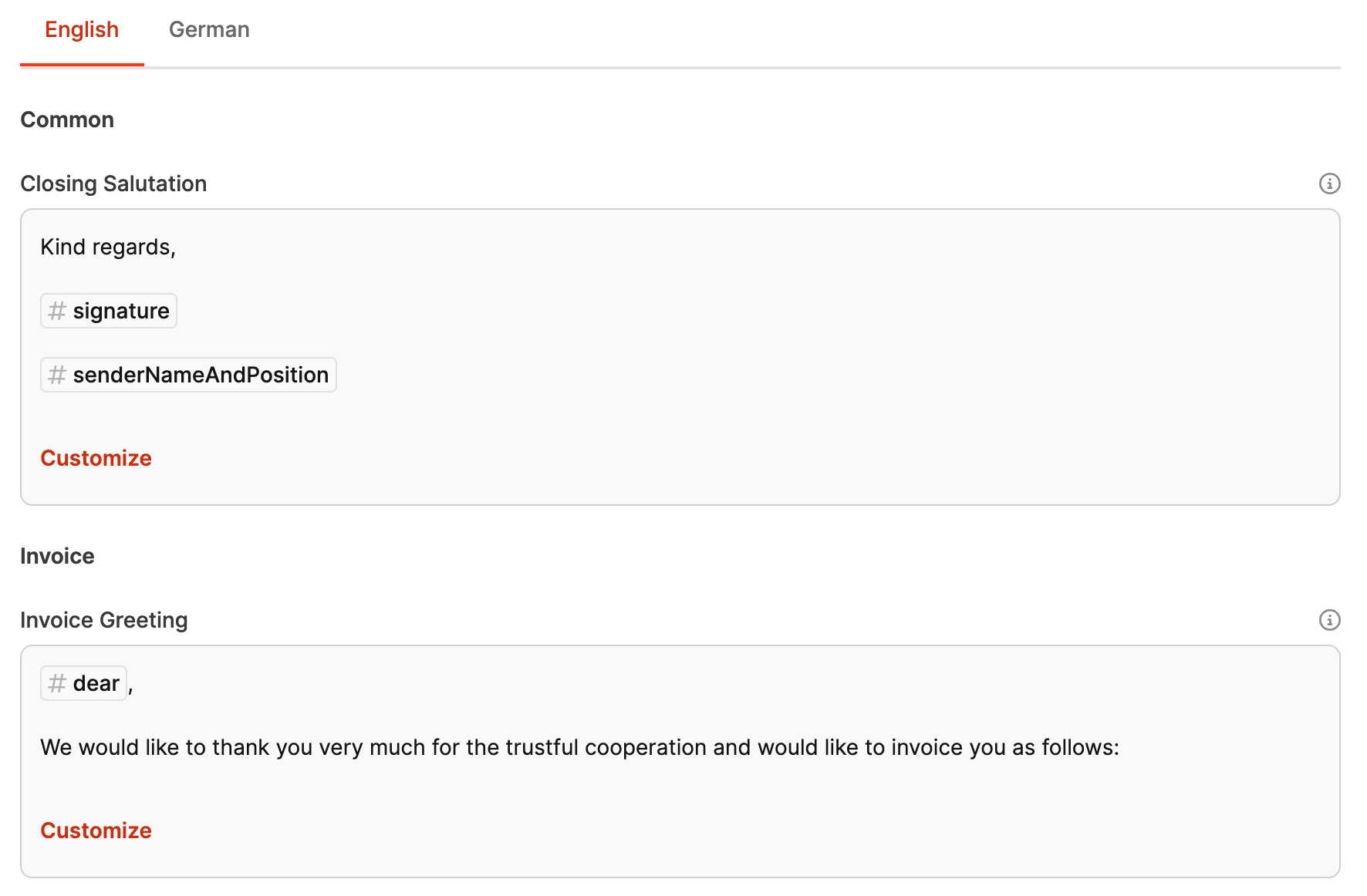
Customizing salutations and closing formulas in Leadtime
In Leadtime, salutations and closing formulas for invoices, reminders, and invoice cancellations can be customized individually. This system provides a three-level hierarchy for maximum flexibility and customization:
[!INFO] Individual invoice settings override → Settings for a specific organization override → Workspace Settings
It therefore makes sense to store solid texts that apply throughout the workspace and then define exceptions for individual organizations.
Workspace Settings
The salutations and closing formulas defined at workspace level apply by default to all projects and invoices within that workspace. They provide the foundation and serve as the universal default for all invoices, reminders, and cancellations.
Organization Settings
If a specific organization has particular requirements, the salutations and closing formulas can be customized at the project level. These settings override the workspace defaults and apply only to invoices, reminders, and cancellations created for that organization. This option is particularly useful when individual customers require a different tone or specific wording.
Customize billing settings for a specific organization: Organization – Billing Settings
Individual invoice
At individual invoice level, salutations and closing formulas can be customized again. These changes override both the organization and workspace settings. This is ideal for adding a one-time exception to the text of a single invoice.
Customize billing settings for an individual invoice: Receivables – New tab
Purpose and benefits
This flexible system allows companies to customize their invoice and reminder texts. This enables you to:
- Address different customers with specific wording.
- Account for projects with their own requirements or target audiences.
- Respond to special situations in individual invoices.
This customization not only creates a more personal customer experience but also contributes to professional, tailored communication with your business partners.
General text fields
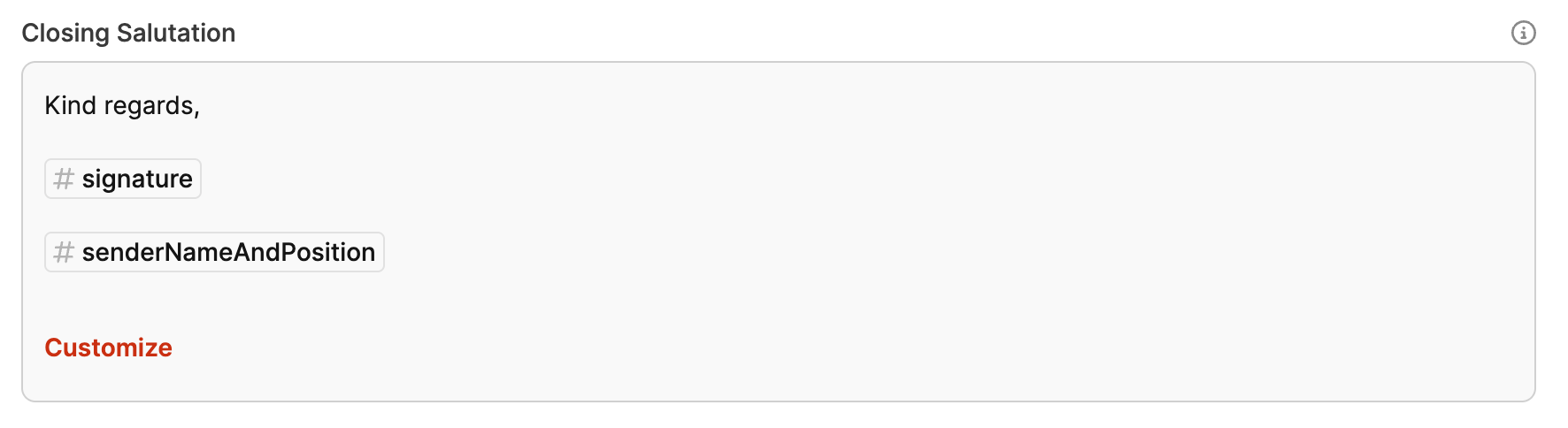
- Closing formula: The text block used as the closing formula in invoices. It is used on every invoice by default and can be customized here for the organization.
Invoice texts
- Invoice salutation: The text block used as the salutation on invoices and inserted automatically. It can be customized to address the customer specifically.
- Invoice footer: A text can be stored here that appears as the footer on every invoice. It could include payment instructions and the corresponding bank details.
- Reminder fee warning: This text block is used when the first reminder becomes due. It informs the customer about any reminder fees and default interest that may apply.
- Cancellation: This text is used for invoice cancellations.
Reminder texts
- First reminder salutation: This text is used in the first reminder to politely notify the customer that the payment deadline has passed.
- First reminder footer: This text appears at the end of the first reminder and explains which fees and interest will become due if the invoice remains unpaid.
- Second reminder salutation: This text is intended for the second reminder. It informs the customer that this is the final reminder.
- Second reminder footer: The closing text of the second reminder, which informs the customer about possible legal action if payment remains outstanding.
Text variables for salutations and closing formulas
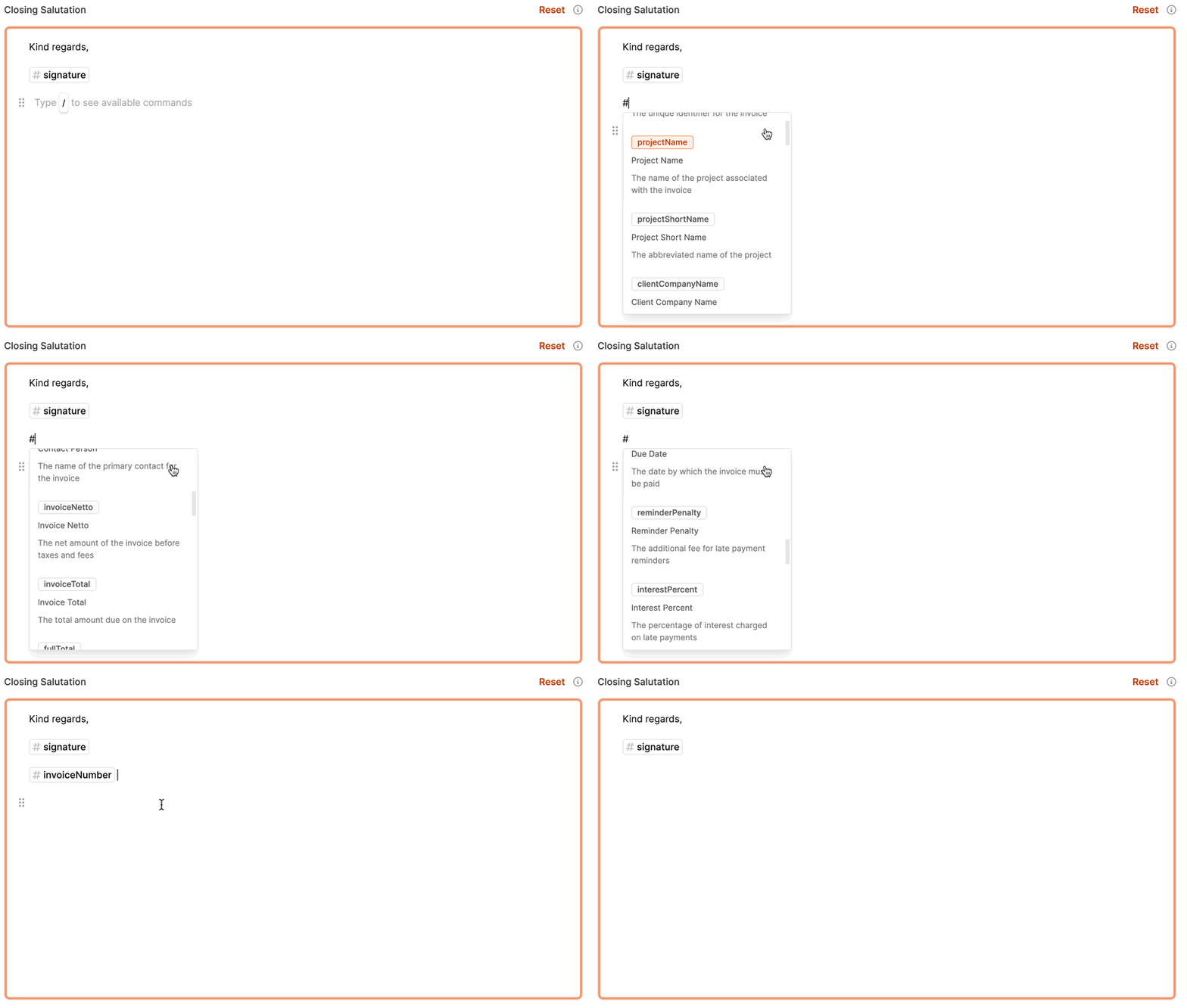
The following variables can be used in salutations and closing formulas for invoices, reminders, and cancellations. The variables are replaced automatically with the corresponding values.
[!INFO] To insert a text variable, simply enter a hash symbol # in the editor. A context menu with the available variables appears.
| Variable | Description |
|---|---|
| Account Number | The account number for payments |
| Due Date | The date by which the invoice must be paid |
| Reminder Penalty | The additional fee for reminders |
| Interest Percent | The interest percentage on late payments |
| Sender Name and Position | The name and position of the person sending the invoice |
| Sender Name | The name of the person sending the invoice |
| Sender Position | The position of the person sending the invoice |
| Invoice Number | The invoice’s unique identifier |
| Project Name | The name of the project linked to the invoice |
| Project Short Name | The project’s short name |
| Client Company Name | The name of the customer’s company |
| Contact Person | The primary contact person for the invoice |
| Invoice Netto | The invoice’s net amount before taxes and fees |
| Invoice Total | The total invoice amount excluding taxes |
| Full Total | The total amount including all taxes and fees |
| Overdue Interest Percent | The interest percentage on overdue payments |
| Overdue Interest Days | The number of days after which interest accrues on overdue payments |
| Today’s Date | The current date on which the invoice is created or viewed |
| Dear Customer | A universal salutation based on the recipient’s gender |