
Products
Add, configure and version-manage products to the project, including variants, time periods and price structures.
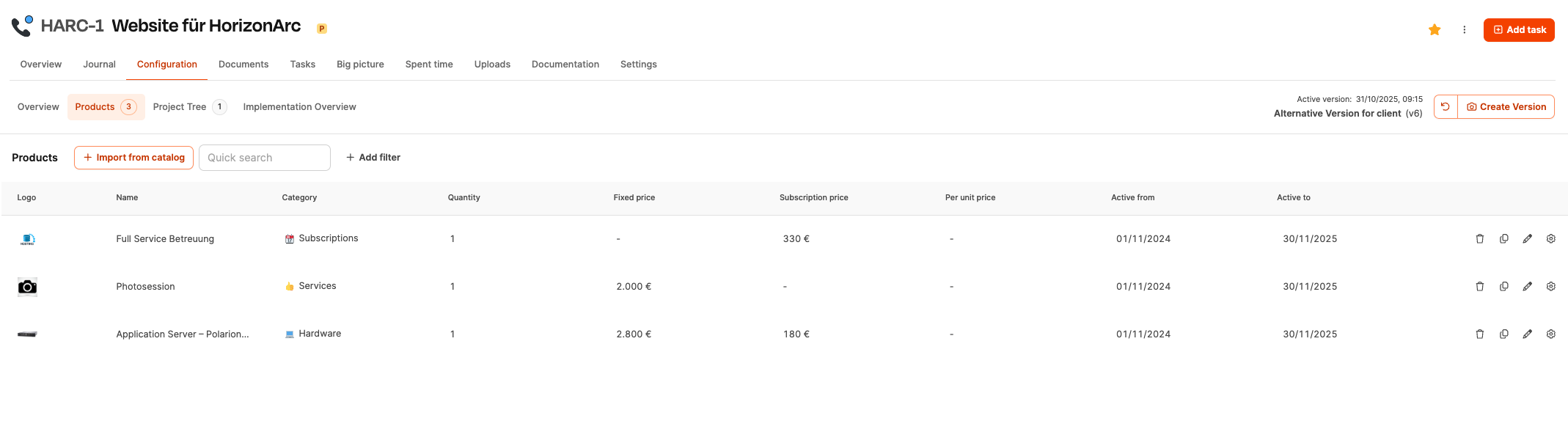
The area Products is located in the Project planning of individual projects. Here, standardized services from the product catalog are added to the project and configured individually. Products can be fixed-price, subscription or quantity-based services and form part of the offer and subsequent billing.
Create products in the product catalog: Product catalog
Use case in the SaaS environment
The combination of:
- Unique Onboarding project
- Running Software subscription
Both services are shared in the rider Products added.
Result
The product configuration makes it possible to offer standardized services on a project-related basis, adapt them and save them in a versioned manner. This is the basis for:
- reliable offers
- Audit-proof price documentation
- flexible product variants
How it works
Add products
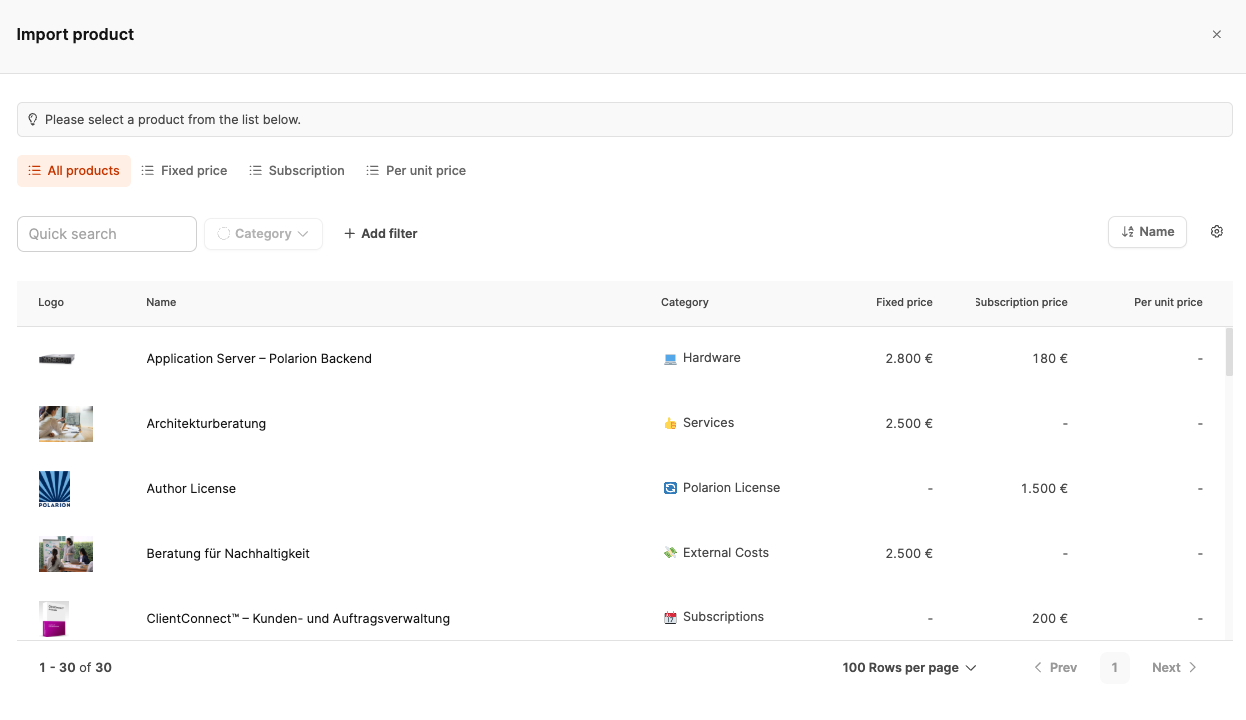
About Import from catalog A dialog opens with the product catalog. The following functions are available there:
- Search by product name
- Filters by categories
- Selection individual products
After selecting it opens Product configuration, in which variants, options and quantities can be set. Any change will affect the price calculation of the project.
Create products in the product catalog: Product catalog
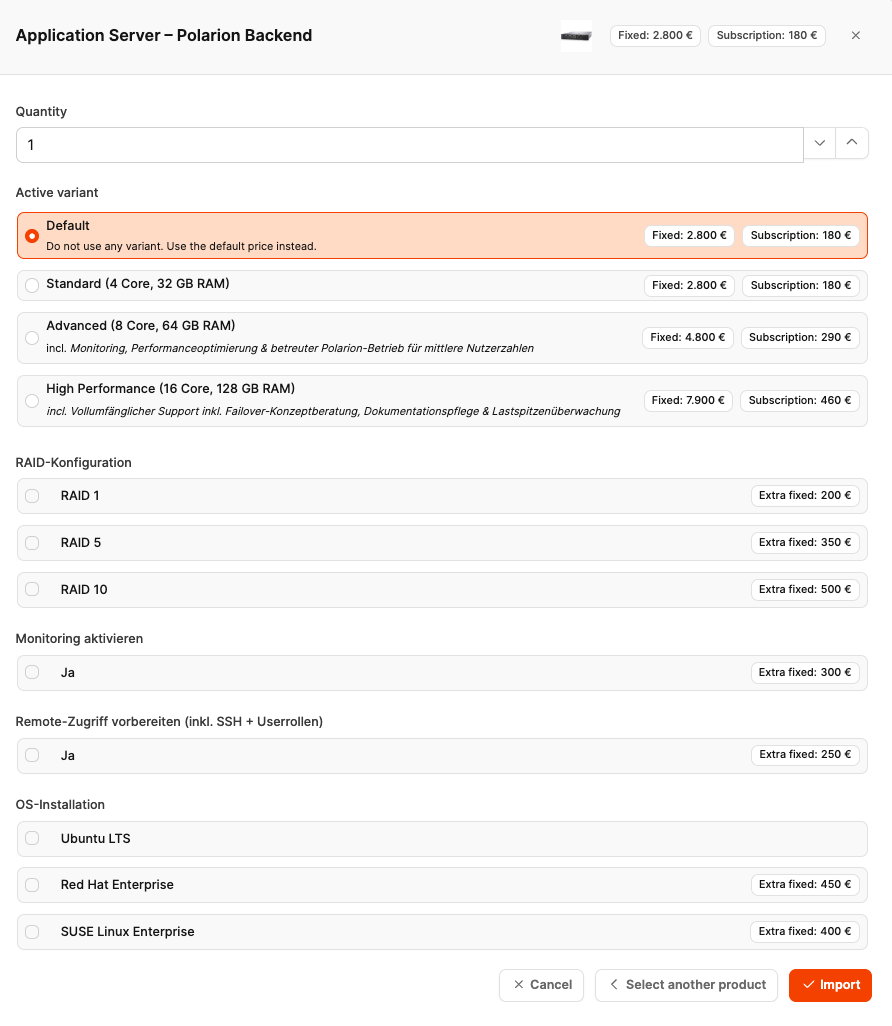
With Import the product is adopted as a copy into the project. This will automatically start one new version the project configuration. Changes must then be made Create Version be saved.
Variants and options
Products may contain different variants and technical options (e.g. hardware configurations). Each selection has a direct impact on:
- Fixed price
- Subscription price
- Additional costs
Product copy and isolation
Products are copied into the project when imported. Adjustments within the project only take effect there and don’t change the product catalog. This means that supply levels remain historically traceable.
Example:
- Changing the description text of an imported product → only effective in the project
- new variant choice → only affects this offer
Create products in the product catalog: Product catalog
Product list (grid)
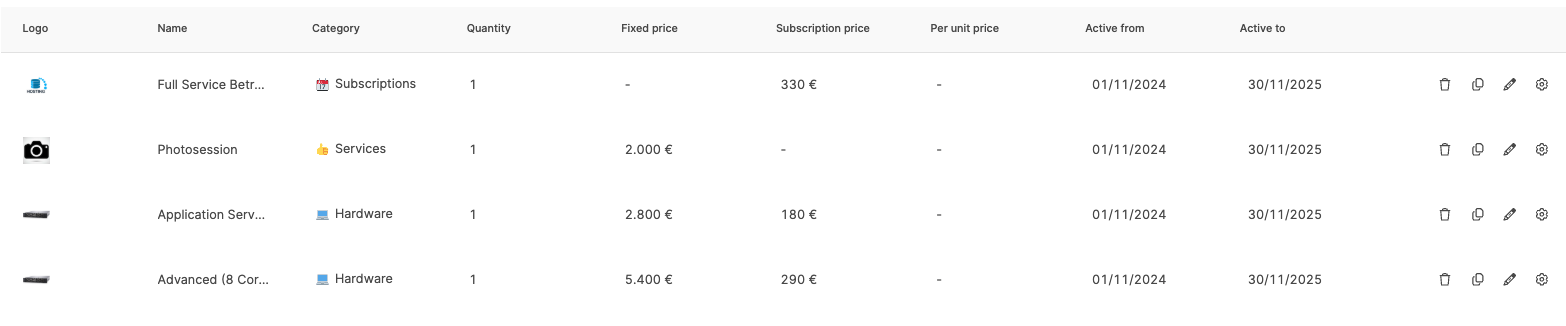
The tabular overview shows:
- Logo
- Product name
- Category
- quantity
- Fixed price
- Subscription price
- Price per unit (e.g. user license)
In addition, will Active from / Active to displayed. This data is used to display time-limited price versions, e.g. in the event of price changes.
If products are to have price rules that differ over time, a product copy with a different validity period can be added.
Tools per product entry
Each entry offers four actions:
- Trash – Remove product from the project
- Duplicate – Use a product multiple times in the project
- Pen – Edit product details within the project → Changes here only affect the imported product within this project. The product in the product catalog remains unchanged.
- Gear – Configure variants, options and quantities